| Author |
 Replies: 18 / Views: 1,686 Replies: 18 / Views: 1,686 |
|
Pillar of the Community
United States
6961 Posts |
My friends, I have been using an iPad with two clip-on lenses (scope $8 and macro lens $9) for two and a half years, ever since I entered the hobby. Even with all the wonderful coin photo techniques and hacks that I have learned on CCF and elsewhere, I think I have taken this ultra-cheap setup as far as it can go.
This thinking is driven by two main thoughts. First, I believe I might eventually like to photoblog or write a few articles about the rare variety coins that I hunt. Second, I would like to liquidate some of the rare coins that I have hunted, both raw and graded. I myself am hesitant to buy rare varieties from poor photos, which is a common sense habit that has been reinforced here.
I would like a macrophotography setup that does coins. That's it, just coins. It seems like a DLSR is the right tool for that job, but many cameras and lenses seem general purpose and very expensive. I have no objection to secondhand equipment. I also understand that part of the budget must be allocated to a light box, axial box, lighting, lab jack, and so forth. I have looked at several of Ray's setups, but they seem like the next level beyond what I am trying to accomplish in 2026.
Recognizing that this setup might just be a stepping stone towards a more advanced setup in a few years, what is a modestly priced configuration that will yield solid photos of raw and slabbed coins without breaking the bank?
|
|
|
|
Pillar of the Community
United Kingdom
2145 Posts |
Interesting!
Which exact lenses did you use with your Ipad, please?
My Ipad friend would like to know because he hasn't found any.
I've tried several macro lenses with my Android phone but the Ipad without any lens add-on produced better pictures.
|
|
Pillar of the Community
 United States
6961 Posts |
I have a 9th generation iPad, so it is getting older. The lens is a clip-on 2-in-1 macro and 0.45x wide angle lens. The two lenses screw apart—I have never used the wide angle. They are so generic that there is no branding on the clip, cap, or lenses. I think pretty much all the ones you can buy on Amazon are made by the same few OEM manufacturers. You can get one for less than $10 including shipping. https://www.amazon.com/Universal-Ca.../B0F2T2YFTY/It has worked really well with my little axial boxes. Otherwise you can have problems with the super close iPad and lens casting a shadow on the coin. 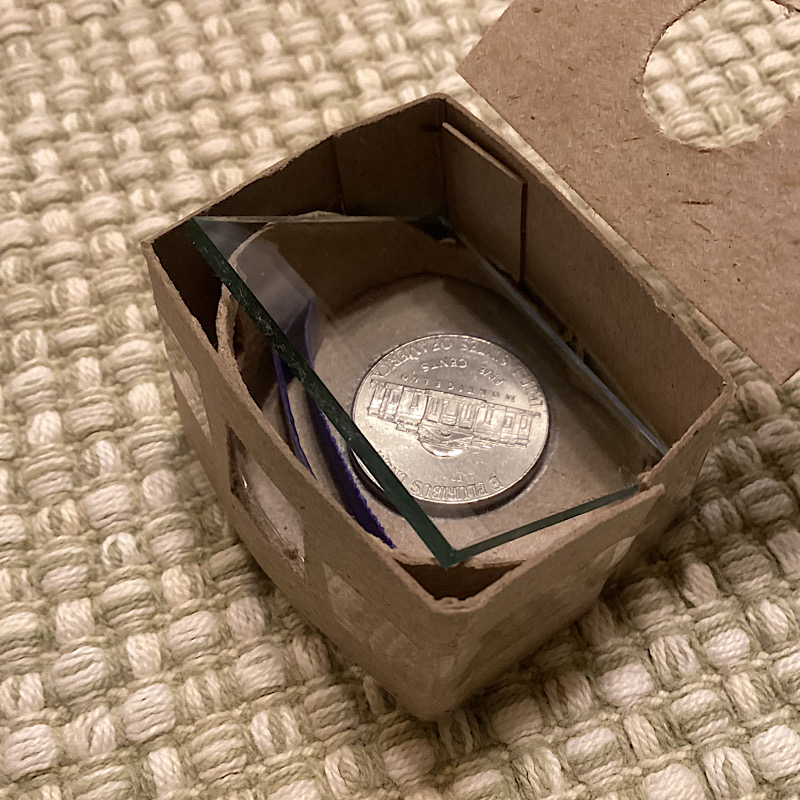 |
|
Pillar of the Community
 United States
9050 Posts |
|
|
Bedrock of the Community
United States
19679 Posts |
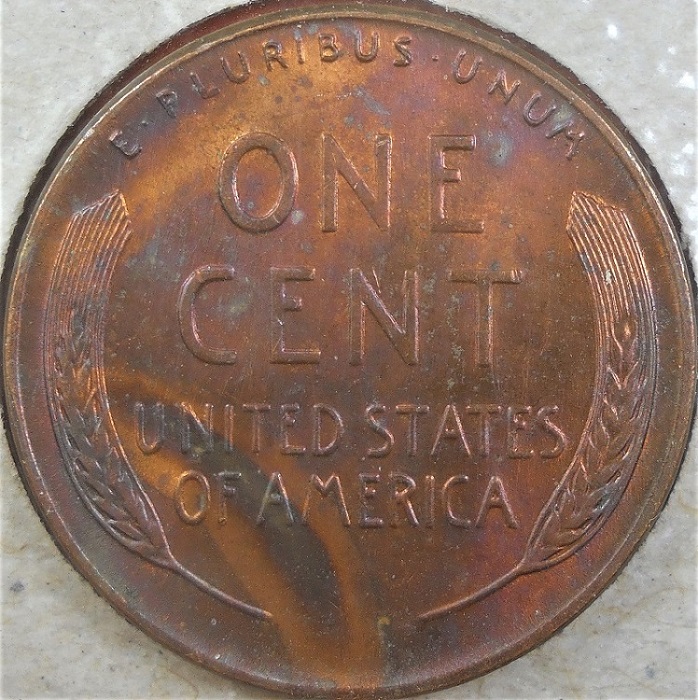
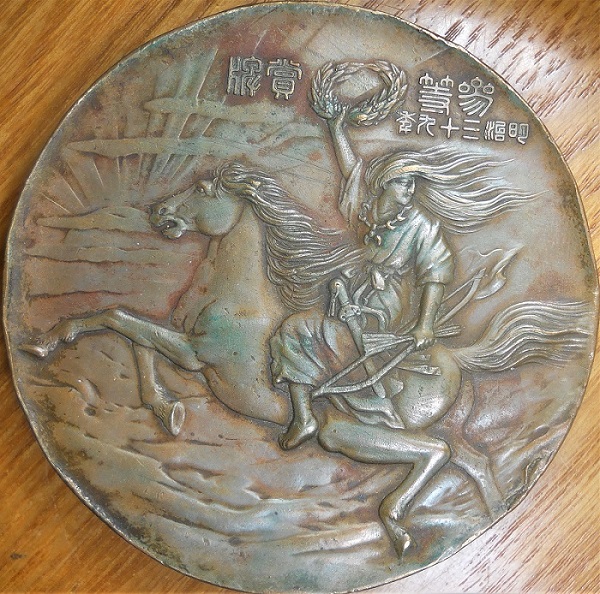
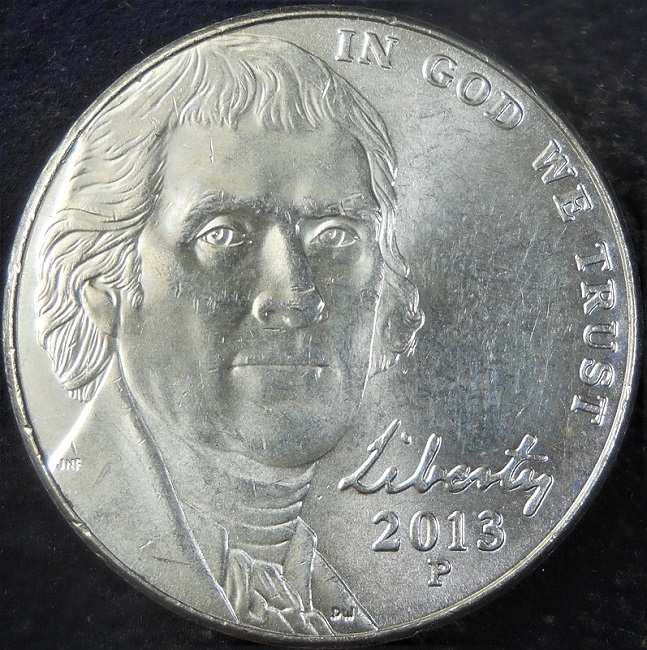
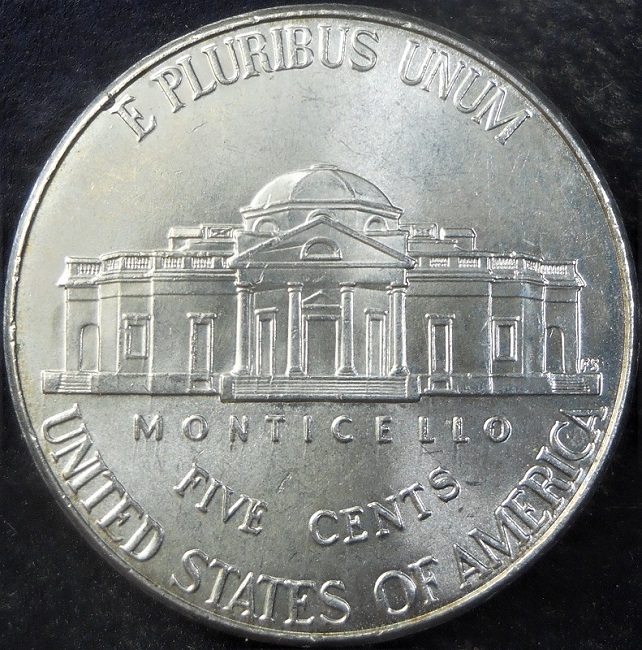
-makecents-- ...Excellent photos!
|
|
Pillar of the Community
 United States
4051 Posts |
@Brandmeister, I'd just go back to the original "<$400" thread recommendations. Only issue is the Rebel XS is no longer supported in Windows 11 or latest MacOS. If you're still on Windows 10 and can stay there for a while, the Rebel XS can still work for you. Otherwise you need to upgrade to at least a Rebel T7. For sure I'd stick with Canon since their software is free and excellent. If you go with the XS on Win10 and have to upgrade later, you haven't wasted much since the camera is pretty cheap these days. For lenses you can go cheaper than the Nikon 75mm in the <$400 thread. A 75mm EL-Omegar is an excellent lens, almost as good as the Nikon and far cheaper, typically $30 or less. You will still need the 35-90mm helicoid and adapters. If you get the 18-55mm kit lens with the camera you can also shoot notes, sets, etc. A tripod will hold it all nicely, or you could put together a stand of some sort, or buy one. Here are a couple XS that have low actuations: https://www.ebay.com/itm/256988676380https://www.ebay.com/itm/146701412878Here are some 75mm EL-Omegars in good shape: https://www.ebay.com/itm/197758813485https://www.ebay.com/itm/205958287194Here is the 35-90mm Helicoid (from rainbowimaging, my favorite ebay seller for these things): https://www.ebay.com/itm/224026140088I'd recommend asking rainbowimaging to send a m39-m42 adapter with the helicoid. They usually do but make sure to ask. Otherwise it will cost you another $10+. Here is a typical EOS-M42 adapter from US seller: https://www.ebay.com/itm/402484211993This whole kit will cost <$150, but if you have to go with the T7, that will more than double. An option is to dedicate a cheap desktop to coin photography and keep Win10 on it, or even Win7. That's probably much cheaper than going with the T7. Edited to add: I just looked at the "<$400" thread and realized it was started in 2013, and has over 110k views. Amazing that the recommendations there are still valid, and that you can't get a lot better today. Plus the kit is cheaper 12 years later. Edited by rmpsrpms
01/01/2026 12:38 pm
|
|
Pillar of the Community
United States
9050 Posts |
Thanks, ijn1944. Not bad for a cheap setup.
-makecents-
|
|
Pillar of the Community
United States
9050 Posts |
Thanks for all the input, Ray. It had been a few days since Brand had posted this and figured I would through in my 2 cents.  As a professional photographer, you would definitely know better than me though. Your links show very reasonable equipment too. As I told you several years ago, if I ever want a professional setup, I will reach out to you, it just has not been a high priority but maybe someday. -makecents-
|
|
Pillar of the Community
United States
6961 Posts |
For those interested in the $400 camera setup thread: https://goccf.com/t/158182 Although the 41 page length can look a bit intimidating, it's a good read. =) As I was going through this forum, I found the post from 2023 where I asked Zurie about his coin photo setup. Over the last few days, he was kind enough to answer some of my questions via e-mail. The specific setup was a Nikon D90 with a Nikkor 105mm f/2.8 lens. That seems to be a reasonably priced configuration given my objective. Ray, maybe you can enlighten me to some lens concepts? It seems that many macrophotography lens features are oriented around focus, stabilization, depth of field. That doesn't really seem necessary for coin photography, since you can manually adjust the focus, fix the camera in place, and directly control the distance to the coin surface by moving the coin itself. You also don't care about the background, and the feature depth of the coins is quite shallow. A computer might be my one Achilles heel. My personal system is a basic Linux laptop, no frills. |
|
Pillar of the Community
United States
9050 Posts |
Sorry I was of little or no help to your question of "Most Economical Real Camera Setup For Macrophotography Of Coins?" I know my pics are not fantastic but thought I might be an in between for you until you reached the next level of maybe purchasing a "Ray" system. Maybe the simple little camera I use is not a "Real" camera, I will admit, I know little to nothing about photography. Your post did not have any feedback for a few days and thought I would offer up what little I had to. I wish you the best on finding a good fit and looks like you are on your way to doing that.
-makecents-
|
|
Pillar of the Community
United States
4051 Posts |
I'm not sure how much support Canon gives to Linux. You'll need to research that if you decide to go with Canon, which I highly recommend over Nikon for several reasons. I'd still recommend a dedicated coin photo computer, though you do need to be able to access a big monitor to make it worthwhile.
As for lenses, the 75mm EL Omegar is not so different from the 105mm Nikon as it would seem. You focus using the manual helicoid, and set aperture for desired depth of field. I would expect the image quality of the 75mm to be about the same, maybe slightly better. Biggest difference is it will be much easier to get lighting to higher angles with the 75mm since it's much smaller in diameter, and will have a longer working distance.
Contact me for photographic equipment or visit my home page at: http://macrocoins.com |
|
Pillar of the Community
United States
6961 Posts |
@makecents: Apologies, I intended no offense. Your photos are quite good.
|
|
Pillar of the Community
United States
9050 Posts |
Quote:
Your photos are quite good. I was not looking for props on my pics but thank you. I only posted them to show you what this particular, inexpensive camera was capable of and thought it may be a simple, in between solution until you moved up to the next level of coin photography. Ray knows his stuff and would not know a better person to follow in this particular avenue of coins.  -makecents-
|
|
Pillar of the Community
United States
6961 Posts |
Quote:
You'll need to research that if you decide to go with Canon, which I highly recommend over Nikon for several reasons. I would be interested to know those reasons. Quote:
I'd still recommend a dedicated coin photo computer, though you do need to be able to access a big monitor to make it worthwhile. While that would be ideal, a dedicated coin photography computer is just not in the budget for this year. Quote:
Biggest difference is it will be much easier to get lighting to higher angles with the 75mm since it's much smaller in diameter, and will have a longer working distance. That has been one of my camera lens questions. I had assumed that you want the camera as close to the coin as possible (within reason). If your working distance is longer, are you sacrificing detail? |
|
Pillar of the Community
United States
4051 Posts |
Quote:
I would be interested to know those reasons. Only a few, more expensive Nikons have electronic shutter curtain. All the lower cost Canons have it. Plus Canon gives their computer tethering software for free, while you'll need to buy it for Nikon. Quote:
While that would be ideal, a dedicated coin photography computer is just not in the budget for this year. My point was that a Win10 machine will cost you less than upgrading the camera. I bought a Win10 laptop a while back for $99. Quote:
That has been one of my camera lens questions. I had assumed that you want the camera as close to the coin as possible (within reason). If your working distance is longer, are you sacrificing detail? Not at all. They are two completely independent things. Some of the highest resolution lenses I own have very long working distance. Contact me for photographic equipment or visit my home page at: http://macrocoins.com |
|
Pillar of the Community
United States
6961 Posts |
Being new to this, the articles that I read implied that electronic shutter control was mostly for environments with motion? The other advantages were silent operation and rapid multiple exposures, as when shooting sports or wildlife in motion. One article mentioned that the mechanical shutter could eventually wear out. Is there another aspect that I missed? https://www.canon-europe.com/pro/in...cal-shutter/ |
| |
Replies: 18 / Views: 1,686 |







 Posted 12/29/2025 8:58 pm