| Author |
 Replies: 11 / Views: 1,079 Replies: 11 / Views: 1,079 |
|
|
Valued Member
United States
442 Posts |
Yesterday we bought a bunch of wheat rolls from a walk in. He had one roll of 58-D that were nice and red. Others all circulated commons. I'm trying to get some of this stuff put away. Cracking open the rolls (that I spot checked) and dumping them into a bucket. Then I came across a roll with a few uncs in it. VERY toned uncs. I liked them and figured they'd be good for working on scanninng and photo skills so I picked a few up today.  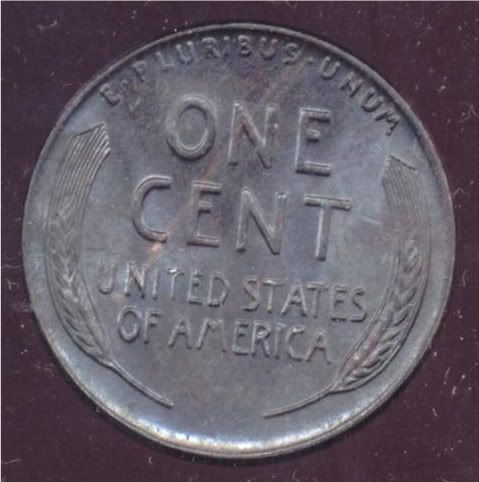 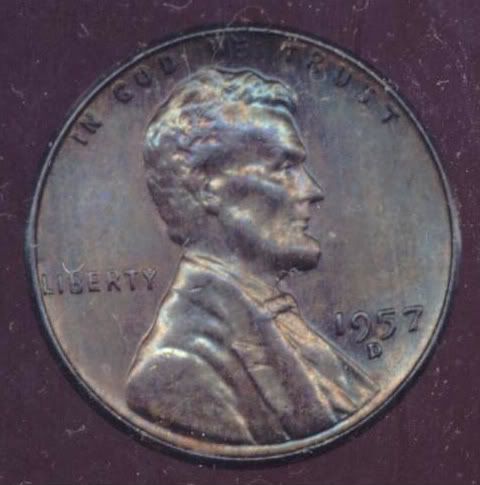 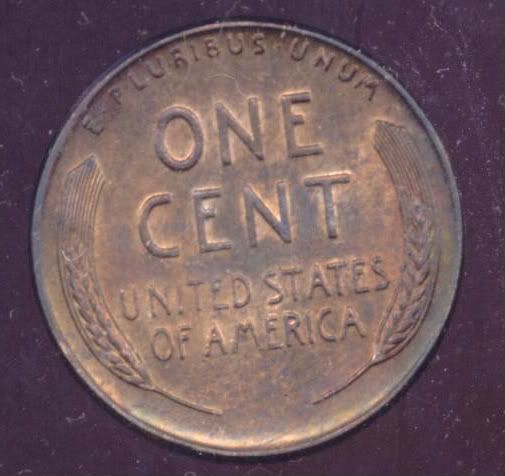 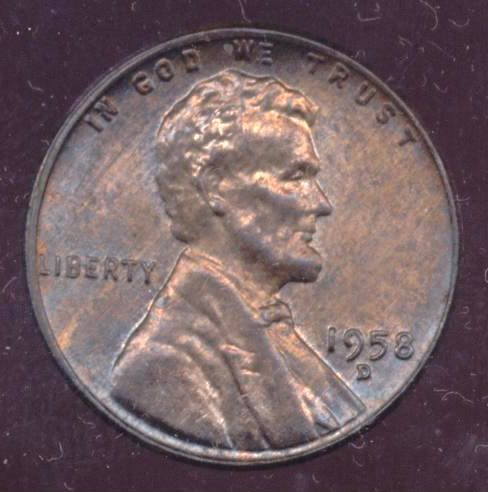 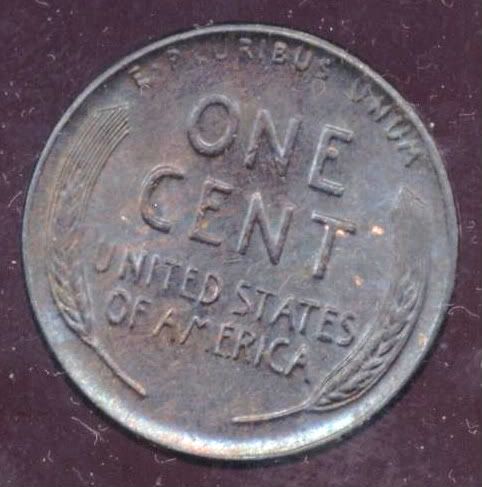 So what's the verdict here folks. Are these "hey cool toning" or "clembo I can't believe you took these home with you"? Honestly I would have taken the home no matter what. I showed them to boss and he asked what he had into them. I told him 2 cents each so he just gave them to me. Hey, I'm already up on these. |
|
|
|
Pillar of the Community
United States
1116 Posts |
i don't think the toning looks bad I think it is in the middle somewhere I have seen a lot worse I would of took them home with me
|
|
Moderator
 United States
16709 Posts |
Good idea clembo. They are not bad looking. Keep experimenting until you get the toning close in the photos.
swcoin.ecrater.com
|
|
Pillar of the Community
United States
3077 Posts |
was those pics done w/ a scanner or camera?
|
|
Valued Member
 United States
442 Posts |
Quote:
was those pics done w/ a scanner or camera?
Scanner. My wife is working with the camera. I like playing with the scanner. The actual toning is a dark grey with a hint of blue. A hard gloss on all of them. A real challenge and I actually captured it pretty well. Still needs work though. |
|
Moderator
United States
16709 Posts |
Keep us posted!  swcoin.ecrater.com
|
|
Pillar of the Community
United States
3077 Posts |
doing any photoshopping or useing you settings on your scanner ?
|
|
Valued Member
United States
442 Posts |
Quote:
doing any photoshopping or useing you settings on your scanner ?
At present I am using the MOST BASIC tools you can think of. I bought a used HP 5300C. I like the older scanners. NO software so I'm going off of Scanner wizard which offers very few options. Uploading to Photobucket and using only crop and contrast. I bought a cheap picture frame at a dollar store. Took out the glass and prop it up for an angle. Some friends recommended this. Scanning at 600dpi and moving coins around. In other words I'm still playing. Add a few more elements and it will get better. Just gonna take some time. |
|
Pillar of the Community
United States
3077 Posts |
i dont understand what you are doing w/ the glass and the black background what are you using
|
|
Bedrock of the Community
United States
20065 Posts |
It's all about eye-appeal! I would have snagged these too!
|
|
Valued Member
United States
442 Posts |
Quote:
i dont understand what you are doing w/ the glass and the black background what are you using
The black backround is due to the fact that I scan with the lid up. I have found this almost ALWAYS is better when scanning copper especially. The glass allows me to tilt the coin. This makes the scan light hit it differently. I put the glass on the scanner bed then raise one end of the glass about an inch. The coin is then placed on the glass. Depending on where I place it I get different results. In essence the coin is "floating" above the scanner bed at an angle. The person I got the scanner from achieved fantastic results capturing color and luster. I, obviously, have a way to go but I know it CAN be done. |
|
Bedrock of the Community
United States
20065 Posts |
Quote:
The black backround is due to the fact that I scan with the lid up. I have found this almost ALWAYS is better when scanning copper especially.
The glass allows me to tilt the coin. This makes the scan light hit it differently.
I put the glass on the scanner bed then raise one end of the glass about an inch. The coin is then placed on the glass. Depending on where I place it I get different results.
In essence the coin is "floating" above the scanner bed at an angle.
The person I got the scanner from achieved fantastic results capturing color and luster. I, obviously, have a way to go but I know it CAN be done.
Get yourself a decent camera with a macro feature. It will save you a lot of frustration.  |
| |
Replies: 11 / Views: 1,079 |
|




 Posted 07/10/2009 9:48 pm





