



Coin Community Family of Web Sites Join Thousands of Coin, Bullion, & Money Collectors
Specializing in Modern Numismatics Join Thousands of Coin, Bullion, & Money Collectors Coin, Banknote and Medal Collectors's Online Mall Shop for APMEX Bullion on eBay!300,000 items to help build your collection! Vancouvers #1 Coin and Paper Money Dealer Royal Canadian Mint products, Canadian, Polish, American, and world coins and banknotes.


Username:
Password:
Save Password
Forgot your Password?


This page may contain links that result in small commissions to keep this free site up and running.

Welcome Guest! Registering and/or logging in will remove the anchor (bottom) ads. It's Free!

New Pictures

To participate in the forum you must log in or register.
Author Previous TopicReplies: 5 / Views: 1,572Next Topic  
Pillar of the Community
aladinslamp's Avatar
United States
3076 Posts
 Posted 03/05/2010  12:26 am Show Profile   Bookmark this topic Add aladinslamp to your friends list Get a Link to this Message Number of Subscribers
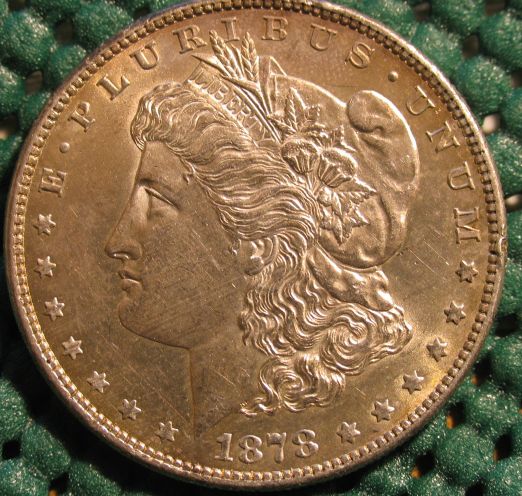
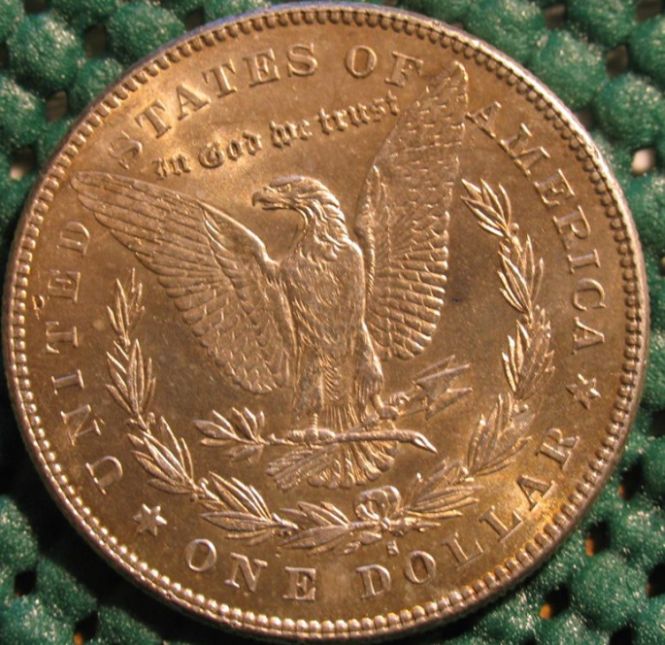
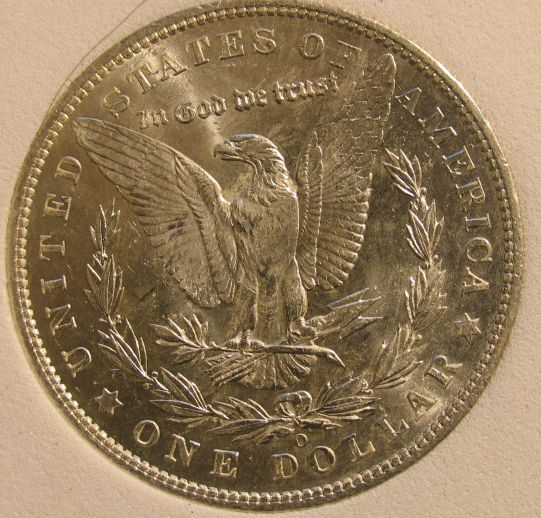
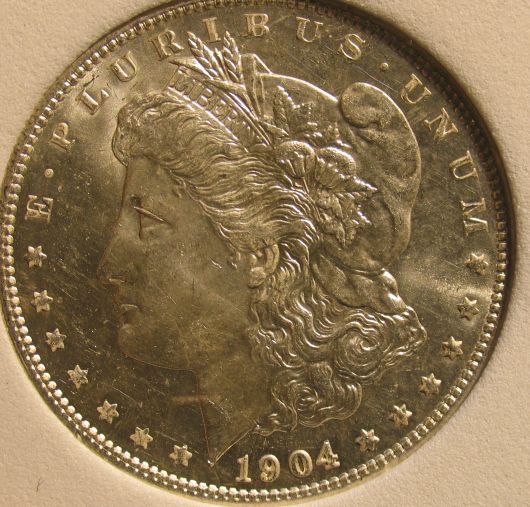
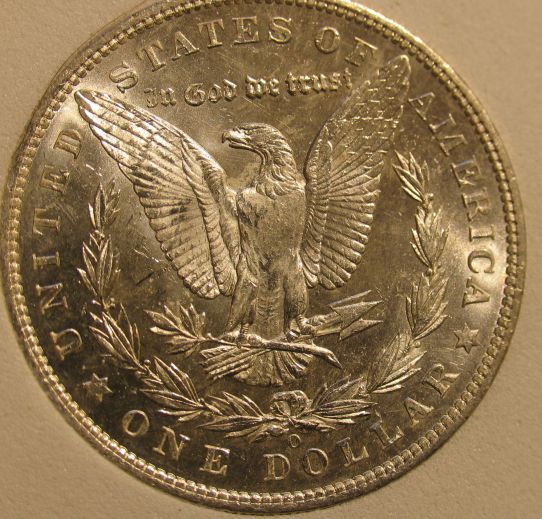
I've been having a lot of trouble taking pictures and the color is way off, I'm new to the camera and I read SuperDaves articles on photo's so I thought I would try some new pictures and see what you think,, the first 2 are toned 1878-s morgan, the others are 1904-0 I posted earlier but they all seamed NOT EVEN SILVER....I turned of some filters and who knows what, but I hope these render a true picture in hand.......as most photo's do not........I'm not looking for great apprasiles or values or grades just an honest opinion if I'm going in the right direction in representing a coin.......As dave points out different coins need different lighting and such. I don't have time for that....I'm not a dealer or selling amway or any thing else, I would just like to be able to match the color with the camera which takes better detail than I can. I just don't know how to get the color right with the coin in hand.....ALL advice is appreciated.....

New-Pictures

New-Pictures

New-Pictures

New-Pictures

New-Pictures
OK Dave and Oz let me have it! I only meant that because many a post I had led to Altered surfaces.......you guys see hundreds of coins so I know you have the skill.......AND I'm not defending my cleaned coins
no there not cleaned, but I do love humor.......I appreciateyour input but kising nobodys A___
Bedrock of the Community
Bryan1315's Avatar
United States
14454 Posts
 Posted 03/05/2010  01:58 am  Show Profile   Bookmark this reply Add Bryan1315 to your friends list Get a Link to this Reply
I use a white background and before I take any pictures I always reset the white balance with that white piece of paper with my light because some lights may cause a yellow hue and some bluish hue. I have my camera in Maual mode so I can set the WB and it seems to help with the color thing. That and the lighting was my main problem I was having but I found if I set the WB each time the pictures turn out pretty good
Pillar of the Community
aladinslamp's Avatar
United States
3076 Posts
 Posted 03/05/2010  09:37 am  Show Profile   Bookmark this reply Add aladinslamp to your friends list Get a Link to this Reply
accually the 1878-s is very golden toned, but I will take your advice, my pics were way to blue even in daylight, I think these are more silver- normal looking now, I'm using the canon powershot pro1 so I will have to find the book on how to use the manual settings thanks......
Moderator
Learn More...
SsuperDdave's Avatar
United States
23522 Posts
 Posted 03/05/2010  10:01 am  Show Profile   Bookmark this reply Add SsuperDdave to your friends list Get a Link to this Reply
I think you've got a pretty darn good start. The only one I wouldn't attempt a grade from is the reverse of the '78 - I think you might have gotten the lens a little too close for proper focus on that one.

One advantage of using either a black or white background is that you know when you've got the color correct just by the look of the background.

In case you can't find the book, here's a link to the page where you'll find the manual in downloadable .pdf form:

http://www.usa.canon.com/consumer/c...modelid=9823

You want "PowerShot Pro1 Camera User Guide."
Valued Member
tcmac's Avatar
United States
120 Posts
 Posted 03/09/2010  7:33 pm  Show Profile   Bookmark this reply Add tcmac to your friends list Get a Link to this Reply
With the exception of the one picture, those look great to me ... very clear and sharp. I've been fooling around some with my camera and will eventually get there ... I need a better light set-up ... something like from SuperDave's post on coin photography. For the coins I have in flips, I'll just go with the white frame shot thru the film ... but for those I can carefully remove from my Dansco's, I prefer to shoot on the Black background ...
Pillar of the Community
aladinslamp's Avatar
United States
3076 Posts
 Posted 03/09/2010  9:23 pm  Show Profile   Bookmark this reply Add aladinslamp to your friends list Get a Link to this Reply
I just bought a powershot CD version 12 on ebay, It looks to have all same software as the original powershot pro1...Ighting is a big factor for me, and to everyone, Thanks for all your input, I'll try some more improved shots later, until then I'll go with what I have....
  Previous TopicReplies: 5 / Views: 1,572Next Topic  

To participate in the forum you must log in or register.


Disclaimer: While a tremendous amount of effort goes into ensuring the accuracy of the information contained in this site, Coin Community assumes no liability for errors. Copyright 2005 - 2026 Coin Community Family- all rights reserved worldwide. Use of any images or content on this website without prior written permission of Coin Community or the original lender is strictly prohibited.
Contact Us  |  Advertise Here  |  Privacy Policy / Terms of Use

Coin Community Forum © 2005 - 2026 Coin Community Forums
It took 0.24 seconds to rattle this change. Forums