| Author |
 Replies: 32 / Views: 5,270 Replies: 32 / Views: 5,270 |
|
Valued Member
United States
104 Posts |
first off, this forum and all on this site are great. For people that don't know much more than lens from the lens cover this is all way over heads.
I don't want to become an expert photographer, I only want to know how to take photo's with my digital camera, how to light it, direct or indirect, and which size bulb.
what background to set the coin on before, and do I get as close as I can and then zoom in, or back a foot or two?
Just your regular, Bobs your uncle, picture to give people a good idea of what my coins look like, and some of the cracks and things. Not trying to get published, or anything.
anyone up for a step by step coin photog for dummies?
|
|
|
|
Moderator
 United States
23522 Posts |
Start here: https://goccf.com/t/29441The trouble you face is, it's generally necessary to learn a bit about photography before you can make a camera create worthwhile pics of your coins. A "point-and-shoot" camera doesn't usually work that way with coins. The absolute rules of shooting coins: 1) Camera and coin parallel. Usually done from a tripod with the camera pointing straight down on a flat surface. Generally, black for lighter coins, white for darker ones. You want contrast with the background. 2) remote shutter or timed shutter. You don't want your finger touching the button, and shaking the camera, when the picture is snapped. 3) Every camera likes different settings. Some want to be zoomed in, some do not. All will want to use their Macro Mode if they have it. Start with one bulb of 60 watts or so, preferably on a gooseneck lamp. The closer you can get it to "right above the coin," the better. But this is not a place where one way works for everyone - you have to learn what your own particular camera likes. Ask any questions you like. We'll be happy to help. |
|
Pillar of the Community
United States
4085 Posts |
Totally agree with 1-3.
One problem I have had with the bulb right above the coin is glare.
I've had better luck using 100w GE Edison bulbs at 45 degree angles - one above, one below.
Also, something to crop and edit the photos with afterwards is needed. I use Google Picasa.
There's a certain amount of experimentation needed but the basics SuperDave laid out are must haves.
Practice, see what you get and then try to improve on it!
|
|
Pillar of the Community
Australia
2830 Posts |
G'day, photography is all about capturing light. If you get that right, you've got a hope; without it ... you're in the dark.
I've discovered that I get well-lit shots on my dining-table, which is near a window, but does not get light directly from the sun. That's OK if I'm content to take all my shots during daytime, which suits me ... for now. I suggest that you hunt around for a convenient daytime location: indirect light seems to be the go.
I tried using a flash, but I always washed out some or most of the coin, so I have a lot to learn about that.
And, the more shiny the coin, the more difficult the pic, it seems to me.
Dave's tips about the tripod and the timer are very important: reduce vibration.
I've been told that the best shots do not use "digital zoom". My camera claims to have "3x optical zoom; 12x digital". So I take my shots fairly close, on a small tripod, and stay within the 3x factor.
When I see a really good pic on CCF, I often ask how the pic was taken. Most of them are taken with fairly basic (inexpensive) digital cameras. It seems to me that I don't need to spend more on a camera: I just need to get my technique right.
Peter, still learning (and thankful that digital photography is so inexpensive)
Edited by Peter THOMAS
01/14/2011 5:29 pm
|
|
Valued Member
 United States
104 Posts |
omg, I don't know which is worse, figureing out to work the camera, or how to take a decent picture. and I haven't even started to think about how to load them onto my laptop, and then post them here. ROFL, this is going to take a while.
|
|
Valued Member
United States
104 Posts |
I forgot, super Dave, your link was helpful! I have it up and marked as a fav.
|
|
Pillar of the Community
United States
2254 Posts |
Sunny, it may help to tell us what your current camera is. We can at least get a measure of what you can expect.
|
|
Valued Member
United States
104 Posts |
I may have it! hopefully I will be able to post first picture this aftnoon, before the game! From 8pm on I will be busy for a while..... GO GREEN BAY! to make it coin related, I have pins from the first 2 super bowls, and one with Brett as well. haha. Thanks again, I have to open Daves link and get back to work.
|
|
Valued Member
United States
104 Posts |
ok, first attempt of both pics of morgan, and putting the image on here. nope, saying something about file name I have the name coins on the file, but when I hit brose and hit the upload, all kinds of stuff show up in the box and then I get an error mesg.
|
|
Valued Member
United States
104 Posts |
I think the problem I need to crop? whatever. I have no desire to learn a new function on here. 'm sorry. I have learned to take good pictures and I can e-mail . Plus I have downloaded pic's on many sites, yahoo, Navy for Moms, a couple others. You click browse, you double click the picture, then upload. easy. this is WAY over my head. If someone wants to look at my picture attempt, I will be happy to email it to you.
My sis and I had a blast taking pictures. It took us, the super Dave step by step, about 4 hours, and experiments with goose neck lamps that boarder on the obscene, but I think we have a not to shabby picture of ob and rev on a 1890 Morgan.
Oh we have a nikon cool pics L22.
|
|
Pillar of the Community
United States
4085 Posts |
I insert a link to my pictures hosted on another site rather than upload here. You can usually get a URL that is a link to the picture on the hosting site. Then on CCF, you can use the little icon in the Format: toolbar that looks like a picture of a mountain and a sun and put the URL between the Img and /Img brackets. Here's an example - I have this picture on Picasaweb. The URL is: http://lh5.ggpht.com/_l0OUv76_u6E/S...G_0091-1.jpgUse the icon and it looks like this on the site: 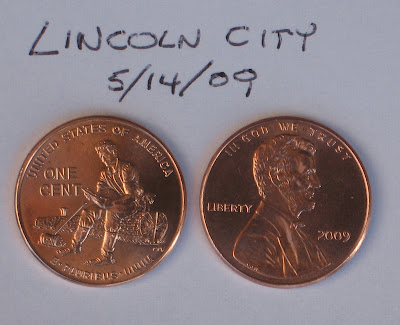 Edited by KenKat
01/15/2011 8:24 pm
|
|
Rest in Peace
United States
1729 Posts |
Sunny, the advice so far is excellent. But unless you have a camera with a lens capable of making the image "larger than life" in your viewfinder, you probably need to start shopping around. If you can find a close-up set auxiliary lens set that will screw right into your current camera lens, you may be able to solve the problem that way more cheaply than running out to buy a new camera. If you have a camera which will accept different lenses, you can purchase what's called a "macro" lens which will magnify the coin image, and then you can crop the image by simply moving in close enough to the coin to cut off most of the background. As SuperDave indicated, keep your coin absolutely parallel to your lens, so that the entire surface of the coin is in focus, and then you can experiment with different settings (shutter speed, aperture) and lighting. Also, read through some of the threads in this forum so that you're not trying to reinvent the wheel.
My expertise is mostly with film cameras, so I can't really recommend much in the way of digital photography (other than the basics I listed here), but ...
1. Larger than life
2. Keep it steady
3. Focus carefully
4. Look at your lighting setup through your viewfinder; experiment with different lighting setups
5. Shoot, review; correct mistakes; shoot again until you're satisfied, and then Bob's your uncle!
Good luck!
|
|
Valued Member
United States
104 Posts |
I have beautiful picture, it's just the site won't let me upload it? I have a macro on the camera, and I downloaded pics to my computer and they are not to shabby, I can even magnify , but I get an error message when I try to put them on here. ? never happened to me before.
Ken, thanks for the info, and I'm sure you know what you're talking about. You lost me right after URL, LOL>
|
|
Pillar of the Community
United States
4085 Posts |
That happens a lot! I start talking computer stuff and my wife's eyes glaze over. I will try to use normal people talk to describe this. I have found the word thingy is especially effective.  What I am saying is that you can upload your pictures to Yahoo instead of here. Usually there is a way on Yahoo, etc., to "email a link to this picture" or "get a link to this picture". If you can find this on Yahoo, you can take that link and use the little mountain thingy on this forum and put that link (URL) in between the bracket thingies that show up when you click the mountain thingy. It's too bad computers can't understand commands like "make this show up there"... |
|
Pillar of the Community
United States
3592 Posts |
Sunny, in my HPImageZone, I reduce to 600x600, then open with Paint and save as a paint file...it reduces the file size to less than 100kb, which is what's required to upload here.I'm not an expert, but it only took me a few tries to get it right.
|
|
New Member
United States
26 Posts |
I'd bet that it's the size of the image that is trying to be uploaded that is kicking the error.
|
| |
Replies: 32 / Views: 5,270 |










 Posted 01/14/2011 3:51 pm


