| Author |
 Replies: 16 / Views: 3,747 Replies: 16 / Views: 3,747 |
|
New Member
United States
42 Posts |
I am having a hard time getting quality photos of my coins. I think my camera can get close enough for good pics, but I can't seem to get the lighting right. Does anyone have any pointers that might help out?
|
|
|
|
Valued Member
United States
201 Posts |
Go outside, for starters.
Diffused natural light is best for photos.
Edited by Merc Crazy
03/11/2011 2:49 pm
|
|
Valued Member
United States
341 Posts |
Use a stand. Don't hold the camera.
There is a huge post about this in the photography section.
|
|
Bedrock of the Community
United States
12437 Posts |
A tripod or copystand is a must for taking macro photos of coins. If not used, you will usually end up with a blurry out-of-focus mess  You also need to set the white balance in your camera's settings so the color of your photos will be accurate. |
|
Valued Member
United States
451 Posts |
KrisWard, What kind of Camera do you use? What settings have you tried? What lens do you use? What light source do you use? More details will help understand your setup better.
|
|
Valued Member
United States
459 Posts |
Try different backround colors, I found that when I put the coin on top of various different colored backrounds the camera reacted quite differently.
Also try lighting the coin from different angles and see which ones your camera likes. Mine likes the light (100watt bulb) pointed at the coin almost level with it, creating some relief in the photos.
|
|
New Member
 United States
42 Posts |
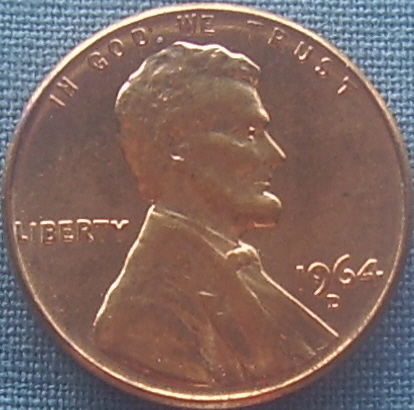
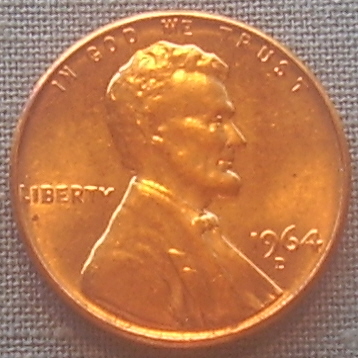
I just have an Olympus Camedia Digital Cam D-535 Zoom (3.2 Megapixel) Lens - AF ZOOM 5.8-17.4mm 1:2.9-5.0 I don't really know what all of that means, but I use a block that is 4-6 inches high, depending on what shot I need, to rest the camera on, as I don't have a tripod. I use the 'super closeup' setting and the brightness is set at 0 (can go negative or positive). Most times I try to set up next to a window and use a light at various angles. I have gotten some good takes, but most of the time the lighting either makes the coins brown or it doesn't show the redness of pennies or they can even look a blueish color. I have taken one shot that did show the redness - see below. But I can't remember what that particular set up was. May have been afternoon sunlight in the window. 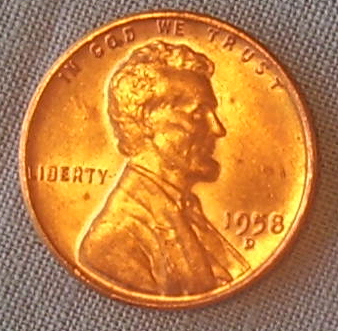 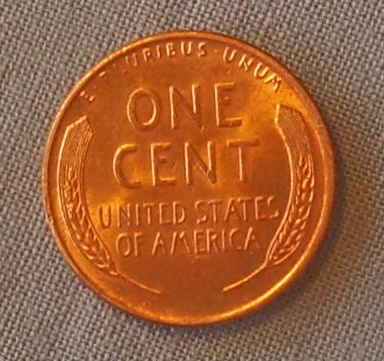 |
|
Valued Member
United States
201 Posts |
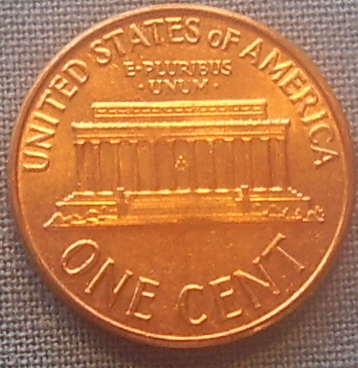
That shot is overexposed, anyway. Too bright.
3.2 MP is a pretty old camera, your shots will probably never be real high quality unless you pick up a camera with a decent amount of megapixels. Anything north of 8 will be of solid quality... But the real tricky thing about cameras is that the lens is probably the single most important part of the device. Good lens' will generally result in better quality photos than some crap lens.
|
|
New Member
United States
42 Posts |
|
|
Valued Member
United States
201 Posts |
I think that's probably as good as you're gonna get without a new camera. You're not gonna get high quality and high resolution shots with a 3.2MP camera. Put it on the birthday/christmas list.
|
|
New Member
United States
42 Posts |
One of the problems that I have found is that if I get closer and get a good clean pic then the pic is too large to upload on the site. Is that something that I can adjust on the computer with the bigger pic? I know these probably sound like silly questions but I am just not that tech savvy. But am learning and I appreciate all of the replies. Thank you!
|
|
Bedrock of the Community
United States
12437 Posts |
Quote:
most of the time the lighting either makes the coins brown or it doesn't show the
That is why you need to adjust the white balance to account for the light quality. An older PnS camera may not have full white balance control but there are usually auto setting for incandescent, sunshine, fluorescent, etc.
[quote]Aside from the blurriness, which I think I can adjust what else can you advise? That is why I mentioned the need for a copystand or tripod. The mere act of balancing the camera on something and manually depressing the shutter button will give you camera shake. Tripod+camera timer(most cameras have a 10sec shutter timer)= no blur ever again. |
|
Rest in Peace
United States
9104 Posts |
Quote:
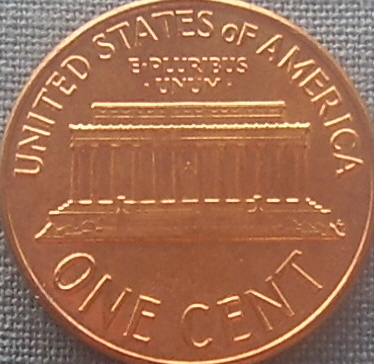
One of the problems that I have found is that if I get closer and get a good clean pic then the pic is too large to upload on the site. Is that something that I can adjust on the computer with the bigger pic? It's called megapixelitis, and comes from using a camera with more than a couple mp rating for the Interwebs. Such cameras are for print. DL http://www.irfanview.com for free. Open it, open your image, edit > crop everything but the coin width + height, image > resize/resample to 500x500 or 400x400, image > sharpen, save. What you end up with is the pix you could have taken with a 2mb camera. I tinkered around with your pix (the first), including adjusting the color (also easy). 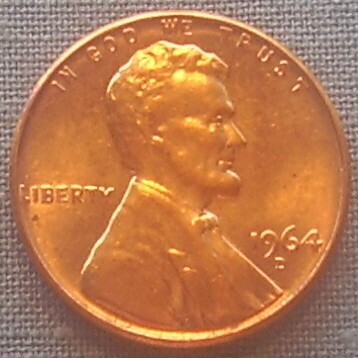 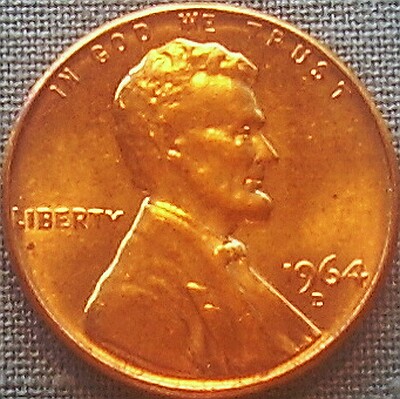 |
|
New Member
United States
42 Posts |
Thanks to all for your tips, I will keep practicing. :)
|
|
Pillar of the Community
United States
509 Posts |
You might want to take a look at https://goccf.com/t/29441 on this forum. An extremely well done step by step, hand in hand article posted by SuperDave aimed at taking good coin fotos using a lower end point and shoot camera. Covers A to Z from camera mounting, lighting and goes through all possible camera settings and variations which can be used the the Manual mode. It helped me quite a bit. |
|
New Member
United States
42 Posts |
Sidekick - Thanks for the referral, that's a great thread!
|
| |
Replies: 16 / Views: 3,747 |







 Posted 03/11/2011 3:04 pm