



Coin Community Family of Web Sites Join Thousands of Coin, Bullion, & Money Collectors
Join Thousands of Coin, Bullion, & Money Collectors Vancouvers #1 Coin and Paper Money Dealer Royal Estate Auctions - $1 Coin Auctions300,000 items to help build your collection! Coin, Banknote and Medal Collectors's Online Mall Royal Canadian Mint products, Canadian, Polish, American, and world coins and banknotes. Specializing in Modern Numismatics


Username:
Password:
Save Password
Forgot your Password?


This page may contain links that result in small commissions to keep this free site up and running.

Welcome Guest! Registering and/or logging in will remove the anchor (bottom) ads. It's Free!

Qx5 And A 2lb Hammer

To participate in the forum you must log in or register.
Author Previous TopicReplies: 3 / Views: 2,814Next Topic  
Valued Member
stmpcol's Avatar
United States
223 Posts
 Posted 12/01/2006  9:49 pm Show Profile   Bookmark this topic Add stmpcol to your friends list Get a Link to this Message Number of Subscribers
Can't ever find that hammer when I need it. received Qx5 and installed software. When I click on the icon, up pops a big blue microscope, and a message "recorder busy-try again later". What recorder is busy and how much later? Plus I can't delete message, computor hangs up. Have to reboot to get out of program. Any ideas?
Bedrock of the Community
Bryan1315's Avatar
United States
14454 Posts
 Posted 12/01/2006  9:53 pm  Show Profile   Bookmark this reply Add Bryan1315 to your friends list Get a Link to this Reply
never heard of that one before, but sounds like a usb problem like something is controlling the usb ports and not allowing the microscope to fully function
Moderator
Learn More...
SsuperDdave's Avatar
United States
23522 Posts
 Posted 12/02/2006  2:02 pm  Show Profile   Bookmark this reply Add SsuperDdave to your friends list Get a Link to this Reply
What I'm about to suggest works with Windows XP, but I don't know about previous OS's.

Open Control Panel, and then Scanners and Cameras. The QX5 should show up there. Double-click it, and the Scanner and Camera Wizard will open, hopefully with your microscope named on the screen. When you click Next, the screen that pops up will have the current image area of your microscope, live, on it, on the left. You'll have to provide your own illumination. On the right will be the gallery of any pics already taken. Under the live image is a Take Picture icon, which you click for a snapshot of what's on the screen. That picture then appears in the gallery to the right, and you can check the block next to it and continue on with the Wizard to save the pic on your harddrive.

I find this method to provide better results than the microscope's software.
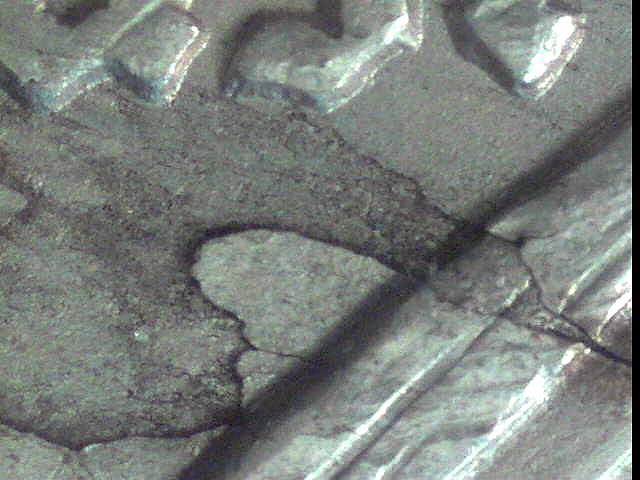
Qx5-And-A-2lb-Hammer
Valued Member
stmpcol's Avatar
United States
223 Posts
 Posted 12/02/2006  5:40 pm  Show Profile   Bookmark this reply Add stmpcol to your friends list Get a Link to this Reply
Thanks for saving me SuperDave, Qx5 :). It works!!!!! Just gotta work with the lighting and I'm off & running.

By the way, you were right also Bryan, my 3 & 4 USB connecters are dead. Tried scanner on both and it wouldn't work either.
Edited by stmpcol
12/02/2006 5:44 pm
  Previous TopicReplies: 3 / Views: 2,814Next Topic  

To participate in the forum you must log in or register.


Disclaimer: While a tremendous amount of effort goes into ensuring the accuracy of the information contained in this site, Coin Community assumes no liability for errors. Copyright 2005 - 2026 Coin Community Family- all rights reserved worldwide. Use of any images or content on this website without prior written permission of Coin Community or the original lender is strictly prohibited.
Contact Us  |  Advertise Here  |  Privacy Policy / Terms of Use

Coin Community Forum © 2005 - 2026 Coin Community Forums
It took 0.23 seconds to rattle this change. Forums