| Author |
 Replies: 223 / Views: 43,308 Replies: 223 / Views: 43,308 |
|
|
|
Moderator
 United States
23522 Posts |
Quote:
Does you lighthouse stand extend far enough away to photo a whole Morgan or Eagle?
Very few USB microscopes are even capable of focusing at that kind of distance. |
|
Pillar of the Community
United States
8534 Posts |
Yes it extends far enough. This restrike is about the same size as a Morgan, maybe a touch bigger... 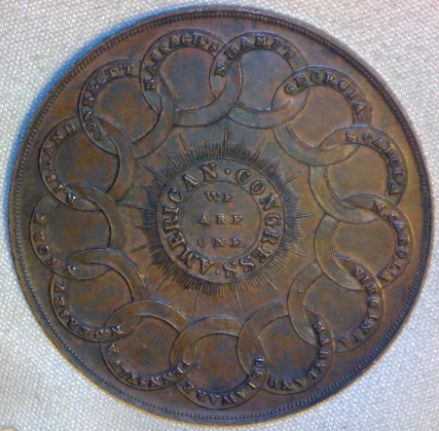 Oregon coin geek.....*** GO BEAVS ! ! ! ***
|
|
Pillar of the Community
 United States
1331 Posts |
This photo was taken before I purchased my Lighthouse stand. It was taken at a distance of 10 inches or more away from the coin. 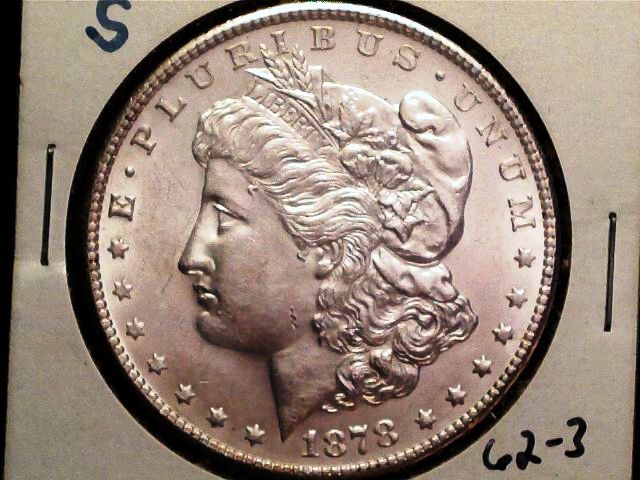 |
|
New Member
United States
36 Posts |
A BIG Thank You to everyone for all the info on USB cameras and stands. I ordered the cam today and can hardly wait. I'll add the stand to next week's budget. :-)
|
|
Pillar of the Community
United States
2120 Posts |
Im liking mine a lot.. good little budget microscope.
|
|
Valued Member
United States
477 Posts |
Quote:
Im liking mine a lot.. good little budget microscope. Ditto ! Rick |
|
New Member
United States
36 Posts |
Just got my new USB micro cam. I love this thing! Here's a couple of my first images. I think all 3 might be DDO's. Opinions? 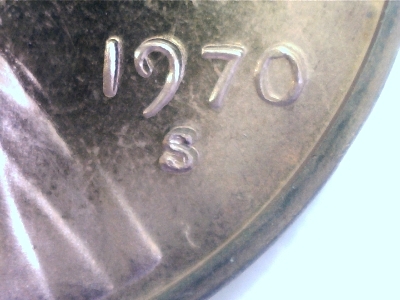 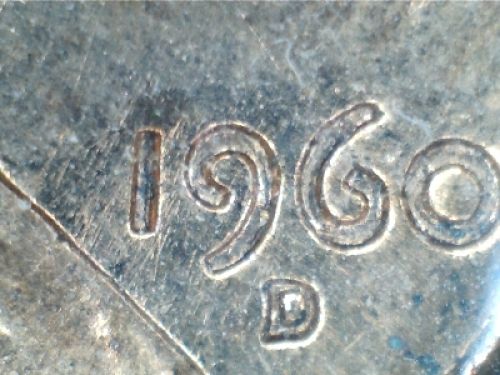 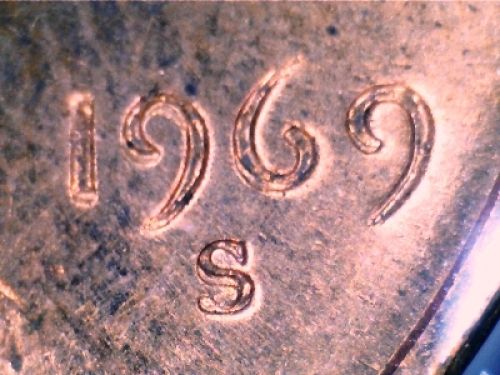 |
|
Moderator
United States
56855 Posts |
The 70 and 69 are MD not DD and I can't tell for sure on the 60 it might be a MD or just a normal coin. John1  |
|
Valued Member
United States
380 Posts |
I use the same camera for detailed pictures! Here is a shot I took of a standing liberty with the Microscope! 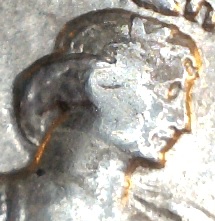 |
|
Pillar of the Community
United States
1331 Posts |
Has anyone had a problem with the scope slowly moving out of focus on its own?  I'm not sure if there is some "spring back" occurring with the built in focusing knob. It only seems to happen when photographing medium to large coins. So the scope is positioned midway up on the stand or higher. After fine tuning and releasing the focusing knob I notice the image slowly goes out of focus. And it simultaneously pans to the right, just a fraction. It's a really small fractional movement, but still a movement. Not a big deal, it only happens at a specific spot on the focusing gizmo. Just wondering if it's happening to anybody else. |
|
New Member
United States
36 Posts |
I haven't noticed that, but then again I "rough focus" with the scope and then fine tune with the stand I bought. And I'm not keeping any one item in view for more than a minute either.
|
|
New Member
Canada
7 Posts |
Hi,
Just got my microscope (the cheap ones from China). The software installs CamApp and the measurement tool (Cooling TEch) separately. Although installation seems to work, and the CamApp does work, I can't seen to make the measurement tool work. Clickinq on Cooling Tech doesn't seem to do anything.
I am using Win 8 64 bits.
btw, I ordered a Lighthouse stand.
|
|
Pillar of the Community
United States
1331 Posts |
Apparently these scopes must ship with different types of capture or editing software. I never heard of CamApp or Cooling Tech... Are you sure you even have measurement capability included with that software?.. Or does your only have image capture software? Mine came bundled with MicroCapture, I think. And the way I get to my measurement tool is the same way as getting to the editing tool.. First snap a picture, The image gets saved in the vertical slide window on the right side of the screen. Then Click or double click on the saved image and a new window opens with the editing tools right up on top. The measurement tool is there next to the drawing tools.  Oh yeah I almost forgot to add this   ....  Edited by Harry213
12/14/2013 5:23 pm
|
|
New Member
Canada
7 Posts |
Thanks for the reply and the welcome.
The Cool Tech software is supposed to be the measurement tool.
I also tried downloading the Microcapture software (from Lighthouse site). It installed correctly but does not recognized the microscope.
|
|
Pillar of the Community
United States
1331 Posts |
That's strange Though I'm only familiar with using the MicroCapture software. As far as any installation issues I've had concerning that were; a) Software must be installed prior to plugging USB Camera to PC. b) USB Camera must be connected directly to PC USB port Not a Hub. c) Conflicts with web cam and/or web cam image capture software. BTW is your USB cam of the "Digi Micro" brand? |
| |
Replies: 223 / Views: 43,308 |






 First Page
 Previous Page


 Posted 09/04/2013 1:59 pm





