| Author |
 Replies: 39 / Views: 3,868 Replies: 39 / Views: 3,868 |
|
Bedrock of the Community
United States
62064 Posts |
Editing images. Why is this necessary?
Some just post their images right to the forum un edited, un rotated, to dark, to light, off colored, blurry, not focused and the list of how not to will go on and on. But can anything be done before you take the image to get a better picture? On camera phones you need to remember which side is up. The ones I've used in the past, the vertical images you need the push button at the selection to get a vertical image. To get a horizontal image the selection button should be on the right side of the screen. When you use any other position, then the image to bee upside down when you post them. So experiment. Find the correct way to have the push button before you load them to the forum. If you try posting horizontal images with the selection bar on the right side of the screen and they come up sideways, then you can only post vertical images from you phone to the forum. Sure it is easy to turn your camera when you view the forum on your phone. But on the a computer, we don't have that luxury. So it is very irritating to computer users to view image turned the wrong direction. So check before you take a bunch of images and they can't be view on the screen easily.
So if an image is posted the wrong direction, how can you edit the image on the computer to see what was posted. Right clicking will usually download the image and you can edit it with your software. That leads us to the next hurdle. How to edit with your software. Curious, How many use Paint? How many use Adobe Photoshop. How many use a different program. I'm familiar with two of these programs. So what is the drawbacks to each program. Adobe you can do so much more with. Paint it harder to use, but eventually can be figured out after using it for a while. So lets try a different type of thread. Lets see what questions, problems or issues you are experiencing with the program you are using. (I'm not saying that I know everything, but others here may have used the program you are using now. So rather than me creating a thread of how I do things, lets see what you want to know how to do, problems or ways you've solved them. Lets see what is on every ones mind. about this subject and go from there.
|
|
|
|
Pillar of the Community
 United States
4622 Posts |
To me it's a simple matter of politeness.
You're either asking for my help or asking for my eyeballs. I'm lazy. Make it easy for me or don't bother.
-----Burton 50+ year / Life / Emeritus ANA member (joined 12/1/1973) Life member: Numismatics International, CONECA Member: TNA, FtWCC, NETCC, EveryCountry (online) coin club Owned by three cats and a wife of 40+ years (joined 1983) Author: 3rd Edition of the Sample Slabs book, https://www.sampleslabs.info/ |
|
Bedrock of the Community
 United States
62064 Posts |
Good answer. Do you use a program that you like? Or don't like?
|
|
Pillar of the Community
United States
3656 Posts |
I do honestly try to get good pics. My biggest problem is the glare (especially on the shields) with my USB microscope camera. It really is frustrating and it takes a load of time and usually 30-40 pics to get say 5 or 6 decent ones that I can post. Help is much appreciated. I use Paint.net (not Paint program from Microsoft) for my editing program.
Edited by CoinCents
07/04/2018 2:10 pm
|
|
Valued Member
United States
420 Posts |
Since the vast majority of crap photos are from total noobs wanting validation of their amazing find and wanting to know how much it's worth I think the first thing that should be done is to make it a lot harder if not impossible for them to post photos until someone(s) here (or an AI/auto-responder) confirms they've read an at least basic set of instructions on how to do so in order to receive quick and quality replies instead of wasting forum time, since the first answers always seems to be: Post Better Photos..
Probably the hardest part to doing this is setting it up in a manner that isn't based on scrolling to the bottom of the first page n clicking "Yes, I've read the instructions.." They need to jump through some structured hoops so we know they can't help but to have absorbed at least the basics..
Swamp
Edited by da Swampster
07/04/2018 2:31 pm
|
|
Valued Member
Finland
265 Posts |
I can't contribute much to this thread but I'm taking pictures with my trusty old phone Samsung galaxy S4 mini. Not best phone to take pictures but it is good enough for me. For lighting I use combination of two desk lamps 60W and two Jansjö led-lights. For image editing first I upload pictures from my phone to computer. Then I use two programs. Irfanview to quickly resize, rotate and crop pictures. Then I paste cropped Picture to paint.net and save as .jpg. Both programs are free and works great for me. EDIT: I forgot to mention that I use "open camera" application to take pictures with my phone. In my experience it takes (focuses better) sharper pictures from coins than application that comes with my phone. 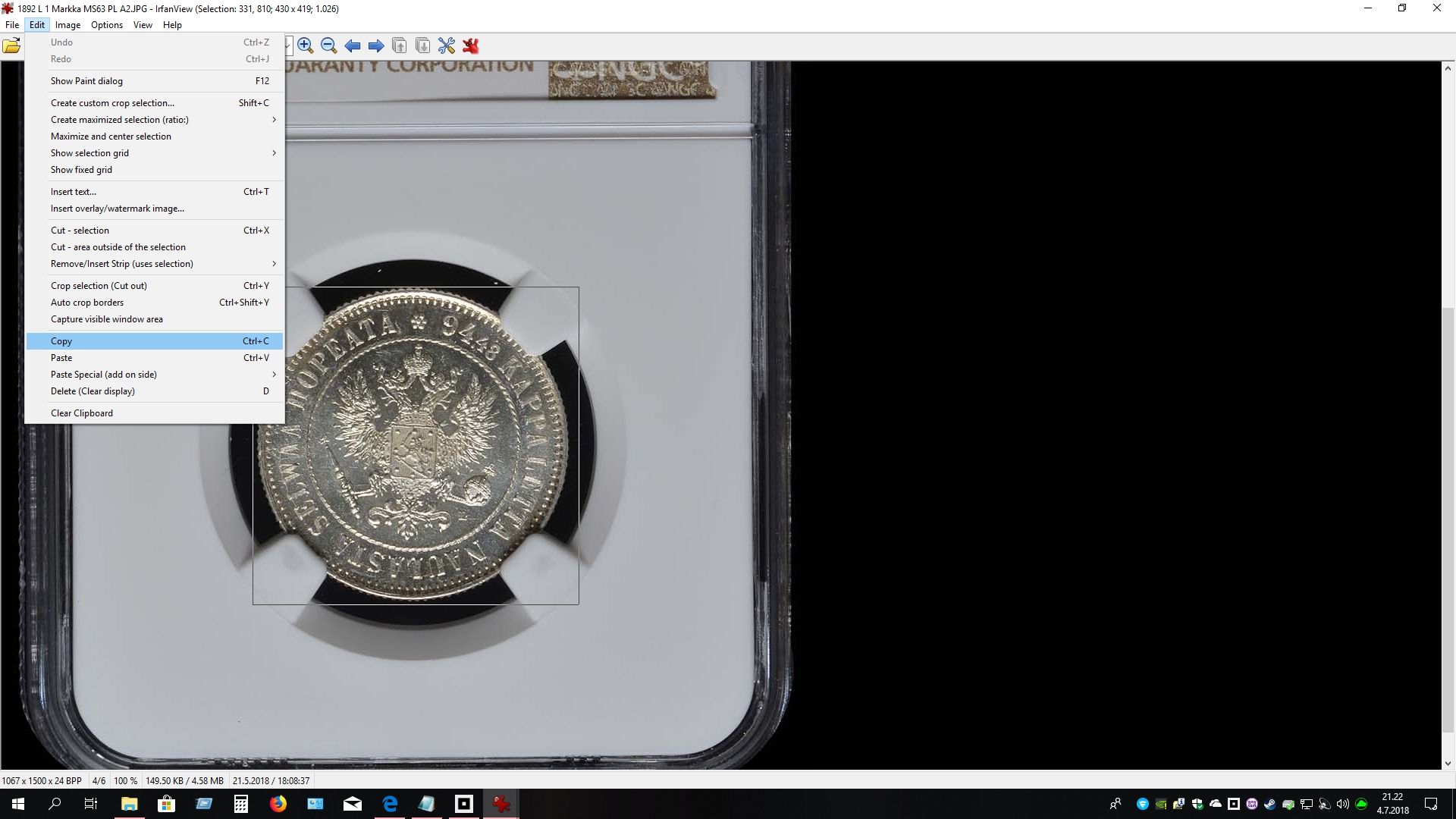 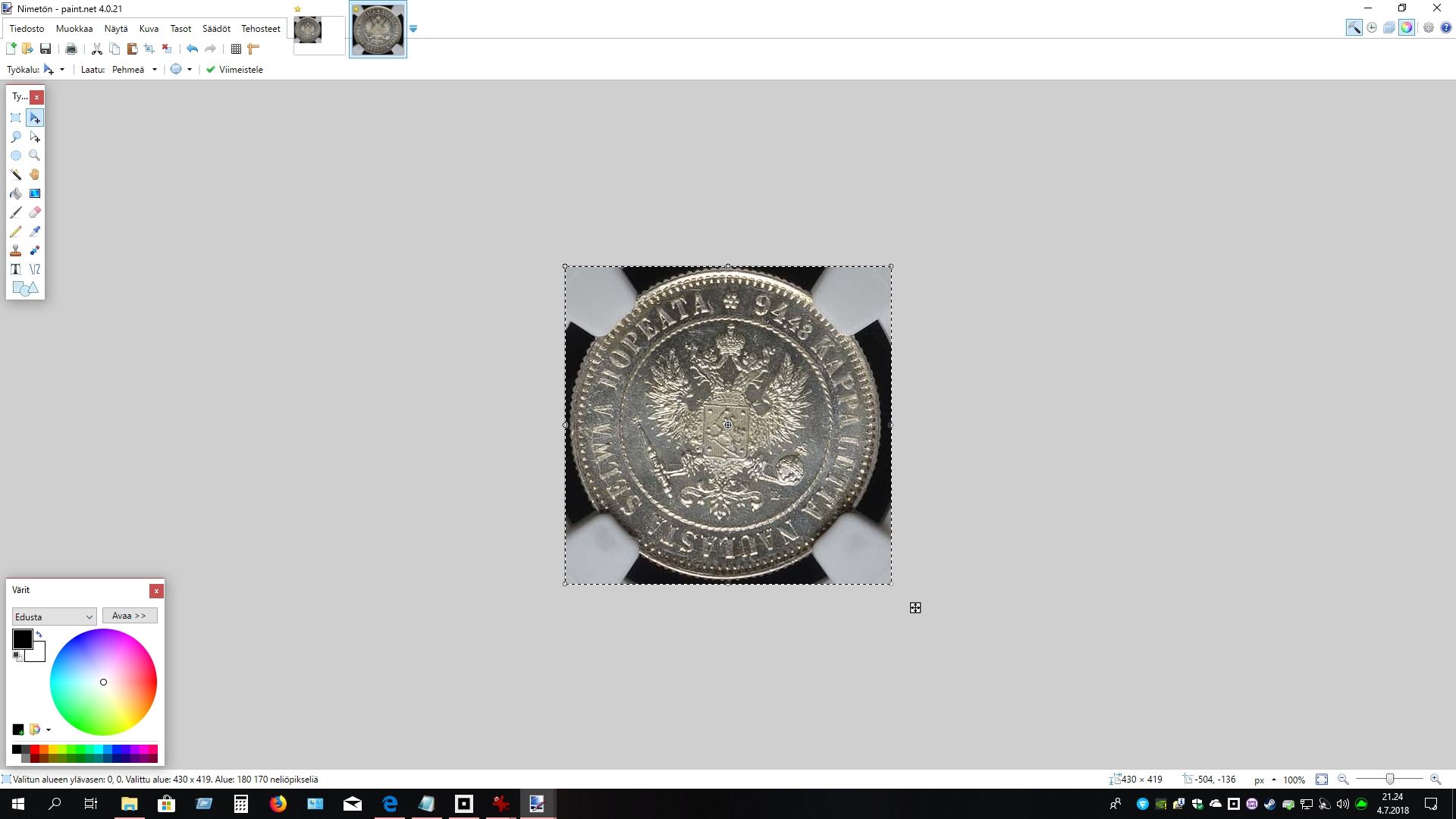 Edited by kheldim81
07/04/2018 2:54 pm
|
|
Pillar of the Community
United States
4622 Posts |
Coop - I'm a big fan of paint.net (free from http://getpaint.net or there is a windows store (paid) version). Some people swear by The GIMP (multi-platform freeware) (and some swear at it, reportedly has a bit of a learning curve but tons of power). There are various versions of PhotoShop available with different tools, but they've mostly moved to a subscription model. And of course we need to mention the free tools here on CCF. The other thing is keep everything. I learned the lesson back in the day when we all optimized photos for 640x480 because nobody would ever need a bigger monitor. So now I have the original CR2 (raw) image, the machine created jpg and any edited versions with names that include some indication (-crop-800px for example). -----Burton 50+ year / Life / Emeritus ANA member (joined 12/1/1973) Life member: Numismatics International, CONECA Member: TNA, FtWCC, NETCC, EveryCountry (online) coin club Owned by three cats and a wife of 40+ years (joined 1983) Author: 3rd Edition of the Sample Slabs book, https://www.sampleslabs.info/ |
|
Pillar of the Community
United States
2775 Posts |
I like using Adobe Photoshop, draw back is the version I have is Adobe Photoshop Elements 9. It differs from the full blown version and has a few limitations. Been thinking about creating a topic concerning a sticky subject. This forum only has the one and wish we could add a little more to it. http://goccf.com/t/5450Can't say how many times I've held my opinion due to no image or clear image or no full image included. I find myself often needing to research a topic concerning a variety and sorry, but I'll move on if I'm unable to proceed in a logical manner. I find it difficult to point out or locate markers, when they are not included in the post. I try and give new users a break of course. But feel the seasoned users should know the basics already. I'm getting to old and only have so many mouse clicks left to give, so I try and use them only when I know or think I know they might benefit the topic. Thanks, Doug. Edited by Halo1st
07/04/2018 4:09 pm
|
|
Rest in Peace
10197 Posts |
I must agree with Swamp about having a few hoops to jump through regarding these stringently enforced (sic) rules. Too many one hit wonders want versification only on their lotto winner coins, nothing of real substance nor any real interest in collecting OR participation. Of course, that is to be expected for a free access site. For those who do stick around for more than five posts, after being directed to the proper information, maybe they should have to "pass a test" to show some semblance of acknowledgement and progress of learning before access to uploading is allowed. But that too, isn't what would fly with the model of the forum either, so guess we suck it up and ignore those noobs. From what I've witnessed it is about a 1 of 17 or more that actually return for more abuse!  |
|
Pillar of the Community
2226 Posts |
I use Paint sometimes and Windows Photo Gallery. I agree with most responses, if I'm seeking help or wanting to show a coin, or even taking photos for my files, I'm taking many from different angles and lighting, deleting the bad ones, cropping and naming the good ones, then uploading/posting to CCF. I have to provide the best photos I can to receive the most educated/informed feedback solicited.  |
|
Valued Member
United States
131 Posts |
Many have crappy images due to having a crappy camera.
If someone could give me $1,600 for an 'entry level' professional digital microscope, and an additional $7,000 for a good camera + lighting, I would be thankful :)
|
|
Bedrock of the Community
United States
62064 Posts |
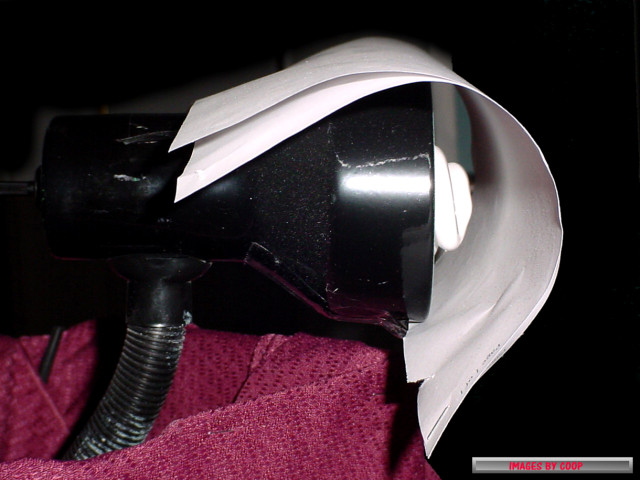
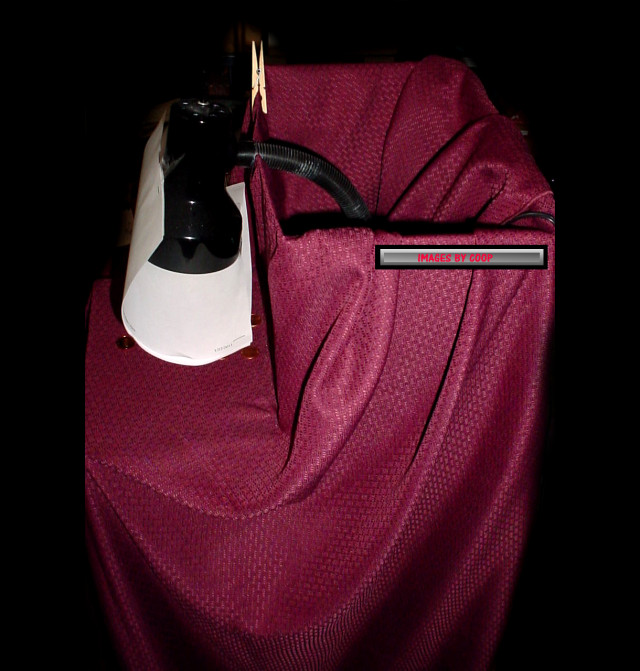
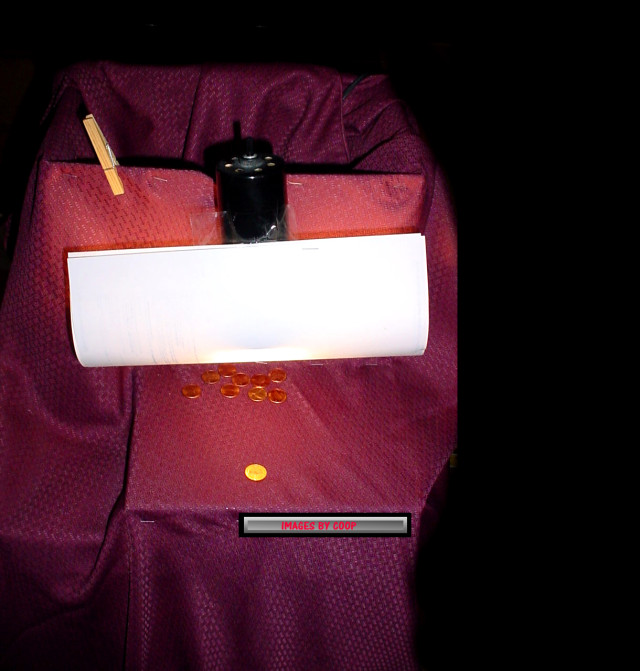
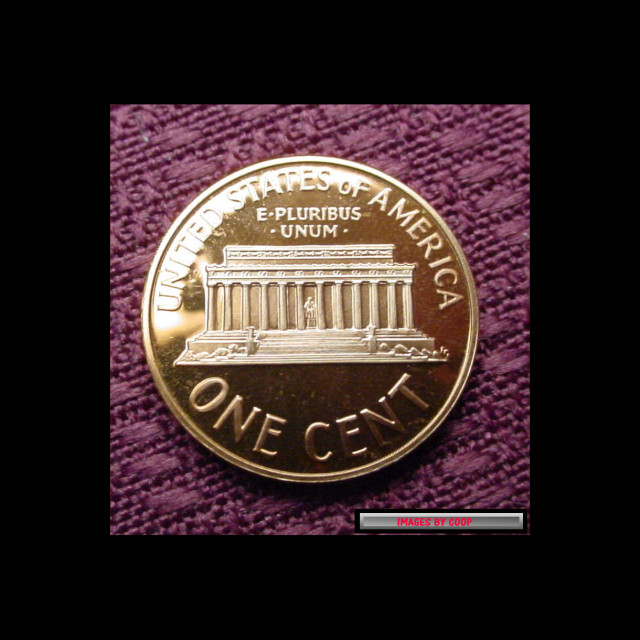
A lot of great topics brought up. Light is often way over done. For my scope I use a single 14watt bulb. It started out as a book lamp. I raised the power from 6v to 12v . The light kit is inexpensive. The setup on my scope was adapted by myself. Nothing fancy. But having the light as close to the coin, diffuse a lot with a frosted coin tube works great. 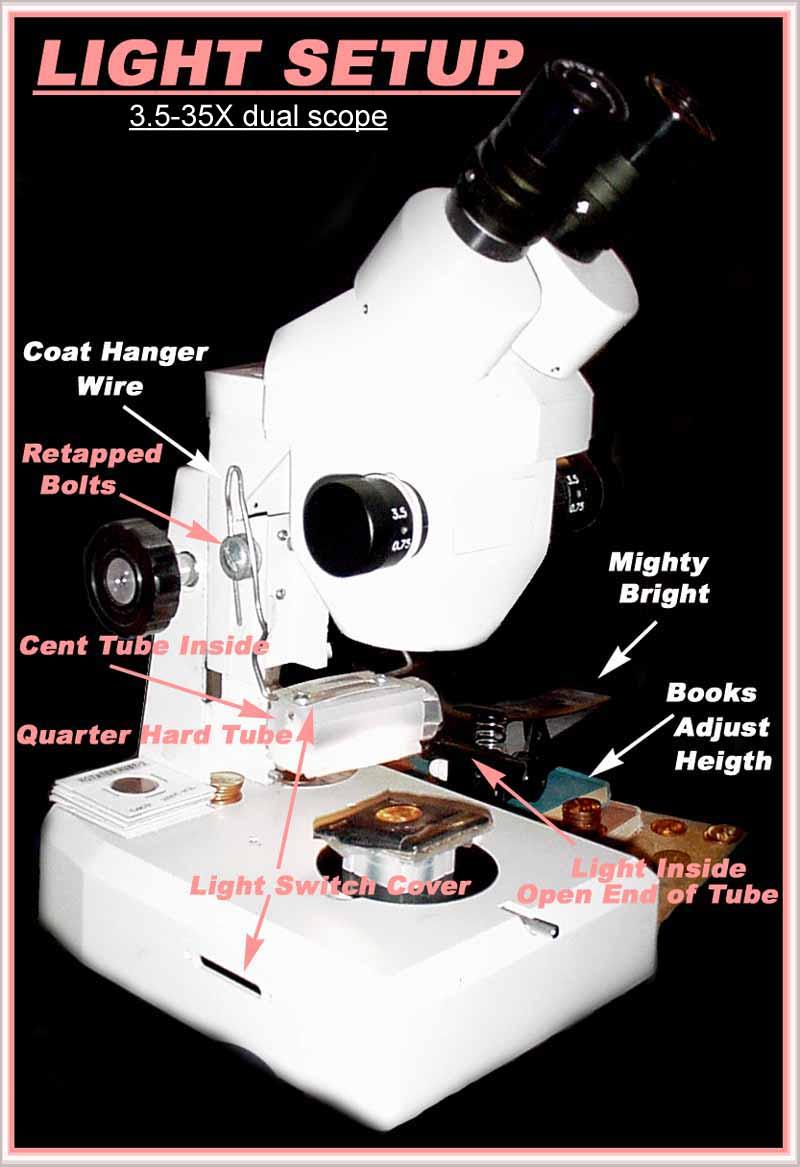 The bulb lasts sometimes for years. I change it if it turns dark. I used to get them from Radio Shack. (Haven't bought some for a while) But diffusion is an issue, but doesn't cost much to fix. A sheet of paper preventing unwanted light touching the coin. Even a facial tissue and a piece of tape works. Even some just blocking light direction is often all that is needed. 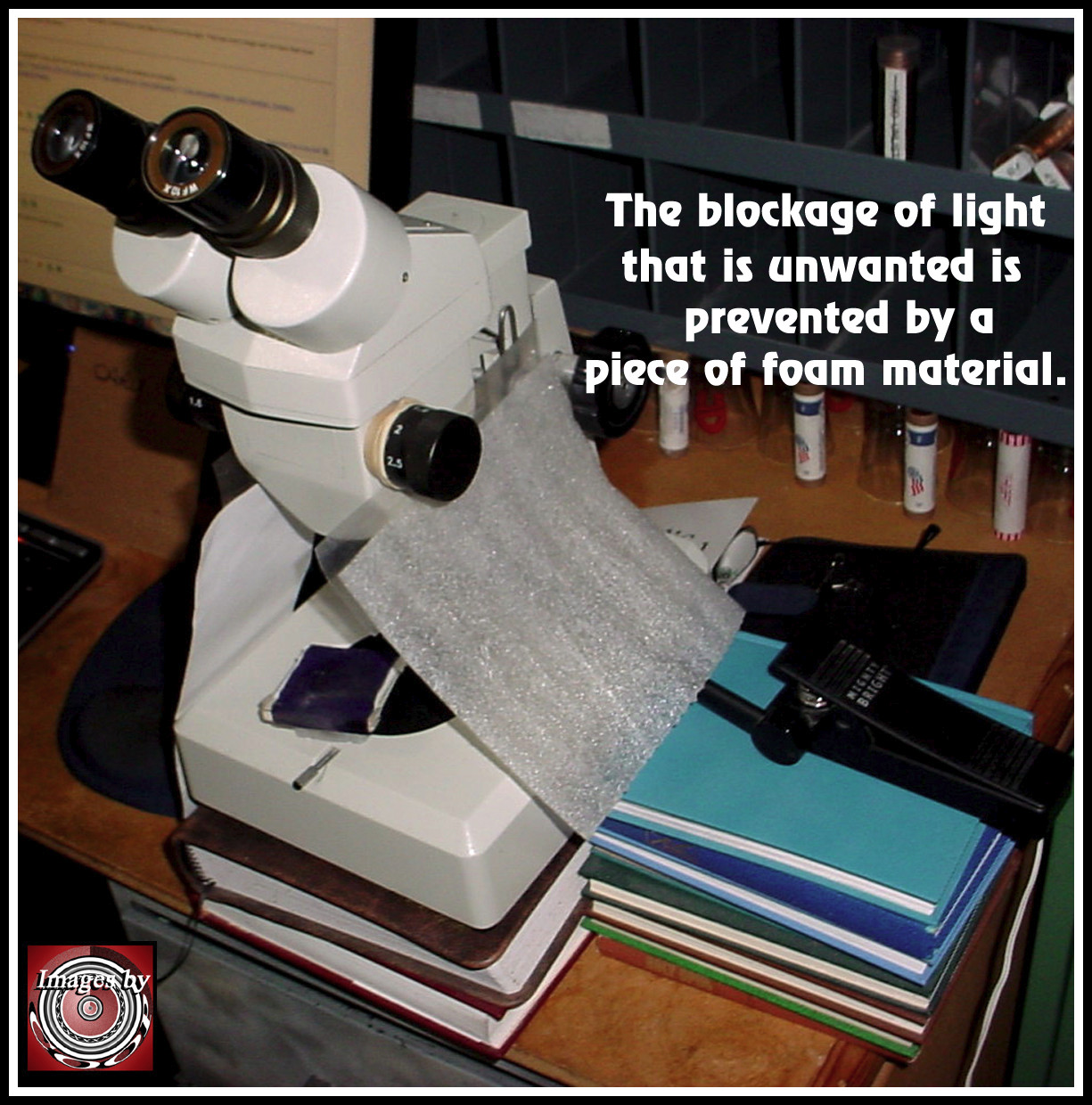 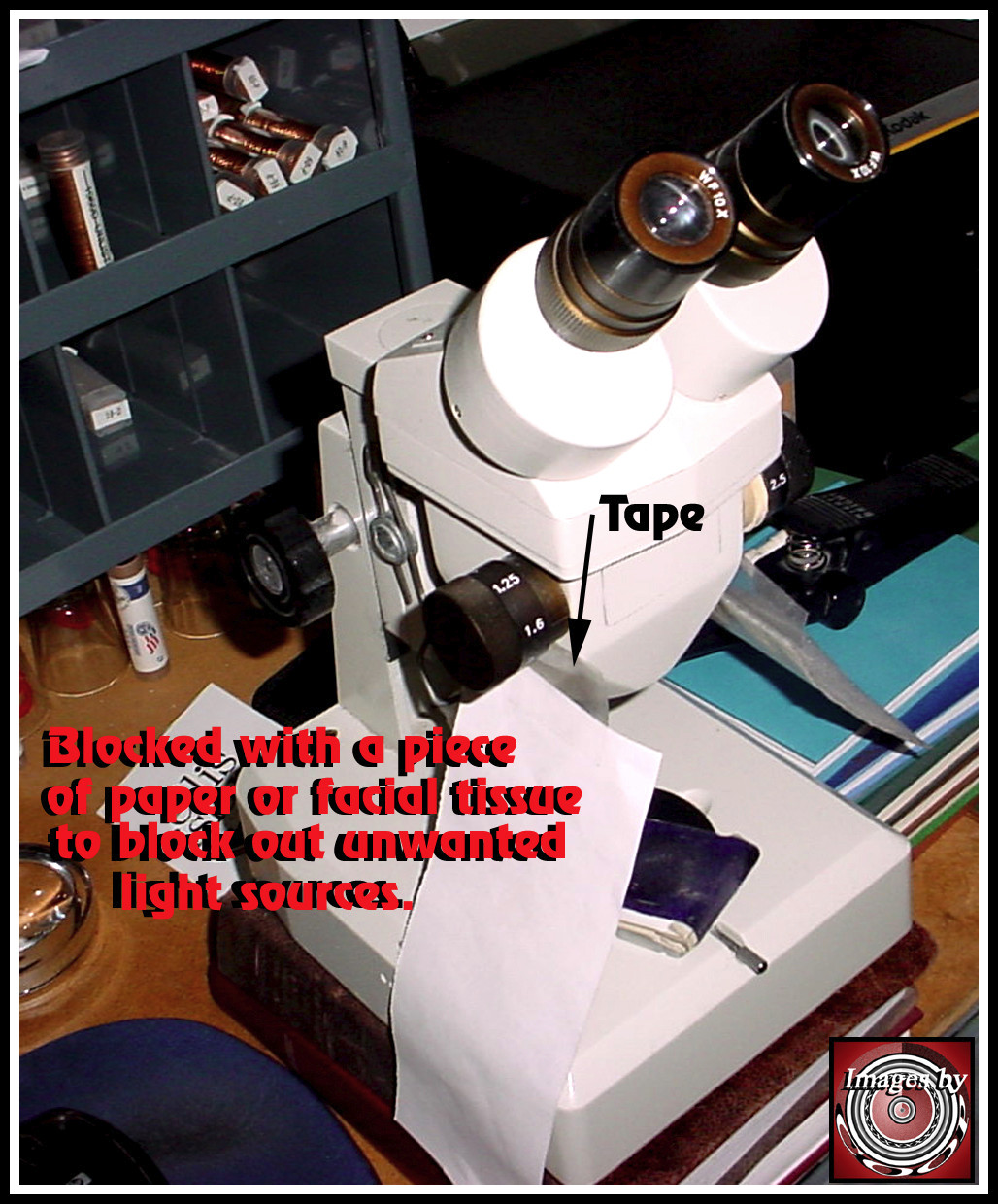 Just place the paper in directions of unwanted light that glares. You can place your hand around the coin to figure out the direction the light needs to be blocked. For micro photos, only one light is needed. It allows light and shadows. That is my setup. |
|
Pillar of the Community
United States
3746 Posts |
Decent photos can be taken and edited with minimal cost. Cell phone cameras are remarkably good, and are fine for whole-coin shots. Decent photos can be made: 1. By placing the camera on a stack of books 2. By placing the coin on a solid color dark background 3. By using natural light 4. By taking multiple shots and selecting the best 5. By cropping the photo so that the coin occupies the full frame Decent USB digital microscopes can be bought for under $100. My $79 Celestron has a 5 Megapixel camera and adjustable focal length. It isn't awesome, but it works. Almost any computer comes with basic photo editing software. Windows 10 comes with Microsoft Photos. Other operating systems or office suites (like Corel's AfterShot) have different packages, but the basic features are the same. Any freeware should at least be able to do the following: 1. Crop the photo 2. Rotate or change orientation on the photo. Most can do this by degrees, rather than just quarter-turns. 3. Lighten or darken images 4. Sharpen images 5. Adjust color There are some steps that people can take with basic equipment and software to have useful photos to upload: 1. Take multiple photos and start with the best of them. Don't just rush the first unedited picture into a post. 2. Orient the photo 3. Adjust the photo (brightness, clarity, and color) 4. Right click on the photo to determine size. Crop to 300K or less. 5. Upload the photos to your post. It isn't necessary to have museum-quality photos. Some people on this forum (coop and others) routinely do have that quality, and their photos are spectacular and instructive. For discussion purposes, decent, clear photos are essential. The blurry eye-straining photos usually come when people rush to post something without taking the time to compose the post and think through what the pictures will look like online. That said, we all have bad photo days. EDIT: There are also many helpful threads on the Coin Photography, Image Editing, and Related Software forum. Edited by fortcollins
07/04/2018 5:37 pm
|
|
Bedrock of the Community
United States
62064 Posts |
|
|
Bedrock of the Community
United States
10065 Posts |
My graphics program of choice is a little known but powerful program called Photo Impact by Ulead Company. Up to version 10 or so it is very intuitive. The Corel bought it and as I got versions 11, 12, and 13, I needed the actually open the manual to find where they had hidden some of the formerly easily accessed features so the program would be "easier to use." Even version 13 can be gotten on ebay sometimes for a whopping $20.00 including shipping. I find it unparalleled for text manipulation and making frames around pics (newsletter stuff!). As for camera setup - I have not yet really tried to take professional pics. This is my present setup based on one by member DarthMorgan: 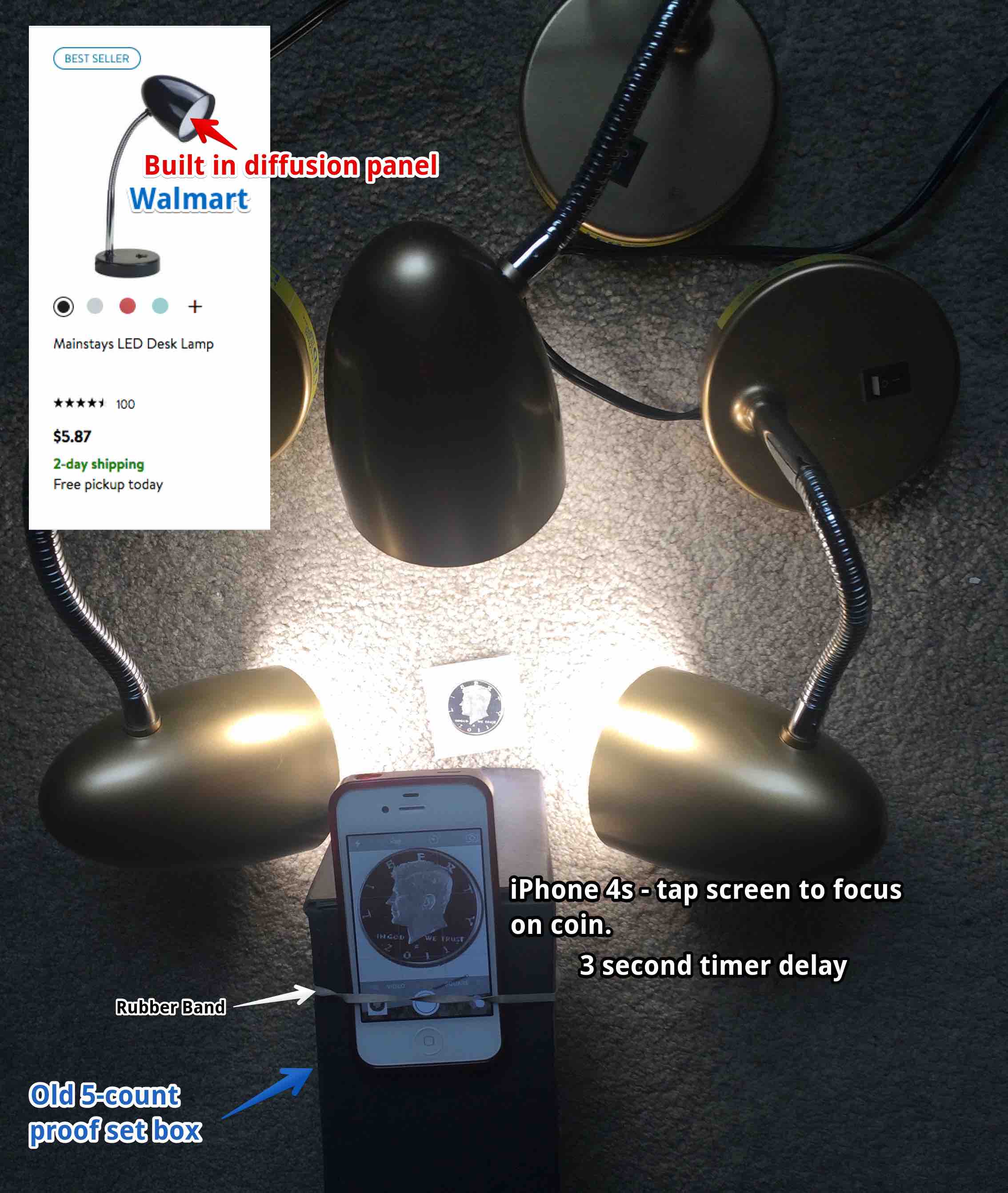 And a sample pic: 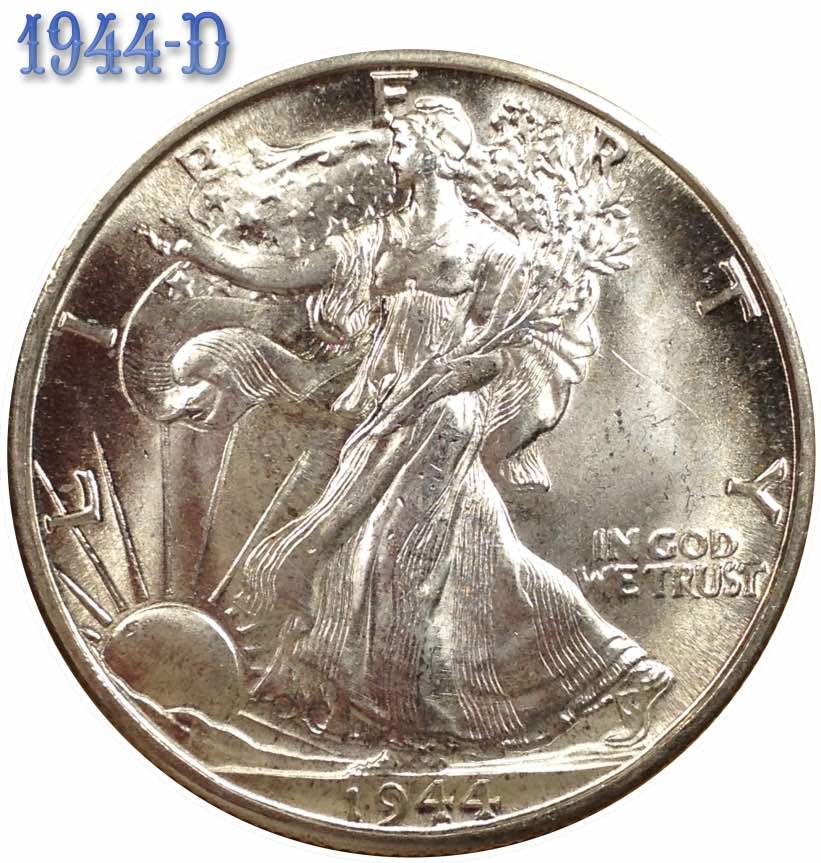 I just have not played with the lighting enough yet and I know I need to eliminate the hotspots. The main problem I have is that the coin can look in focus when on the screen, and despite tapping on the image onscreen to make it focus, when loaded into my computer the shot is not focused. I also use a 3 second delay to take the pics to make sure I am not moving the camera. How much squash could a Sasquatch squash if a Sasquatch would squash squash? Download and read: Grading the graders Costly TPG ineptitude and No FG Kennedy halveshttps://ln5.sync.com/dl/7ca91bdd0/w...i3b-rbj9fir2Edited by Earle42
07/04/2018 5:44 pm
|
|
Pillar of the Community
United States
2189 Posts |
|
| |
Replies: 39 / Views: 3,868 |







 Posted 07/04/2018 2:01 pm