| Author |
 Replies: 195 / Views: 19,439 Replies: 195 / Views: 19,439 |
|
|
|
Pillar of the Community
United States
9395 Posts |
I also like the second one, although it looks like the lighting comes in at an angle lower than recommended here at CCF. Maybe the first image needs more diffusion in front of the Jansjo lights?
|
|
Pillar of the Community
United States
717 Posts |
Yes pep, the light was coming in a window from across the room, so low angle. I even rotated the coin upside down from my usual orientation, so it would hit the coin from the side I wanted, lol. I added another layer of tissue to the jansjo's, turned off all other lights in the room, and tried again. (night time outside now) Here is the result: 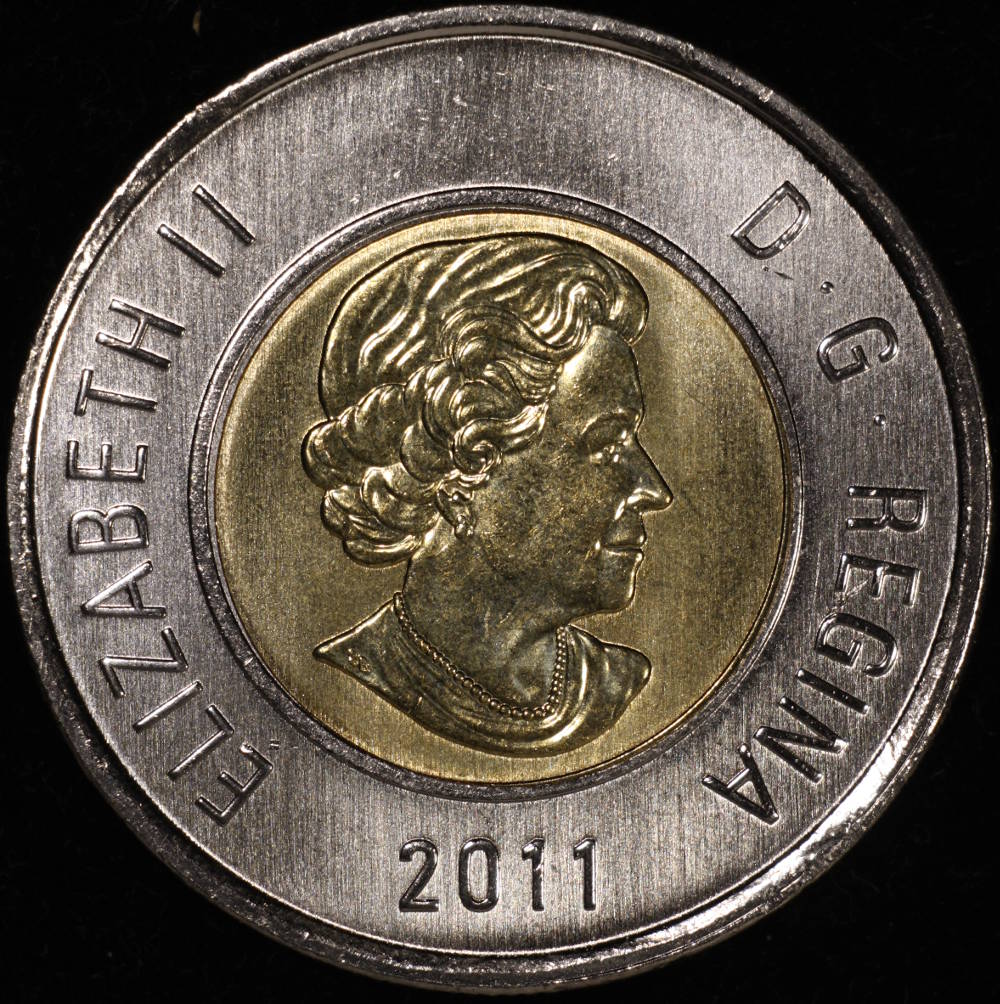 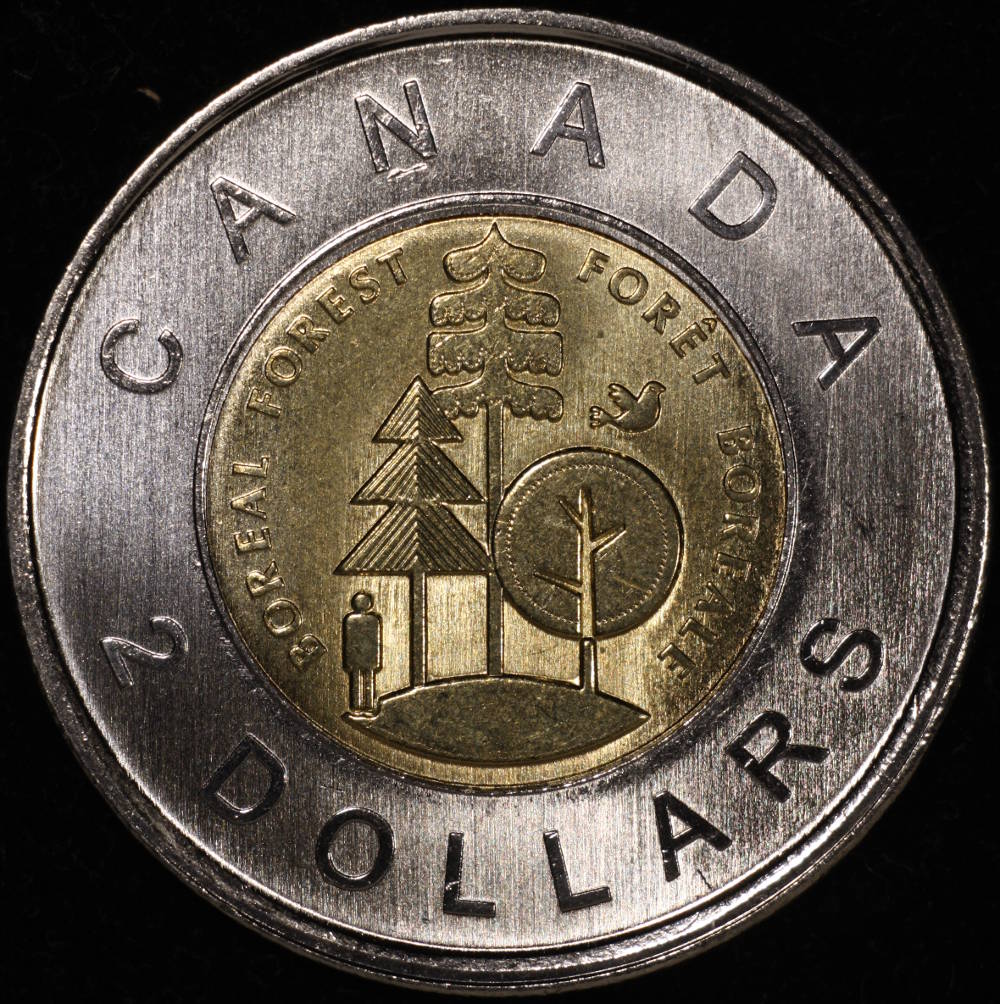 |
|
Pillar of the Community
United States
1300 Posts |
BINGO   |
|
Pillar of the Community
 Canada
9774 Posts |
Don, what are the settings for the camera and where did you place the lights?
|
|
Pillar of the Community
United States
717 Posts |
ok, 2 jansjos with 2 layers of "kleenex" as diffuser taped over the lights. Have the camera set to choose the shutter speed, and had the lens on 5.6. I took about 5 or 6 pictures of each side, starting with the EV set to where the pic was obviously too dark (on screen), then kept raising it and shooting until it was obviously to bright. Film is really cheap in these set-ups! Then just kept comparing pictures, keeping the one I preferred until I had one obverse, and one reverse left.
Now lighting is a different story. The bottom of the coin always was "in the dark" when I got the rest of the coin to look good, so I ended up putting a sheet of white paper behind the coin, and bouncing one of the Jansjos off the paper to fill that shadowed area. I also have a mirror that I use the back (gray, or grey side) to set white balance. I try to do that after I have the lighting where I want it, the cover the coin with the "grey card" and set WB w the eye dropper.
Just keep moving the lights to get the effect you want on screen, then take a pic. Sometimes I just rotate the base of the lamp slightly, other times it requires bouncing light into darker areas to keep from burning out highlights.
Hope that helps!
|
|
Pillar of the Community
Canada
9774 Posts |
Yes and no, I'm looking for where you had the camera set at AV setting, contrast, how far from the coin where the lights and any I can't think of. Thanks
|
|
Pillar of the Community
Canada
9774 Posts |
OK this is what I tried, F-8 ; AV -2/3 ; contrast -2 ; just cropped ;lights at 11:30 and 12:30 right up beside the lens Quote: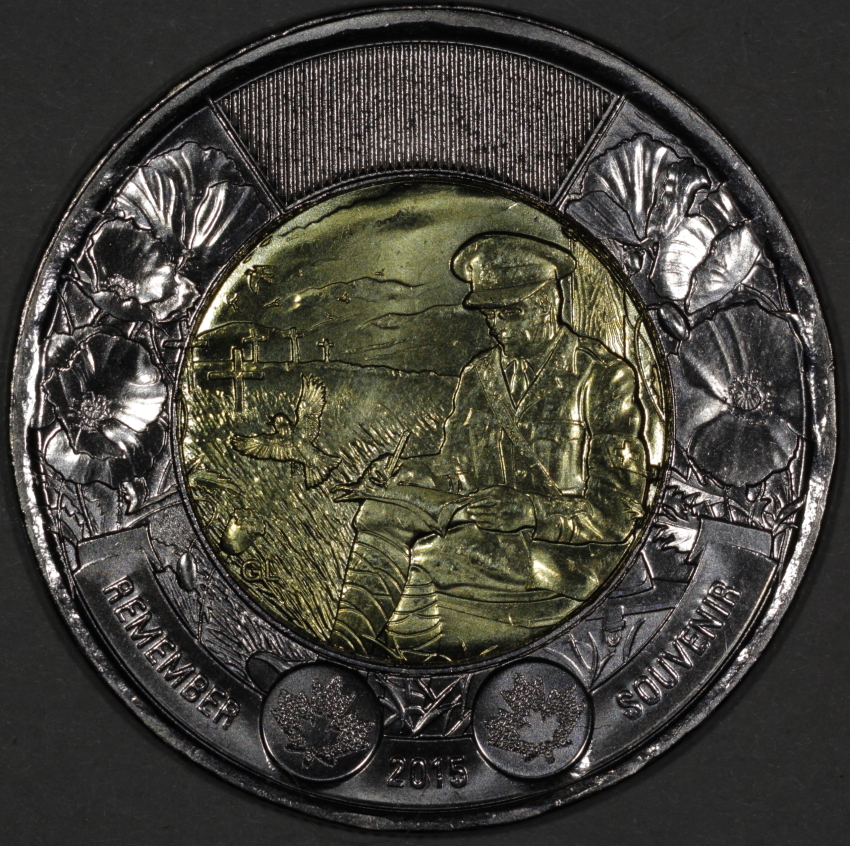 This one, F5.6 ; AV -1/3 ; contrast -2 ; tone curve asst. added, lights same as first. Quote: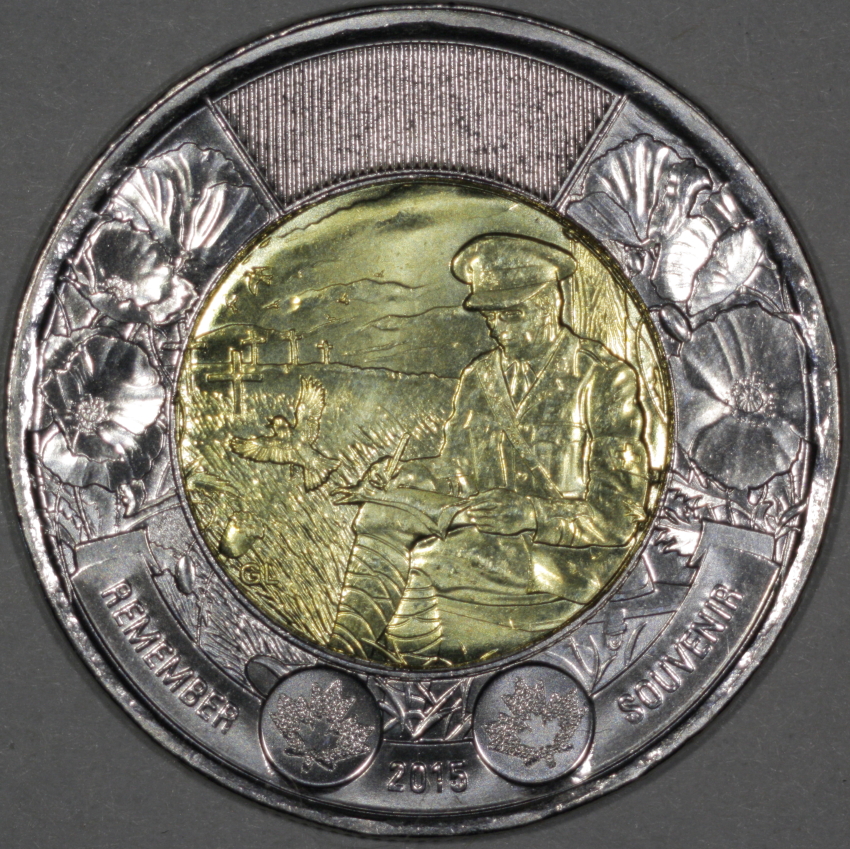 Edited by mcshilling
12/06/2015 3:05 pm
|
|
Pillar of the Community
 United States
4051 Posts |
You say Av 2/3 or 1/3, but you need to set them at -1/3 or -2/3. The problem is the camera pushes the exposure right to the limit with Av 0, so you need to set -1/3 or -2/3 to keep from over exposing highlights. Are you really at +2/3, or did you just not put in the -?
Contact me for photographic equipment or visit my home page at: http://macrocoins.com |
|
Pillar of the Community
Canada
9774 Posts |
Sorry Ray I forgot the - they are -1/3 and -2/3
|
|
Pillar of the Community
Canada
9774 Posts |
I have 2 problems, well I'm full of problems but that's later.
1/ I was taking pics and all was good, now for the last 6 or so they are coming out rotated to 9 oclock I have been rotating them back,
Is there a way to get them to come out the right way?
2/ When you have the coin up on the screen and then go to the zoom window and lets say the date shows up , how do up shot a pic of that date or can you from that close up screen?
|
|
Pillar of the Community
United States
4051 Posts |
Look through the in-camera menus and find the "Auto Rotate" setting, which you can turn "off".
You can't shoot from either the Live View or Zoom View screens. You need to open the camera control window by hitting the grey button in the lower left of the screens.
|
|
Pillar of the Community
Canada
9774 Posts |
I did hit that button in zoom view and the pic same out full coin view.
|
|
Pillar of the Community
Canada
9774 Posts |
Can some one help with this problem, I have done this a few different ways and can not get the date in a pic,
In live view coin on screen, place small window over date and click, date comes up on screen, click left bottom side of screen and window comes up for taking pic, shot pic, and it comes up with the full coin. I have also tried this in Zoom mode same thing.
|
|
Pillar of the Community
United States
4051 Posts |
The zoom function only looks at the detail in the pic for focusing and such. The actual pic is still of the full coin. If you want to look just at the detail, you need to crop that part of the image out. You can do this with DPP.
Contact me for photographic equipment or visit my home page at: http://macrocoins.com |
|
Pillar of the Community
Canada
9774 Posts |
Oh so you don't take a pic you crop it, will try tomorrow.
|
| |
Replies: 195 / Views: 19,439 |








 First Page
 Previous Page


 Posted 12/04/2015 10:36 pm


