| Author |
 Replies: 11 / Views: 2,527 Replies: 11 / Views: 2,527 |
|
|
New Member
United States
44 Posts |
I just recently got a Sony Cybershot Digital camera as a Christmas gift and am trying to take some pics of my coins but they always turn out blurry for some reason. I've tried it with and without the Macro setting and it doesn't seem to make much of a difference. Does anyone here have any ideas?
|
|
|
|
Valued Member
United States
191 Posts |
This might be a silly question but are you using a stand or something to hold the camera steady?
|
|
Moderator
 United States
23522 Posts |
The likely reason is that the camera is either too near or too far from the coin for it to autofocus in Macro mode. Vary this distance, and you'll be able to see in the viewfinder when you get a good focus.
Assuming, of course, that the camera is in a steady hold, as newdavid mentioned. You'll be lucky to get a clear pic at all, holding the camera in your hands.
|
|
Pillar of the Community
United States
830 Posts |
Use a tripod or copy stand, and use the self-timer feature to avoid any camera shake, plus the suggestions already made of checking your distance from lense to coin. Looking forward to some nice pics !!!  |
|
Valued Member
United States
254 Posts |
Don't forget to hold the button part-way down to allow it to focus before pushing the rest of the way (assuming your camera works similarly to mine).
Regards,
~neuron
|
|
New Member
 United States
44 Posts |
Thanks for the replies. No, I'm not using a tripod, maybe thats part of the problem along with a combination of all the others mentioned. I'll try all of your suggestions......Thanks!!!
|
|
Pillar of the Community
United States
2600 Posts |
IH, I have also just gotten a Cybershot. Let us know how the advise works, I'm sure I will need it, too. Jim
|
|
Valued Member
United States
191 Posts |
I use a cybershot 7.2
Once I got a copystand it made things much easier. I think you can take good photos with it once you have the right setup....I'm still working on it.
|
|
Pillar of the Community
United States
1541 Posts |
I have a Cybershot H2 and use a tripod. I'm very happy with the camera.
|
|
Pillar of the Community
United States
6434 Posts |
Hello, I also have a Sony Cybershot model DSC-T1 and I've been getting some pretty decent shots just using a bright halogen light source and holding the camera in my hand. I use the close-up setting which is shown on the camera screen by a magnifying glass icon. I do have to experiment with the lighting angle for every shot which can be a hassle. I'm no doubt missing 90% of the performance potential of the camera but I'm pleased with the results. Here's a Cyber-shot of my new 2006-S San Francisco Old Mint proof coin. 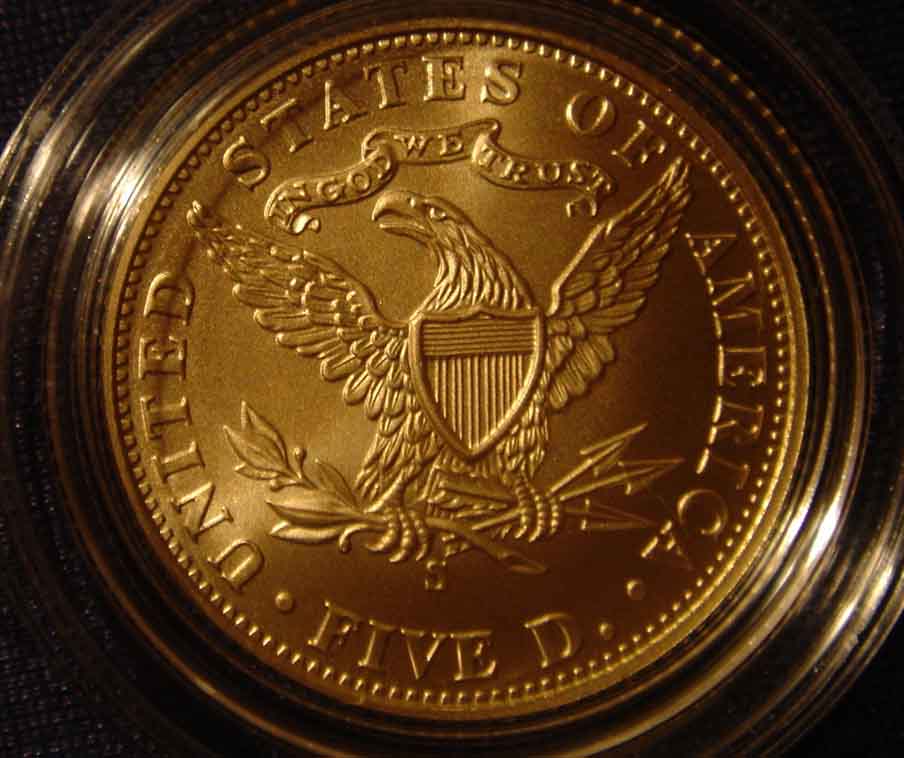 |
|
New Member
United States
44 Posts |
Thats a very nice picture of the San Francisco Mint Proof. I'm still working on getting some good pics with my camera. Ill include here a picture I took of my 16-d Merc for an example. Image:  DSC00337.jpg DSC00337.jpg48.95 KB |
|
Pillar of the Community
United States
6434 Posts |
Hi Indianhead, Your Mercury dime image seems awfully small. Can your camera get any closer? Is there a macro or close-up setting that you aren't using? When I use the Close-up feature on my Cybershot (indicated by a magnifying-glass icon in the viewfinder) I can focus even with the lens only 3 inches away from the coin. My SF mint half eagle image fills the entire view at that range, even without any zoom. FYI, I see that I misidentified my previous picture. That was the Uncirculated SF half eagle. Here's a photo of the proof, which I also bought. Love these coins! I discovered that photographing proofs presents a new problem: the coin is so reflective you can see the camera reflected in the surface of the coin! Do any of you photography experts have a simple method to avoid having your camera show up on the photo when you shoot a proof? I'd like to learn your tricks! 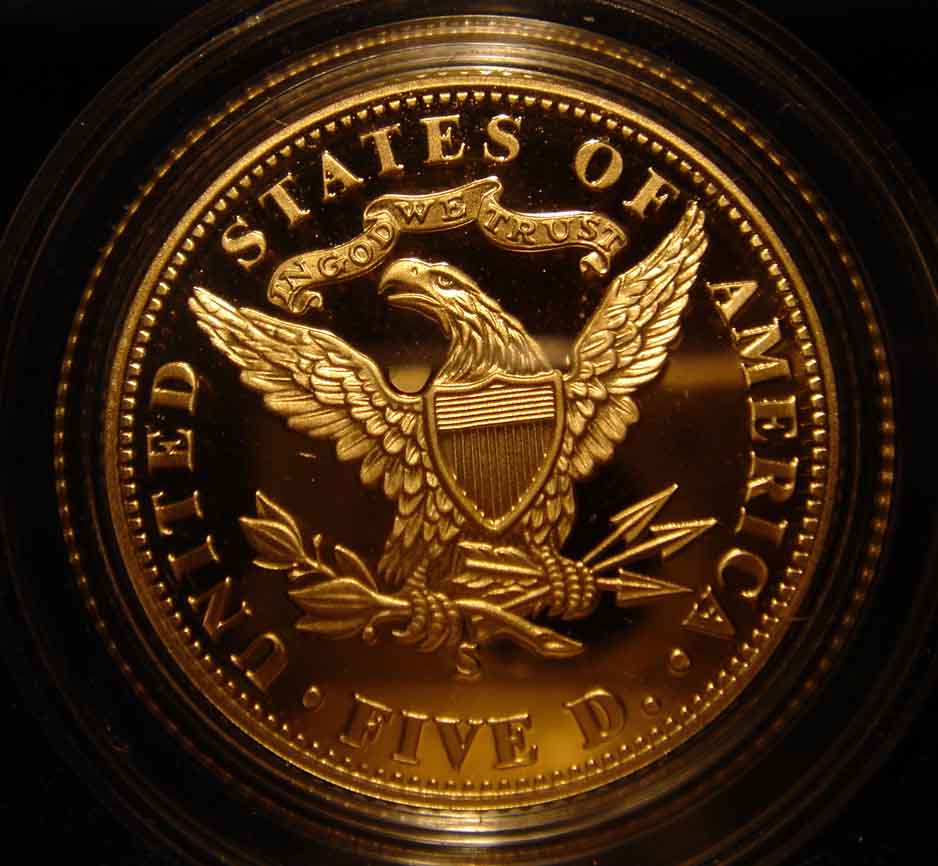 |
| |
Replies: 11 / Views: 2,527 |
|








 Posted 01/07/2007 7:11 pm


 DSC00337.jpg


