| Author |
 Replies: 90 / Views: 7,470 Replies: 90 / Views: 7,470 |
|
Pillar of the Community
United States
1304 Posts |
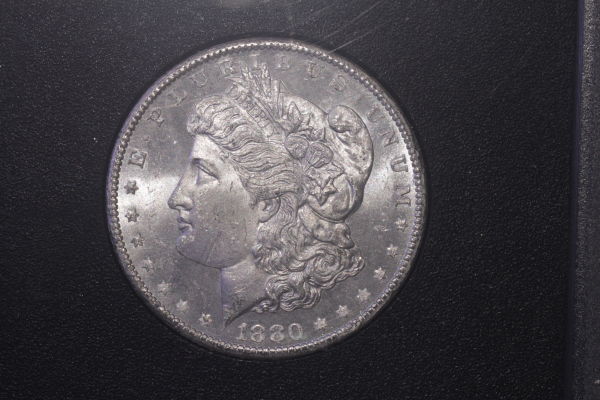
Here we go. I have just put together Ray's setup and quickly took a couple shots of a GSA dollar. I picked out what I considered the best one. I used a Vivitar Bellows with a 75mm lens at f4, shot at 1/20th, and the ISO set at 200. (2) Jansjo lights with diffusers set at 10:30 and 2:30. I think getting decent luster is going to be a challenge with these dollars, especially in the GSA holders. I used the custom white balance, and that looks to be off. Right? Any suggestions would be appreciated. This is my first attempt at uploading an image, so be nice. 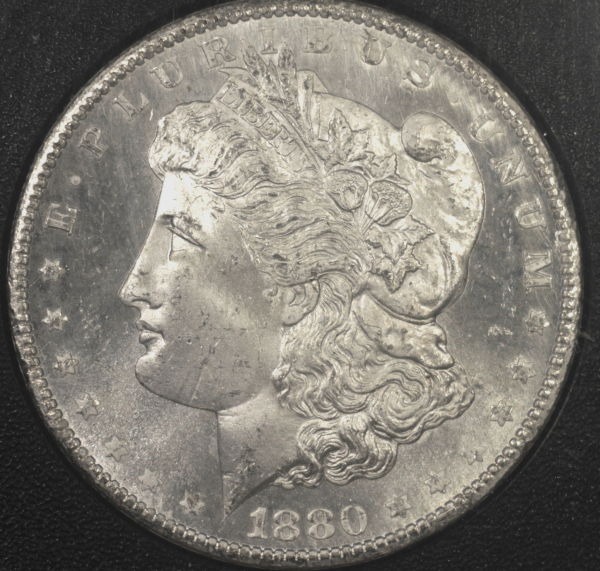 |
|
|
|
Pillar of the Community
United States
4132 Posts |
I think you're getting some glare off the GSA holder. You can compensate for it by increasing the contrast (the best way to do this depends on what software you're using to process the RAW image - I suggest experimentation). But even better is to use something which prevents the glare, like Ray's smile directors.
The white balance is a tad on the warm side, I agree. That's not hard to adjust manually in post though, assuming you're using RAWs.
|
|
Pillar of the Community
 United States
1304 Posts |
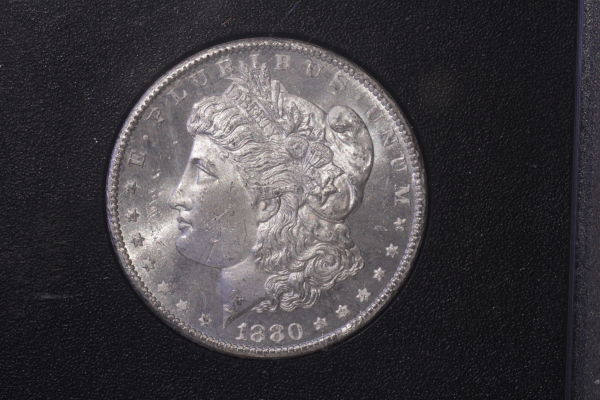
Made some minor adjustments to contrast, and helped the white balance some. This image is a much better representation of the coin, but not quite there yet. I'll work on it later. I did use the smile deflectors, but could change the direction. |
|
Pillar of the Community
United States
4132 Posts |
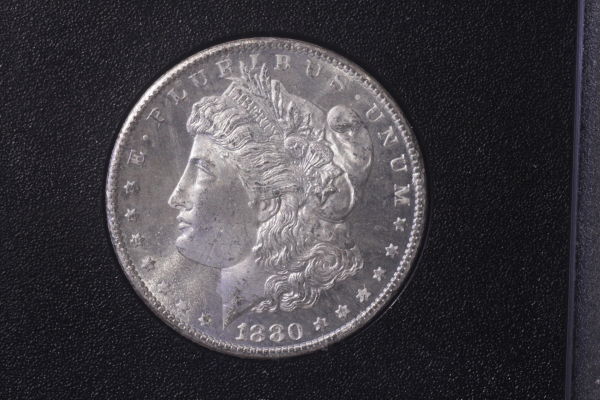
I hope you don't mind - I pulled it into Photoshop and tried to tweak the contrast and white balance a bit. 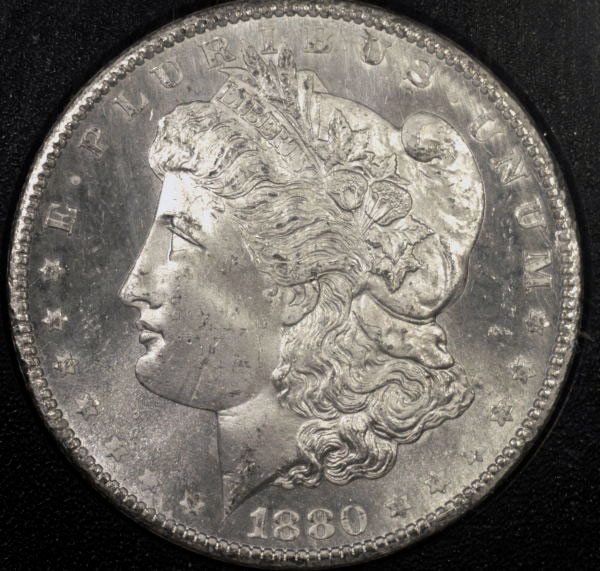 |
|
Pillar of the Community
 United States
4051 Posts |
Ham...shots look pretty good. I'd recommend moving the lights farther from the coin to improve coverage and even things up a bit. Also, move the lights around the coin (clock position) til you get an even "look" to Liberty's face. The hotspot on the forehead will go away with minor movement of the light and things will look much better.
Contact me for photographic equipment or visit my home page at: http://macrocoins.com |
|
Pillar of the Community
United States
1304 Posts |
Don't mind at all Captain. Does look better! I'll try moving the lights farther "up" from the coin. Yea, I noticed the hotspot on Liberty's forehead also. Wish I could get the luster right! This coin has outstanding luster--no toning at all. It's a MS65 VAM5 with CAC sticker. I'll keep on working.
|
|
Pillar of the Community
United States
1304 Posts |
I moved the (2) Jansjo's to a distance of 30" from the coin, and adjusted the positions and settled on the following shot. I did try the directors, but found that there was insufficient light. I did some adjusting with the color and contrast. Is it is getting better? I would like to see better luster! More suggestions, please. 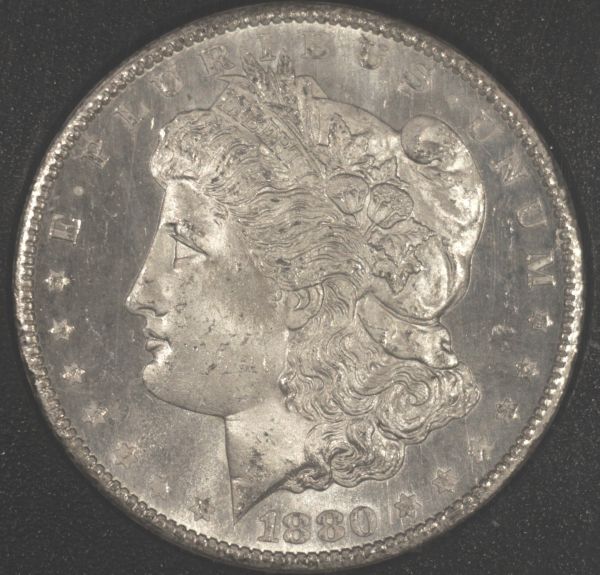 |
|
Pillar of the Community
United States
1304 Posts |
Tried an axial setup. I'm a little bit happier with the results. 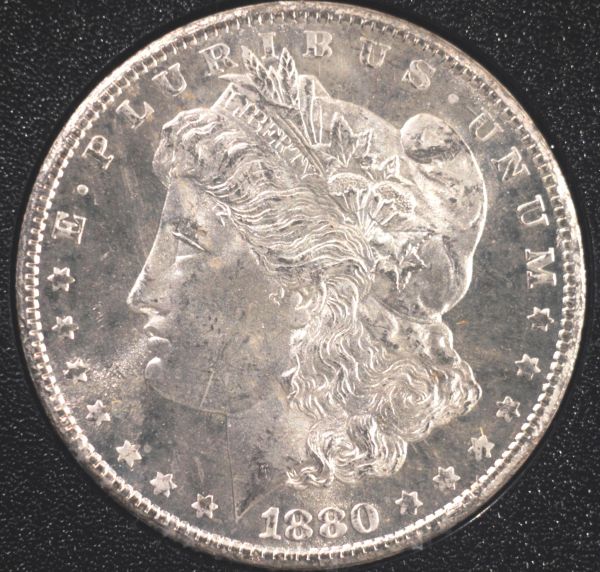 |
|
Pillar of the Community
United States
4132 Posts |
You got rid of the hotspot, which is good. Of these two, I prefer the first, but it really needs the contrast fixed. 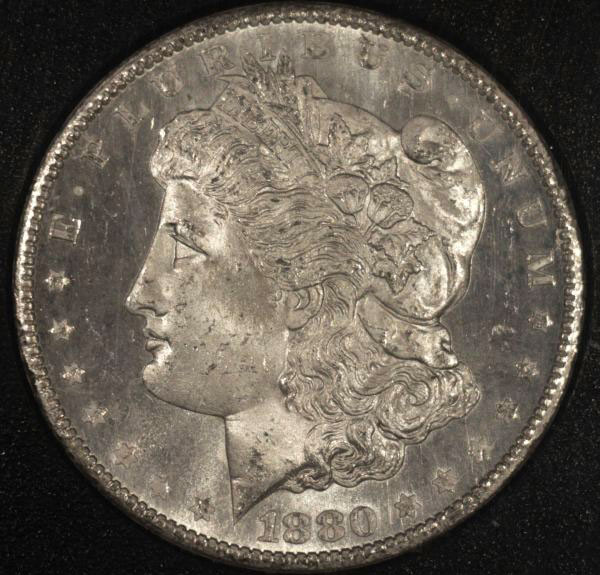 I don't think the axial setup is working correctly - axial lighting should show the fields as nearly white and show no luster at all. |
|
Pillar of the Community
United States
4051 Posts |
Ham...I'm wondering if you have your lights at too high an angle. Try this experiment:
- use just 1 light at 12:00
- place the light at same position (angle vs horizontal and height above coin) as you have now
- snap the shot
- move the light down a bit in angle, but not closer to the coin
- snap the shot
- continue until you're around 30-deg from horizontal
Don't worry about any post-processing for now. Let's see that sequence of shots and discuss...Ray
|
|
Pillar of the Community
United States
4051 Posts |
Ham...what are your camera settings? ...Ray
Contact me for photographic equipment or visit my home page at: http://macrocoins.com |
|
Pillar of the Community
United States
1304 Posts |
|
|
Pillar of the Community
United States
4051 Posts |
Ham...this does tell me a few things but also begs a few questions. The top shot definitely looks like it's at 12:00, but I don't understand what you mean by 90-deg. It's not possible to get the light to 90-deg unless you are doing axial lighting. The center pic looks to be at about 11:00, while the 3rd is at around 10:00. This is based on the positions of the luster bars in the photos. I think perhaps there is a misunderstanding of what I requested, so let me explain further...
The light position is described by 3 dimensions. The 3 dimensions can be any combination of angles or distances, as long as they are orthogonal. For lighting coins, I've decided to describe the 3 dimensions as:
1) Clock position. This is in the traditional XY plane of the coin.
2) Angle to horizontal. This is the angle the light direction forms with the XY plane. If you are pointing straight down on the coin (axial) then this is 90-deg.
3) Distance from the coin. This is the "as the crow flies" distance
The above 3 dimensions completely describe the light source position.
What I think you provided above is a variance across clock position rather than angle to horizontal, correct? If not, then I'm completely confused by what I'm seeing in your shots. What I'd like to see is for you to hold the clock position at 12:00, but start at the highest angle to horizontal you can achieve, then move the angle downward, keeping the same distance of light to coin for all shots. Make sense?
An assumption I'm making is that your coin is very flat versus the camera. You aren't tilting it in any way, are you?
I'm a bit concerned that you're varying the aperture to adjust exposure. This is not a good practice. The aperture should be adjusted only to achieve the depth of field you are looking to achieve in the shot. For your dollar shots, an aperture of f8 should be adequate and you should keep the aperture fixed for all shots at this magnification unless you're looking for some other effect. Put your camera on Av mode to let it know that's what you are doing, ie you are keeping the aperture fixed so the aperture is your "priority". ISO of 200 is OK, but you should also set it manually rather than put it on auto. I prefer ISO100 with coins but your camera is still capable of good shadow detail at 200.
Contact me for photographic equipment or visit my home page at: http://macrocoins.com |
|
Pillar of the Community
United States
1304 Posts |
Ray, I am sorry, but you have totally lost me. I think I know where to start, but from there, I do not know where to procedes with the light source. I have positioned the coin flat vs. the camera. I have at times been manually adjusting the aperture on the lens. I have the camera set on AV mode and will leave the ISO on 200.
|
|
Pillar of the Community
United States
4132 Posts |
I made some crude illustrations. This is from the point of view of the camera, pointed down at the face of the coin. 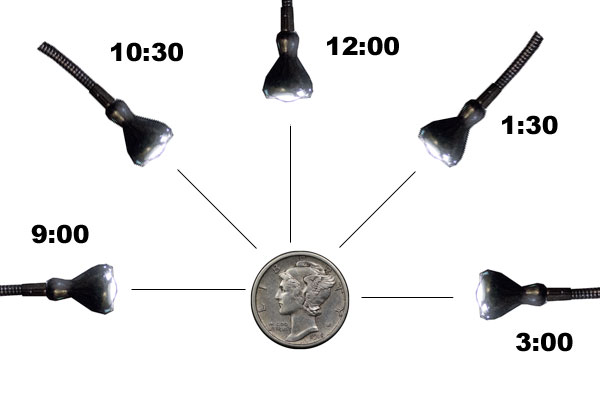 This is a side view, with the edge of the coin represented by the gray rectangle on top of the black shape, which represents the base of the stand. The thing at the top represents a lens attached to a bellows. 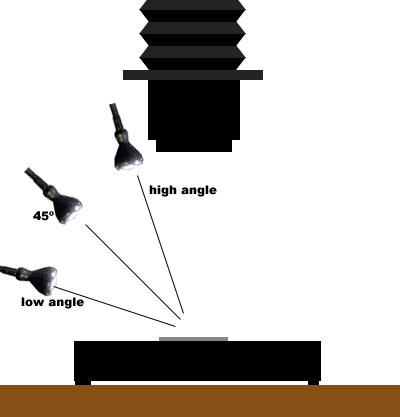 Ray wanted you to change the position in the second diagram, but you changed the position in the first diagram. Generally, a good starting point is to have a light at 10:30 and one at 1:30. Also, you generally want to have them at a high angle relative to the coin for even illumination and nice illustration of detail. Having them at a low angle will result in narrower bands of luster and more shadows, which generally doesn't work quite as well, but it depends on the coin. For lustrous coins, there will be a bright band of luster perpendicular to the lighting direction. If you have a light at 12:00, there will be a bright band going horizontally through the coin. If you have one at 10:30 and one at 1:30, the bands of luster will form an X on the coin, which is usually attractive. |
|
Pillar of the Community
United States
4051 Posts |
Nice diagrams Captain! Shows exactly what I was trying to convey.
|
| |
Replies: 90 / Views: 7,470 |








 Posted 08/04/2012 6:34 pm