The photos look very good, nice details but the coin and the camera must be exactly parallel so that you're showing the coin as it should be.
It's fine to shoot at an angle, but you're not giving a proper representation of the true shape of the coin.
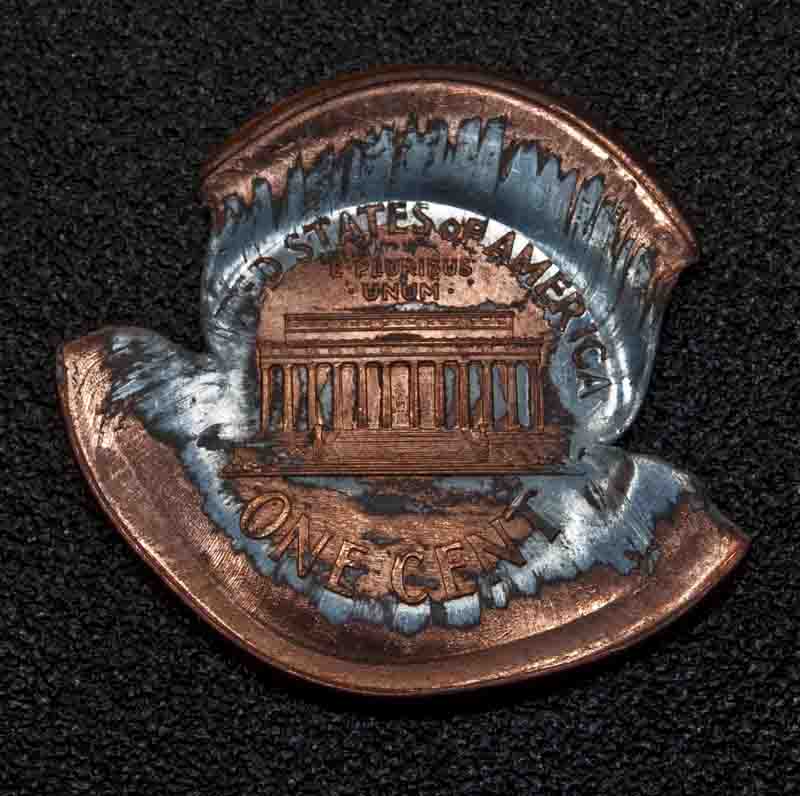
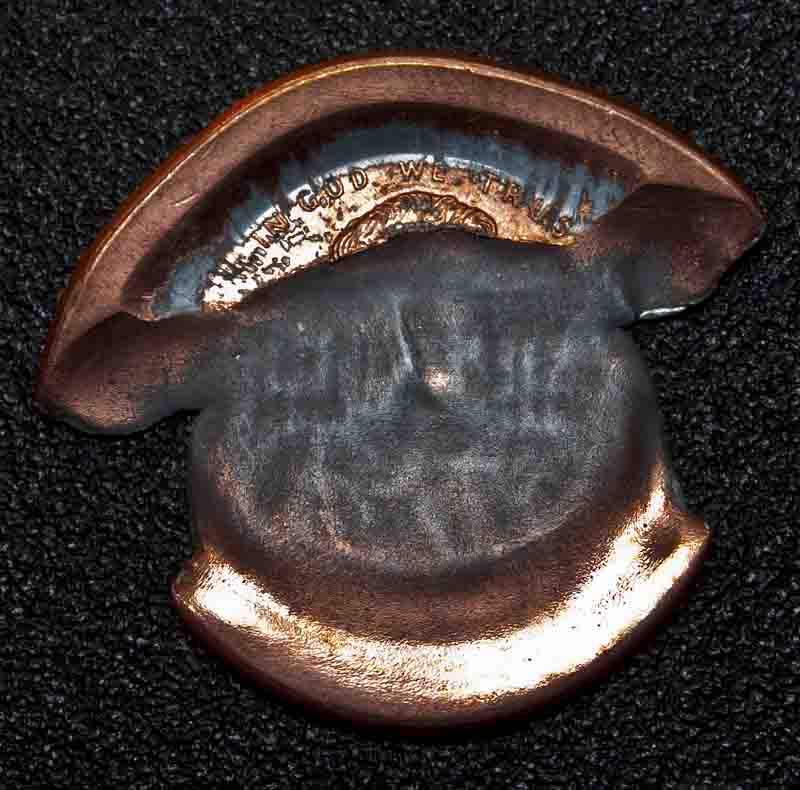
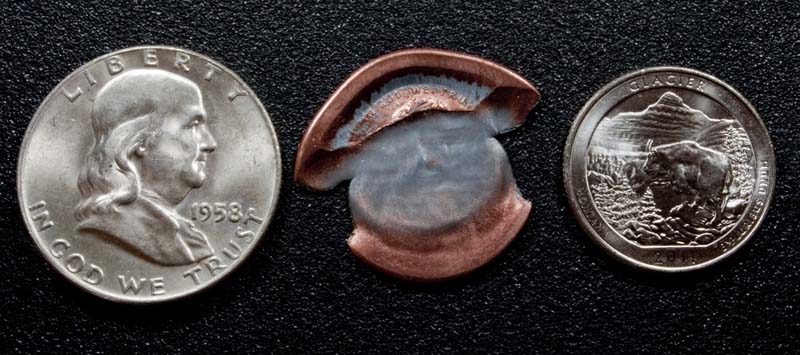
I shoot mainly error coins that tend to be out-of-round or bent when you have a multi strike or saddle strike. I try to use a coin of the same type, year, color and grade to show how the error coin differs from a normal coin. I also shoot with a ruler in the shot if I want to show off a large angle or stretch in a coins strike.
I shoot with a Nikon D-200, 18mm lens, ring-flash for full even light over the coin. But, this can kill your luster. To make sure I get luster I shoot with an SB-900 at an angle with double reflectors. Any light you use needs to be as close to 6200 K (Kelvin) color temperature to get the true color of the subject.
I've found that I get the best results with an ISO of 200 or less. Focus as close to the coin as possible. I shoot with the end of the lens about a 1 1/2" away from the coin, on a tripod and shoot as fast of a shutter speed as I can. My camera will allow with a flash to sync with the shutter at 1/250th of a second. I also use the highest f-stop possible. The f-stop setting makes sure your subject is sharp and focused.
Shoot on background color that best features the color of the coin. I shoot on a black sheet of poster board or rough textured black plastic. (If you have Photoshop or another digital software program, you can change the color to anything you want.) Multi-color backgrounds can ruin a shot.
My camera also has a delayed setting that will not shoot until the camera has stopped vibrating after you click the button. You can also use a remote so that you don't shake the camera at all when you shoot too, but I can't find my remote.

A couple of things I see that I would correct is that the coins in your shots are not level with the frame of the shot. The coin shouldn't be running up or down hill in the shot. Also, make sure the shot is not cluttered by anything else in the shot. Try to cut back on the amount of deep shadow where you should see the coin, if you can.
I measure all angles in the coin. If the coin has rotation of the reverse over 45 degrees, I note that in the description. Most of the time if a coin is off my 2 or 3 degrees, sellers on
ebay list this as a rotated coin, but less than 45 degrees is within the limits for most error collectors and isn't worth more than the same coin with no rotation. The best is a 180 degree or medal strike.
One VERY important thing is color balance. If you shoot 12 shots and all 12 have a different a color of the same coin in the shot, it makes the coin look terrible. The color should be the exact same as the coin and that same color in every shot.
The best thing ever invented for making your coin shots look great is software like Photoshop. You can do almost anything with Photoshop. You can setup batch photo color and white balance correction, resize the photo without loosing the REAL color and focus of the coin and about 10,000 other things that I only know about 1% of so far. It does cost a bit. I'm on Photoshop CS5 and it cost about $330 to $1000 depending on what features you need. A note to students, you can get the student edition for much less.
If you're selling coins online, you need to have the best photos you can. You can use software to make sure the coin looks like it does when you have it in hand, but NEVER use it to hide an imperfection or change the color, tone or add marks or otherwise misrepresent your coin.
I have a degree in photography, but with the digital cameras out now, that degree and a dollar will get you a nice photo of a dollar, but that's about it.

I got a great paperback called
NUMISMATIC PHOTOGRAPHY 2nd Edition for Christmas and it has some great information on lighting, camera setup and what makes a good photo of a coin a great one.
You're photos are about a 8 out of 10. I think some different lighting and testing muted, solid background colors with only the photo in the shot would make them even better.
One last suggestion, if you can shoot just the surface of the coin, not the plastic holder, you'll get better shots of the coin without false reflections and a line or scratch that's on the holder and not on the coin. You can't remove certified coins, but that's when you diffuse the light.
I could keep talking all night, and sometimes do, but I'll stop here for now.
If you have any question, feel free to send me a message.
Ben
My favorite error coin photo

Ben
ANA ID: 3203813 - CONECA ID: N-5637 Clean a coin that may be worth collecting? Please DON'T! When in doubt, leave it dirty!!










 Posted 10/29/2013 2:04 pm


