| Author |
 Replies: 19 / Views: 6,403 Replies: 19 / Views: 6,403 |
|
Valued Member
440 Posts |
Anyone have a simple solution for this? I have tried downloading several free programs none of which worked. After having to remove all the extraneous crap programs that download with the supposed program that will perform a circular crop I am left with nothing that works.
Thanks, Bob
|
|
|
|
New Member
United States
15 Posts |
Photoshop Elements is pretty cheap and has a circle crop. I think a couple free programs have it but have never used them.
|
|
Pillar of the Community
 United States
4616 Posts |
-----Burton 50+ year / Life / Emeritus ANA member (joined 12/1/1973) Life member: Numismatics International, CONECA Member: TNA, FtWCC, NETCC, EveryCountry (online) coin club Owned by three cats and a wife of 40+ years (joined 1983) Author: 3rd Edition of the Sample Slabs book, https://www.sampleslabs.info/ |
|
Valued Member
 440 Posts |
Already tried getpaint. All I get is a load of garbage downloaded to my computer without the paint program. What's the cost of photoshop elements?
|
|
Pillar of the Community
 United States
4050 Posts |
If your coin is well-centered on the sensor, you can use DPP to make the area outside the coin darker or lighter (all the way to black or white).
Contact me for photographic equipment or visit my home page at: http://macrocoins.com |
|
Bedrock of the Community
United States
10045 Posts |
Quote:
Photoshop Elements is pretty cheap and has a circle crop. Yes--basically that's the key feature you need--a circular selection tool that lets you isolate the coin, and delete everything else you don't want. By isolating the coin, you can also adjust its color-balance and brightness levels without changing the background. I use Photoshop CS6 to accomplish this. It's got a really extensive set of features/tools that come in handy too. But I think PS Elements would work just fine for coin pictures. |
|
Valued Member
440 Posts |
"If your coin is well-centered on the sensor, you can use DPP to make the area outside the coin darker or lighter (all the way to black or white)."
How do you do this?
|
|
Valued Member
440 Posts |
For instance how would this one look using that technique? 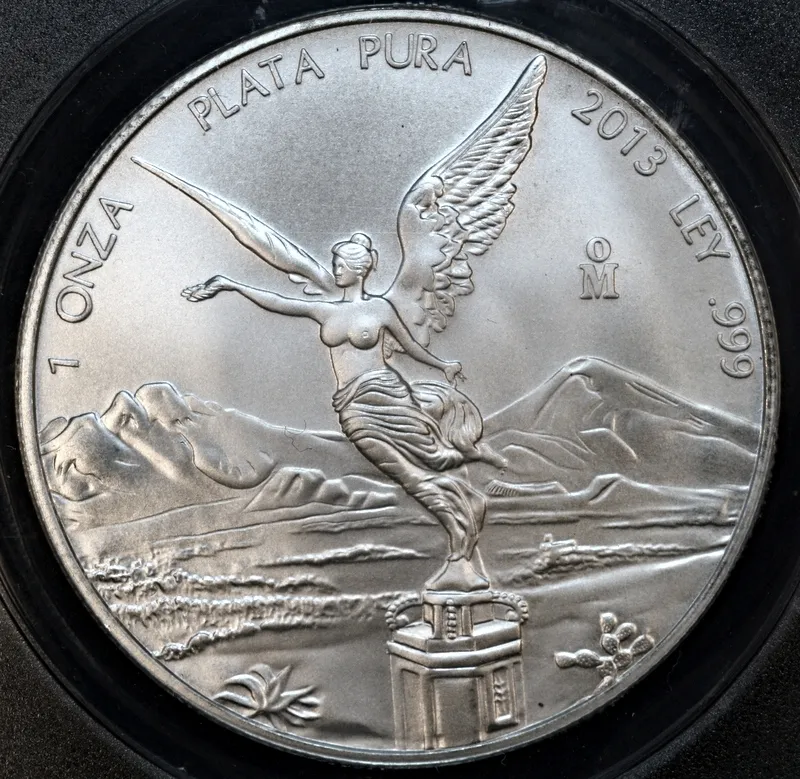 |
|
Pillar of the Community
United States
4616 Posts |
See that's why I like Paint.Net: 1. Open 2. "S" for elipse/circle select 3. click & drag to create a rough circle around the coin 4. Press M twice to move into "Move selection" mode 5-9. Zoom in and go max left, right, top, bottom in sequence to adjust the edge points 10. Click crop. Save After the 2nd or 3rd time it takes longer to describe than do... 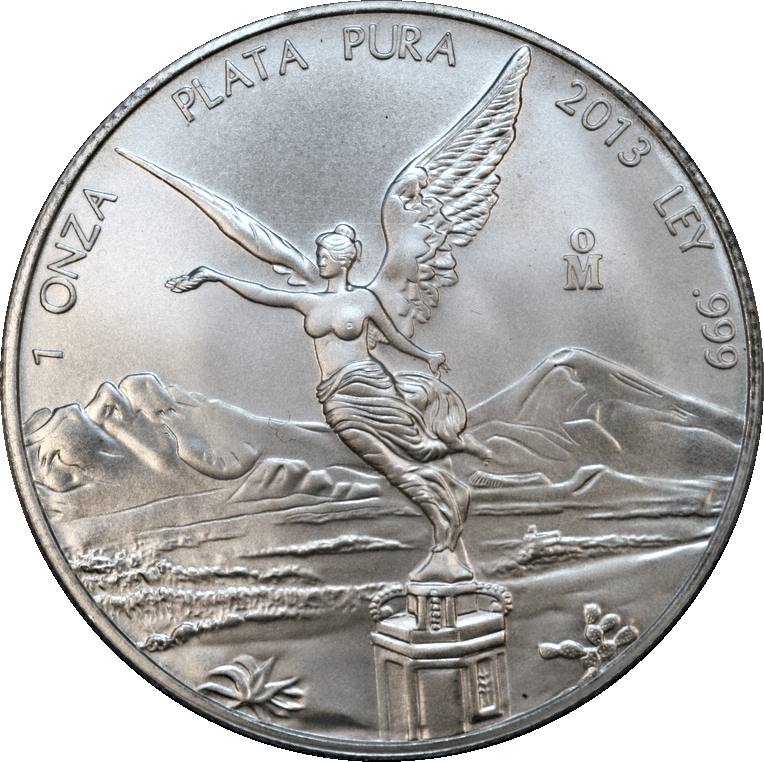 -----Burton 50+ year / Life / Emeritus ANA member (joined 12/1/1973) Life member: Numismatics International, CONECA Member: TNA, FtWCC, NETCC, EveryCountry (online) coin club Owned by three cats and a wife of 40+ years (joined 1983) Author: 3rd Edition of the Sample Slabs book, https://www.sampleslabs.info/ |
|
Bedrock of the Community
United States
10045 Posts |
How about a quick demo of a crop done in Photoshop?  This took all of 5 minutes; the work includes: -Coin out of round, ie not exactly perpendicular to lens axis--adjusted. -A few highlights blown out (overexposed); toned down -Details sharpened slightly -given the warmer cast that silver exhibits -Cropped (to personal taste) and white background added--black is just as easy.  Edited by DVCollector
02/23/2014 9:27 pm
|
|
Pillar of the Community
United States
627 Posts |
GIMP has a nice circular marquee tool. It also has full "layer" type capabilities like Photoshop.
|
|
Valued Member
440 Posts |
Downloaded GIMP without any issues. THanks. Where is the circular marquee tool?
|
|
New Member
United States
15 Posts |
The difference in the crops make PS or another program worth the money. The paint.net crop is pixelated.
|
|
Pillar of the Community
United States
4616 Posts |
No, the Paint.Net crop is pixelated because I used a screen grab and had to decrease the quality to fit into 100Kb
-----Burton 50+ year / Life / Emeritus ANA member (joined 12/1/1973) Life member: Numismatics International, CONECA Member: TNA, FtWCC, NETCC, EveryCountry (online) coin club Owned by three cats and a wife of 40+ years (joined 1983) Author: 3rd Edition of the Sample Slabs book, https://www.sampleslabs.info/ |
|
Moderator
United States
23522 Posts |
Aw, heck. Blu62vette is here. You gotta up your game, guys; he's the best there is with coin photography.  |
|
Valued Member
United States
146 Posts |
What's the cost of photoshop elements? I bought PS Elements 11 off Amazon last year for $75,no shipping,they send a key that lets you download directly off the internet.There were already a newer version out when I bought it.Has a slight learning curve,but once you get the hang of the basics,its a great piece of software. regards coffeecup57 |
| |
Replies: 19 / Views: 6,403 |









 Posted 02/23/2014 2:00 pm


