| Author |
 Replies: 7 / Views: 2,563 Replies: 7 / Views: 2,563 |
|
|
Pillar of the Community
United States
1314 Posts |
I'm interested in a little feedback on my photos. They just don't look like the coin in hand. First of all, I'm really challenged in this area, and don't know my camera and photography as well as I should. My feeling is that the pictures are not as bright as the coin, and they really capture every little flaw. I'm using a Pentax K-x with bellows and a Rodenstock Omeragon 90mm, 1:4.5 (usually set at 5.6 or 8.) Three tungsten bulbs in crane lamps for illumination. The camera is set at Aperture Priority mode. ISO is at 400, camera will go to 200, but I cannot figure it out. I'm not sure if it makes a difference where I set focal length when using bellows. First shot is of a MS 63 nearly blast white in holder. Camera set at AWB 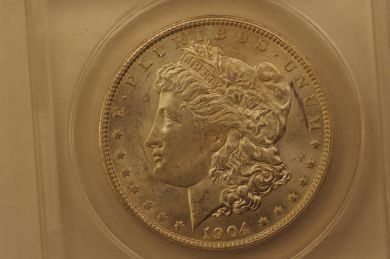 Same coin. Setting for tungsten. 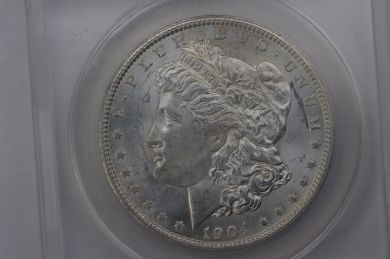 Circulated coin raw on dark background I would say light champagne tone slightly darker around rim. 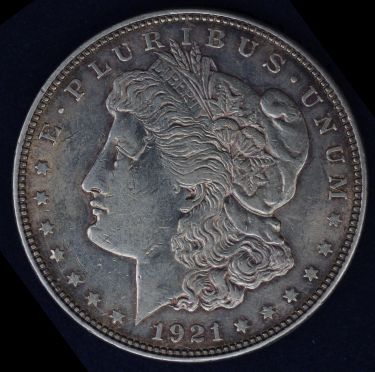 Same coin in 2x2 on white background setting changed to f 1:4.5. 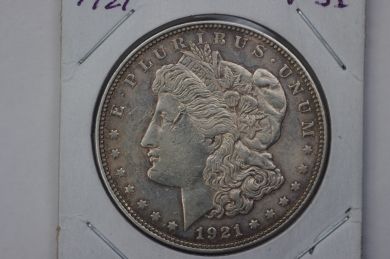 Jansjos are on my wish list. Comments appreciated. |
|
|
|
Pillar of the Community
 United States
4051 Posts |
AWB does not work well for coins. When you get Jansjos you can use tungsten as they are within 200K of the correct color. That said, once you get into the habit of using manual white balance you'll find that is most accurate. The images don't look dark at all to me, but it looks like your lights are at too low an angle. The edges of devices are brighter than the middle, so this might be the problem. Bring your lights up at a higher angle and you may be more happy with the results.
|
|
Pillar of the Community
United States
3552 Posts |
Chute,
For starters could you search, copy, and paste a photo of a Morgan having a similar grade but more importantly with a close representation of the actual luster on your coin including any cartwheel effect, if applicable?
Be sure to include both sides of the representative dollar.
mdpmedia
|
|
Pillar of the Community
2087 Posts |
My understanding is using a bellows reduces the effective F stop even further. The same is seen on old manual focus macro lenses which often have markings telling you how much to adjust the exposure to compensate. Recent research( not experience) also tells me that with enlarger lenses on bellows the effective F stop reduction is such that diffraction can set in much earlier. Accordingly it is possible using aperture priority is actually working against you as your camera has no means to recognise the effective reduction in the aperture size. You might want to try this( its not going to hurt to try it). Take a shot in aperture priority....note the settings for exposure and ISO the camera automatically sets......then go to manual mode enter the same ISO but increase the exposure time( from that picked by the camera) in small increments ( over a series of shots). If you have an exposure compensation dial use it! That may give you better results. The other option try the lens at F4.5 ( I know that doesn't feel right) with your bellows, even at 4.5, you might actually be working with an effective aperture of F22).
Edited by austrokiwi
10/16/2014 03:36 am
|
|
Pillar of the Community
 United States
1314 Posts |
Ray, This is the actual position I used to take the pictures. The lamp reflectors are far enough apart to prevent camera view obstruction. Camera is at actual height for these pictures. 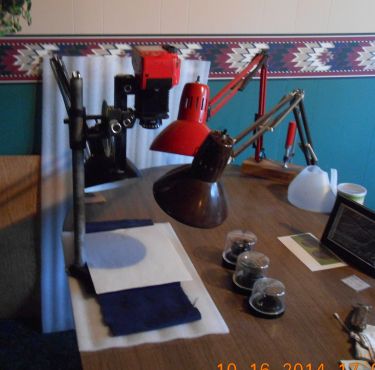 Mdpmedia, your suggestion is brilliant in it's simplicity. Picture is of actual coin, taken by professional, and very close to appearance in hand. Mine... 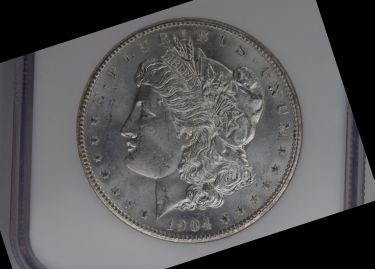 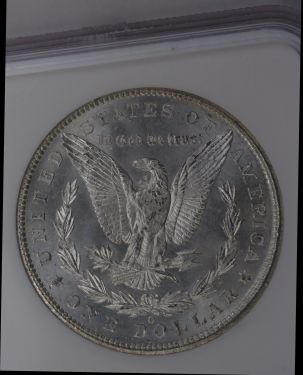 Theirs... 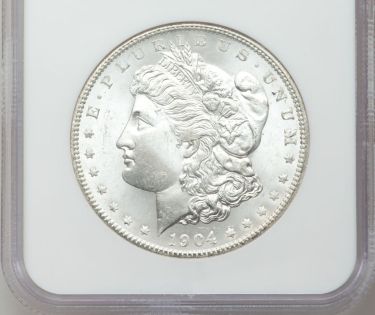 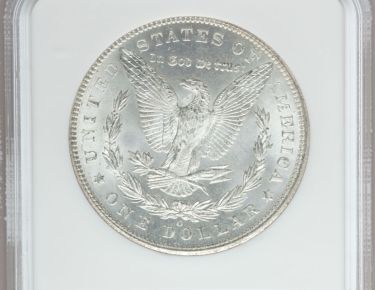 Austrokiwi, your suggestions are a bit above my pay grade, so I'll put them on the back burner for now. |
|
Bedrock of the Community
United States
10045 Posts |
I find that in-camera settings almost never approximate the actual tonal range of the coin. I have it set to maximize DR/detail.
In editing software, I notice the "professional" obverse photo has actually pushed the tonal range towards white and blown out a lot of detail (that's unrecoverable).
I shoot to retain the highlight detail...which usually means slightly dark, and then I adjust tonal range in software, and often WB slightly too.
Edited by DVCollector
10/17/2014 12:19 am
|
|
Pillar of the Community
United States
1314 Posts |
I switched to manual setting and went from the original f 1/125 to 1/60. Polar bear in blizzard. Then shortened shutter speed to 1/360. Looking at the results 1/240 is nearing desired results. 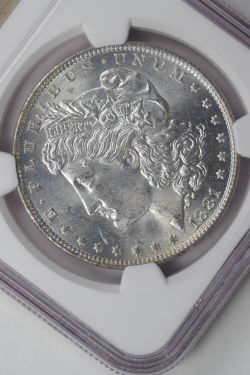 Sometimes it just takes the company of a few trusted friends for me to push those mysterious buttons. |
|
Pillar of the Community
United States
1314 Posts |
This is much closer to actual color and brightness. 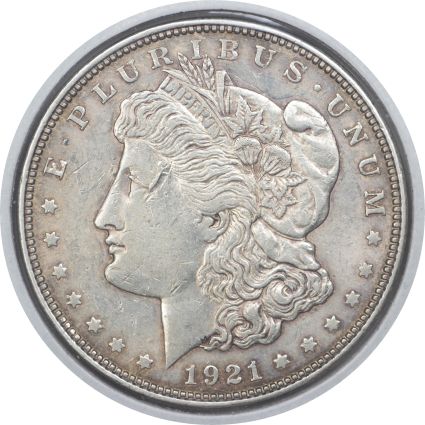 |
| |
Replies: 7 / Views: 2,563 |
|










 Posted 10/16/2014 12:15 am


