| Author |
 Replies: 15 / Views: 2,875 Replies: 15 / Views: 2,875 |
|
|
Valued Member
United States
430 Posts |
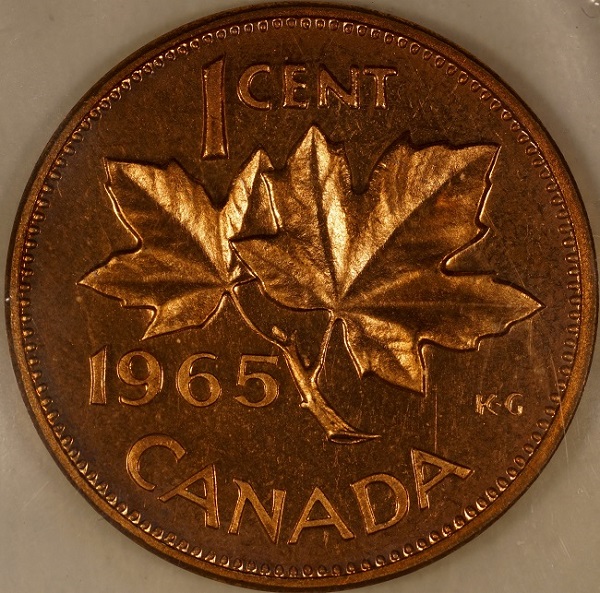
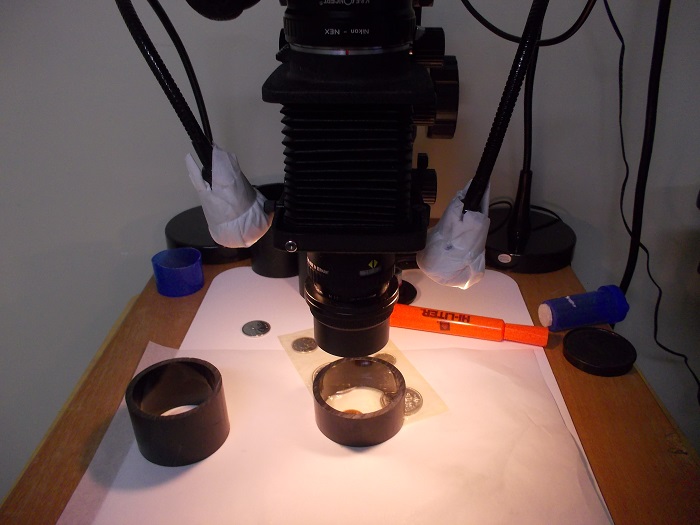
I have a Rebel XS, bellows, El Omegar enlarging lens,etc. I'm not getting the results I want on my slabbed large cents. Photos are foggy and colors are muted. Is it lighting or should I upgrade to a Canon Rebel sl1? 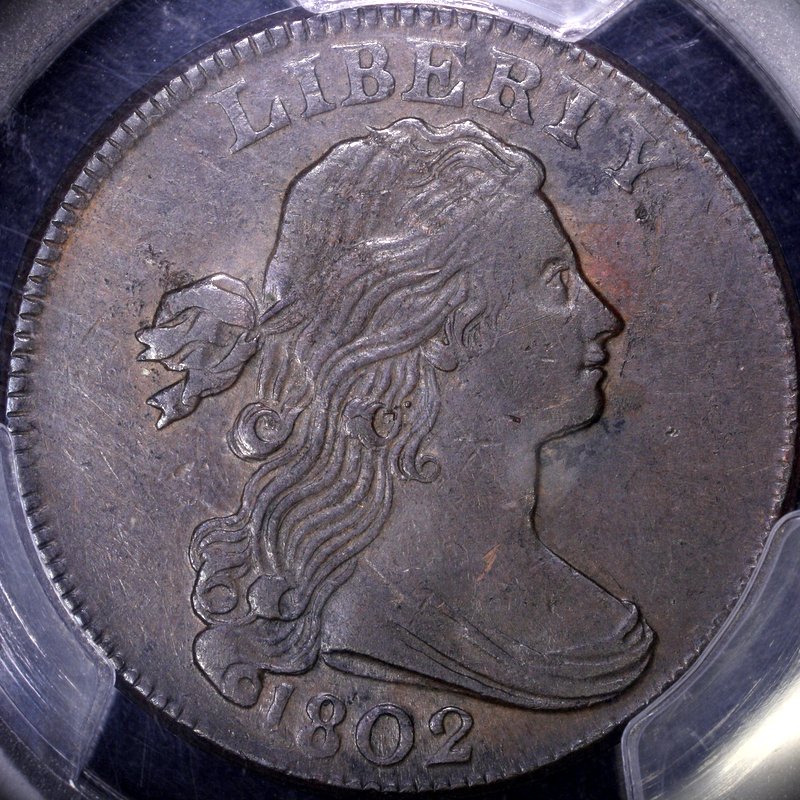 |
|
|
|
Pillar of the Community
United States
9395 Posts |
I always have trouble shooting a dark coin through a scuffed-up slab. I'm guessing that experimenting with the lighting would be more productive than changing lenses, etc. Another alternative would be using Photoshop (or some other post-processing software) to alter the levels or boost the contrast, to account for glare off the slab.
|
|
Pillar of the Community
Canada
4944 Posts |
Try diffusing your lighting a bit more.
Experiment a little bit and see what works best, you may only need to adjust the location of your light source.
|
|
Pillar of the Community
United States
5825 Posts |
I think your details are quite good.
As for "foggy" make sure your slabs are clean and reasonably polished.
"Color" is a whole 'nother world.
You have to continue to toy with lighting and camera settings.
And to make it more difficult each metal is different and sometimes even each coin.
As for your light sources you need to deal with brightness and type.
You want a "white light" source; that will at least contain the whole, balanced color spectrum.
You also need to deal with "white balance" every time you change the lighting.
And don't even think about DMPL or proof coins until you get a good handle on "normal" coins.
And keep copious notes about the what you did for each and every image.
Nothing like nailing it and not knowing how you did it.
|
|
Pillar of the Community
United States
1609 Posts |
Pepactonius is right about using a photo-editor to fix your white balance. What is your light source? If you're using a fluorescent light, you'll always lose the warmth you see when you view your coin in sunlight or other mixed light. Does your rebel allow you to set WB in the camera?
|
|
Valued Member
 United States
430 Posts |
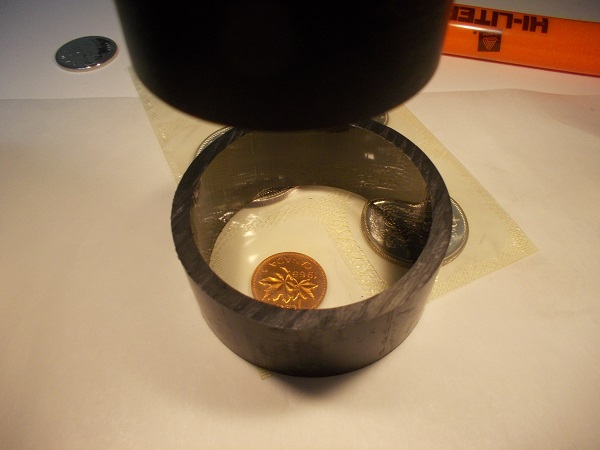
I have 3 jansco lights. Previously I had ping pong ball diffusers on each. I have started experimenting with a cardboard cone "smile director" a la ray (rmpsrmps).
My white balance is done via the eye dropper custom white balance in canon's EOS utilities. My post production is done using Picasa (contrast/cropping)
The reason I think a new camera body may help is there are many options greyed out and not functional on the EOS utilities program using a rebel XS camera.
|
|
Pillar of the Community
United States
1609 Posts |
I'm a Nikon shooter and know next to nothing about the Rebel line, but it sounds like you're shooting JPGs [instead of RAW] if your editor doesn't allow much manipulation. If you can shoot in RAW and feed the files into your editor for processing, then you don't need a new camera. If your rebel only shoots JPGs, then you'd definitely open a new world with a better camera. A recommendation by a member who shoots Canon will be needed if you intend to stay with Canon [and frankly there isn't a huge difference; you have to pick one and stay with it when you start to buy lenses]. This is about all I should responsibly recommend. Canon Guys! Where are you?  |
|
Pillar of the Community
Canada
2784 Posts |
question Wizzy1 when you purchased the canon camera. did your camera come with the original software. I have learned after using a canon t1i, a canon t5i and a canon t5. that if you do not have the original software. say you go the canon site and down load there software. that is why you will have greyed out application. I know this for a fact. the camera will still work properly. but there will be app in there that will not apply to say your particular unit. just some information for you
|
|
Pillar of the Community
Canada
2784 Posts |
Wizzy1 your photo looks good. I am just wondering are you getting some reflected light off a wall or possibly your enlarger stand. check and see that may help. but over all your photo looks good
|
|
Pillar of the Community
 United States
4048 Posts |
The smiley cone should make a world of difference for you once you get it set up well. Your equipment looks like it's working very well, just need to get the lighting right.
|
|
Valued Member
Australia
90 Posts |
Quote:
The reason I think a new camera body may help is there are many options greyed out and not functional on the EOS utilities program using a rebel XS camera. Wizzy1 the options available while in "Live View" mode are dependent on the Mode Setting on Camera Body. |
|
Valued Member
United States
430 Posts |
First, I used the tungsten setting and got a better color result for this coin. See results below. The coin is pretty dark chocolate color in hand, I was just trying to "improve it a little"  . I still think the custom eyedropper works better for silver coins 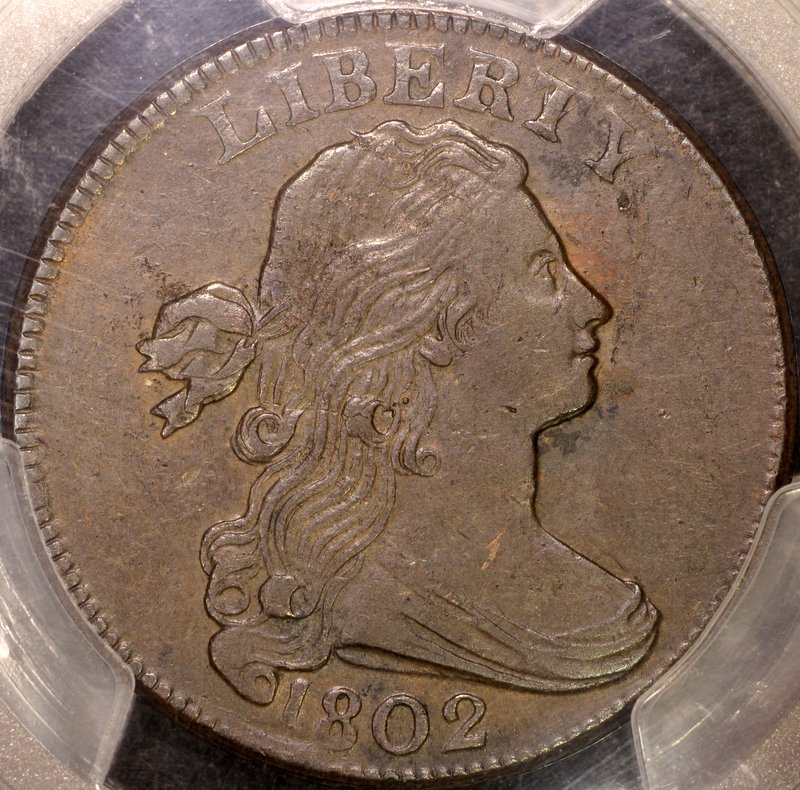 I'm having trouble with the smile director cone. Both my 75mm lenses lack threads at the end (omega el-omegar 1:3.5 or rodenstock omegaron 1:4.5). So the only way to attach the cone is to press fit it but this is not reliable and constantly needs adjusting. I imagine it will just stop working shortly. Any suggestions? I also am guessing in the dark about the block out circle and the tabs size and function. 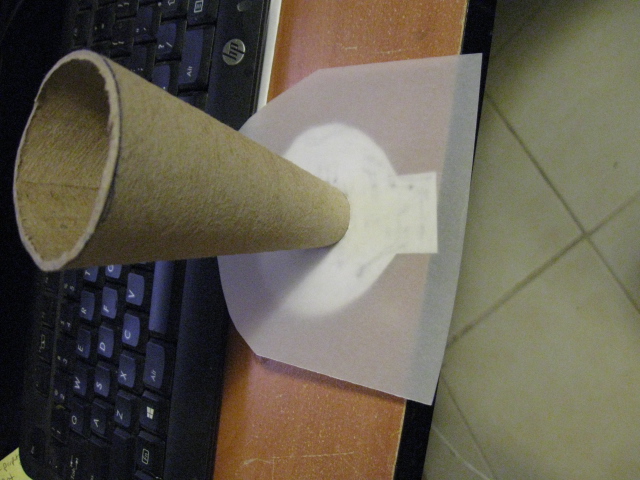 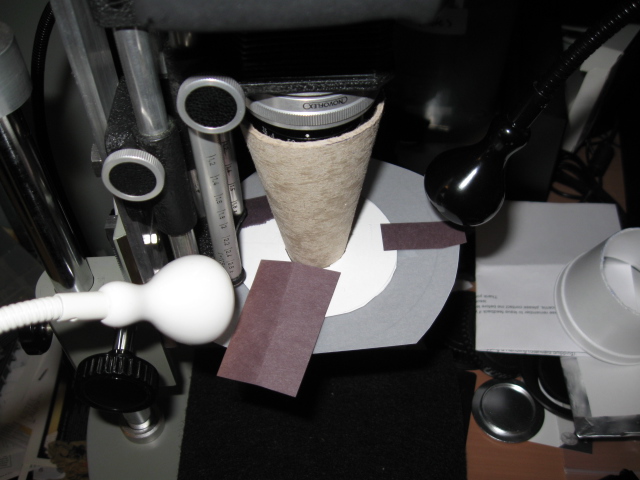 As far as functions being greyed out. I did download the software from canon's site. My used rebel XS did not come with the original discs. Ford_Prefect where in the mode setting should I look to enable more options in Live View. When I looked when I first got the camera and software I thought the more advanced options were only for higher end/later model canon cameras. |
|
Pillar of the Community
Canada
2784 Posts |
wizzy do you mind if I make a couple suggestions. but first take a picture of your smile director straight on. I have a micrometer. when I scaled ray smile director. yours looks to long. I have the dimension for rays. written down some where. ok take a Kleenex and double it on your lamps. do both of them. take everything off the end of your lens. I shoot Sony and Nikon. I have sold my canon. the gentlemen that purchased it. he is getting excellent photo of coins. the Nikon. Sony and canon there is not a whole lot of different in them. I can help you make you smile director work. but for old coins like this one. diffuse your light more. take me and image of your coin. slightly darker then let me work it see what we get. 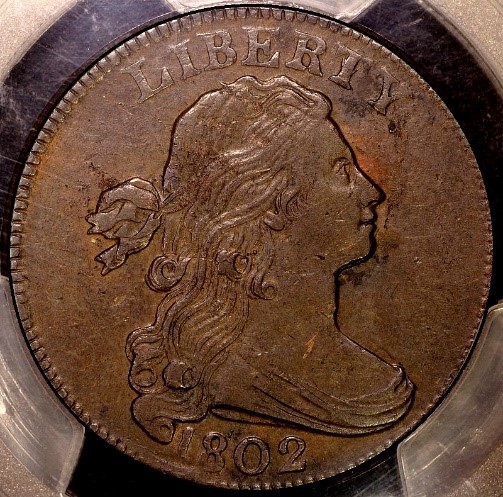 |
|
Pillar of the Community
Canada
2784 Posts |
|
|
Pillar of the Community
Canada
2784 Posts |
Wizzy1 I just purchased a new canon camera. when I down loaded the disc for the camera. I wanted to try liveview. my magnifier would not work plus the focusing block. with this camera I got a large book. I had some greyed out tabs. so I started going through the book. it showed me step by step how to set all the greyed out boxes. I think you will find there is a few setting. you need to do yet and then all the boxes will work. the greyed out ones will be functional. I found a lot of good information on you tube as well. hope this helps you wizzy1
|
|
New Member
Greece
20 Posts |
just experiment more with lighting, is cheaper than buying a new camera
|
| |
Replies: 15 / Views: 2,875 |
|










 Posted 01/06/2016 05:09 am