| Author |
 Replies: 11 / Views: 2,488 Replies: 11 / Views: 2,488 |
|
|
Moderator
 United States
54297 Posts |
While responding to a post by someone having trouble uploading photos, I reviewed the "Uploading and Posting Images" Tutorial http://www.coincommunity.com/forum/...g-images.aspI have the following observations: 1) I found that the image embedded there does not accurately portray the image one actually sees. There is not an input box with a browse button. 2) The tutorial fails to mention that after the image is uploaded and posted, one must click the link to close the pop-up window. (but see below...) ------------------------------------- On a side note, I find that in the vast majority of the time I only post one image per post, thus finding myself wishing the pop-up window would close itself after uploading an image, rather than requiring me to click the link to manually close it. One must click "upload another image" or " close window" to get rid of it. I do not see the logic behind this. If the window closed automatically, and one needed to upload another image, they could just expend the same additional click to upload another image. If they did not need to upload another image, they would be spared from having to manually close it. Thus, if this pop-up closed automatically I would save one click per uploaded image, and not have to expend any additional clicks to upload another image whenever I needed to upload more than one image per post. I hope I have explained this well enough, but if not contact me. Show your financial support of the Coin Community Family (click here)See my topic on Mexican Numismatic Medals (click here) |
|
|
|
Forum Dad
United States
24231 Posts |
I'm glad you posted this, it needed more work than this.  Embedded image updated. Closing the window added. Upload size raised to 300KB More specifics added for using an external host. Stale Irfanview download link refreshed. Until I recode the multiple upload process the close window link will have to stay. Upload test.  Thank you! |
|
Moderator
 United States
54297 Posts |
If you raised the limit to 300kb, the tutorial still says 200kb. My suggestion about the tutorial informing the user they must close the upload window after uploading the image would be in your #3, but I don't see it there. When I click the Irfanview link, it is still stale. Show your financial support of the Coin Community Family (click here)See my topic on Mexican Numismatic Medals (click here) |
|
Forum Dad
United States
24231 Posts |
Try clearing your cache because it all looks fine to me.
|
|
Moderator
United States
54297 Posts |
When I try to upload (by accident, mind you) a file over 300kb (the new limit) I get the following error screen that tells me that photos must be under 100kb. It also tells me two other rules that don't apply in this case, leading to confusion as to why the photo will not upload. 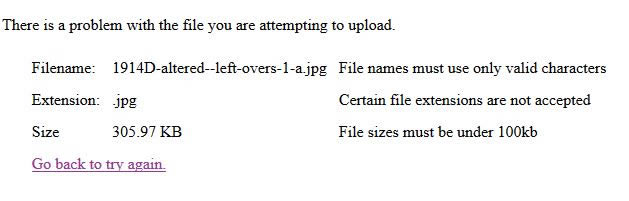 As soon as I reduced the file size to under 300kb, it uploaded fine. I did not change the file name or extension. ps. I don't remember getting this screen when I used to break the 200kb limit. Show your financial support of the Coin Community Family (click here)See my topic on Mexican Numismatic Medals (click here) |
|
Moderator
United States
54297 Posts |
I cleared my cache (everything, not just today), below is what I see when I click Tutorials. I see the new image, but the file limit still says 200kb, etc. I tried two different browsers (Firefox and Chrome) and get the same results. 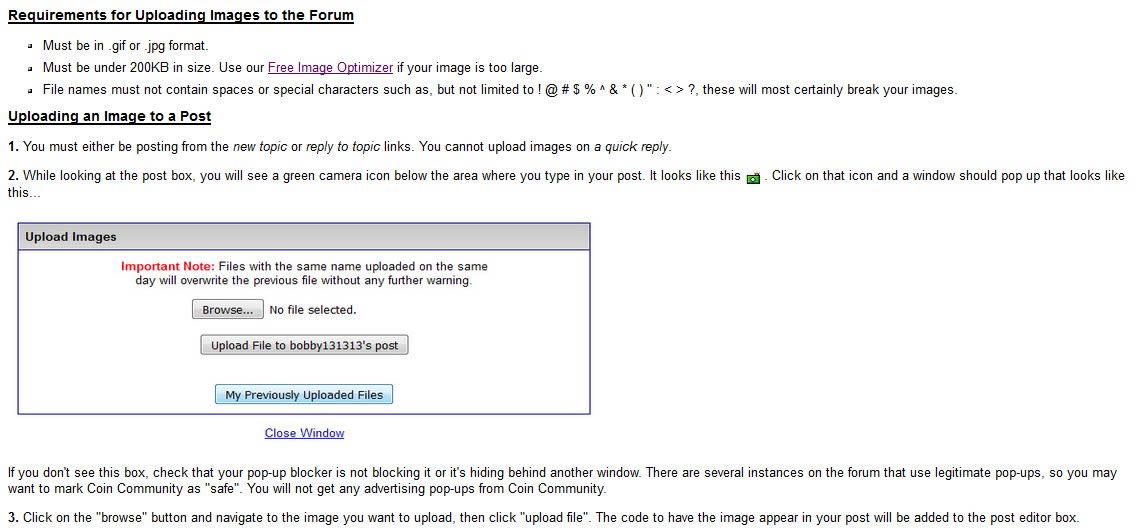 Show your financial support of the Coin Community Family (click here)See my topic on Mexican Numismatic Medals (click here) |
|
Forum Dad
United States
24231 Posts |
Ok, somehow over the years two different tutorial pages appeared and were linked to from different places. I believe I've got it straight now.
|
|
Valued Member
United States
280 Posts |
To simplify my uploading troubles, I go to Lunapics.com & reset my file size to 199KB. That solved all of my uploading problems. Next time, I'll try 299KB.
|
|
Forum Dad
United States
24231 Posts |
Only if it's needed. If it's not it's just a big waste of space. The image below is only 107KB so how badly does an image really need to be 300KB? 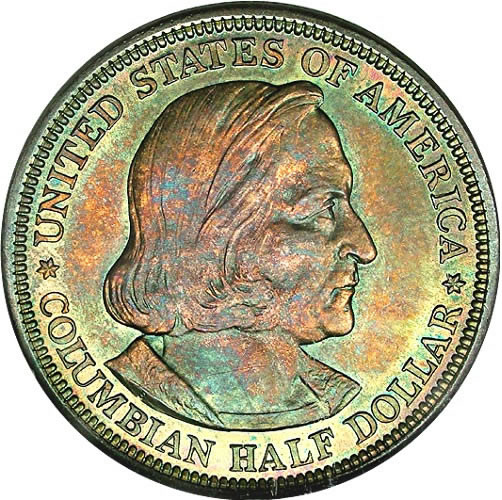 |
|
Pillar of the Community
United States
666 Posts |
Quote:
To simplify my uploading troubles, I go to Lunapics.com & reset my file size to 199KB. That solved all of my uploading problems. Next time, I'll try 299KB. I also use Lunapic - a very reliable, versatile program. I like the Free Image Optimizer a lot too, but if it's slow (it might be my ISP), I use Lunapic as a backup. Regarding the 300KB limit - it seems like a reasonable limit to me, although I'm no expert on file sizes, image quality, etc. |
|
New Member
Canada
2 Posts |
How can I delete an image I uploaded by mistake and do not want kept in this forum?
|
|
Moderator
United States
34553 Posts |
@dir, if you discover it right away, you can edit your own post, deleting the lines of code that correspond to the unwanted pic(s). Or, you can click on the lower right hand corner link "report this post to the staff" and describe what you are trying to do to the mods. It may take a day or two, but they should be able to help you.
"If you climb a good tree, you get a push."
-----Ghanaian proverb
"The danger we all now face is distinguishing between what is authentic and what is performed."
-----King Adz
|
| |
Replies: 11 / Views: 2,488 |
|









 Posted 06/11/2016 07:37 am


