| Author |
 Replies: 13 / Views: 2,090 Replies: 13 / Views: 2,090 |
|
|
Pillar of the Community
United States
1386 Posts |
|
|
|
|
Pillar of the Community
 United States
2843 Posts |
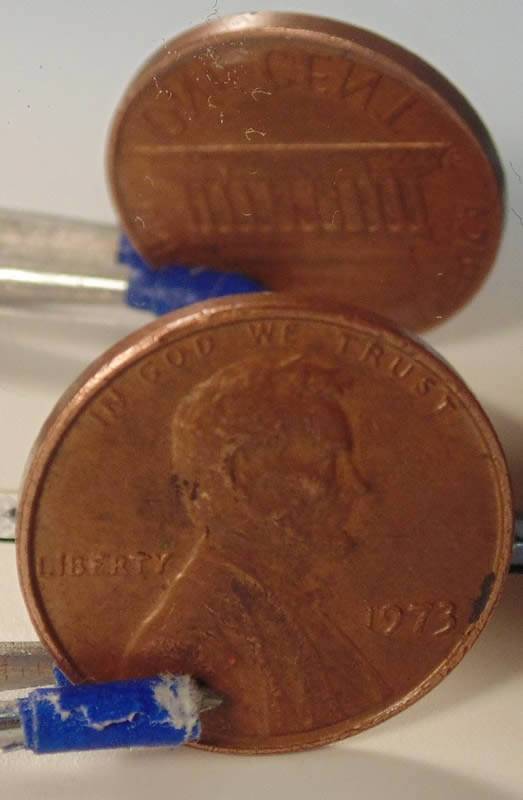
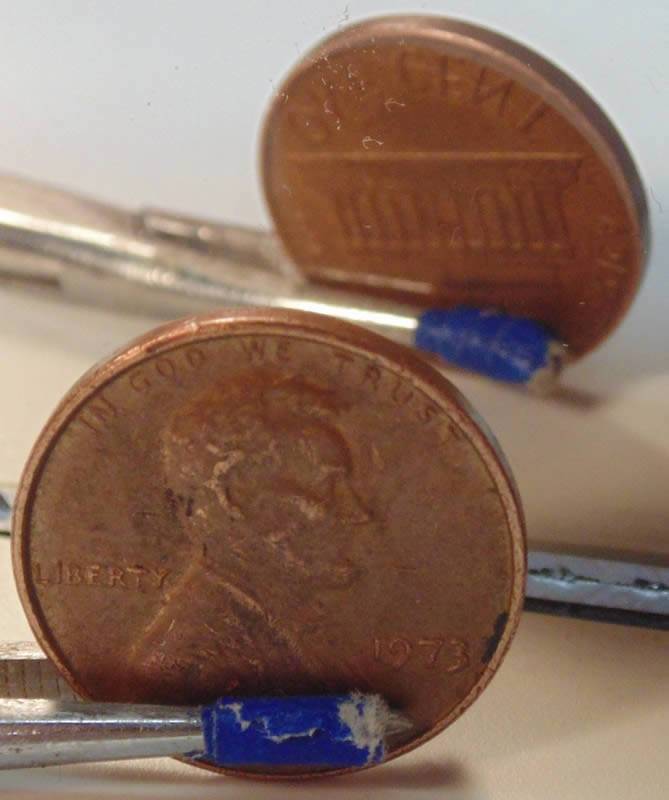
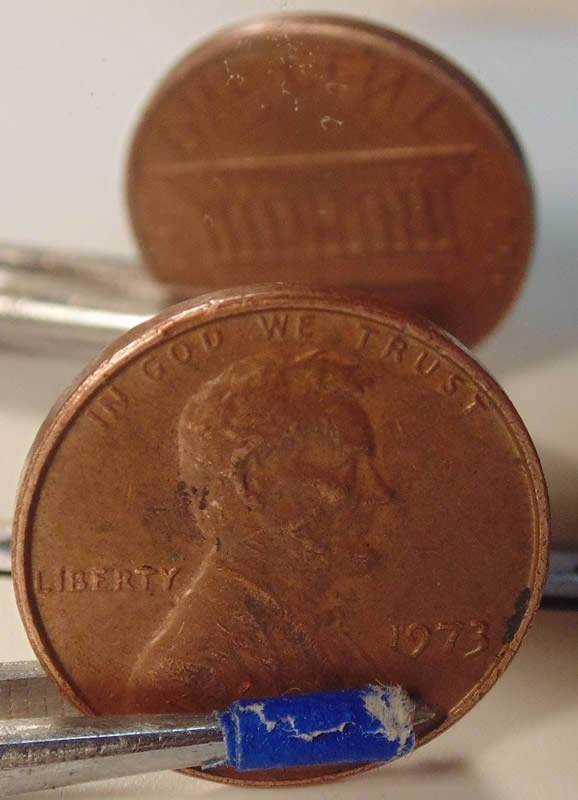
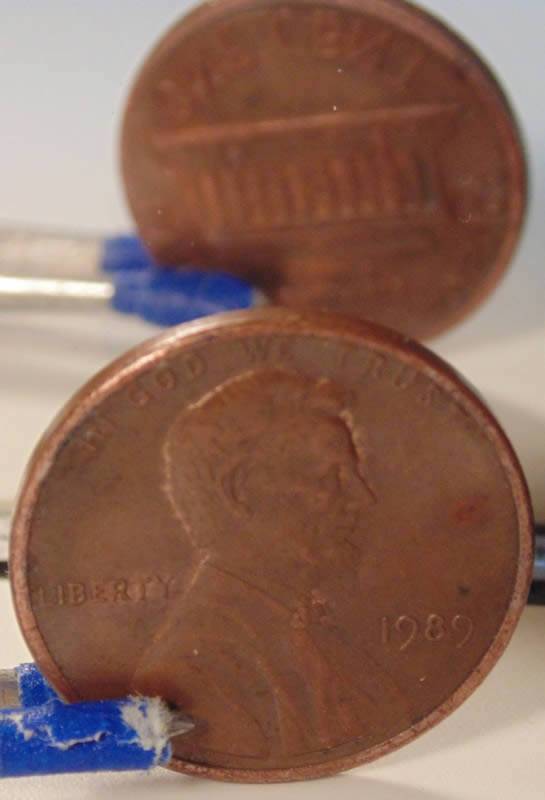
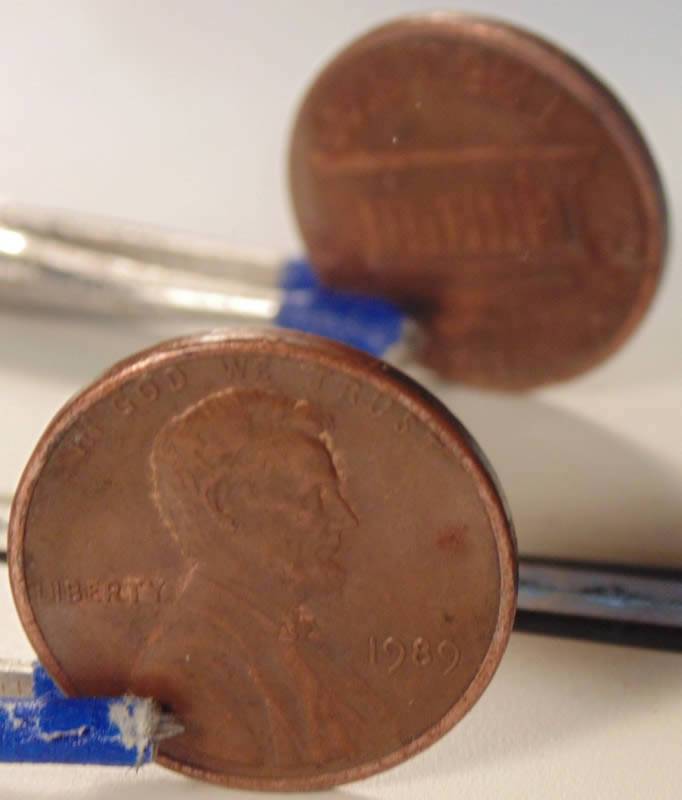
The 73 seems to be very minor and within tolerance. The 83 is a little more rotated, but still may be within tolerance.
Of course, if you like your pennies, you can keep your pennies.
|
|
Pillar of the Community
United States
3363 Posts |
One way to photograph a rotated die is to place the coin in a 2x2 with 3 staples - one horizontal across the bottom and 2 at angles. When the opposite side is photographed, the rotation is easy to see. The degree of rotation can also be easily measured in a photo management program.
|
|
Rest in Peace
United States
17900 Posts |
Appears that both are fairly minor degrees of rotation and may fall within the level of tolerance.
But a lot of folks do look for these and enjoy collecting a date set of them.
|
|
Pillar of the Community
United States
3463 Posts |
Tweezers are for stamps.  |
|
Bedrock of the Community
United States
62064 Posts |
They both look almost normal. The slight rotation is probably from die clashes that sometimes alter the correct setting. I figure 45 degrees before the are collectables. That would mean it would look like this: 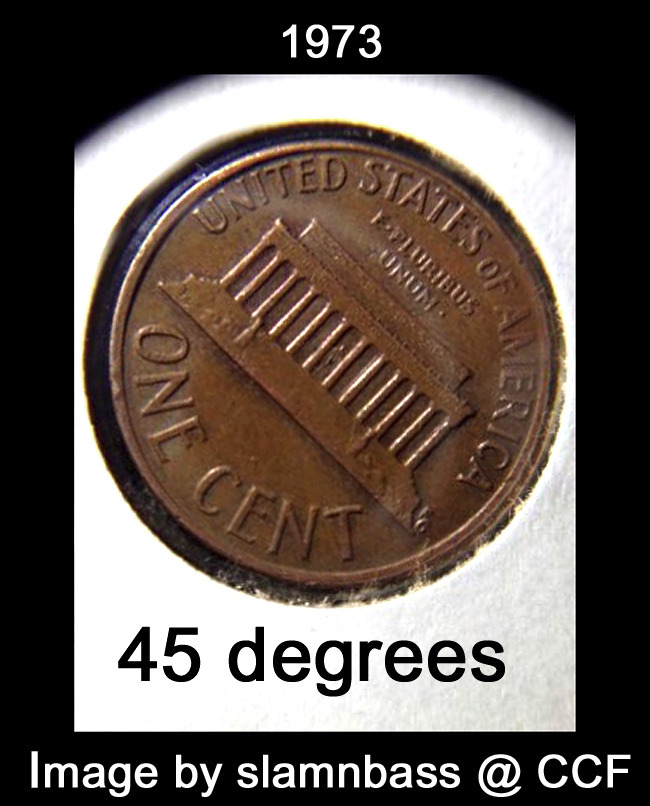 If you had a square, a line from the two corners would be 45 degrees: 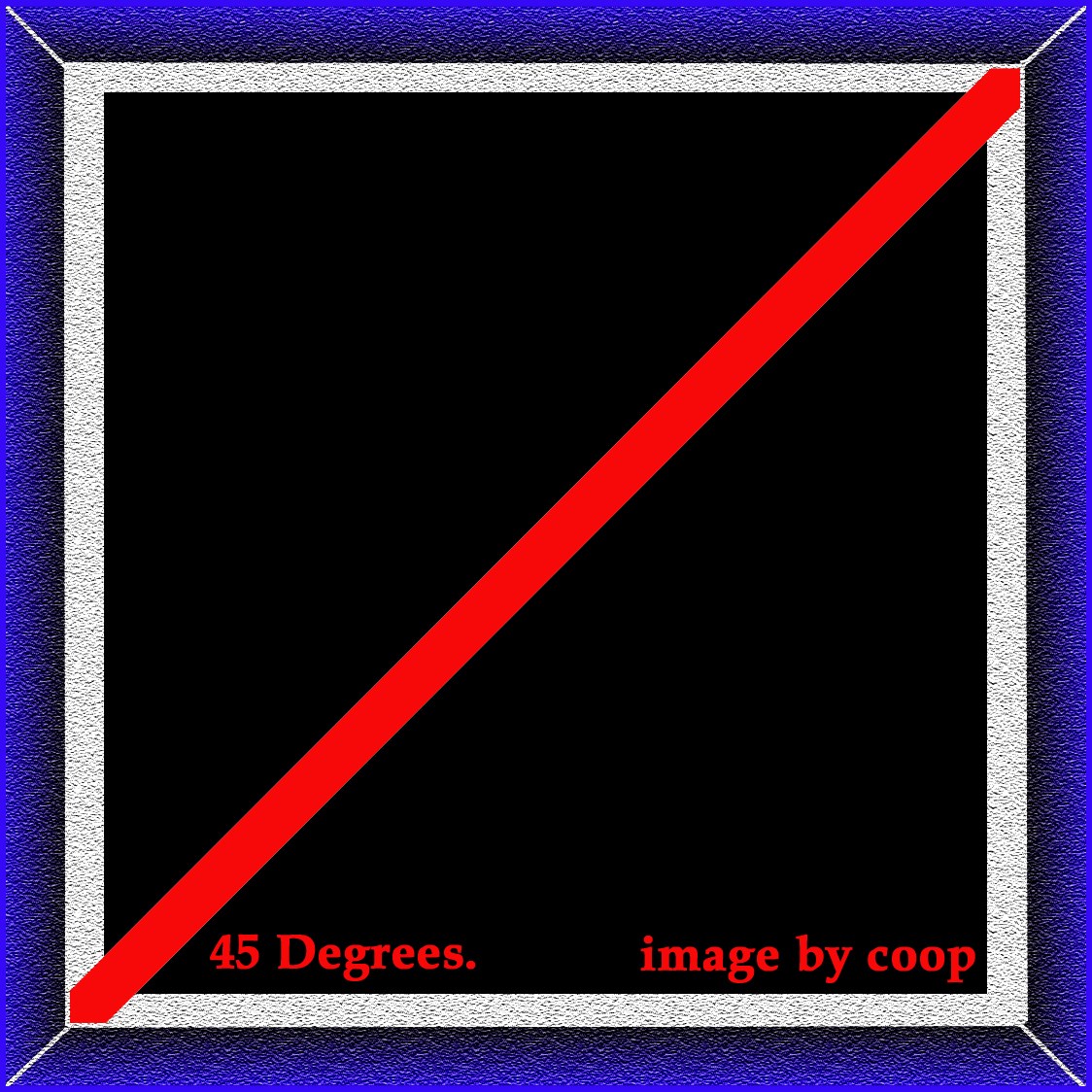 |
|
Pillar of the Community
United States
2775 Posts |
Got bored and did an overlay using coops image and a rota-flip image. Looks like coop not only knows coins, but also a few angles. Thanks, Doug. 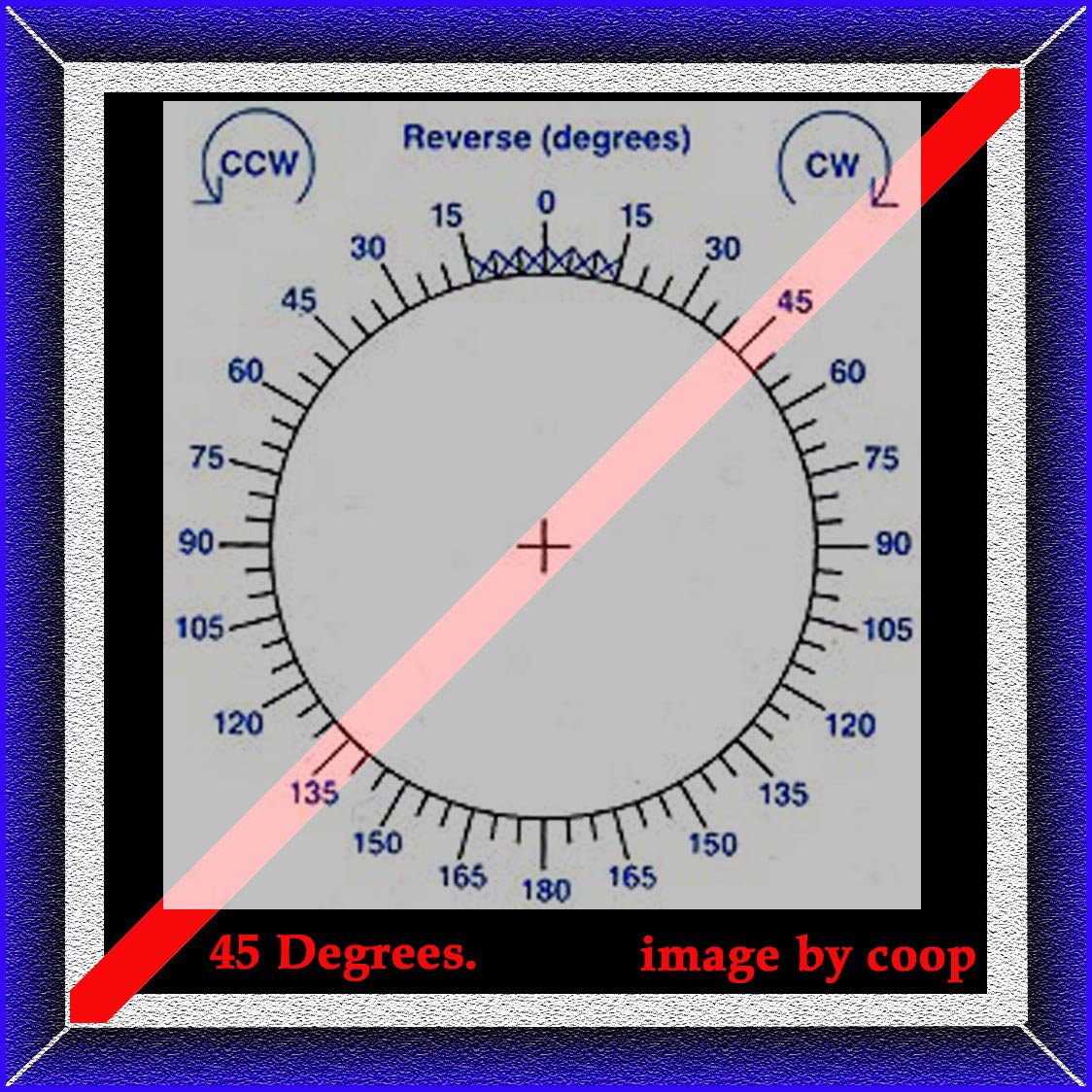 Edit: "ROTA FLIP" by LEROY VAN ALLEN via http://rotateddies.50webs.com/meas.htmEdited by Halo1st
12/18/2016 1:41 pm
|
|
Bedrock of the Community
United States
62064 Posts |
It is pretty basic math. You have a square with 4 90 degree corners. Split that in half and you have 45 degrees. The way I figure out what amount of rotation is to use Photoshop to rotate an image and when it is horizontal, then I know the amount it needed to be rotated to be horizontal. That is how I figure it. But that link does give a good tool to use.
|
|
Pillar of the Community
United States
2775 Posts |
Quote:
The way I figure out what amount of rotation is to use Photoshop to rotate an image and when it is horizontal, then I know the amount it needed to be rotated to be horizontal. I've been doing the same using Photoshop Elements 9. It automatically places stationary vertical and horizontal gridlines across image. Degree of rotation can be applied or removed incrementally as needed following the grid. PSE9 also came with a lot of fluffy stuff I don't currently use. I do use it for editing, overlays and rotations. Lots to learn yet. Found this version lacks the ability to create and apply plain vector lines. Did not cost me anything so I'm not complaining. Thanks, Doug. Edited by Halo1st
12/18/2016 6:34 pm
|
|
Bedrock of the Community
United States
62064 Posts |
Are you trying to create a grid? 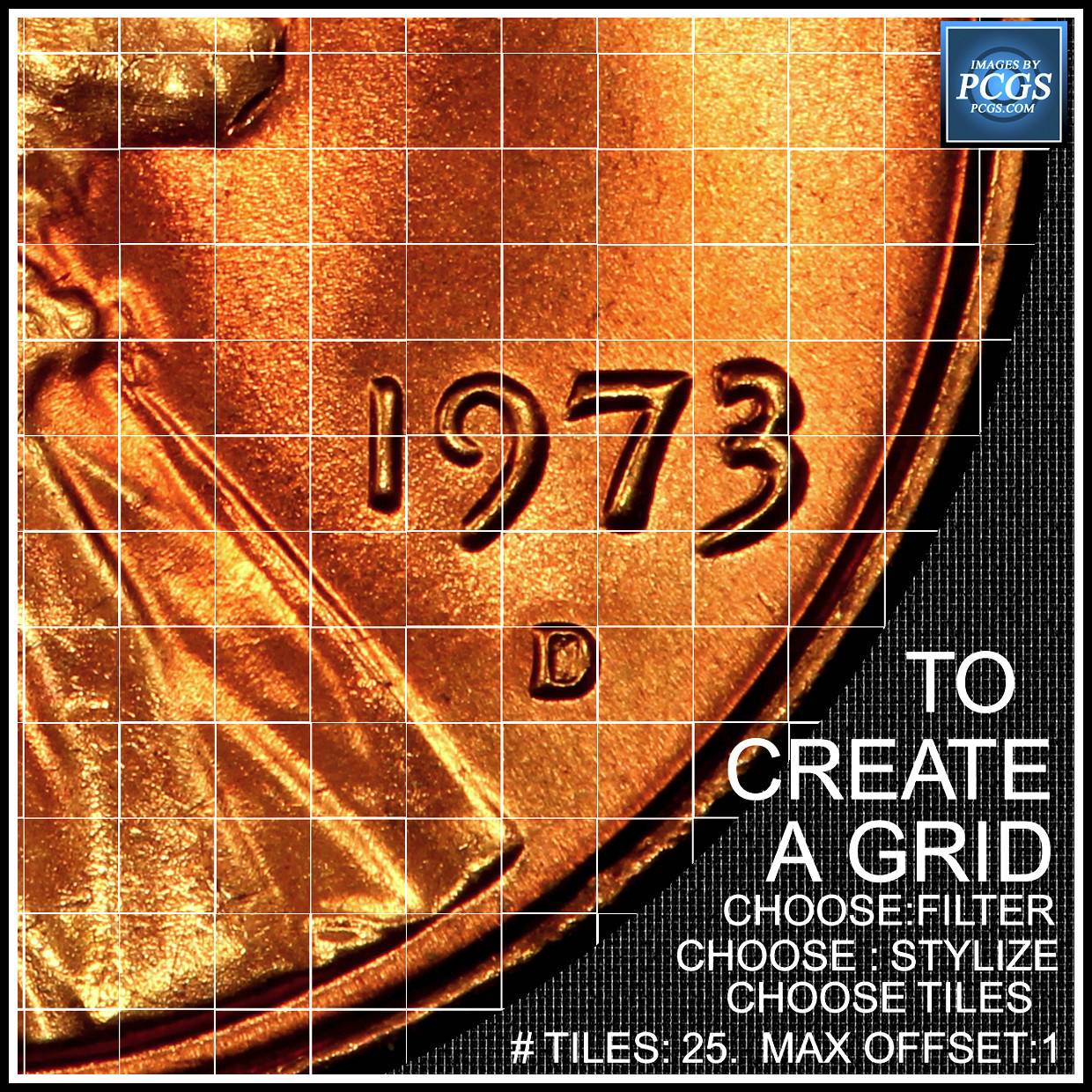 Here is what you need to get that. But it is not as effective as the side by sides I use. |
|
Pillar of the Community
United States
2775 Posts |
Thanks coop, now know one more thing I didn't before. The stationary grid I'm referring to comes up by default with every opened image. Imposes itself over the image, but not attached to the image. Found it comes in handy for aligning things like a rotated die strike, because the grid lines stay (stationary) horizontal and vertical while the image is rotated behind. It does not save on top or show when I save the image. I'm sure theres away to disable, but for now shows up by default. Thanks, Doug. Edit: I think it keys off pixel count, cause it comes up with different size grid pending the open image. Click the image below and see the grid size differs between the background image and the foreground image, 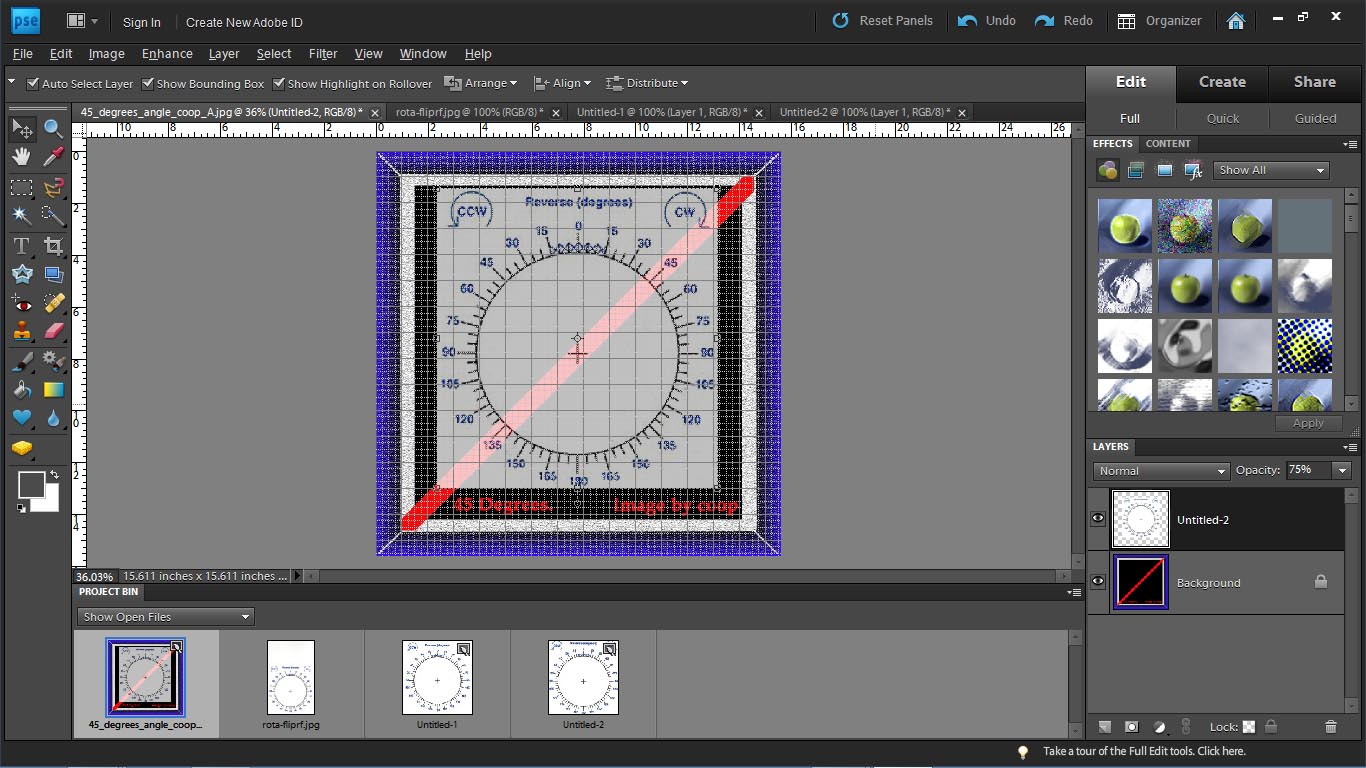 Edited by Halo1st
12/18/2016 10:35 pm
|
|
Bedrock of the Community
United States
62064 Posts |
Go the the horizontal tool bar and click on view. Note the lower choices of show grid or as yours probably says b[]hide grid[/b]. Click on it and it should go away. The grid is used to locate many items the same size spaced so they are even. When printed, the grid disappears. It only shows on the computer screen.  I used the grid to space these out the same. |
|
Pillar of the Community
United States
2775 Posts |
Thanks, Coop! I'm now another day closer in fulfilling my quest for knowledge...... Just wonder how many more days it takes to get to the end? Thanks, Doug.
|
|
Bedrock of the Community
United States
62064 Posts |
Its been over 15 years and I'm still finding new things with that software.
|
| |
Replies: 13 / Views: 2,090 |
|












 Posted 12/18/2016 08:16 am


