| Author |
 Replies: 16 / Views: 3,758 Replies: 16 / Views: 3,758 |
|
Valued Member
United States
65 Posts |
I've got a few coins that I failed to download the pictures of, when I purchased them. This means I really want to learn how to photograph a coin properly, so I have documentation of all of my coins. Today I gave it my first try with my Fuji Finepix HS20EXR, and my camera tripod. I used a white background to put the coin on, in the hope it would somehow brighten things up. I think my lighting is insufficient. I used a combination of three small florescent light bulbs and the very bright ceiling fan lights. Camera settings were automatic, ISO 100. As you can see, the first attempt is pretty dark. Does anyone have suggestions on camera settings? Suggestion on inexpensive table top lighting? And anything else you can think of that doesn't cost a lot of money. I cannot afford a macro lens, even if I could put one on this camera. The camera lens is permanently affixed 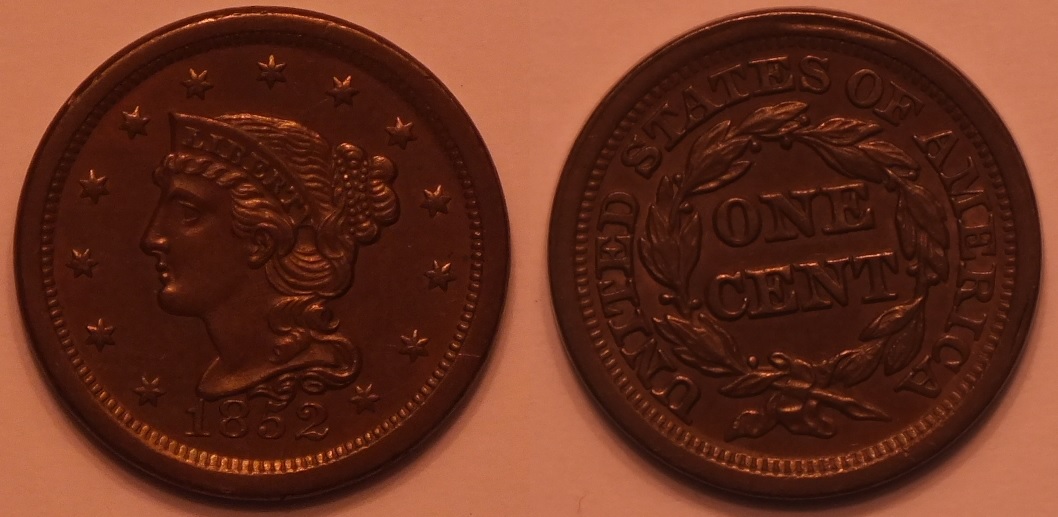 |
|
|
|
Pillar of the Community
 United States
8946 Posts |
Still better then what I can manage. Just fix it up post shoot in photoshop. I messed with it for 3 minutes and made it a bit better. 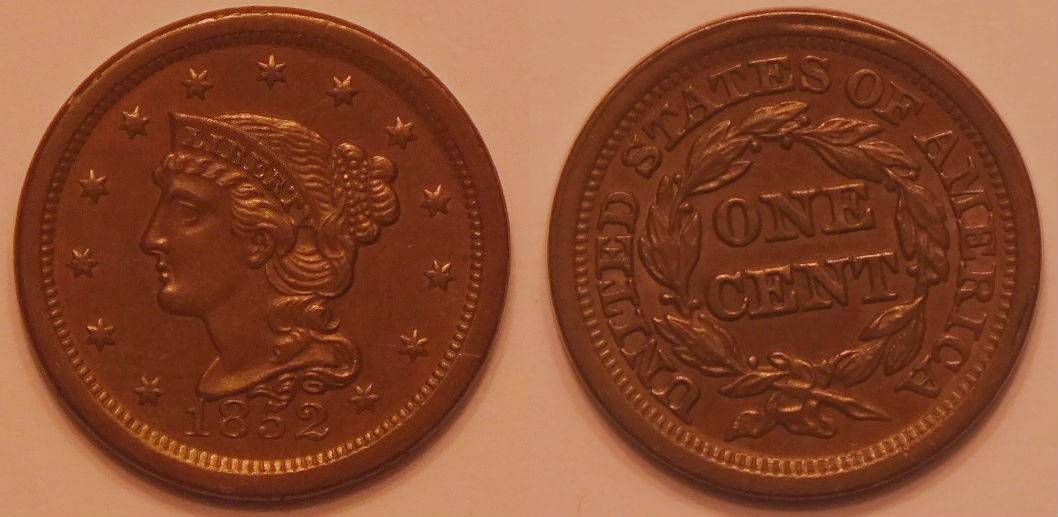 Edited by GrapeCollects
05/11/2019 3:52 pm
|
|
Moderator
 United States
34575 Posts |
Assuming that your background was white, here is what I did with postprocessing your image: 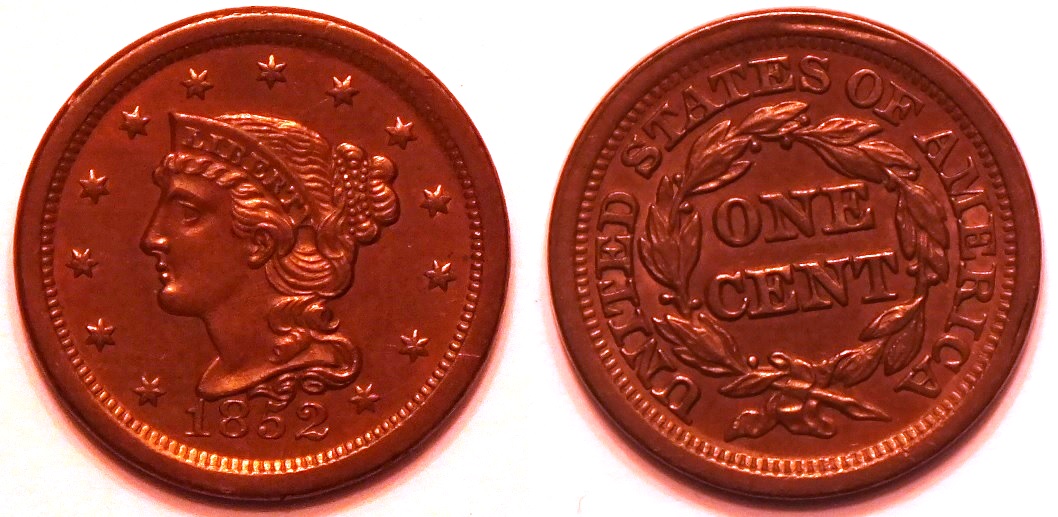 "If you climb a good tree, you get a push."
-----Ghanaian proverb
"The danger we all now face is distinguishing between what is authentic and what is performed."
-----King Adz
|
|
Valued Member
 United States
65 Posts |
GrapeCollects, That is pretty good. The colour is a lot closer to normal than I achieved. All I have is MS Paint to manipulate my photos.
Spence, Nice, but just a bit toooo red. Still a lot clearer than my attempt. I think I just need to work on the lighting; getting the lights closer. Right now the lights are five to six feet away, as I don't have any portable lights.
|
|
Pillar of the Community
United States
8946 Posts |
Try pixlr.com/editor . Free online photoshop tool I use on the go.
|
|
Pillar of the Community
United States
4212 Posts |
That's killer, Spence. But, not my coin, not my circus.
|
|
Pillar of the Community
United States
9811 Posts |
Closer lighting will surely help, also check the white balance on your camera, it is definitely showing a color cast that is not desirable. If possible use a custom white balance. Every camera is different but with Canon DSLRs you simply shoot an image that is mostly white, I use a piece of paper, then select that image in the menu section as the WB image, then select custom white balance. You can delete the image now the camera will hold this setting until it is changed or a new white balance image is selected through the menu settings.
"Buy the Book Before You Buy the Coin" - Aaron R. Feldman - "And read it" - Me 2013! ANA Life Member #3288 in good standing since 1981, ANS, Early American Coppers Member (EAC), Colonial Coin Collectors Club member (C4), Conder Token Collector Club member (CTCC), Civil War Token Society (CWTS) member, Liberty Seated Collectors Club (LSCC) & Numismatic Bibliomania Society member (NBS), USMex, Member in good standing, 2¢ variety collector. See my want page: http://goccf.com/t/140440 |
|
Pillar of the Community
United States
4051 Posts |
When you shot the coin, what was the shutter speed? Normally the camera will adjust shutter speed to compensate for exposure, and all is well, but that did not happen in your case for some reason. It may be that you'll get a better result in Aperture Priority mode, with aperture set to f5.6 or f8. And of course your white balance needs to be adjusted. Otherwise it looks like the camera is able to focus properly so that's good.
|
|
Moderator
United States
56855 Posts |
No pro here,try 18% gray scale for a background and an ISO of 200. I seem to get better lighting using natural light. John1  |
|
Pillar of the Community
United States
906 Posts |
@Spence
Could you describe what you did in PS to change the photo?
|
|
Valued Member
United States
65 Posts |
Thanks for the help Guys. I downloaded an image manipulator called GIMP. I am playing with it right now. I did use the "White Balance" part in it, and the results are a little different from my original. It seems to have allowed the fact that my lighting was not even show in parts of the coin. I think I do need the four table top lights. I figure if the object I am photographing is surrounded by same intensity lighting, those reflections should be canceled out. 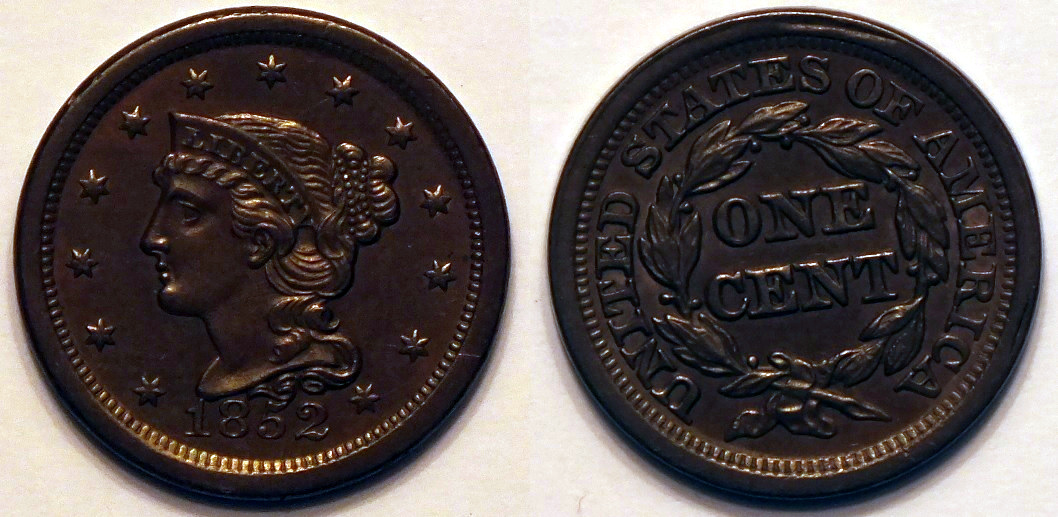 |
|
Moderator
United States
34575 Posts |
Quote:
Could you describe what you did in PS to change the photo? Sure, but I actually don't use Photoshop. Rather, I use Microsoft 2010 Picture Manager. Old skool I know, but it is just what I feel comfortable using and it was free on my (now ancient) computer. With this program, I modified the picture in two steps: 1. Chose "auto brightness" 2. Chose "enhance color" (clicking on a random spot on the background as my pure white reference area). See below for the original, autobrightness, and enhanced color images for reference. I agree that the color is likely way off. 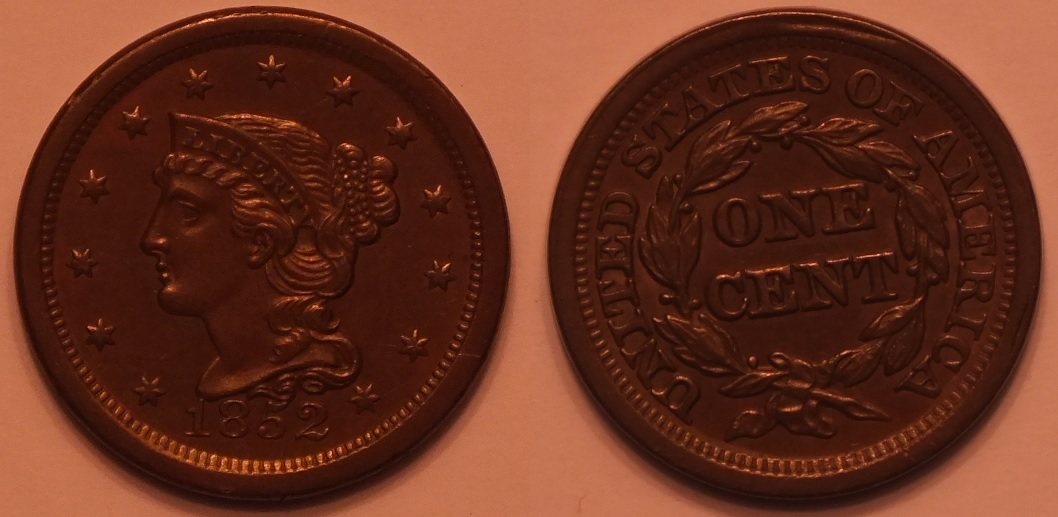 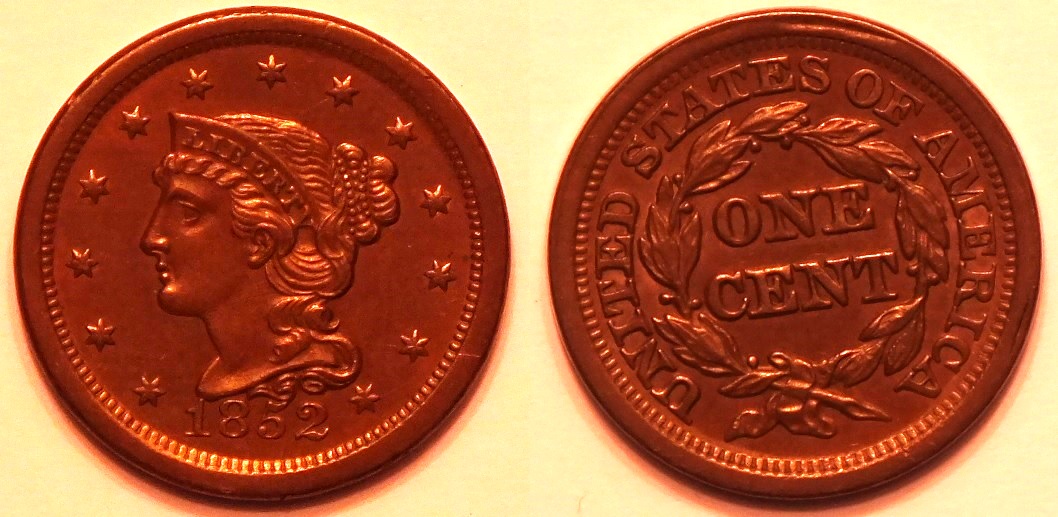 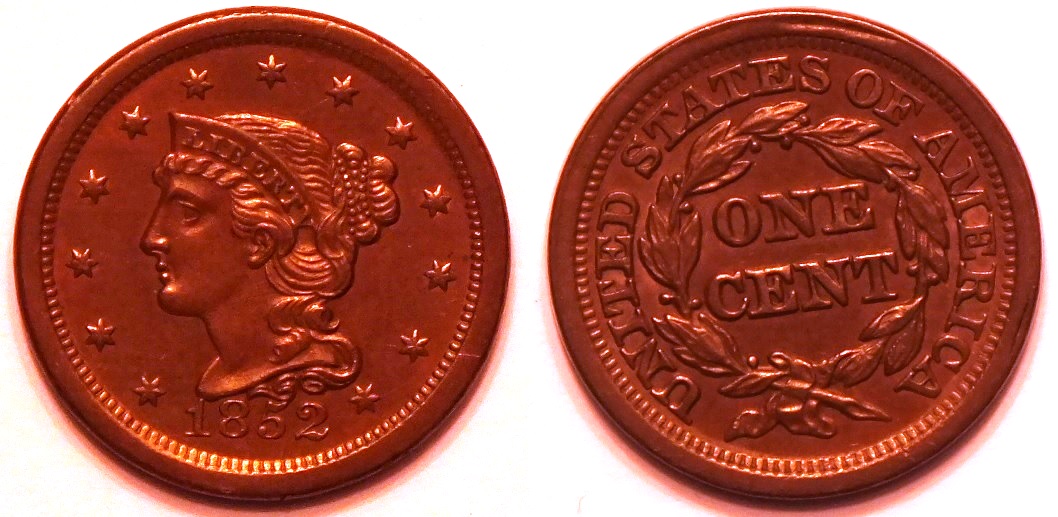 "If you climb a good tree, you get a push."
-----Ghanaian proverb
"The danger we all now face is distinguishing between what is authentic and what is performed."
-----King Adz
|
|
Pillar of the Community
United States
9395 Posts |
Perhaps you could reduce the redness in the last uploaded image by dropping the saturation?
For some reason, I often have to reduce saturation somewhat (in Photoshop) to make the pics match the coins better.
|
|
Pillar of the Community
United States
4051 Posts |
It would be much better to work on improving the image coming from the camera than to work out how to adjust it afterwards. I'm sure the camera has a white balance setting, and shooting on a white background is always problematic. You might also look into your exposure settings to find one that looks primarily at the coin and ignores the background (spot, evaluative, etc). The background should not be considered as part of the exposure at all.
|
|
Valued Member
United States
65 Posts |
|
|
Valued Member
United States
71 Posts |
Quote:
I used a combination of three small florescent light bulbs and the very bright ceiling fan lights. Do they match in their color? If not, the camera will have a problem determining the right setting for white balance. |
| |
Replies: 16 / Views: 3,758 |







 Posted 05/11/2019 3:59 pm


