| Author |
 Replies: 14 / Views: 1,320 Replies: 14 / Views: 1,320 |
|
|
Pillar of the Community
United States
3237 Posts |
I did a big hunt today and found a good handful of error coins, as well as a few I don't really know about. If anyone can help to either identify or debunk a few of these, that would be awesome. Improperly annealed or just copper-brown from environmental damage? 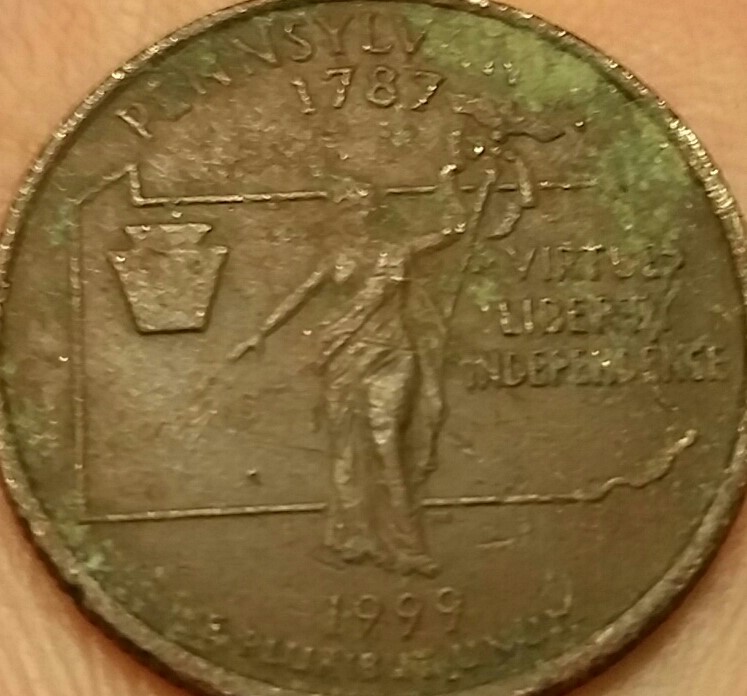 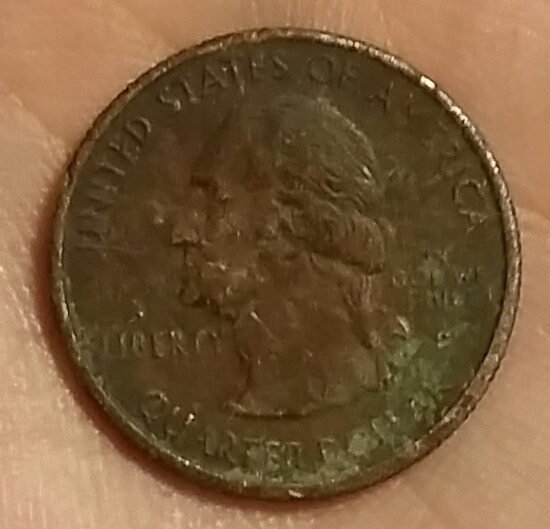 Struck through error or PSD? 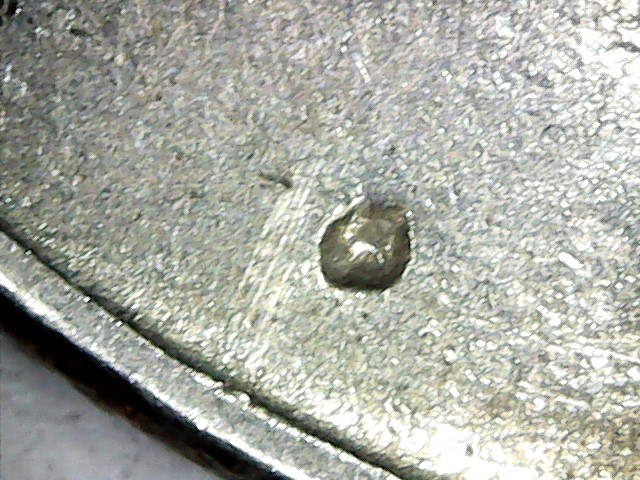 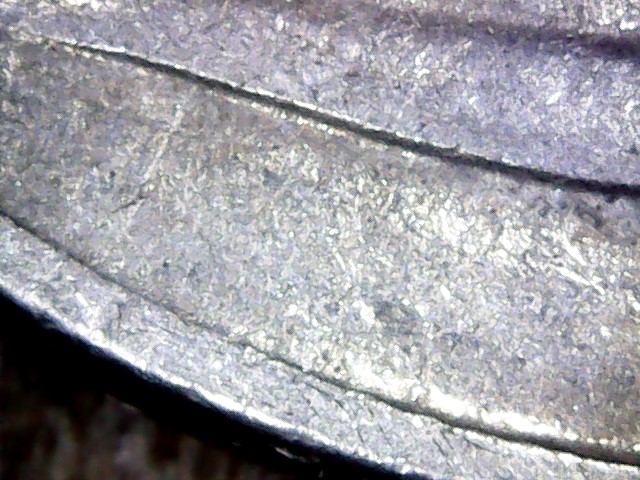 Is there a word for this? Small patch of copper visible through clad. 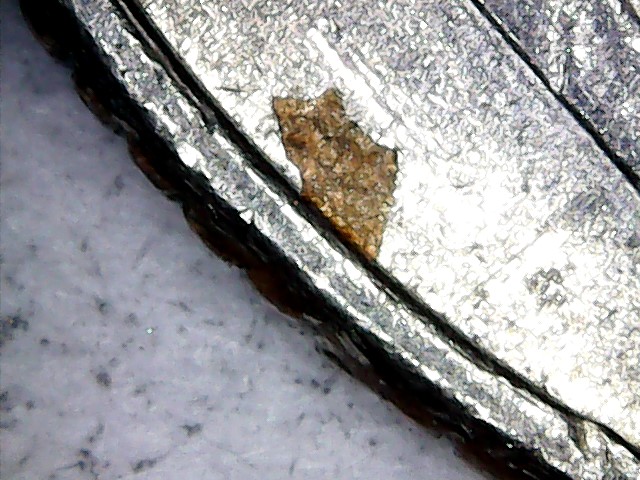 Double strike (George's neck) or just Die Deterioration? 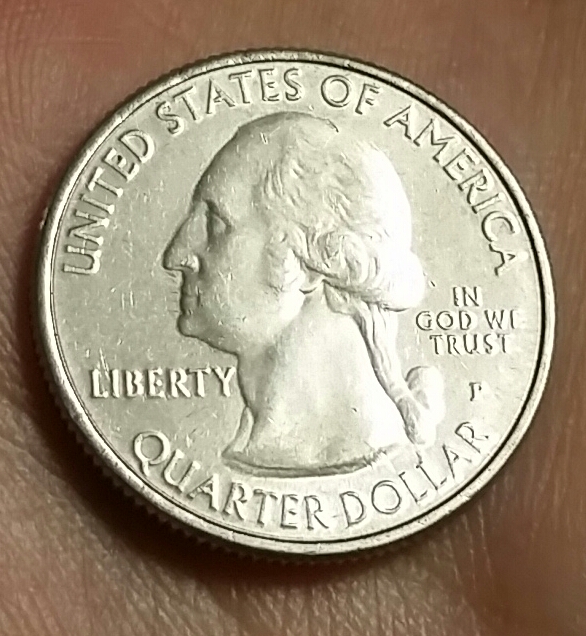 Grease-filled or wear? 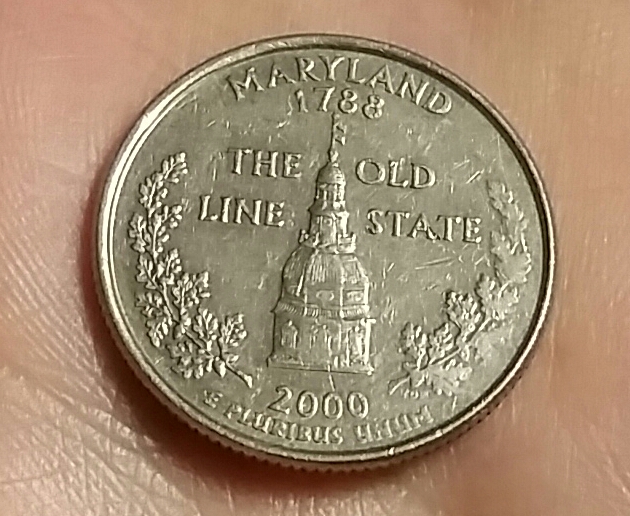 Edited by SamCoin
05/29/2019 09:31 am
|
|
|
|
Bedrock of the Community
United States
12477 Posts |
I know the first one: environmental damage. For the second, we need a pic of the other side in that location. Quote:
Is there a word for this? The word would be "inclusion," but I can't be sure that's what it is. I don't know about George's neck and are you asking about the right-hand branch on the last one? That is most likely Grease Fill. In Memory of Crazyb0 12-26-1951 to 7-27-2020
In Memory of Tootallious 3-31-1964 to 4-15-2020
In Memory of T-BOP 10-12-1949 to 1-19-2024
|
|
Pillar of the Community
 United States
3237 Posts |
1. Thanks, can you tell me how an "improperly annealed" error differs from environmental damage? A lot of the pictures I've seen make it seem like the whole error is just BS... I did read somewhere that the coin needs to still have mint luster and that otherwise it's assumed to be PSD, is that correct? 2. I'm adding an image of the reverse to the post. There's nothing visible like a bump from something being pushed into it after the strike, if that's what you're looking for. 3. Thanks, As far as I can tell in person, there's a little hole in the clad layer with some copper peeking out. Probably not very rare, but I thought it was kind of cool 5. Yes, the right branch. Thanks! |
|
Bedrock of the Community
United States
62064 Posts |
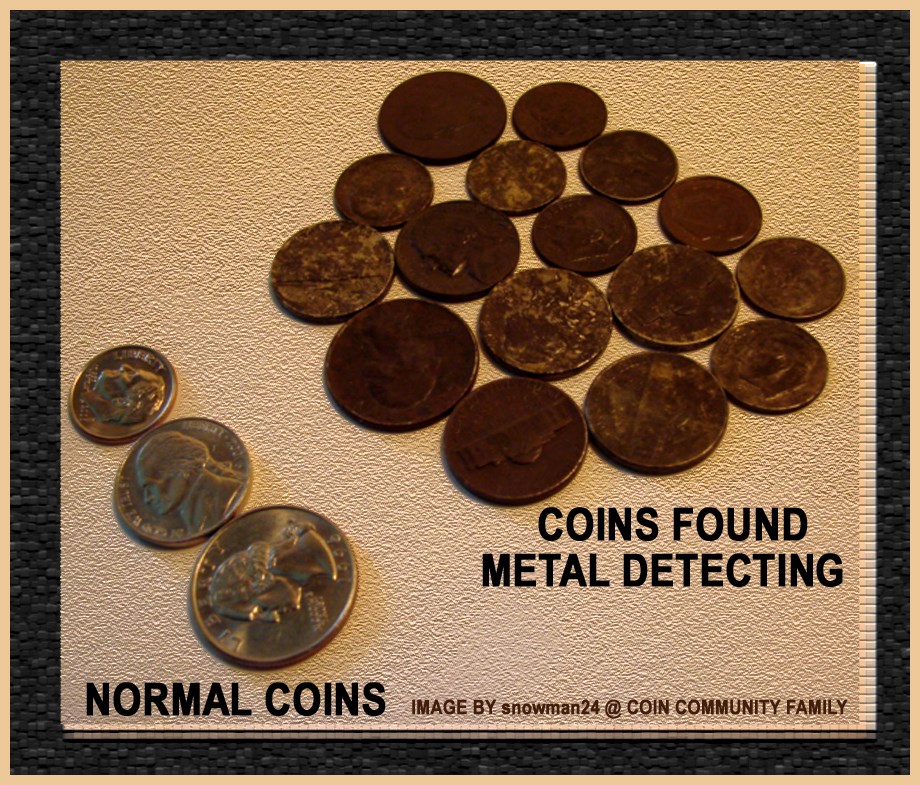 Coins that are found outside are damaged from water and dirt that affects them. When first found they are red/brown in color like the coins above. Eventually when they are put back into circulation, the tops of the devices start turning silver again. 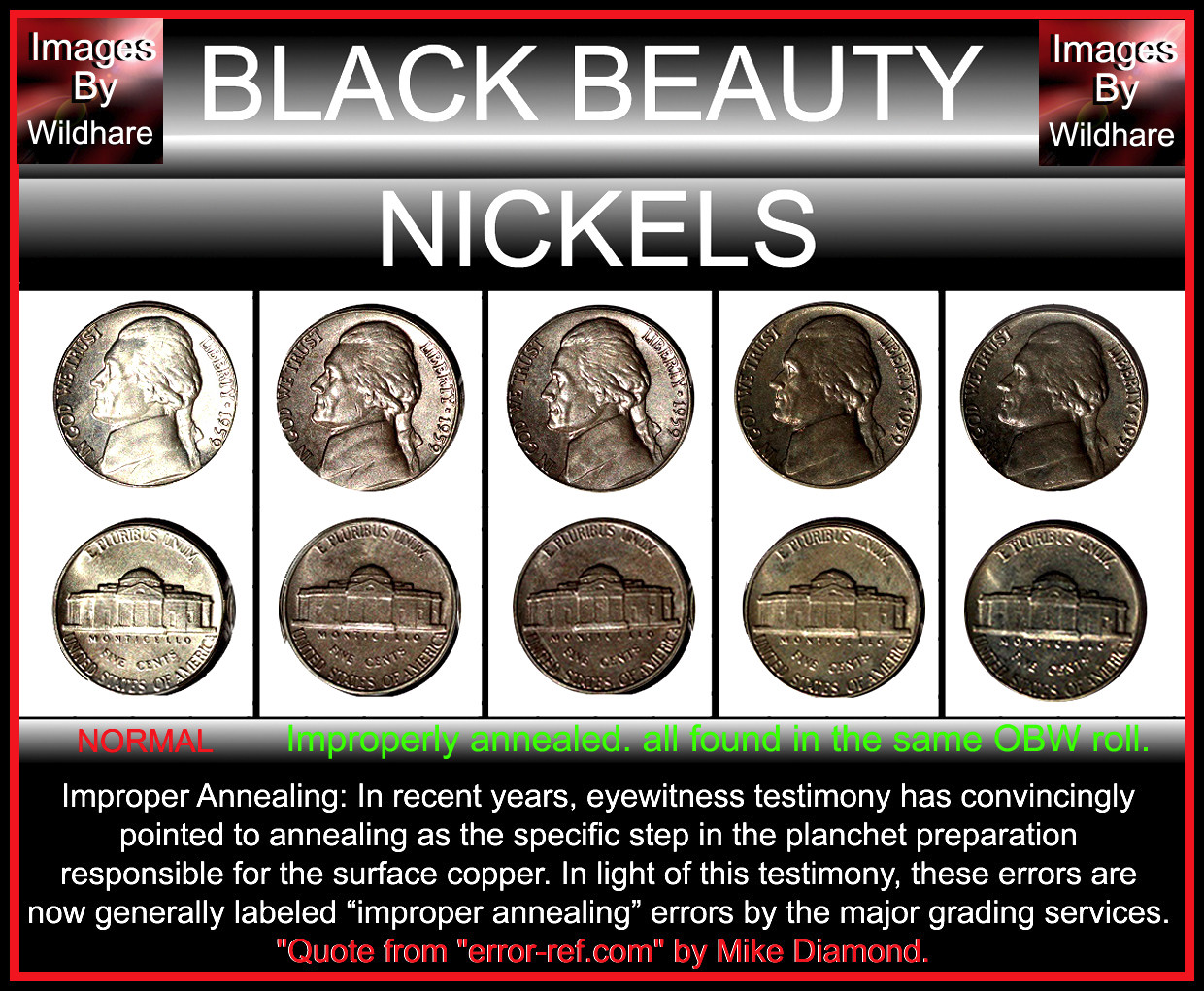 Black beauties are left too long during the annealing process. (Kind of burnt toast) But they are darker in color and usually shiny. Coins that are altered to look like that will also be dark and not shiny. Why? Because the planchets are run through a burnishing process: 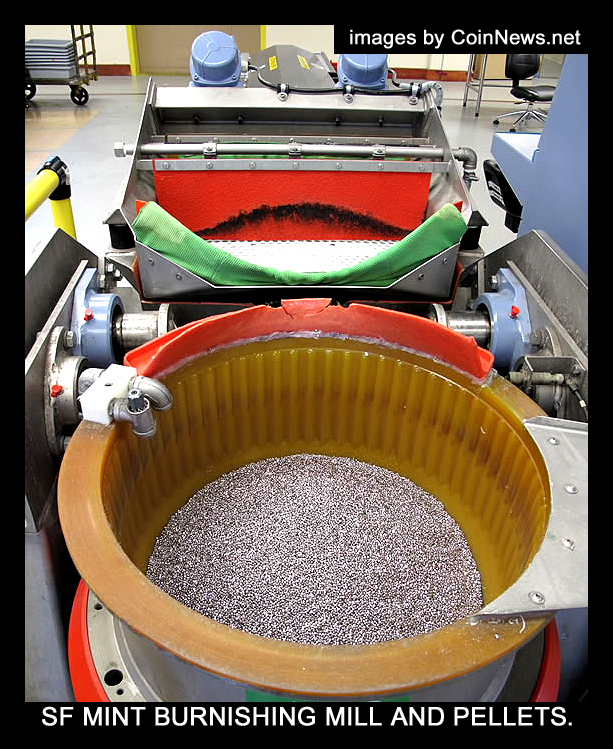 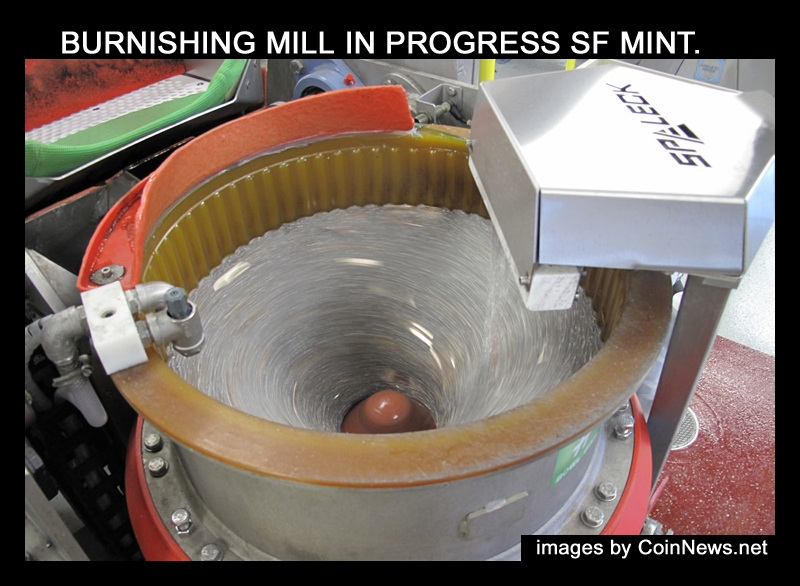 These are often faked, so finding a dark coin doesn't mean it is one of these black beauties. So if you find one in circulation, they are probably fakes. Best to find these in a OBW roll so you will know for sure they weren't tampered with.   Often when they are in circulation for a short time, they silver color is not seen. They tend to remain darker in color. But often they are fakes if found in circulation. |
|
Pillar of the Community
United States
3237 Posts |
Thanks for the information, coop. Any thoughts on either the strike through vs. PSD and double strike vs. Die Deterioration? |
|
Bedrock of the Community
United States
62064 Posts |
I can't tell where it is on the coin? (The raised or incuse area on the 3rd image?)
|
|
Pillar of the Community
United States
3237 Posts |
It's the round-ish crater at the center of the third image. Image four is of the back to show there's no sign of warping from being hammered post strike.
|
|
Bedrock of the Community
United States
62064 Posts |
Incuse marks are mostly post strike damage. Damage to a coin. No premium for either coin.
|
|
Pillar of the Community
United States
3237 Posts |
Wouldn't a strike through error always be incuse? Or am I misunderstanding?
|
|
Bedrock of the Community
United States
62064 Posts |
There is a difference between the two. On a struck through error there would be no distortion around the area in question. On a PSD (Post-Strike-Damaged) coin, there is a wave of metal movement round the area in question: 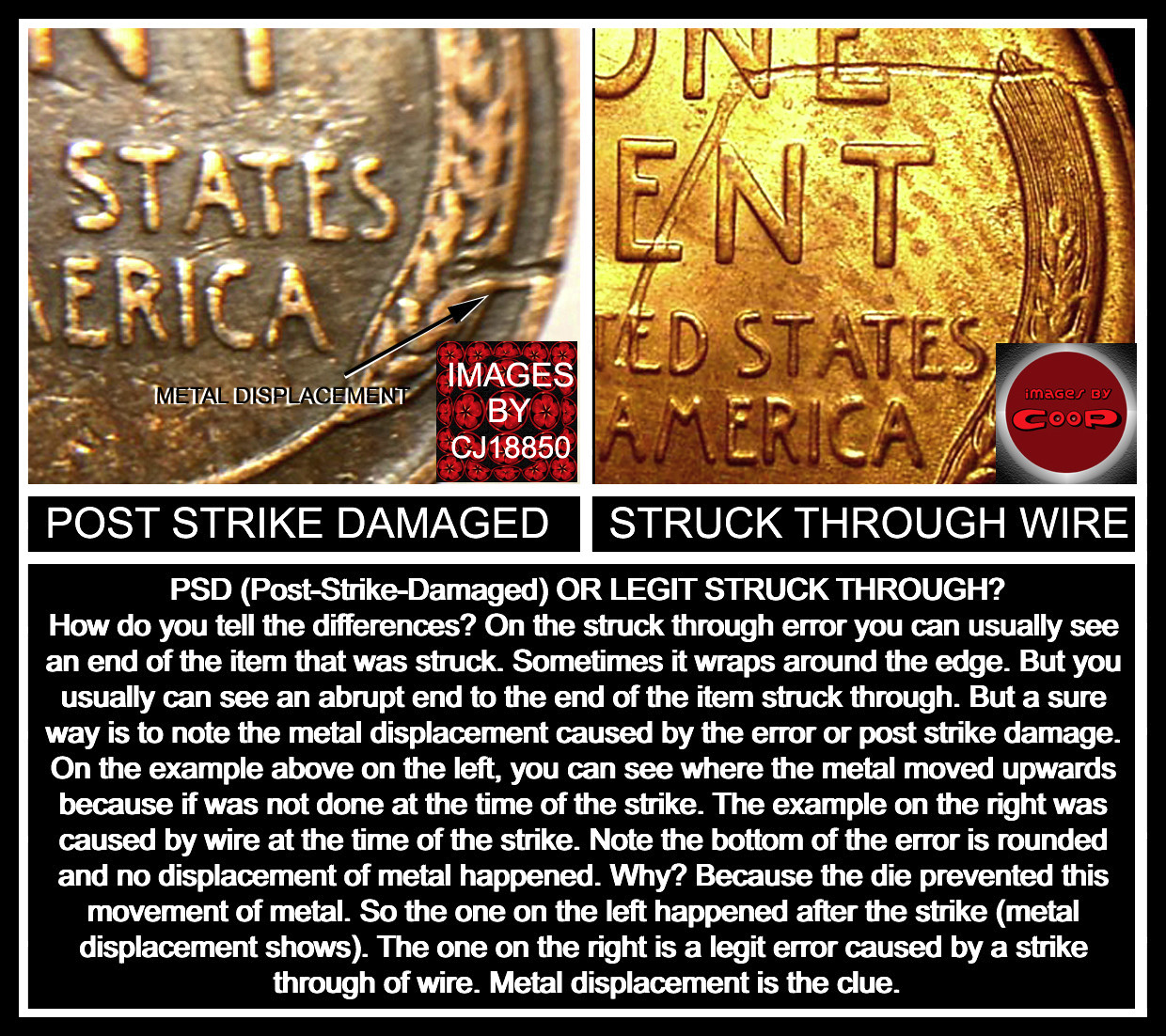 I'm still trying to see the area in question on the full image shots. What we see a lot of what your image looks like, is what we call a parking lot coin. These get ran over by cars and sand will damage the coin. So I'm trying to figure out where on your coin (which image) is the location of that mark. Most often we see larger events that happen to coins and it is obvious. But I'm still not seeing it on your coin image yet. (No devices in that area so I can't tell where the meteor crater is yet?) |
|
Pillar of the Community
United States
3237 Posts |
Hey coop, I don't know if I see what you're seeing. There appears to be no raised material around the impression in person. I'll try to get a better photograph, and perhaps that will either help me to to see what you're looking at or clear up something that might look like a raised edge in the first one.
|
|
Bedrock of the Community
United States
62064 Posts |
On the examples of coins found in a parking lot, they are pressed straight downwards, so you probably won't see the wave on them as easily. But they often have several incuse marks on them. That was why I was wondering if there are more of these marks on your coin?
|
|
Pillar of the Community
United States
3237 Posts |
Sorry, I misunderstood your question. This is the only noticeable mark on the coin.
|
|
Bedrock of the Community
United States
12477 Posts |
Full coin pics (both sides) of the possible struck-through coin would help. If your added "other side" pic is of the same area, I do actually see a small protrusion. But, we need overall reference for this, not closeups alone.  In Memory of Crazyb0 12-26-1951 to 7-27-2020
In Memory of Tootallious 3-31-1964 to 4-15-2020
In Memory of T-BOP 10-12-1949 to 1-19-2024
|
|
Pillar of the Community
United States
3237 Posts |
Here you go, spruett. I personally can't see anything. 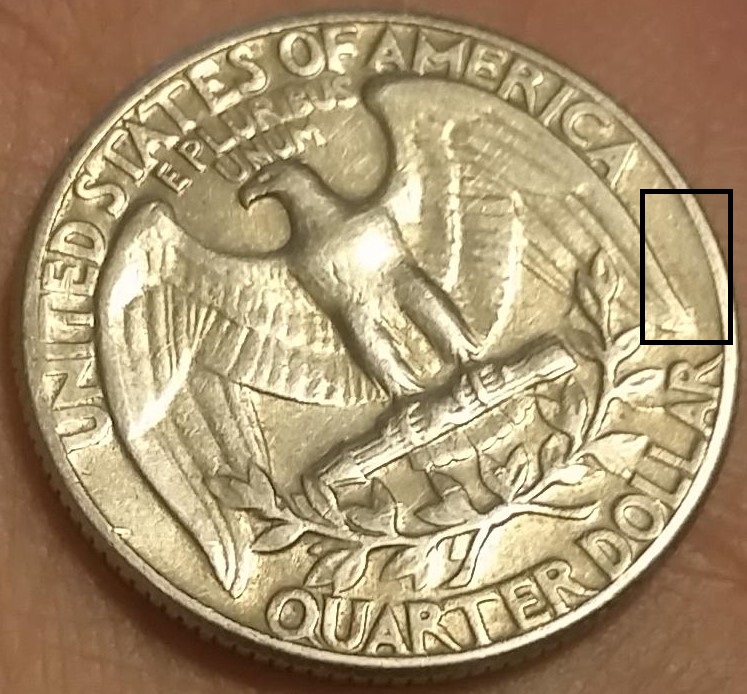 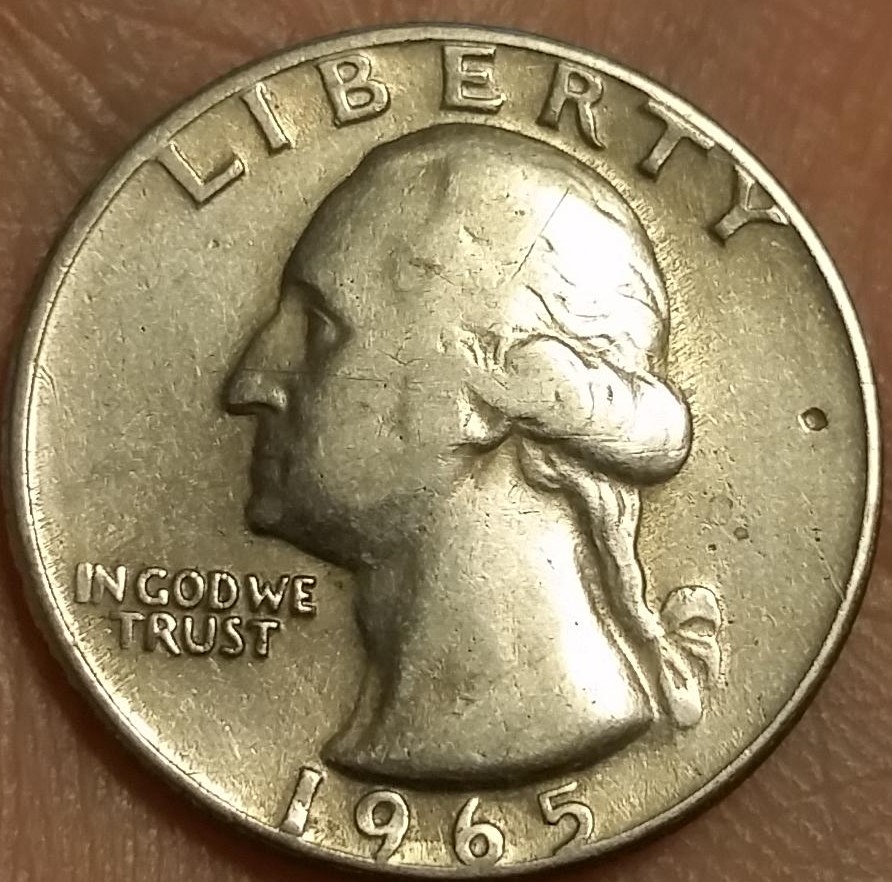 |
| |
Replies: 14 / Views: 1,320 |
|










 Posted 05/29/2019 09:29 am


