| Author |
 Replies: 10 / Views: 4,941 Replies: 10 / Views: 4,941 |
|
|
New Member
United States
1 Posts |
Hello, I have a 1973 Penny that has a error, in which the back side is reverse, I am trying to get some information on this coin, can anyone Me? I am new to community, and could upload the pictures. 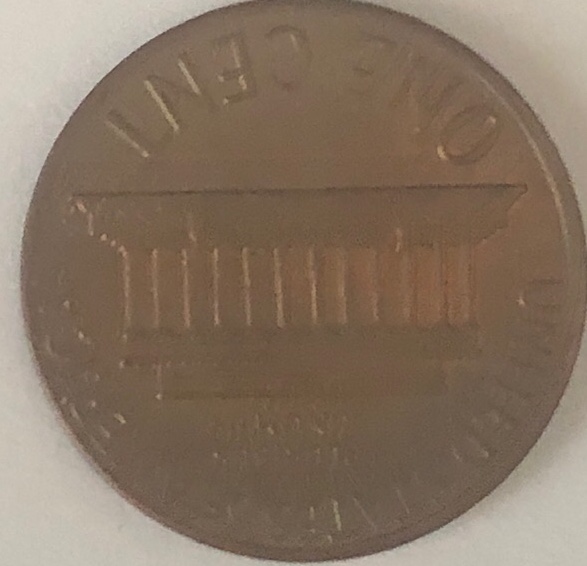 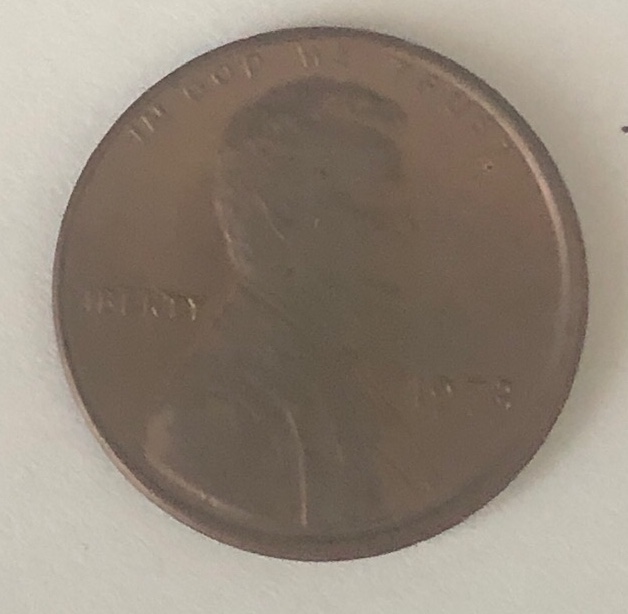 Edited by Chep9
06/06/2019 11:43 am
|
|
|
|
Bedrock of the Community
United States
94367 Posts |
Unsure of your question. Can you post pics, please.  to the CCF! |
|
Pillar of the Community
United States
3212 Posts |
|
|
Pillar of the Community
United States
1667 Posts |
coin is right side up if flipped top to bottom on both sides? or if you flip it from left to right one side will be upside down. or both right side up?
coin alignment vs. medal alignment. I mean could be a rotated die but it's pretty rare to rotate all the way to medal alignment right?
Could be a rotated die..... hmmmm.
Pictures are inconclusive and won't help in a case like this. coin needs to be flipped over from top to bottom and the results, and then from left to right, and the results.
|
|
Bedrock of the Community
United States
79200 Posts |
 We need much better pictures to evaluate. Try putting it in a 2x2 and take a picture of it, in the mirror. Did you flip it from top to bottom and not side to side? Errers and Varietys.
|
|
Pillar of the Community
United States
751 Posts |
Check your against other LMC you have to make sure what you think is really happening. Dan |
|
Bedrock of the Community
United States
94367 Posts |
Good advice, that should answer the question quickly.
|
|
Bedrock of the Community
United States
62064 Posts |
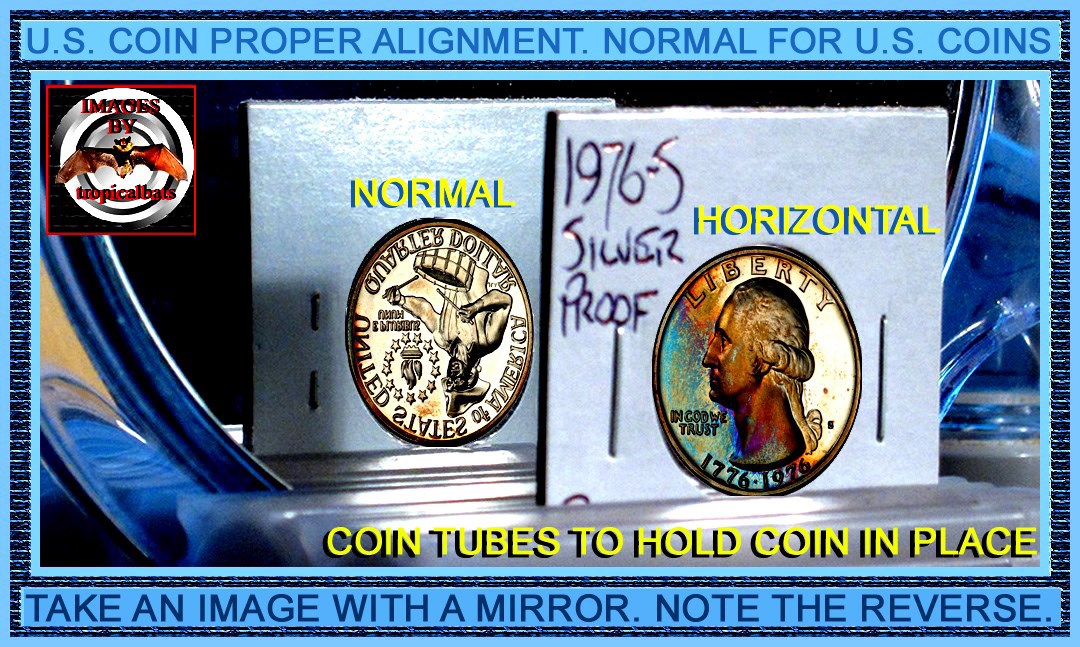 Like this. New Question: This basic image was from a coin that Tropical bats posted. So I added images to the original coin location. So how did I figure out how what size to make these images? Answer hidden below. Just highlight that area.It was an easy fix. First you make duplicate image. Then cut out the outside boundries with a square. Then you find the size of the coin. How tall and how wide. Then take a new set of images and crop them the same on each squared edge. Then adjust the size the first images we when you measured them. Then transfer them into that coins space on the original image. (A side point. When you make the replacement images. Don't for get to rotate the reverse image 180 degrees. Also make sure the area outside of the coins area is all the same color. Then when you move it to the original image, you highlight it and erase off the unwanted area. Simple?End of highlighted area.Edited by coop
06/06/2019 3:02 pm
|
|
Moderator
 United States
195823 Posts |
to the Community! |
|
Pillar of the Community
United States
1667 Posts |
Errers and Varietys and Coop had the genius answer to the picture issue I had! That's a perfect answer on how to do it.
Wow man, mind blown!
|
|
Pillar of the Community
United States
2775 Posts |
The images suggest a slight off center strike as well. If the misalignment is in the same direction the rotation I'd think, speaks for itself.  Thanks, Doug. Edited by Halo1st
06/06/2019 5:59 pm
|
| |
Replies: 10 / Views: 4,941 |
|







 Posted 06/06/2019 12:07 pm





