How to select an title for your images.
I pick up a lot of images through the many years, and I've seen different titles of images often used. Well through the years, I tried several different ways of naming my images. I see some are using the dates the images are created, as their title for that image. Well that might work OKn until you start to get as many images as I have, on my image host. I'm less than 100 short of ten thousand images. So how do I keep them straight. I use a system to make them easy to find and how to post them without having to copy paste each image title. Would I do things different than I've done in the past? Yes. So I though I would explain what/how I use the address titles I use. When you copy one of my images, then you will see what I'm talking about. Please feel free to copy my images to add to your educational files. Please keep the names on the images so the copyright issues won't come up for borrowed images.
1.
Dates/denominations:The date of the coin is nice for searches to make it easier to find.
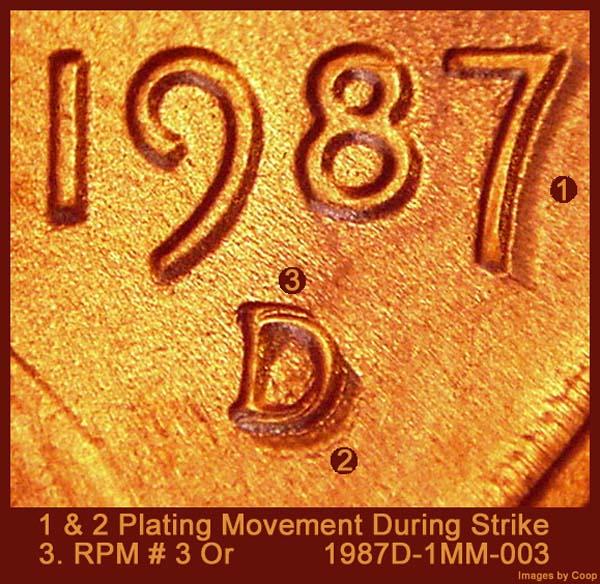
The address when you copy this image from the site to save for your personal file is different than the one I have on my image host address. There are letters that area part of the address when posting. But the image title is this:
1987D-1MM-003_illustrated What does that mean? First the date
1987 of the coin. The
'D' is the mint -
1MM is the one cent mintmark (RPM) issue. The
-003 is the designated attributed die for coppercoins. Through the years I've taken images for coppercoins and know how they list their coins. So the title also contain the word
illustrated That is a personal note to myself that more information is on this image. So when you are looking on your computer, it automatically sorts them according to the formula that places them and when a new date, and other information is added, then it sorts them on in numerical numbers. This can also include other sites numbers that are on the image, or even the names of the takers of the image. That is just one way I used to list my titles for the images.
So another way to simplify the finding of coins so the different denominations it might be good to add as part of your title of the image: 'C' for Cents, 'N' for Nickel, 'D' for Dime, 'Q' for Quarter, 'H' for halves, and 'DO for Dollars. I've not done this in the past and it would be impossible to change them all now.
Why? Because everywhere I posted previously, when I changed the title, they would no longer appear again there. So it would be too hard to keep a double set of books with that many images. But as a new collector you could update the few images you have now with the new system. Also I have overlays. I'm not changing mind, but searching through a lot of titles of images to find these, it would have been easier to have added to the letters above for the overlays of added a 'O' before the Cent. knowing that what Stands for overlay of a cent. so it would appear a 'C' for a normal image and an 'OC' for an overlay of a cent. The nice thing about doing this that it sorts them out automatically on your computer or on your image host. Makes finding them easier. You will note on my images the different terms for my images can be: Example 1c, one cent, NDN (
Indian Head cent)
LWC (Lincoln Wheat Cents)
LMC (Lincoln Memorial Cents)
LSC Lincoln Seal Cents, Same on down the other denominations, but JN for
Jefferson nickel, Rosie, Merc, for Dimes. WQ for
Washington quarter, JFK for
Kennedy halves, Ike, Sac,
SBA, Prez for other denominations. Just to save space on the title line. If mine are too long, then I have a number that is added and that will be different for each image. So I figured this out later on.
2.
Special Titles: Lets say you want to sort differently when you get a lot of images. Well it is always better to know what else you can do to make the sorting and finding of the images when you are looking to use them to not spend a week doing this. I found one way that if I want an image to be at the first of the list on my near 10K images, if I add (, ((, ((( in front of the title, then that image will show up on my image host at the front of the 10K images.
3.
Multiple images of the same coin: On this coin:
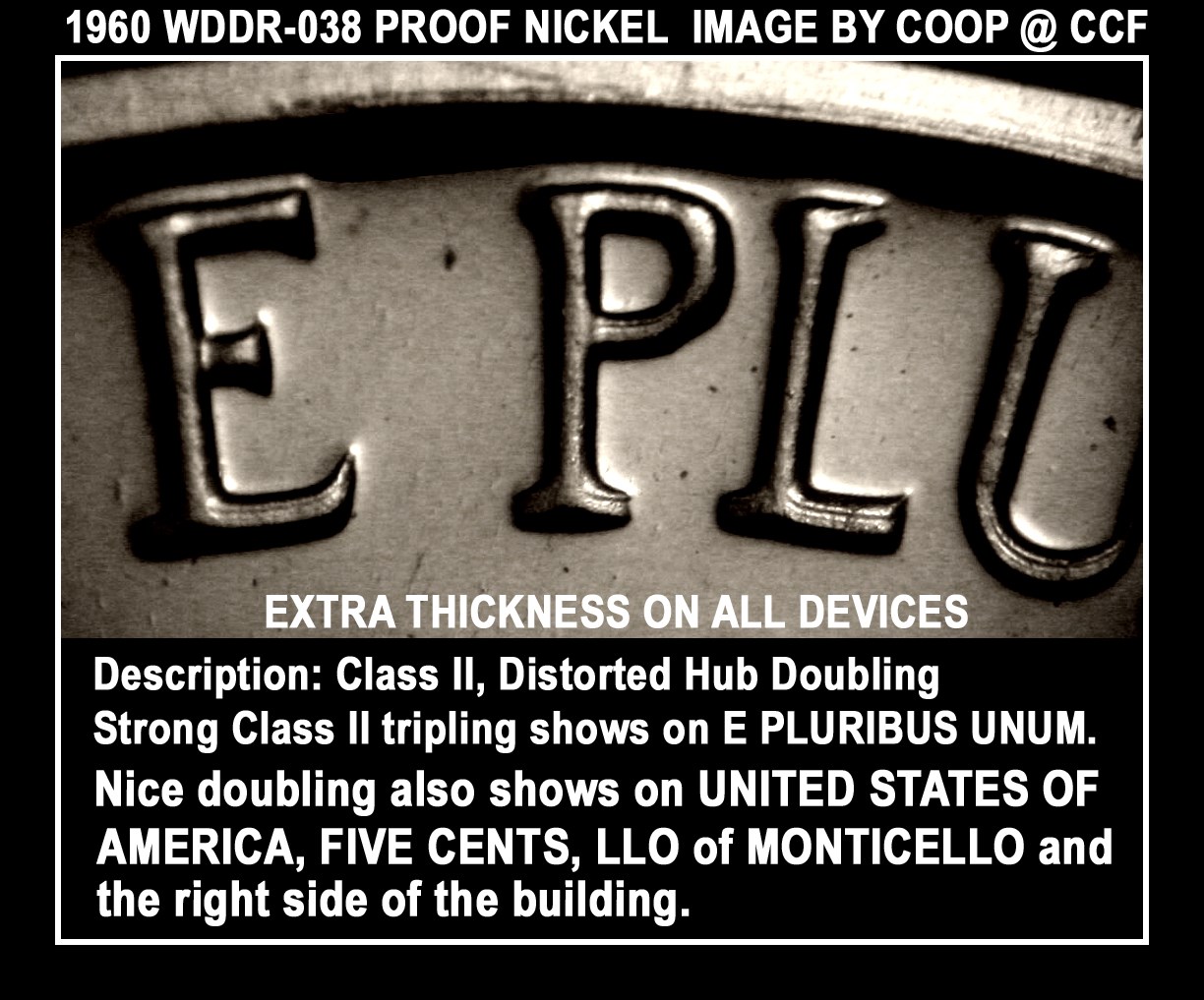
I have 18 different images of different areas of this coin. They should doubling on different areas of this coin close up. The title for this image is:
1960_NICKEL_WDDR-038_PR_COOP_CCF_01Note the date, denomination, the Wexler attribution number, 'PR' for proof coin, CCF (included where it would be posted, but probably not necessary) then the 01, that is the image number. So when I post all 18 of these images, I don't need to look up each address on my image host. I just need to change the numbers, 02,03, ETC So I copy the full address with the posting information ]img[ Put in backwards to allow them not to hide ]/img[ with the address in the center of the of these tags and then copy. Then copy that full line and post it 18 times. Then go back and change the numbers. Some times I use letters. Whatever works best for you. Through the years I've changed so many times. But the quickest way if not to have to look up and post each line separately.
I'm posting this information so you can simplify your image titles. Through the years like I said I've tried different ways, But starting off the best way would be a great help to all new members. Enter other suggestions that work for you or don't work for you.
So to recap this:1. Best to use the dates as one of the first parts of your titles.
2. Adding in 'C' = cents ahead of the date to short the coins by denominations and then dates. Save a lot of time when looking for them.
3. For educational uses, some I add (, ((, ((( marks to make sorting faster images faster.
4. At the end of you image descriptions, having a system will help you save a lot of time when posting these images. At one time I used to put OBV and REV on the titles. Then I had to figure out later, that later that was making it harder to find one image out of 10K.







 Posted 07/23/2019 8:53 pm





