When looking at images for die varieties on Variety Vista, Look at the description:
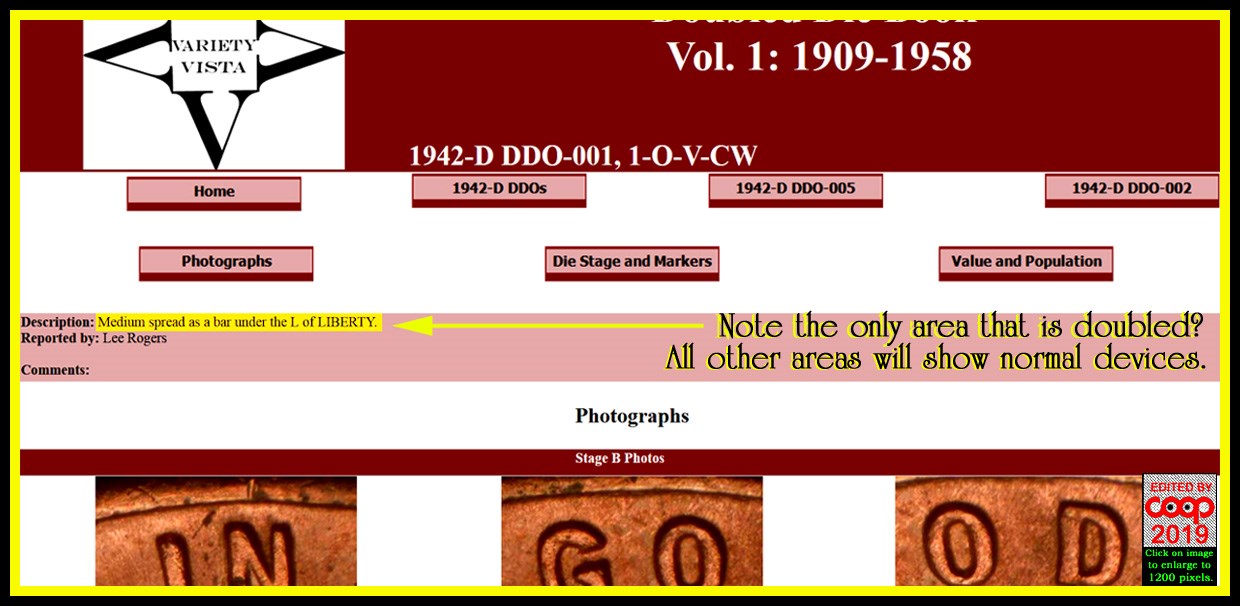
Not all images show doubling on all devices. The ones not mentioned in the desciption, are the
DDO / DDR/RPM on this site. Some images will show normal devices. So if the normal devices match your coin, then you have a normal coin. The devices mentioned are the areas showing hub doubling. Other images are helpful for die markers not mentioned. So read the description first. Then compare your coin with those images. The areas not mentioned are normal devices.
How many devices need to match exactly for a doubled die? All of them and the doubling must be exactly the same as the ones in the images. (some may show more die wear as the dies age) But all must be a match. You can't go with look for matching die scratches if the doubled die is not present. Markers only count after you find the variety first.
Why not that way? Because the dies are doing the same thing over and over. So what looks like a match, maybe Not an exact match for a marker. Die cracks may not be an exact match. Die scratches need to be an exact match. So it you have a match without the hub doubling, you have nothing. You've wasted your time doing this backwards. Die variety first. Markers second.
Edited by coop
11/14/2019 11:47 am












 Posted 11/14/2019 08:22 am


