Coin Community Family of Web Sites Join Thousands of Coin, Bullion, & Money Collectors
Royal Canadian Mint products, Canadian, Polish, American, and world coins and banknotes. Join Thousands of Coin, Bullion, & Money Collectors 300,000 items to help build your collection! Shop for APMEX Bullion on eBay!Vancouvers #1 Coin and Paper Money Dealer Specializing in Modern Numismatics Coin, Banknote and Medal Collectors's Online Mall


Username:
Password:
Save Password
Forgot your Password?


This page may contain links that result in small commissions to keep this free site up and running.

Welcome Guest! Registering and/or logging in will remove the anchor (bottom) ads. It's Free!

Software To Use 2 Digital Microscopes At The Same Time;

To participate in the forum you must log in or register.
Author Previous TopicReplies: 10 / Views: 2,786Next Topic  
Valued Member

United States
54 Posts
 Posted 06/01/2020  10:05 am Show Profile   Bookmark this topic Add mrthrills to your friends list Get a Link to this Message Number of Subscribers
I have 2 inexpensive digital microscopes that I would like to find software for to allow both to be connected to my laptop at the same time. I use one for examining the coin and the other to take pics of the whole coin. I have to unplug the usb cable then plug in the cable for the other scope every time. Not really a big deal but if I had a way to keep both connected to the laptop it would be nice. Any suggestions. BTW neither of them are Dinolite.
Valued Member
DeputyMax's Avatar
United States
424 Posts
 Posted 06/01/2020  10:24 am  Show Profile   Bookmark this reply Add DeputyMax to your friends list Get a Link to this Reply
I don't know about software but you might want to consider a usb splitter. I use one on my desktop and am able to use 4 devices on one usb port.
I don't have this exact model, but something like it.
https://smile.amazon.com/USB-3-0-Hu...1078&sr=8-18
Valued Member
United States
54 Posts
 Posted 06/01/2020  2:46 pm  Show Profile   Bookmark this reply Add mrthrills to your friends list Get a Link to this Reply
TY for that info. Just ordered one. It should arrive tomorrow. I think it will work just fine for my purpose. :)
Valued Member
DeputyMax's Avatar
United States
424 Posts
 Posted 06/01/2020  4:45 pm  Show Profile   Bookmark this reply Add DeputyMax to your friends list Get a Link to this Reply
Let me know if it helps. I'll check back in a day or two.
Valued Member
Australia
369 Posts
 Posted 06/01/2020  5:43 pm  Show Profile   Bookmark this reply Add airgem to your friends list Get a Link to this Reply
I would be interested to know if it works too. Don't think you could have 2 connected at the same time. I would think you would still have to disconnect one, or maybe turn one off at least. Your operating system won't handle two at the same time.
Pillar of the Community
Canada
1186 Posts
 Posted 06/01/2020  6:18 pm  Show Profile   Bookmark this reply Add JohnWayne007 to your friends list Get a Link to this Reply
The splitter will only make it possible to physically hook up two microscopes to your computer, but not within the program, you will have to manually switch between microscope 1 and microscope 2 but will not show simultaneously.
Finding and discovering modern Canadian doubled die varieties since 2018.

2023 Recent Publications:
Modern Canadian Doubled Die Varieties - First Edition
PDF & Paperback https://www.mcddv.ca (website currently down for maintenance as of 08/01/2024)
Pillar of the Community
Alpha2814's Avatar
United States
2023 Posts
 Posted 06/01/2020  6:52 pm  Show Profile   Bookmark this reply Add Alpha2814 to your friends list Get a Link to this Reply
The software will likely ask which one you want to use and should give you the option to switch any time you choose. But yeah, only one at a time.
Valued Member
United States
54 Posts
 Posted 06/04/2020  5:43 pm  Show Profile   Bookmark this reply Add mrthrills to your friends list Get a Link to this Reply
Alph2814 is correct. The software has the option to choose which scope to use so it does make it easier. No more unplugging and plugging back in. You can even leave both USB ports that the scopes are plugged into turned on.
New Member
Canada
2 Posts
 Posted 06/09/2020  12:54 am  Show Profile   Bookmark this reply Add cowolter to your friends list Get a Link to this Reply
This is a free one for dino-lite microscopes, not sure if it'll work with other ones but worth a try:
https://www.dino-lite.com/download.php

ToupView, AmScope and other dedicated microscopy applications are also great for inserting scale measurements.

http://www.touptek.com/product/show...ng=en&id=103
https://onplanners.com/invitations/...e-date-cards
Edited by cowolter
06/09/2020 12:56 am
Valued Member
Coinsteel's Avatar
United States
57 Posts
 Posted 06/27/2020  7:11 pm  Show Profile   Bookmark this reply Add Coinsteel to your friends list Get a Link to this Reply

Software-To-Use-2-Digital-Microscopes-At-The-Same-Time;

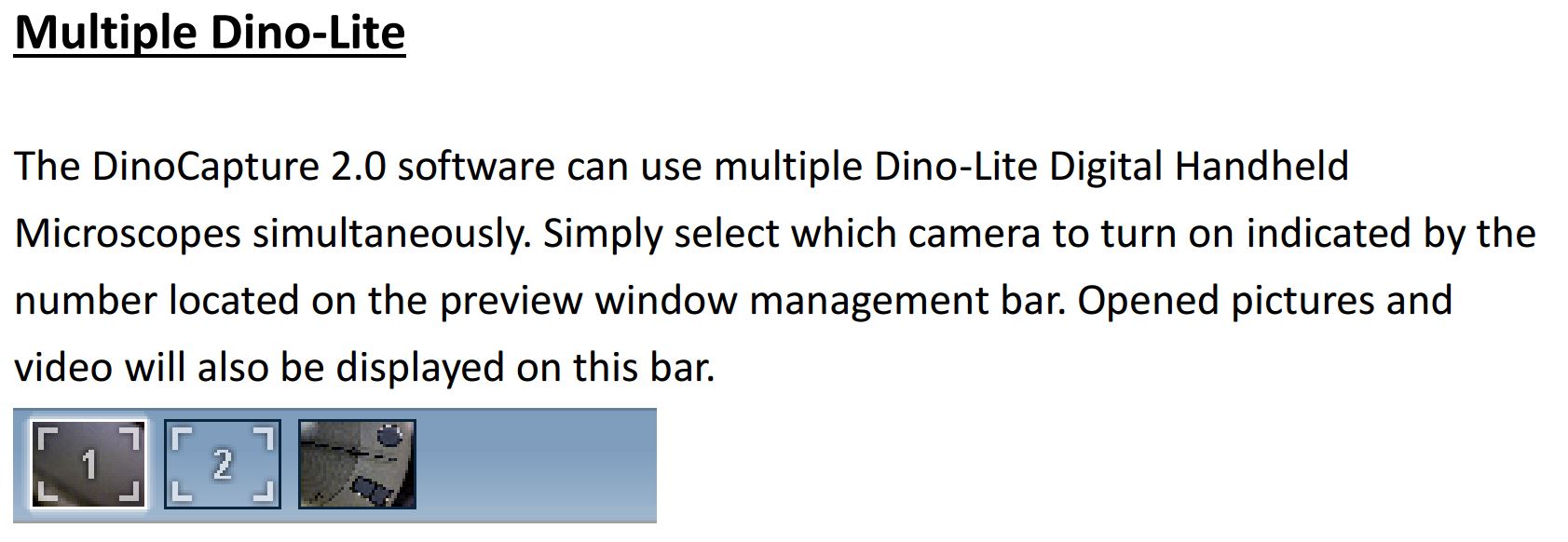
have you tried the dino-lite capture software? It can use two microscopes
New Member
Copest's Avatar
United States
20 Posts
 Posted 08/04/2020  8:30 pm  Show Profile   Bookmark this reply Add Copest to your friends list Get a Link to this Reply
You can also use the camera option in windows 10. in the search box on the task bar type in "camera". works good if you don't have a specific program you like.
  Previous TopicReplies: 10 / Views: 2,786Next Topic  

To participate in the forum you must log in or register.


Disclaimer: While a tremendous amount of effort goes into ensuring the accuracy of the information contained in this site, Coin Community assumes no liability for errors. Copyright 2005 - 2026 Coin Community Family- all rights reserved worldwide. Use of any images or content on this website without prior written permission of Coin Community or the original lender is strictly prohibited.
Contact Us  |  Advertise Here  |  Privacy Policy / Terms of Use

Coin Community Forum © 2005 - 2026 Coin Community Forums
It took 0.29 seconds to rattle this change. Forums