| Author |
 Replies: 13 / Views: 980 Replies: 13 / Views: 980 |
|
|
Rest in Peace
United States
3039 Posts |
Looks like it to me. It's so worn I can vaguely make out a couple of the markers. Any opinions would help. Still it's not as bad as my mutilated 2000 WAM that I posted here. One day I'll find one in MS 65.   |
|
|
|
Bedrock of the Community
United States
62064 Posts |
|
|
Pillar of the Community
United States
4113 Posts |
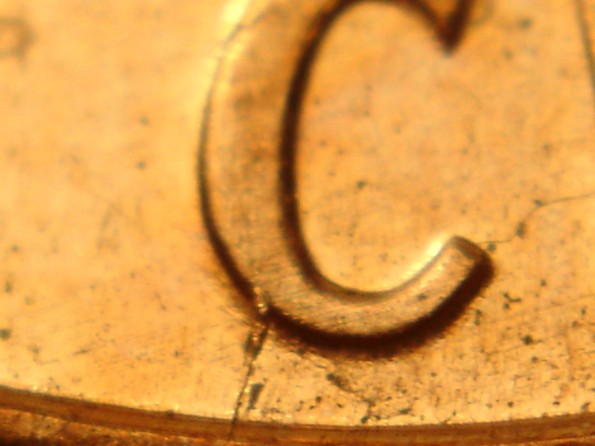
Hi numismo: Re-check your REVERSE die markers epecially by the C in cent. Can you make out any resemblance of the die crack running thru it and to the base of the rim like on Chucks (coppercoins) site? Here is a few pics of my latest 018 in AU condition for comparison. Image:  2006P1DO018Obvjpeg2.jpg 2006P1DO018Obvjpeg2.jpg57.31 KB Image: 2006P1DO018Obvjpeg1.jpg54.31 KB I'm not sure based on your picture if it is or not I tried to compare it to mine and the earlobe area looks different, but it might be because your coin is more worn. Maybe Coop can do an overlay to see if its a match? I hope you found one!  * Here is a pic of the reverse die marker (C) on the MS grade 018 I had found. Image: 2006CentDiemarkerfor018.jpg48.51 KB Edited by chuckster 125
04/07/2009 5:08 pm
|
|
Bedrock of the Community
United States
62064 Posts |
Hard to do an overlay for a doubled area. On RPMs it is easier, but on doubled dies it is harder to find borders to size it with so you can crop and cut to make the borders the same size. Best to check the neck doubling and the other markers to know for sure. Alos you may wish to check to see if it is a bubble in the plating or if it is part of the strike the die made. (A doubled die.)
|
|
Pillar of the Community
United States
4113 Posts |
Thanks coop for the info.
Its hard to tell based on numismo's pictures, it doesn't look large enough to be the extra-earlobe, but again, maybe its worn away?
I agree, the best bet is to re-check the doubling by the beard and also to see if the die-markers are there for either a EDS or MDS match.
Edited by chuckster 125
04/07/2009 9:57 pm
|
|
Rest in Peace
 United States
3039 Posts |
Thanks for all the help guys. I guess I'm shot down again. That's fine though because it's nice to know what's happening. Anyway, the die crack through C on the reverse isn't there. Neither are the ones above the flower pot. It's too worn to tell what's happening under the beard. Here's a closer shot. Maybe that will help. If not #18, is it a DO or not? If not, what is it by the earlobe ?  |
|
Rest in Peace
United States
3039 Posts |
OK, one last try. Here's another angle. Actually not too bad a picture. What is it ?  |
|
Bedrock of the Community
United States
62064 Posts |
Numismo: That image is much better. I made an overlay with the one from coppercoins it it look very similar. See what you think?  Check again on thr third image on the site to see if the devices in the beard is affected or not. That should be the tell tale thing rather than the bump under the lobe. |
|
Rest in Peace
United States
3039 Posts |
Gee coop, thanks for the overlay. That was nice of you. Anyway, here's some shots of the area from the third pix on Chuck's site. It's really hard for me to see what the arrows in the third picture are showing so I can't tell if the same features are on mine.   |
|
Bedrock of the Community
United States
62064 Posts |
numismo: Here is an explanation of the arrows. 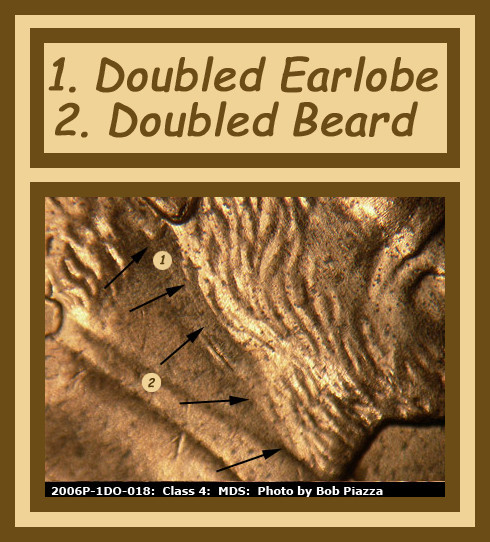 I tried editing your images and I couldn't see what I wanted on them. The light is too bright making a glare on the bottoms of the devices. If you note on the example of the coppercoins image, a little softer light allows light and shadow. So if you can soften the glare out of your images you will get more of what you really want to see. Also another suggestion: Try rotating the coin to get the light to fall across the devices. Some angles are better than others. It just depends on the devices. 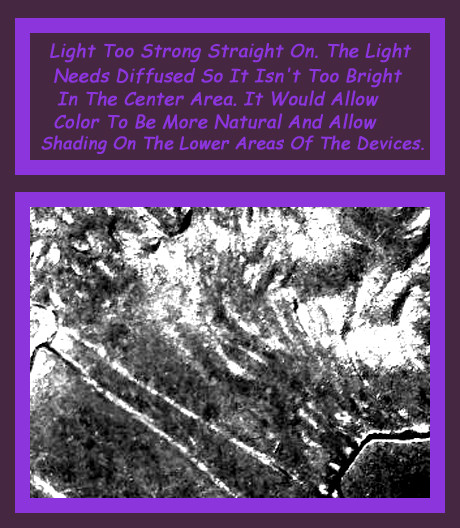 But with the explanation you should see the lower devices on the beard on your coin. If it is not there, then it could be from a different die? Edited by coop
04/08/2009 8:13 pm
|
|
Rest in Peace
United States
3039 Posts |
OK coop. I played with the light & the angle. Hope this one can tell us something. I really appreciate all the effort on this ID. Hope this is also a learning experience for all forum members in the ID process & photo techniques. Anyway, here's this latest effort.  |
|
Bedrock of the Community
United States
62064 Posts |
That image is a lot better. Has anyone noticed you can enlarge an image and move it next to another image on this page. You can put the coppercoins image on the right side of the image in question. It looks like the real thing from what I can tell. I've never found one before, but the images show what I wanted to see. Numismo, now you can see the shadows and the lighted areas. It takes both to get a good image. If you took an image of the sun all you would get is white. If you took an image of the moon, the light and shadows make a picture.
|
|
Rest in Peace
United States
3039 Posts |
Thanks again coop. Looks like I won this fight. Maybe the next good find will be easier to ID. What is it you mean about side by side images on this page ?
|
|
Bedrock of the Community
United States
62064 Posts |
When you click on the image from my previous post with the image from coppercoins and enlarge it, you can move it down beside your image in your post by grabbing on to the blue part on the top of the enlarged image and move it down to you image and compare the two images side by side. One will be enlarged and the other the same as the screen shows normally.
|
| |
Replies: 13 / Views: 980 |
|










 Posted 04/07/2009 4:48 pm


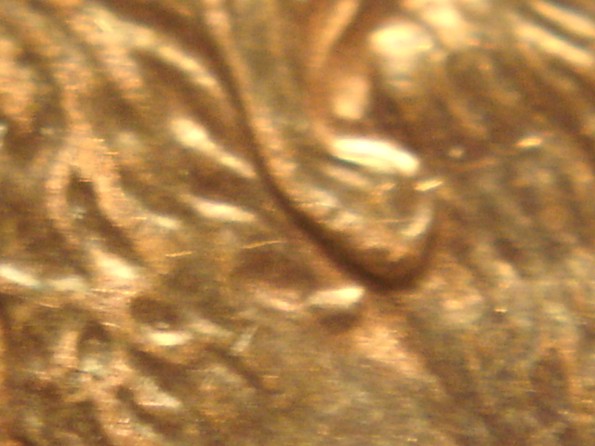 2006P1DO018Obvjpeg2.jpg
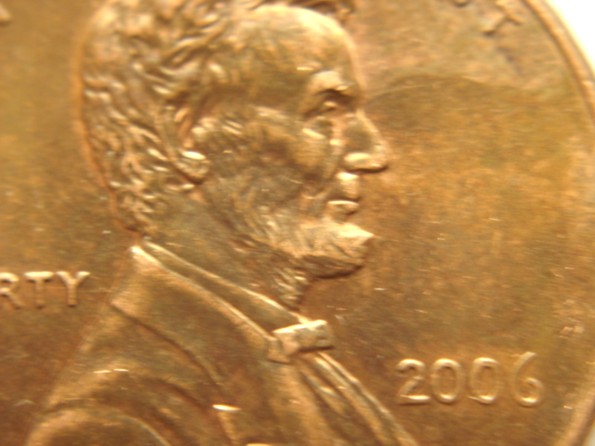 2006P1DO018Obvjpeg1.jpg
 2006CentDiemarkerfor018.jpg


