Coin Community Family of Web Sites Join Thousands of Coin, Bullion, & Money Collectors
Join Thousands of Coin, Bullion, & Money Collectors 300,000 items to help build your collection! Shop for APMEX Bullion on eBay!Royal Canadian Mint products, Canadian, Polish, American, and world coins and banknotes. Coin, Banknote and Medal Collectors's Online Mall Vancouvers #1 Coin and Paper Money Dealer Specializing in Modern Numismatics


Username:
Password:
Save Password
Forgot your Password?


This page may contain links that result in small commissions to keep this free site up and running.

Welcome Guest! Registering and/or logging in will remove the anchor (bottom) ads. It's Free!

Question On Camera Use.

To participate in the forum you must log in or register.
Author Previous TopicReplies: 21 / Views: 3,462Next Topic
Page: of 2
Pillar of the Community
Jaymon74's Avatar
United States
844 Posts
 Posted 12/21/2010  12:02 pm Show Profile   Bookmark this topic Add Jaymon74 to your friends list Get a Link to this Message Number of Subscribers
Hi all. I have a Kodak EasyShare DX7440, 4X Optical Zoom, 4.0 Mega Pixels.

The problem I'm having is that on the smaller shiny coins it will not focus to get a clear up close picture. I have tried different background colors, different lighting, and various distances from the coins.

I have also tried the different photo settings such as the "up close". I did not see a macro setting, but not sure if I was looking in the right place. This camera is fairly new to me.

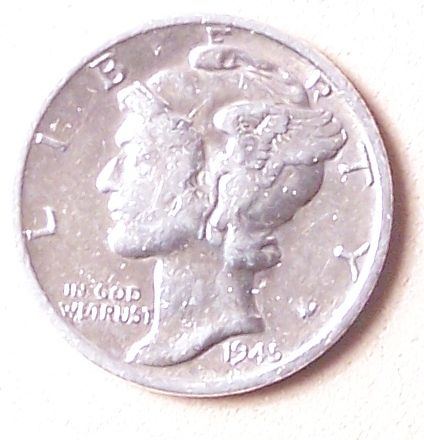
I have one coin that I'm very interested in getting input on. It is a 1945 micro s Mercury dime. I need to get a good up close picture and see if anyone can tell me the grading and if it might have been cleaned because it looks to be extremely "clean".

Thanks for any help.
Bedrock of the Community
biokemist6's Avatar
United States
12437 Posts
 Posted 12/21/2010  12:06 pm  Show Profile   Bookmark this reply Add biokemist6 to your friends list Get a Link to this Reply
The icon for the macro setting is almost always a little flower. When using the macro setting, you cannot hold the camera- your pics will be blurred every time. Use a tripod or copystand along with the shutter timer and you will get blur-free pics every time.
Pillar of the Community
Jaymon74's Avatar
United States
844 Posts
 Posted 12/21/2010  12:12 pm  Show Profile   Bookmark this reply Add Jaymon74 to your friends list Get a Link to this Reply
I'll try that. Thank you. The other problem is that when it does focus, it is always out of focus. It seems that I have to focus, then move the camera back. Any solution to that one?
Pillar of the Community
Jaymon74's Avatar
United States
844 Posts
 Posted 12/21/2010  12:25 pm  Show Profile   Bookmark this reply Add Jaymon74 to your friends list Get a Link to this Reply
I just realized there is a forum area for camera questions. Oops.
Moderator
Learn More...
SsuperDdave's Avatar
United States
23522 Posts
 Posted 12/21/2010  12:51 pm  Show Profile   Bookmark this reply Add SsuperDdave to your friends list Get a Link to this Reply

Quote:
I just realized there is a forum area for camera questions. Oops.


I have taken care of that minor problem.

The "up close" setting is Macro. You can access this on your camera either on the dial or through the use of the center of the three top buttons - I recommend you use the button for the reasons I will discuss next.

Here is a link to the manual for your camera, in case you don't have it:

http://resources.kodak.com/support/...0_GLB_en.pdf

First, I must say that it is very unlikely that your camera can shoot closely enough to help you evaluate the mint mark on a dime. You'll probably be at the vest your camera can do if you can get the coin to fill half of the viewfinder.

OK. For our experiment, you'll want to work in Aperture Mode - "A" on the dial. Set the Aperture to 4.0 or 5.6.

I have to leave it to you to determine the exact order in which you create these settings, but:

ISO 200
Exposure Metering Center-spot
Focus Zone Center-zone
Use Exposure Bracketing to begin with, in steps of +/-1.0

Camera setup: pointed straight down at a coin laying on a horizontal surface. It is hugely important that the lens and coin are as parallel as you can get them; otherwise, focus of the whole coin will not be possible. Camera about 10" from the coin (to start). Zoomed all the way out. Use the Self Timer.

Take your first pics (Exposure Bracketing will take 3 pictures every time you press the shutter). Look at these first 3 pics - hopefully, one of them will show a correctly-lit coin. If not, you will need to adjust how much light you have shining on the coin. If so, remove the Exposure Bracketing setting and use the Exposure Compensation setting to match whichever of the three pictures is best - +1, 0 or -1.

Then, little steps every time, zoom the lens in gradually taking pictures to see the point at which it can no longer focus. Chances are, this will determine how large a picture you're capable of taking.

Then report back here and we'll discuss how to fix any problems you encounter.

I know, this is complicated. It is sometimes very difficult to get a point-and-shoot camera to take usable coin pictures, and the more you know about the settings on your camera, the more likely you are to be successful.


Pillar of the Community
Jaymon74's Avatar
United States
844 Posts
 Posted 12/21/2010  1:09 pm  Show Profile   Bookmark this reply Add Jaymon74 to your friends list Get a Link to this Reply
I will do that Superdave. I have to go to work now. I'll get to it ASAP!
Moderator
Learn More...
SsuperDdave's Avatar
United States
23522 Posts
 Posted 12/21/2010  1:30 pm  Show Profile   Bookmark this reply Add SsuperDdave to your friends list Get a Link to this Reply
Well, I'm leaving for work, too, so take your time.

This is only a stab in the dark on my part. It might not work, but I hope it will shed a little light on how we can get the best from your camera. It has a very full range of controls, for a Kodak model, and I think we can make something of it.
Valued Member
palaniappan's Avatar
India
265 Posts
 Posted 12/22/2010  6:57 pm  Show Profile   Bookmark this reply Add palaniappan to your friends list Get a Link to this Reply
please buy a scanner, to scan coins and notes. it might a lot easier

warm wishes.
Pillar of the Community
Jaymon74's Avatar
United States
844 Posts
 Posted 12/23/2010  11:30 am  Show Profile   Bookmark this reply Add Jaymon74 to your friends list Get a Link to this Reply
After tonight I am done with work until after the new year. I promise I'll get back on this issue.
Pillar of the Community
Jaymon74's Avatar
United States
844 Posts
 Posted 12/24/2010  8:25 pm  Show Profile   Bookmark this reply Add Jaymon74 to your friends list Get a Link to this Reply
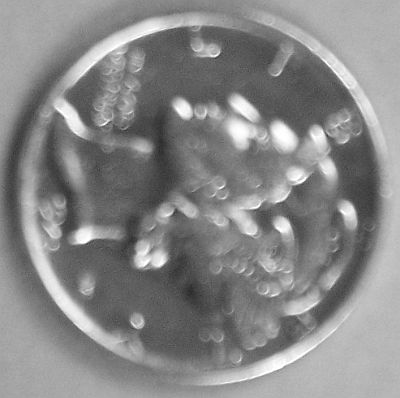
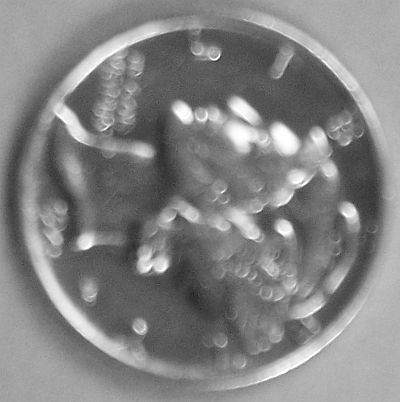
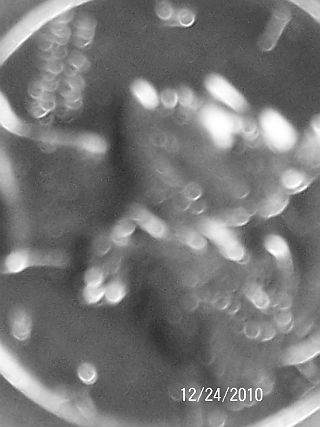
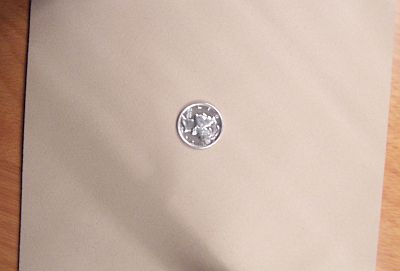
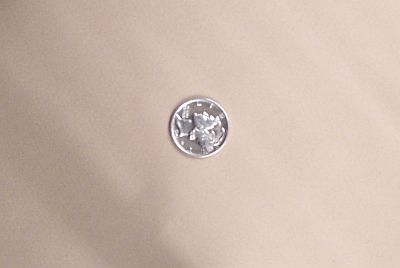
Here's what I got so far. Still not in focus. You can look and give your opinion. I was able to find all the settings you gave me except the Exposure Bracketing ,self timer and I'm not sure about the aperture.


Question-On-Camera-Use.

Question-On-Camera-Use.

Question-On-Camera-Use.

Question-On-Camera-Use.

Question-On-Camera-Use.
Pillar of the Community
Jaymon74's Avatar
United States
844 Posts
 Posted 12/25/2010  5:29 pm  Show Profile   Bookmark this reply Add Jaymon74 to your friends list Get a Link to this Reply
I've been messing around with the camera some more and so far this is the best I could get. I think now it is a lighting issue. Still not sure what the exposure bracketing is.


Question-On-Camera-Use.

Question-On-Camera-Use.
Moderator
Learn More...
SsuperDdave's Avatar
United States
23522 Posts
 Posted 12/25/2010  6:45 pm  Show Profile   Bookmark this reply Add SsuperDdave to your friends list Get a Link to this Reply
Much better.

It's more an exposure issue than a lighting issue. The exposure time needs to be cut in half, all other things staying the same. I think you'll find the pics a little washed-out on the left of the face and fasces when you get the exposure speeded up, but we can nibble at that problem then.
Pillar of the Community
Jaymon74's Avatar
United States
844 Posts
 Posted 12/25/2010  11:03 pm  Show Profile   Bookmark this reply Add Jaymon74 to your friends list Get a Link to this Reply
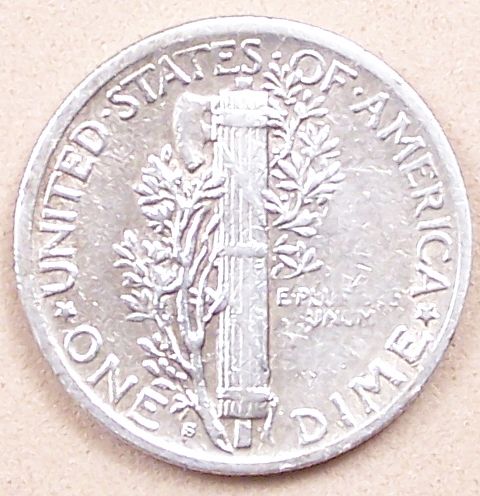
Got it to where the "s" is visible. I have the exposure bracketing set at +/- 0.3 I also messed around with the white light setting and found that it had a better result with it in auto.


Question-On-Camera-Use.
Moderator
Learn More...
SsuperDdave's Avatar
United States
23522 Posts
 Posted 12/25/2010  11:33 pm  Show Profile   Bookmark this reply Add SsuperDdave to your friends list Get a Link to this Reply
Run the exposure bracketing up to the maximum, and expect the (minus) setting to return your best result.
Pillar of the Community
Jaymon74's Avatar
United States
844 Posts
 Posted 12/26/2010  12:32 am  Show Profile   Bookmark this reply Add Jaymon74 to your friends list Get a Link to this Reply
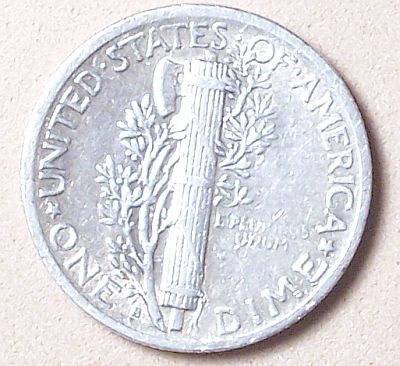
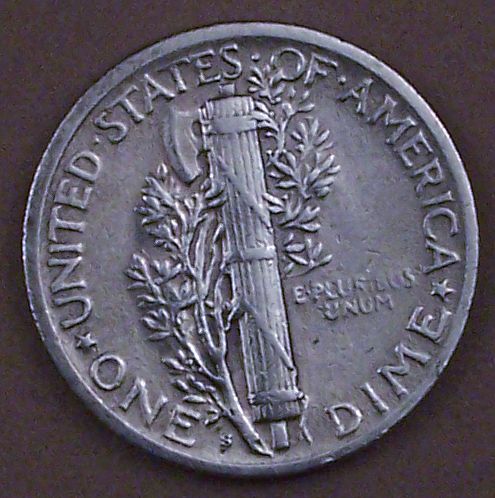
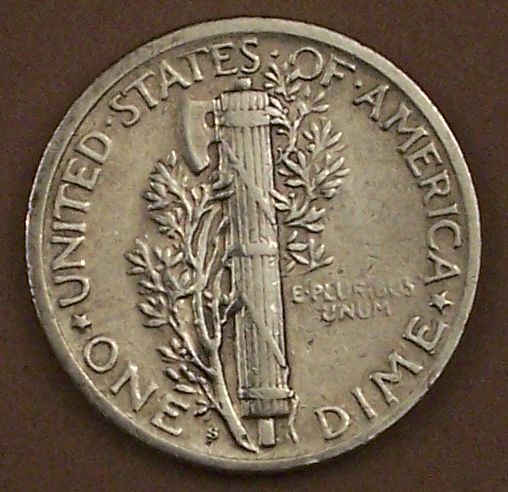
Ok. The first picture is with exposure bracketing all the way up. The second is with it about half way or a little more.


Question-On-Camera-Use.

Question-On-Camera-Use.
Pillar of the Community
KenKat's Avatar
United States
4085 Posts
 Posted 12/26/2010  10:30 am  Show Profile   Bookmark this reply Add KenKat to your friends list Get a Link to this Reply
Those last two are some pretty dang good pictures - I especially like the second. Nice work!
  Previous TopicReplies: 21 / Views: 3,462Next Topic
Page: of 2

To participate in the forum you must log in or register.


Disclaimer: While a tremendous amount of effort goes into ensuring the accuracy of the information contained in this site, Coin Community assumes no liability for errors. Copyright 2005 - 2026 Coin Community Family- all rights reserved worldwide. Use of any images or content on this website without prior written permission of Coin Community or the original lender is strictly prohibited.
Contact Us  |  Advertise Here  |  Privacy Policy / Terms of Use

Coin Community Forum © 2005 - 2026 Coin Community Forums
It took 0.41 seconds to rattle this change. Forums