| Author |
 Replies: 14 / Views: 3,272 Replies: 14 / Views: 3,272 |
|
|
Valued Member
United States
271 Posts |
I think the size limit is 90k for photos uploaded to this site. I have seen some fairly large photos posted and I'm wondering how the posters manage that.
So, what is the best format to use when uploading photos on this site? And when I say best, I mean the largest most detailed possible photos. I manage to take excellent photos with my camera, but by the time I shrink the image to be 90k, the detail seems to go away.
|
|
|
|
Bedrock of the Community
United States
14454 Posts |
I just resize mine to 90k and they are this size right here 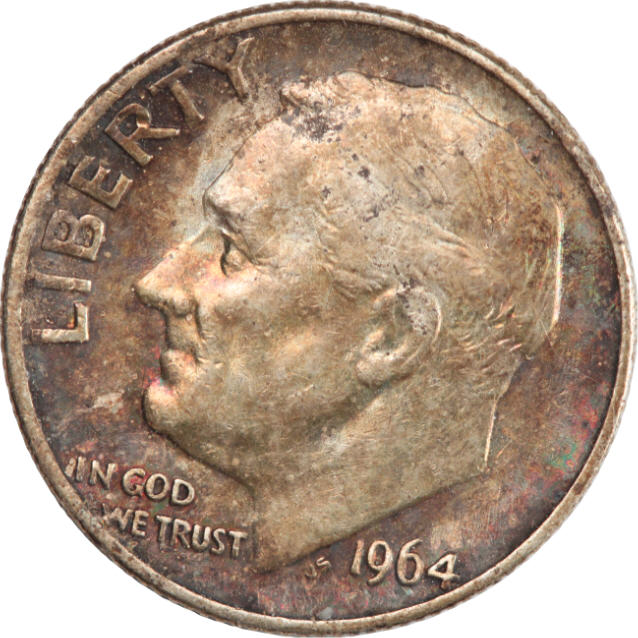 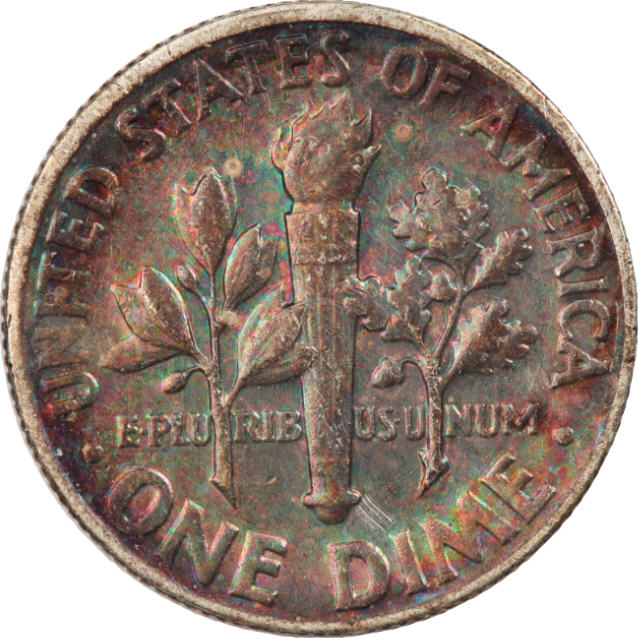 The main problem people have is they lay a coin on their desk and try to post the picture of their whole desk with the coin laying on it. If they would crop it out where only the coin is showing they can get some decent sized pictures to load on the forum |
|
Pillar of the Community
 United States
4048 Posts |
You can post whatever size pic you like as long as you host it somewhere and then link to the hosted image. 90k limit is for uploaded photos that the forum hosts. Problem with external hosting is that if you delete or move the image, the pic no longer displays. Note that the forum software is also fairly "smart" and won't allow a full size image to display if it is too large, and instead will down-size it until if fits on the screen. I haven't figured out what the max pixel count is yet, but I expect it's something like 640 wide. If the image is wider than 640 pixels, the forum software resizes it automatically. Anyone know the actual limit?
I use photobucket for my hosting. Once you upload the photo to photobucket, you link to it with html image tags. This allows you to go beyond the 90k limit but you have to have someone to host for you.
Contact me for photographic equipment or visit my home page at: http://macrocoins.comEdited by rmpsrpms
06/22/2011 12:02 am
|
|
Bedrock of the Community
United States
14454 Posts |
the images above were loaded on CCF servers and were under the limit of the server requirements. I will usually tell people about other hoisting sites like photobucket when they just can't never seen to get their pictures to upload because they have limited computer knowledge but as I have shown above it is not necessary to have pictures big enough for people to comment on authenticity/grading/or just about anything else you want to know about
|
|
Forum Dad
United States
24224 Posts |
Quote:
I haven't figured out what the max pixel count is yet, but I expect it's something like 640 wide. If the image is wider than 640 pixels, the forum software resizes it automatically. Anyone know the actual limit? ResizedPx = YourWindowWidthPx / 1.8 |
|
Moderator
United States
23522 Posts |
Quote:
ResizedPx = YourWindowWidthPx / 1.8 I always wondered about that. Bobby, you know I'm running two mismatched monitors - one 1650, one 1900 - and images always looked the same on both, relatively. Ain't code wonderful? |
|
Pillar of the Community
United States
4048 Posts |
Let's try presenting the same image a few different ways. I am curious how this will turn out! This dime image was taken at original 4928 x 3264 resolution. This is resized to 1232 x 816, and saved at highest quality. Size is ~360kB. Hosted at Photobucket:  Here is same image, 1232 x 816, and saved at highest compression. Size is ~88kB. Hosted at Photobucket  And here is the same 88kB image, hosted on CCF server: 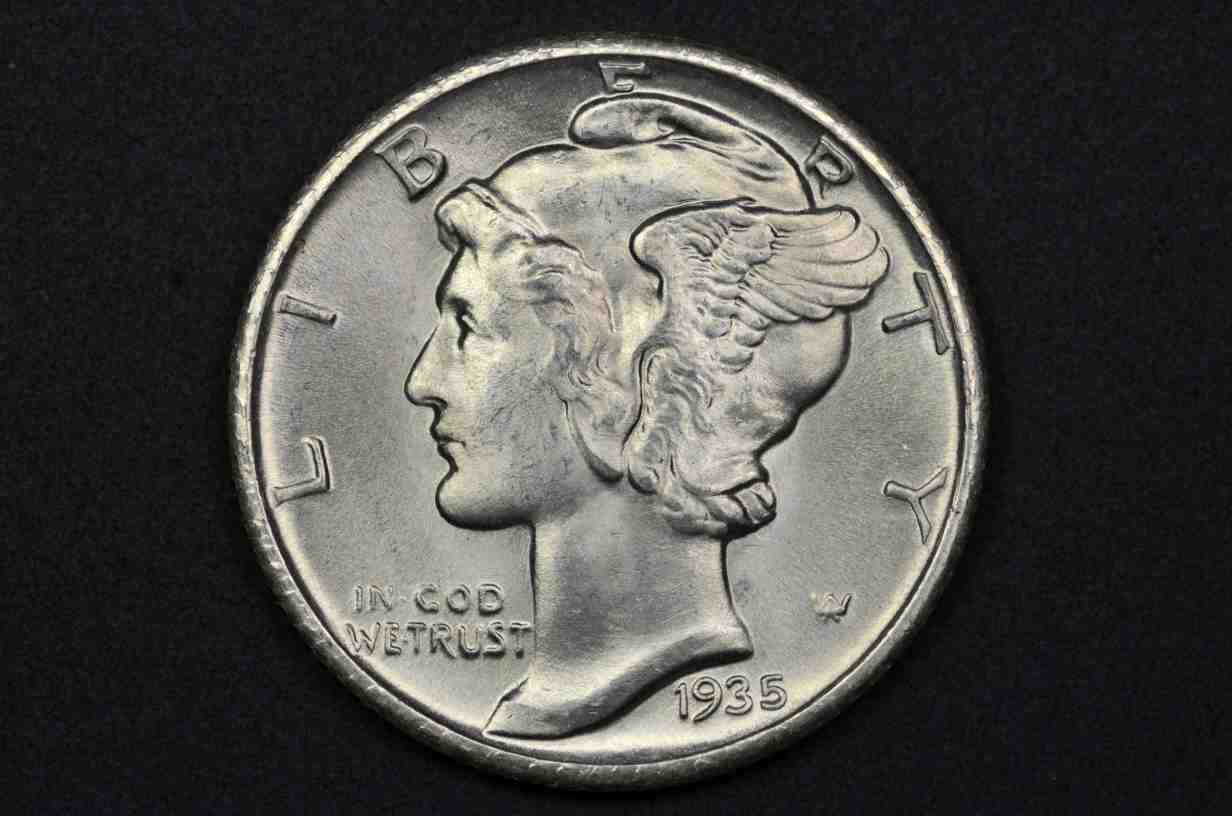 Here is the same image, resized to 616 x 408, saved at highest quality, 196kB, hosted at Photobucket  And finally, the same image, 616 x 408, saved at 2nd highest quality, ~82kB, hosted on CCF server: 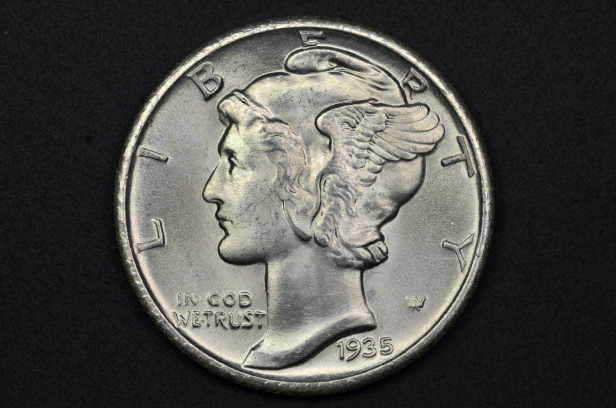 Contact me for photographic equipment or visit my home page at: http://macrocoins.com |
|
Forum Dad
United States
24224 Posts |
Your first 360KB image optimized with CCF's free optimizer to 42KB. Posted the original under it for comparison.  |
|
Pillar of the Community
United States
4048 Posts |
The optimizer does a pretty good job. However, the original can still be clicked on to get a larger image, so there is definitely an advantage to external hosting if you want to make a large image available. But if you put the image on the CCF server, it's not going to go anywhere or disappear, or change over time, or ...
Contact me for photographic equipment or visit my home page at: http://macrocoins.com |
|
Forum Dad
United States
24224 Posts |
Here's the same size with the optimizer under 100K... 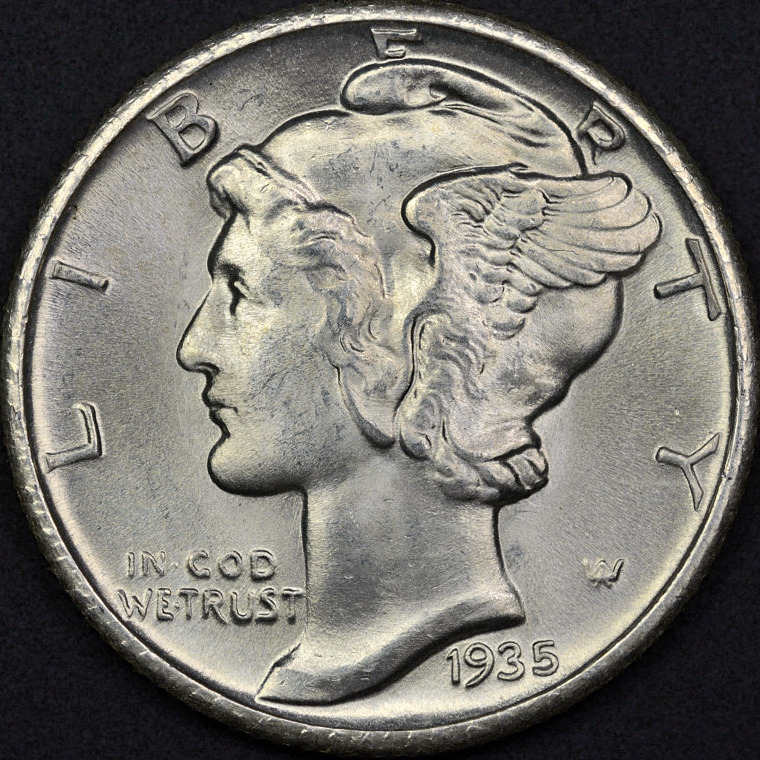 |
|
Pillar of the Community
United States
880 Posts |
I'll chime in just because it works for me. I use imageshack (same thing as photobucket) and use the "Direct Link" provided by them. I just do this because I like to keep an empty memory card on the camera. Not that I need to with an 8 gig card, but it's habit...
Anyway imageshack has an option that will let you auto size your images for web postings (I think it's 800x600 or to scale) which makes it really easy as well. I just resize mine to 800 wide in my editing program and let it scale. Usually makes them a pretty good KB size at that point too. Hope this helps
|
|
Pillar of the Community
United States
1299 Posts |
My first attempt at uploading an image. This photo was taken with a Canon G9 camera with a Raynox DCR-250 Super Macro Lens and using ZoomBrowser's Remote Shooting Window. The settings are: f8, 1 sec., IS0 80, and natural lighting. Care to comment? 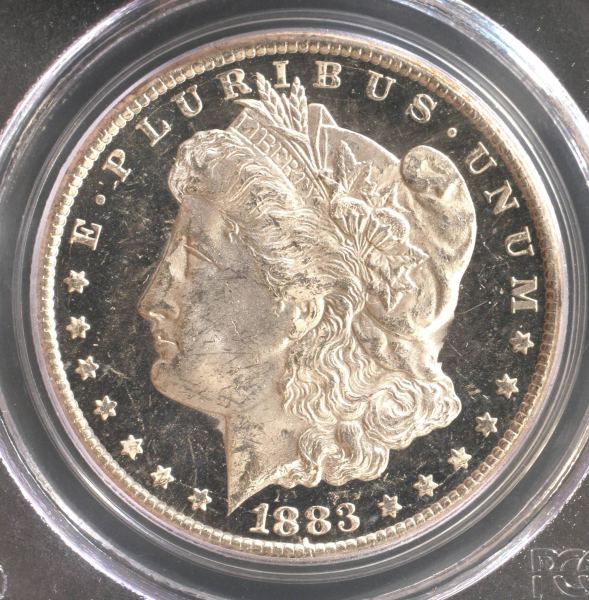 |
|
Pillar of the Community
United States
4048 Posts |
Good looking picture. Why ISO 80? I'd crank it up to 800-2000 to get the exposure time down. 1sec exposure is a potential problem due to vibration, etc.
Contact me for photographic equipment or visit my home page at: http://macrocoins.com |
|
Moderator
United States
23522 Posts |
I don't think a G9 is up to ISO800 for shooting coins. There's noticeable noise in an APS-C shot at that ISO. On the other hand, with no mirror to lock and on a firm mount, I'd be unafraid to shoot a P&S as slow as 1/2sec.
|
|
Pillar of the Community
United States
4048 Posts |
Ahhh, I was thinking DSLR world. I would personally still worry about even 1/2sec due to low freq vibrations. In DSLR's there is a "long exposure noise reduction" function that reduces the effects due to LF vibrations. Not sure where it kicks in, but I've never had good results even with my rock solid microscope stands below 1/10sec, corresponding to 10Hz vibration frequency. I suppose the best compromise is a balance between LF vibrations and high ISO gain noise, but I think it's likely that ISO80 is nowhere near the limiting ISO for noise.
Contact me for photographic equipment or visit my home page at: http://macrocoins.com |
| |
Replies: 14 / Views: 3,272 |
|










 Posted 06/21/2011 12:34 am


