| Author |
 Replies: 9 / Views: 2,006 Replies: 9 / Views: 2,006 |
|
|
Pillar of the Community
United States
609 Posts |
Hey guys, I have a Sony Cyber-Shot W330 14MP camera that I use to take pics of my coins. I was wondering how I could get the most out of it as far as how to set up lighting, angles and such. Does anyone have any tips or tricks that could help?
Thanks
|
|
|
|
Valued Member
United States
213 Posts |
If you have a microscope, try a customized PCV tube fitted over one lens and then set your cyber-shot in the PVC extension and start snapping a few images. Indirect light works best using halogen lights. Try setting up next to an outside window to get some diffused sunlight, or try the bathroom counter and bounce light off the mirrors.
Just experiment to find out what works best with your camera.
|
|
Moderator
 United States
16696 Posts |
I use an Olympus 500UZ. All I can say is I use incandescent lighting on a black cotton background, usually in super macro believe it or not. SuperDave  swcoin.ecrater.com
|
|
Valued Member
273 Posts |
For diffused lighting... took the "frosted clear plastic" top from a can of (some brand of semigloss clear) spray paint... cut the top out. For shooting, put the coin down, set this diffuser over (around) it, shine the bright light from the side, as close as practical (close) to get a nice bright almost omni directional lighting. great for coins (like 80's lincoln cents) with bright areas and very rough corroded areas.
|
|
Pillar of the Community
 United States
609 Posts |
So what microscopes do yall reccomend?
|
|
Moderator
United States
23522 Posts |
I looked into your camera a bit. Results were somewhat disappointing in that there's very little manual control, but it has a decent lens and proper setup will help. First, use only ISO 80 & 100 (maybe 200) for shooting coins. Too much noise will be introduced into the shot at higher ISOs. Second, turn off the image stabilization. It's digital in this camera, not optical, and will introduce noise into the image. Third, use Spot Metering. That makes the camera only examine the very center of the image for metering information, and since your coin will be in the center, that means the camera will get the best information and not try to bring out the details at the edges of the shot. Your Macro mode is capable of focusing down to about 4cm, which is darn good. You wont be able to light a coin that close to the camera.  |
|
Pillar of the Community
United States
609 Posts |
Here is a pic I took with 80 ISO. I cant figure out how to turn off image stabilization or how to use spot metering. 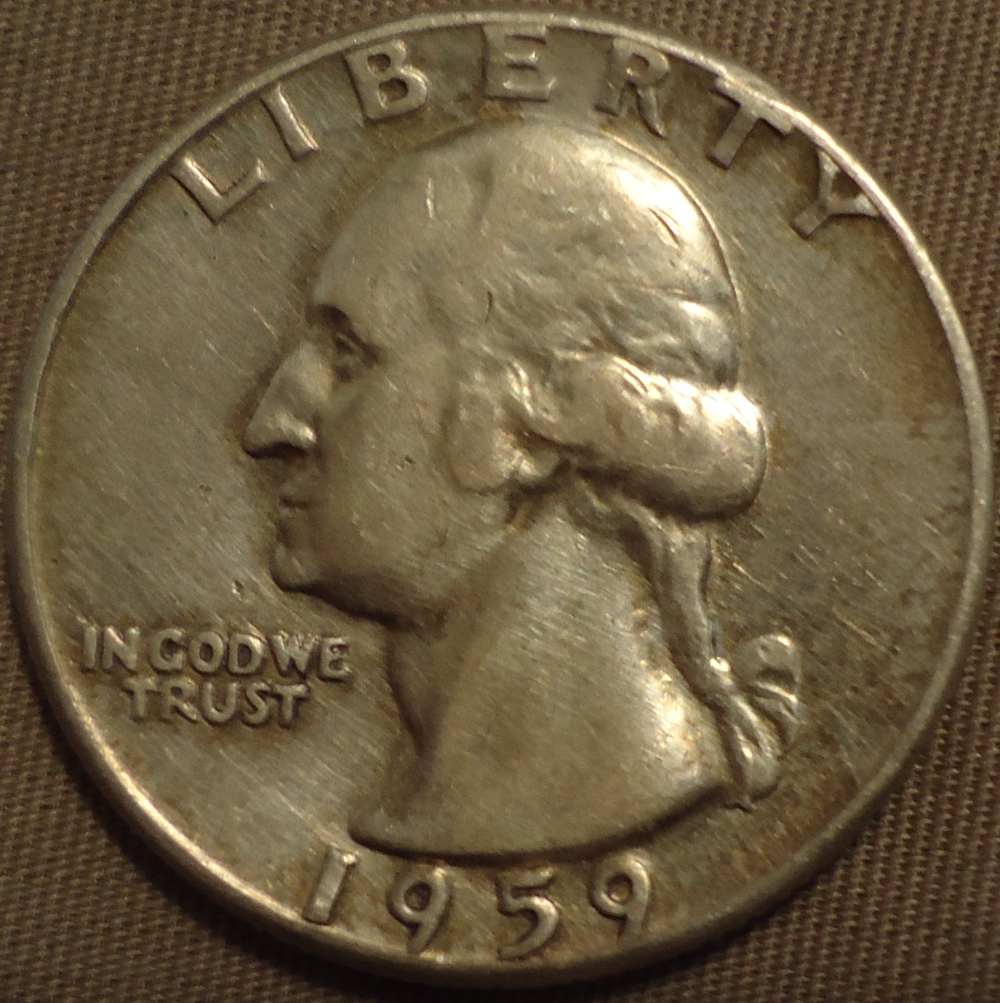 |
|
Pillar of the Community
United States
609 Posts |
I'm able to get pretty good pics now with the settings you suggested. I use a lamp with a fluorescent light bulb, and some paper so is not overly bright. I've hooked up my old tv and connected my camera to it for a huge display (compared to the on-board screen), that way I can tell if its blurry or not before I take the picture. Here is a pic taken with my new setup: 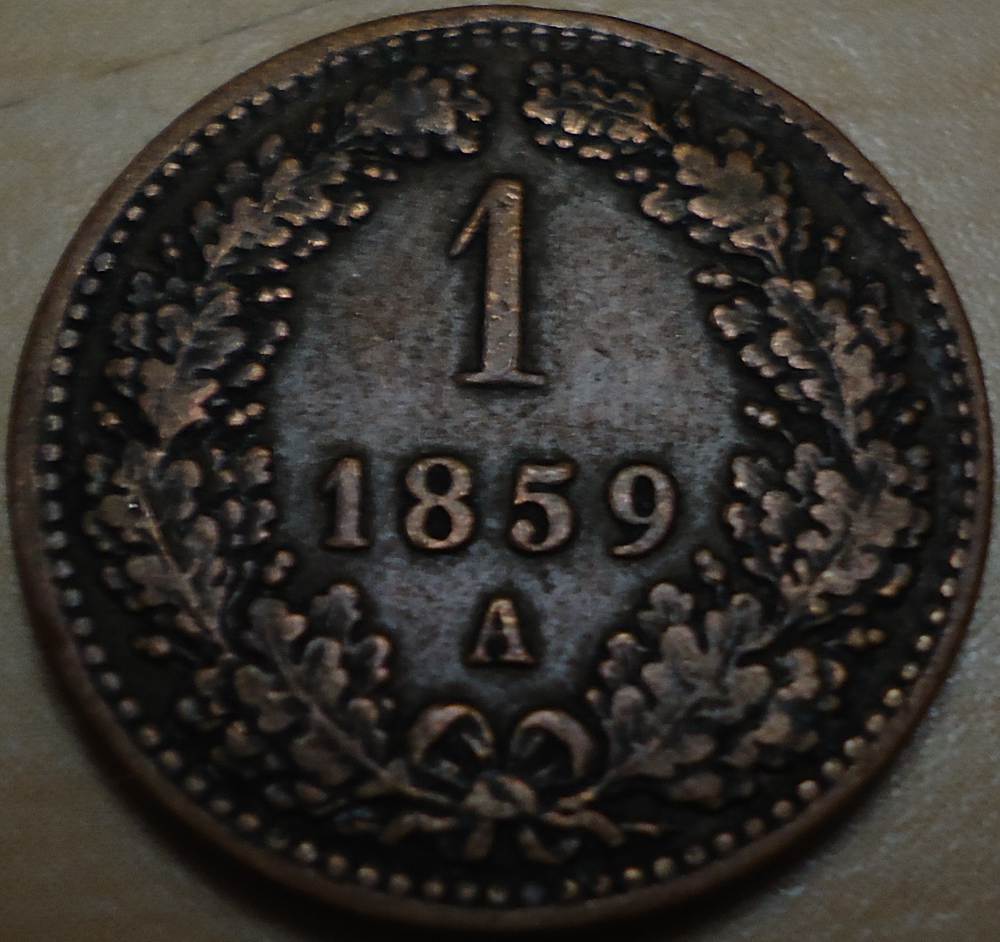 Here is my setup: 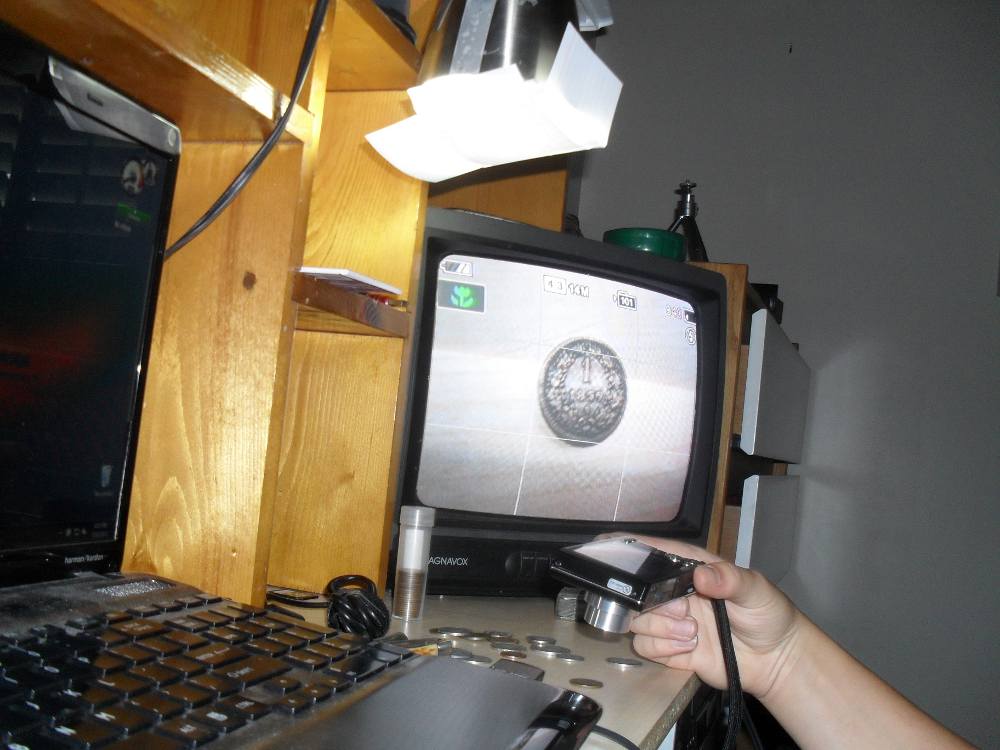 Thanks guys, I've learned a lot. EDIT: Oh yeah, next time I go to Wal-mart I'm going to pick up a black paint sample card to use for the background when taking pics of coins.  Edited by Hambone
07/10/2011 6:19 pm
|
|
Valued Member
United States
266 Posts |
Nice pix, Hambone. I have a Canon camera that I bought for taking pix of my coins. These set ups are a lot more elaborate than what I am doing. I just have my camera on a tri-pod, and place the coin on an old piece of black felt. I found that a black card, or poster board was too reflective for what I was trying to get out of it. I use a single fluorescent light that I reflect off the wall, and back onto the coin. It makes some good pix, in my opinion, but it has one drawback. When I get it onto my computer, The more I magnify, the worse the coin looks. If you get it too magnified, it shows every nook, and scratch. |
|
Moderator
United States
23522 Posts |
I don't know how I lost touch with this thread, Hambone. My apologies.
The blur you're seeing will not go away until you tripod-mount that camera. When you do, you are going to realize that's a pretty darn good camera - I can already tell what it's going to be capable of.
|
| |
Replies: 9 / Views: 2,006 |
|





 Posted 07/04/2011 7:23 pm





