| Author |
 Replies: 15 / Views: 4,306 Replies: 15 / Views: 4,306 |
|
|
Pillar of the Community
United States
1256 Posts |
This is the smallest I've found plus pretty cool interface. Lots of options. Rats! No copper foil :) http://www.onlinelabels.com/OL5400.htmAnyone have any links to small stuff? 1/4 x 1 would be nice. Edited by timsumrall
09/23/2011 7:21 pm
|
|
|
|
Moderator
 United States
14463 Posts |
You could get a label maker and cut them to whatever size you want  |
|
Pillar of the Community
 United States
1256 Posts |
That's sort of what I'm doing now. Cutting down 5160's. It's a pain and doesn't look that great.
|
|
Moderator
United States
14463 Posts |
are you putting the sheets through a printer, or writing on them?
|
|
Moderator
United States
14463 Posts |
I have a Dymo label maker, they have label tapes/rolls that are 1/4" wide. You can make a label 1/4" wide and any length from 1" to 23'.
Edited by Fuzzy317
09/24/2011 04:57 am
|
|
Pillar of the Community
United States
1213 Posts |
I have a Dymo label maker too - definitely the way to go. You can do individual labels that are ready to stick on whatever and it doesn't take a whole sheet of paper plus scotch tape.
|
|
Pillar of the Community
United States
1256 Posts |
|
|
Valued Member
United States
466 Posts |
depending on what kind of labels you are making you can buy transfer lettering in small sizes that you rub with a pencil and it leaves the decal behind.
Could work for blank dansco pages or something of that nature I would guess
|
|
Pillar of the Community
United States
1256 Posts |
Thanks googoo but wow sounds tedious. I'm labeling 2x2's and just my Lincolns would be a couple hundred.
I agree it would be a good way to customize and album.
Weavus has something going on. Hoping for some feedback.
|
|
Pillar of the Community
United States
594 Posts |
|
|
Pillar of the Community
Canada
650 Posts |
I started using the 'brother' label maker but the tape is pricy. Not sure how many 2x2s you can label to a roll, and how many you botch. But as Fuzy suggests if there are 23 feet of tape thats about 120 2x2s, half if you label top and bottom, its 10 to 20 cents for the tape for a 2x2. I have to get up on the avery labels.
|
|
Pillar of the Community
United States
1256 Posts |
Been wanting one of these for years. Not just 2x2s but general use to. Thanks for the input.
|
|
Pillar of the Community
United States
539 Posts |
I use the Avery online resource and print mine. They have made it a bit less user-friendly as of late (I sent them a note asking why). But with some extra effort I'm still able to use the 8195 labels and get the following: 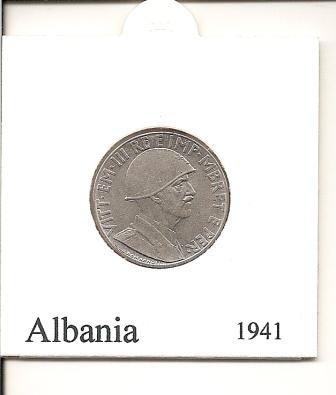 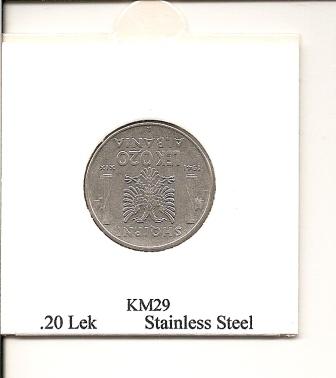 |
|
Pillar of the Community
United States
1256 Posts |
Very nice result. I can't see the edge of the label. How big is it?
I'm a big fan of self sealing 2x2s. They rock!
PS I have one coin from Albania. A 1927 1 lek.
|
|
Pillar of the Community
United States
539 Posts |
timsumrall
I use the Avery 8195. they are 2/3" x 1 3/4". Essentially the lettering is at the very edges in most cases. The labels come 60 to a sheet so you do want to get a full page otherwise you end up wasting quite a few labels. the online tool is pretty good. The older one was much better than the improved one though. It was way more intuitive. But the new one works. It takes a bit more 'managing' to get each label correct. It does take a little time but once you have the process down, it does create a nice clean result.
|
|
Pillar of the Community
United States
2295 Posts |
On Amazon, there are a lot of bad reviews on the Dymo LetraTag Plus LT-100H Personal Label Maker, stating it runs out of ink very quickly and the batteries don't last long. Like the ink stops after using it for a couple of weeks. How many feet of labels have you printed with a Dymo? Which one do you have? I think the label makers are the way to go, if you can find one that works reliably, unless you are printing many sheets of them at a time. |
| |
Replies: 15 / Views: 4,306 |
|




 Posted 09/24/2011 04:36 am





