Excellent. First of all, don't worry about a thing on the camera. You have Zoom Browser up and running on your computer, and you don't need to look at the camera any more. From here it's all done with your mouse.
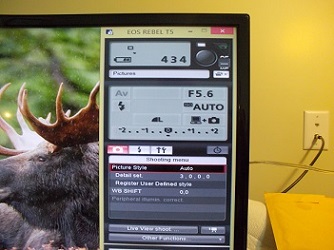
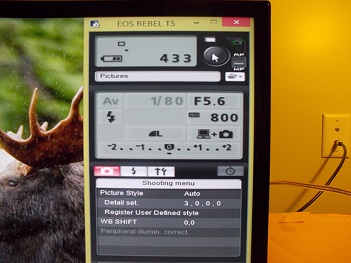
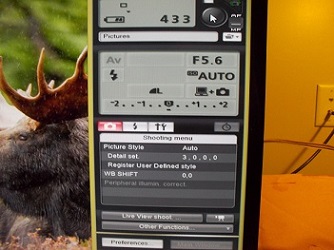
Your version of the software is newer and slightly different from mine. Looks like additional capabilities have been added. Most of what we'll talk about refers to the bottom image - that's the screen from which you make the adjustments and trigger the shot. Depending on your Mode setting - the first one I'll explain - you adjust all settings from this screen by clicking on the icon.
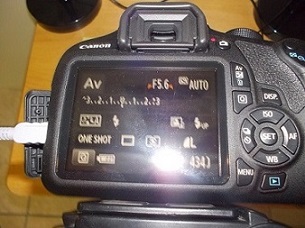
So, start at the top left of the block of 9 icons, the one that reads "Av." That is the Mode setting on your camera, the top dial with M, Av, Tv, etc. Av is Aperture Priority, were you set the aperture and let the camera basically figure the rest. To its' right - shown in one image as a greyed-out "1/80" and blank in others - is the Exposure setting. You can't adjust that in Av. Next to the right is the Aperture setting itself. For our purposes, always use f/8.
Next row down, from the left: That's the Flash symbol, and you have the flash enabled. Disable Flash and forget about it.

The next block (middle), to be honest with you, I can't explain. Never seen anything there.
Next to it is the ISO setting. 800 in one of your images, Auto in another. This is a basic determiner of how much light reaches the sensor, and normal advice is to keep that number as low as possible. Sometimes you just_can't get enough light on the coin, and raising the ISO number allows more light. The tradeoff is increased "noise" in the image. That said, a T5i will allow ISO400 before
anybody can see noise in the image and ISO800 might show visible noise to an expert. In my opinion, leave it at ISO400. That gives the rest of your settings the most flexibility without compromising noise levels.
On my software, the block at the bottom left is Metering Mode. This is where you tell the camera where to look closest for light and focusing information, ranging from "only in the exact center" to "use the whole image to decide." We want the camera looking only at the center of the image - the coin - for info. I don't know where that setting is on your software; it works on mine with the camera in Av so I expect to see it on yours. Use either the "Spot" or "Center-weighted" setting.
Next to it is where you choose the image size and format. Always use the biggest the camera can give you, which is the setting (the L with the quarter-round next to it) you're using. Let's not worry about RAW yet.
The last box is where you choose whether to send the image to just the computer, or to the computer plus the camera's memory card. I usually just send it to the computer. Yours is set to both computer and card.
Right below all those is a bar labeled "-2" to "+2." That's Exposure Compensation. It lets you add or subtract light from the image regardless of what the camera chooses to do. It overrides all other settings, making it a powerful tool when you need it.
Below that is a row of 4 icons. The red one on the left is the Shooting Menu, where you can control how much the camera processes the image itself before sending it to the computer. You want the camera to do as little as possible; your computer is a
ton more powerful than the camera's processor and can do the job a lot better if it's necessary. Not having a T5i I don't know what exact settings are available here; perhaps someone with one can offer more detail. I will say the first setting I see - "Picture Style" - should be set to Neutral.
To the right appears to be a Flash setting? I don't know, that spot on my software is where the "wrench & hammer" icon sits. That's where you set the date/time & stuff like that. The last icon, the circle, is where you can set a shutter delay if you want. No need, because you trigger the shot with the big black button above, and nothing ever shakes the camera.
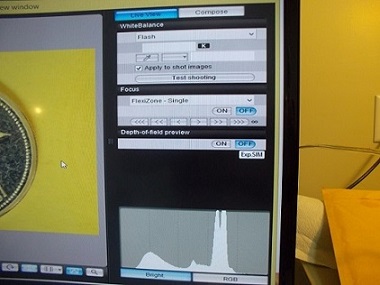
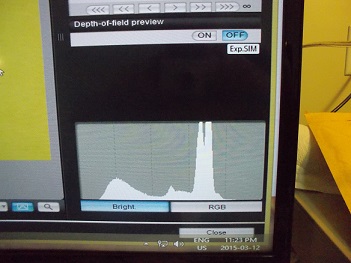
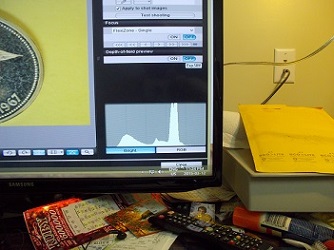
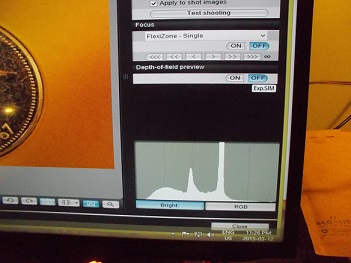
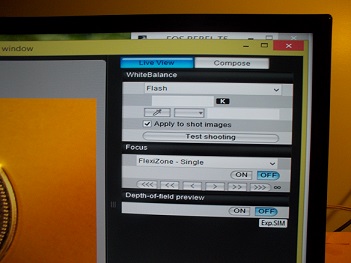
Below that is "Live View Shoot." That's where you look at the coin in real time, just as the camera is seeing it at that moment, so you can focus on your monitor. Is that what I'm seeing in the top couple of images with the coin right next to it?








 First Page
 Previous Page




 Posted 03/12/2015 8:58 pm





 I have checked Search but, not finding it


