| Author |
 Replies: 85 / Views: 11,324 Replies: 85 / Views: 11,324 |
|
|
|
Pillar of the Community
 Canada
2784 Posts |
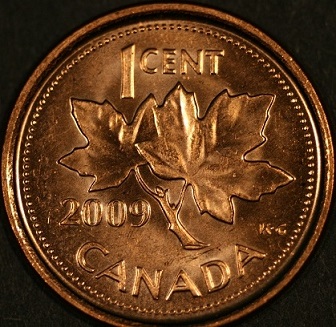
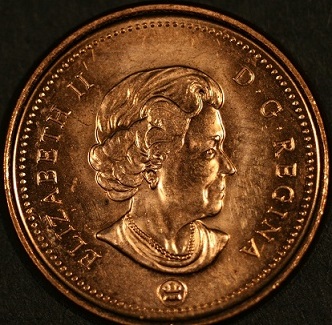
well I thought after lots of reading and some help from the members. I would try this again so here is a couple new pictures. I finally found a program that dave has been telling me about on my computer to adjust these pictures. so I think I am finally improving. I need to open my mind hehehe. 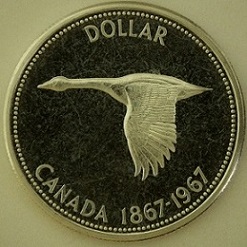 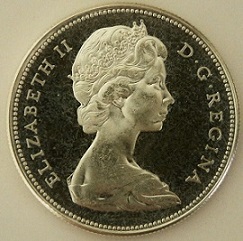 |
|
Pillar of the Community
Canada
2784 Posts |
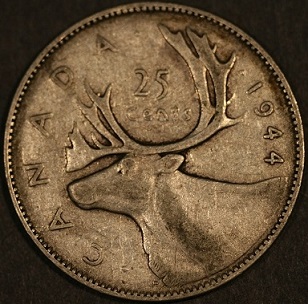
trying a different setting don't know if I gained much. here are 2 more 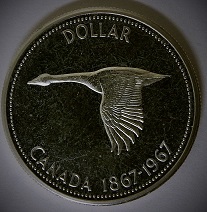 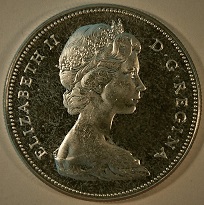 |
|
Pillar of the Community
Canada
2784 Posts |
hello dave I was just doing so checking on this program of canon that came with the camera. I finally figured out how to open the program and in there is a window that allows me to edit the pictures I have taken. I can change the ISO setting . I can change the light temperature. and I can change the white balances there is so many different things that, I can do this program is vast. I thing I am finally starting to realize what you and the rest of the members are telling me. all I have to is go to the file clip board open the folder I select and take the pictures and drop them in this program. I can change anything on these images. ok I will work with a few and then I will post them and tell me what to change. I will than make the adjustments thank you guys so much.
|
|
Rest in Peace
United States
4078 Posts |
Will this set-up work with any Apple products? IE.
Mac OS X, also an I-Pad.?
|
|
Pillar of the Community
Canada
2784 Posts |
hello bpoc1 yes they are listed as compatiable. my computer is a asus with windows 8. when I purchased the camera this is one of the disc in the package. I had to go and register with canon which was very simple. Some how this opened another tab on my computer. I had to get my son to do all this for me. dave has been telling about this I believe. I just did not understand. so last night I thought I would open this tab it is part of 4 tabs that are on the disc. that allow you to do different functions to your pictures. this is one of the most incredible programs I have ever seen. even if I drop a photo of another make of camera. it will make what ever changes you want or you can set it to automatic. it will do the changes itself once you drop the picture on the screen. it has finally help me to understand ISO plus light contrast colours everything is there. more than that there is so much. but I can learn that later with daves help. I can tell you bpoc1. that you can go to canon and get this as long as your register a camera. that how my son did this. hope you get that is a wonderful program it explains so much have a great one
|
|
Moderator
 United States
23522 Posts |
ISO, white balance and all that cannot be adjusted after you shoot an image.  You can manually change color and contrast with postprocessing software but the only place you create image settings like that is in the camera before you shoot the pic. That's the Zoom Browser software. What software is this? |
|
Pillar of the Community
United States
1476 Posts |
Hey guys, I have been following this thread and seriously considering going out and getting the T5i.
It's a lot of money but I 'think' it would be a good deal. Sam's club has them.
DO you think this would be a good idea or should I save a little more and go with like an EOS model?
I would like to be able to do more then just coins with it considering the cost.
Any opinions? Or Is there something better in the same price range I should consider?
Maybe get one of Rpmsrpms setups?
|
|
Moderator
United States
23522 Posts |
The T5i still uses essentially the same sensor as the T2i, and the T6i which followed it. In-camera software is more advanced, but we turn that off to shoot coins. No reason to spend even *that* much unless you're set on buying new, or you like the pivoting LCD screen. It is a good enough camera to fully utilize the most expensive lenses. The features of the larger EOS cameras are oriented towards pros - more focus points, faster/longer bursting, stuff like that. Kind of a dirty little secret.  For the record, I shoot with a 10MP Rebel XS, something like three generations older than the T2i. With the right lenses, it is just as good as anything else. All we need for coins is a good sensor - we do the rest with lenses, smart lighting and good postprocessing. |
|
Pillar of the Community
Canada
2784 Posts |
hello Dar I would not buy one. talk to dave its way to much camera for this kind of a task. I read mark goodman book cover to cover. I am really starting to rethink what I want to do with coins dave and bill plus the rest of the members will help you. when it comes to a camera I believe now its all about the lighting and a camera you are comfortable with. the canon programs consist of 3 different programs. if you are lucky 1 will work the other 2 are junk. so take your time and think about what you want. go to a canon dealer get them to show you how to program the camera watch what they do. if they have difficulty leave. go to a Nikon dealer ask to see the d3200. look at the different in programing then make your mind up. I can tell you I no longer have a canon sold it broke even . I have purchased a Nikon 3200 I will post pictures later. great camera for myself
|
|
Pillar of the Community
Canada
2784 Posts |
well after trying both canon and Nikon. the canon connected to the computer is so easy to take a picture with. the Nikon 3200 you have to squeeze the shutter and its not quit as easy. they both take great pictures . the canon can be attached directly to your computer so it makes it easy to check coins. the Nikon 3200 can be attached to a television large flat screen and you can also check coins or your monitor bypassing your computer. all you need is the cables. like I said the canon is one up on the Nikon. you can take your photos by just clicking your mouse. I really like them both. I sold the canon a move I should have maybe thought about more. well thank you all so much hope this helps some one else. I know I have learned have a great one
|
|
Pillar of the Community
Canada
2784 Posts |
well dave went to a pawn shop. I have purchased a canon eos rebel xti. I got a great deal I think on the camera. I have to wait for my son to download the software from the canon site. I have been taking a few photos by squeezing the shutter myself the camera seems to work very well. the macros setting on this camera and lens is very good on its own. so after I get everything up and running. I will post here again and with you and the members help. I think I will get there this is a very nice camera a bite different then the t5. thank you
|
|
Pillar of the Community
Canada
2784 Posts |
|
|
Pillar of the Community
United States
1476 Posts |
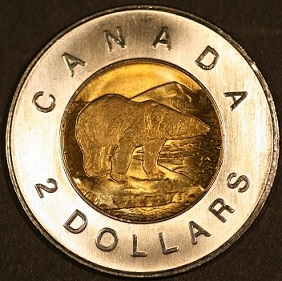
Did you leave the lights in the same 3 and 9 positions when taking All the pictures? The reason I ask is because the difference in the copper and the bi-metalic. Copper looks as though there is a strip in the center that is brighter and on the bi-metalic it looks darker. I imagine it's because of the reflectance of the different metals? If I'm saying that correctly.  |
|
Pillar of the Community
Canada
2784 Posts |
yes dar I never moved the lights. I left them in the same position. I am wondering thou about this process. I have read mark goodman book the second addition. I have studied that book . I took some time to think about what he is saying and what we are doing here. if I am correct in my thoughts what he is doing and what we are doing is only similar but different. I think if one flowed his book we would approach light slightly differently. I believe he takes his images from a distance. they are really great photos very sharp. now after reading the thread about photo editing and doing more research. finding out when we resize images we are removing pixels. I am wondering has anyone took the time. to take a good zoom lenses and take and image of a coin. to see what they get and would be easier to light the coin. I am sure some one must have tried this. if some one has please post before I go and buy one of these big lenses to find out what one would get for results. thank you all
|
|
Moderator
United States
23522 Posts |
Zoom lenses are lousy for coins, rocky. The only way they work is by making compromises in quality that go against what we need here.
Your current setup is as good as can be assembled for the money, and is capable of work as good as anyone around here. Your El Nikkor is probably the best of anything available at the price. Let's work on getting those images large enough to post for proper evaluation - they're far too small and a bunch smaller than CCF's Uploader can handle.
Mark shoots at the same distances from the coin as anyone else. The lens decides how close it needs to be based on focal length and magnification, not the photographer.
|
| |
Replies: 85 / Views: 11,324 |






 First Page
 Previous Page


 Posted 03/27/2015 8:07 pm