| Author |
 Replies: 54 / Views: 8,594 Replies: 54 / Views: 8,594 |
|
|
|
Pillar of the Community
United States
8528 Posts |
John1...I dont know if youre still around but what did you put on your led's ? Some kind of tape ? I got a usb microscope like you guys and the glare is a little much like you said it would be. Thanks.
Oregon coin geek.....*** GO BEAVS ! ! ! ***
|
|
Pillar of the Community
United States
8528 Posts |
Oregon coin geek.....*** GO BEAVS ! ! ! ***
|
|
Moderator
 United States
56855 Posts |
I am still around. Read this: My Celestron does not have white balance control it's the same model as yours, I just wanted to know if mine wasn't working for some reason. As for caps;i bought a package of those metal hooks you use on a peg board, they each have a rubber cap on them. I used a black marker to color them in because they were white. You might have to cut the caps a little because they stick down a little too much. As for the LED that I use a filter on, I took one of those eye glasses lens cleaner clothes "the dry ones" not the wet ones, although I guess you could wait till it dries out and I cut a piece about the wigth of the bulb about three or four inches long and wrapped it around an ink pen ink tube then taped it with a piece of frosted tape. Then take it off the tube and pinch one end together and tape it down. Then cut the open end a little at a time until it fits the bulb just right, make sure you cut as straight as possible so you block as much light as you can. There will still be some light coming from around the bulbs but it does help a lot. And you can move the rubber caps and the filter caps as needed. Hope this helps some. John1  |
|
Pillar of the Community
United States
8528 Posts |
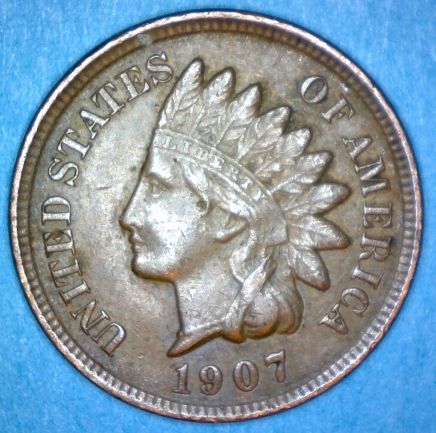
Havent gotten my led's covered yet but I did put the penny at an angle to reduce glare. I have my scope mounted to my new Lighthouse stand and I love how precise it is. 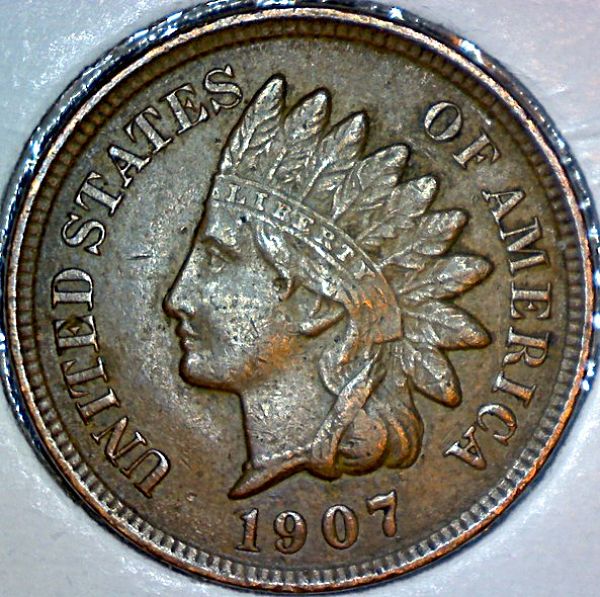 Oregon coin geek.....*** GO BEAVS ! ! ! ***
|
|
Moderator
United States
56855 Posts |
That's a pretty nice photo,only a few hot spots. To angle my shots I took a 2x2 cardboard coin holder and made a wedge out of it and removed the mylar then taped the one edge. I have two at different angles. Works great. John1 |
|
Pillar of the Community
United States
8528 Posts |
Oregon coin geek.....*** GO BEAVS ! ! ! ***
|
|
Pillar of the Community
United States
8528 Posts |
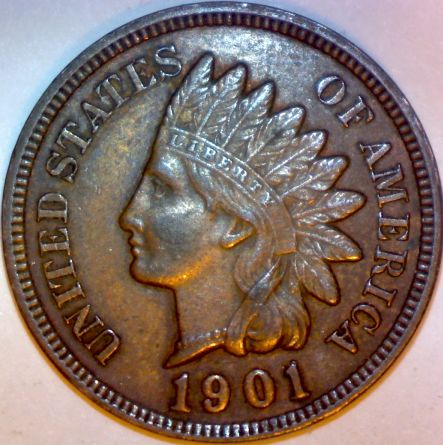
A little better. That's 5 0f the 6 covered with orange caps.
Oregon coin geek.....*** GO BEAVS ! ! ! ***
|
|
Pillar of the Community
United States
8528 Posts |
Oregon coin geek.....*** GO BEAVS ! ! ! ***
|
|
Pillar of the Community
United States
8528 Posts |
Oregon coin geek.....*** GO BEAVS ! ! ! ***
|
|
Pillar of the Community
United States
8528 Posts |
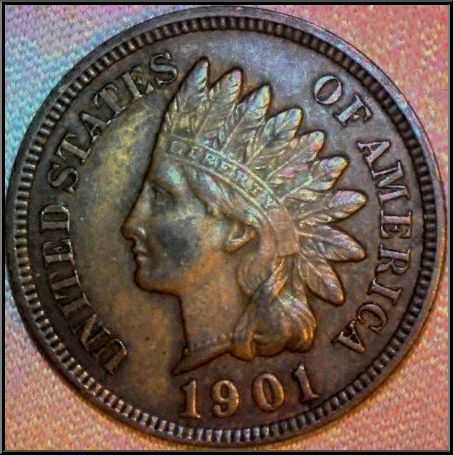
Without any controls for the LEDs, I've been angling the penny to get rid of the glare. It's not the best but it's better. Different fabrics seem to help too. I need a good flat black, I think.
Oregon coin geek.....*** GO BEAVS ! ! ! ***
|
|
Pillar of the Community
Canada
1723 Posts |
If you are looking through rolls and you want to take a close up look at a particular feature of a coin, can you just use a good magnifying glass or will that distort what you are looking at?
|
|
Moderator
United States
56855 Posts |
You can use a good loupe, I use a 14x but sometimes you need a higher mag and the high mag loupes tend to distort above 14x in my experience. Also if you want to post a close up pic it helps to have a really good camera or a usb microscope. John1 |
|
Pillar of the Community
United States
8528 Posts |
My wife is using my USB scope to look for cams and wams on Lincoln's. Works for her since she's about blind, lol. She likes being able to view the penny on a 19 inch monitor.
Oregon coin geek.....*** GO BEAVS ! ! ! ***
|
|
Pillar of the Community
United States
1137 Posts |
Great info on glare, thanks!
|
|
Pillar of the Community
United States
3546 Posts |
Hi, Just for the benefit of having some additional comparative photos from other USB cameras using alternate lighting techniques it may be of use to read the following thread: https://goccf.com/t/88598The majority of my photos within the above thread were taken using a simple single source spiral CFL bulb (see attached photo). The USB camera's included LED lights were not used at the time that I took these shots. In order to diffuse the intensity of the CFL light stream I simply molded(then taped) a piece of 8 1/2" x 11" white copy paper to the goose neck light's outer reflective housing which contained the CFL light. Obviously, the CFL bulb then had this piece of paper between it and the coin... Then to achieve the impression of uniformly scattered light with minimal shadowing or glare I then taped another 8 1/2" x 11" piece of white copy paper to the tripod legs (holding the USB camera). I angled this additional piece of white paper in a way such that the light shown down onto the coin using this extra piece of paper as a reflector and simultaneously from the original CFL light source. The reflected light, however, came in from a direction 180 degrees different from the original CFL light source to cancel out any shadowing effects etc... The bottom line is that virtually any of these cameras will produce decent photos if the lighting arrangements are properly set up taking into consideration reflection, glare, shadows, and intensity. I am convinced than with a little ingenuity an adequately functioning camera setup can be completely assembled for under $ 40. (excluding the cost of an adjustable vertically moving camera stand) mdpmedia 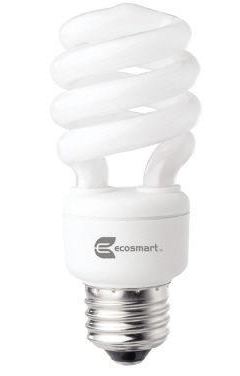 |
| |
Replies: 54 / Views: 8,594 |







 First Page
 Previous Page


 Posted 01/27/2012 6:21 pm