| Author |
 Replies: 146 / Views: 16,552 Replies: 146 / Views: 16,552 |
|
|
|
Pillar of the Community
United States
9395 Posts |
Is the camera attached to a tripod? If not, hand holding the camera might be causing the blur, assuming everything is sharp in the viewfinder.
|
|
Pillar of the Community
 United States
2824 Posts |
no tripod just hand holding to test out camera..
I am waiting on a nice vintage copy stand but it wont be here for 5-7 days
|
|
Pillar of the Community
Canada
2784 Posts |
OcalaFlorida if you are hand holding the camera. the only way to do this is set the camera on something solid table or a desk. place the coin some where in front of the lens leaning again some thing solid. set the timer on the camera.let it. activate the shutter. the setup you are using has so much power one cannot hold it steady enough. if you just want to test it. the canon camera is one of the best coin camera you can own. I to had a very hard time but after while it gets very easy.you will see
|
|
Pillar of the Community
Canada
2784 Posts |
pepactonius I purchase one of the Olympus 80mm 1:4 lens you are right that is and outstanding lens. I had it on a sony camera. I will try it later on a canon. thanks for the tip great lens
|
|
Pillar of the Community
United States
2824 Posts |
Thanks Rocky, Took my first ugly picture... it's all uphill from here  I stood up a coin and took a picture with it on the table it worked. Yes the picture is ugly.. Table shakes... but everything looks ok The copy stand and lights are going to make the different picture is a 1960 QDR in a 2x2 flip finger print, dust... not best subject. But I now know it was my hand doing the damage. My first picture one step closer. 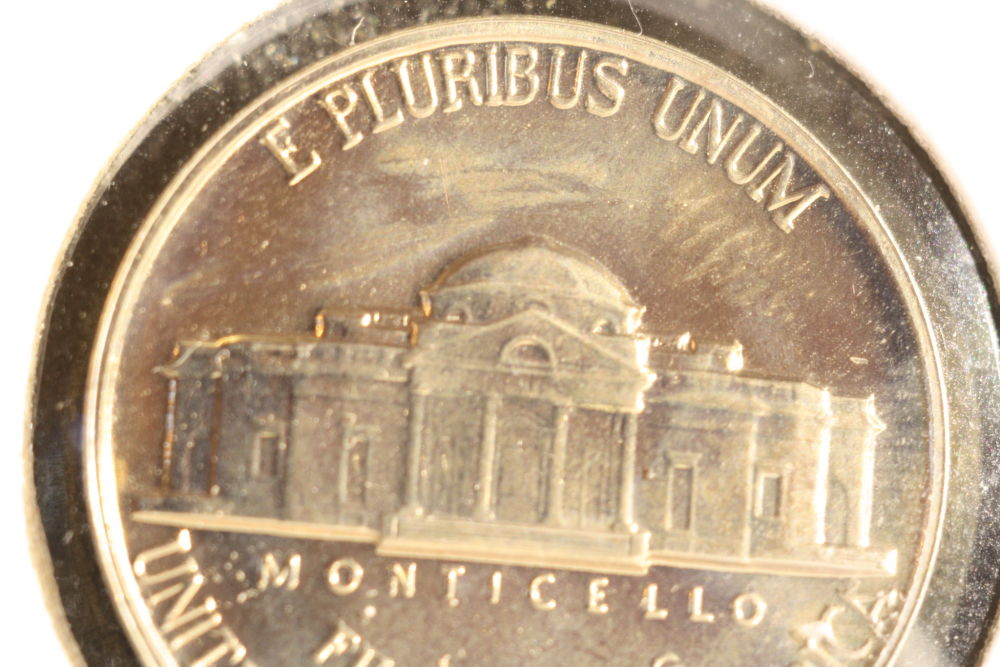 |
|
Pillar of the Community
Canada
2784 Posts |
OcalaFlorida you are doing good. if you want the whole coin in the image take out a short piece of the macro tubes. that is a nice coin. I can see that this is not new to you. you are doing good. once you get your gear you will find it a lot more easier. have a great one
|
|
Pillar of the Community
 United States
4051 Posts |
Good start. Looks like the extension is too long for some reason. Take out a 7mm or 14mm extension and the coin will appear smaller. As for your other settings:
lens aperture: 5.6 as rocky suggests, or you can go as high as f11 but sharpness will start to suffer after that
top knob on camera: I recommend Av. SuperDave likes manual, but Av is easier as it automatically sets the shutter speed
Quality: L for highest quality
Auto Rotate: off
Also, find the ISO setting and make it 100
I also recommend finding the exposure compensation and make it -1/3
You are set on standard picture style, which is OK, but you should find the sub-settings (maybe easier once tethered) and set the contrast to -2 for less lustrous coins, and -4 for very lustrous coins.
Edited by rmpsrpms
12/09/2015 11:16 pm
|
|
Pillar of the Community
Canada
9860 Posts |
This is all good info, take notes.
|
|
Pillar of the Community
United States
2824 Posts |
Did some of these setting - but no lights, no stand just camera on table and slab against a shoebox. Photos are slightly cropped The coin leaning against box on a angle is that what caused the bottom to be slightly out of focus This what I triedTook out a 14mm extension lens aperture: 5.6 put it on Av. ISO 100 exposure compensation -1/3 not done yetQuality: L for highest quality Auto Rotate: off note I did not play with contrast to -2 for less lustrous coins, and -4 for very lustrous coins. I also did not adjust Quality: L for highest quality yet Test #2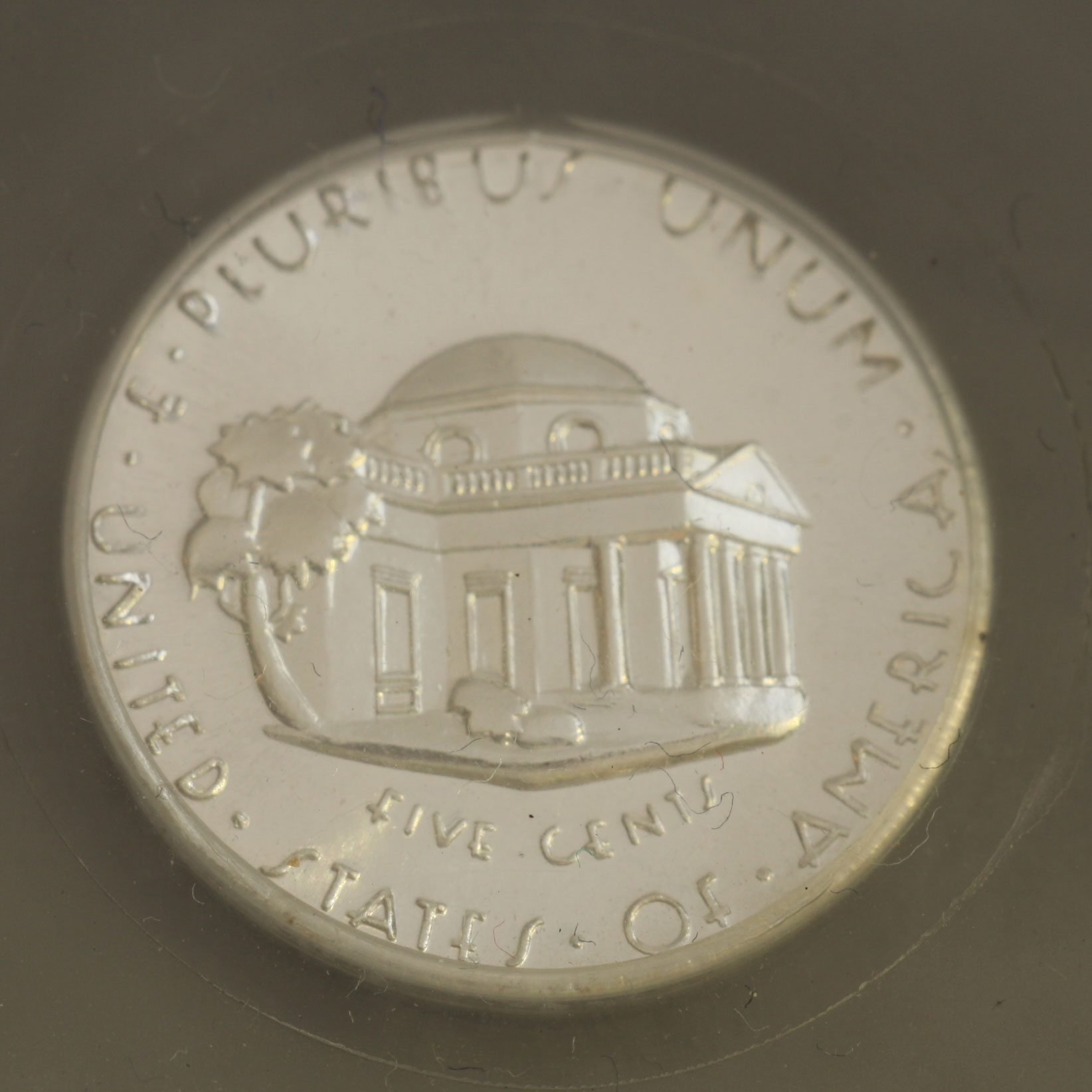 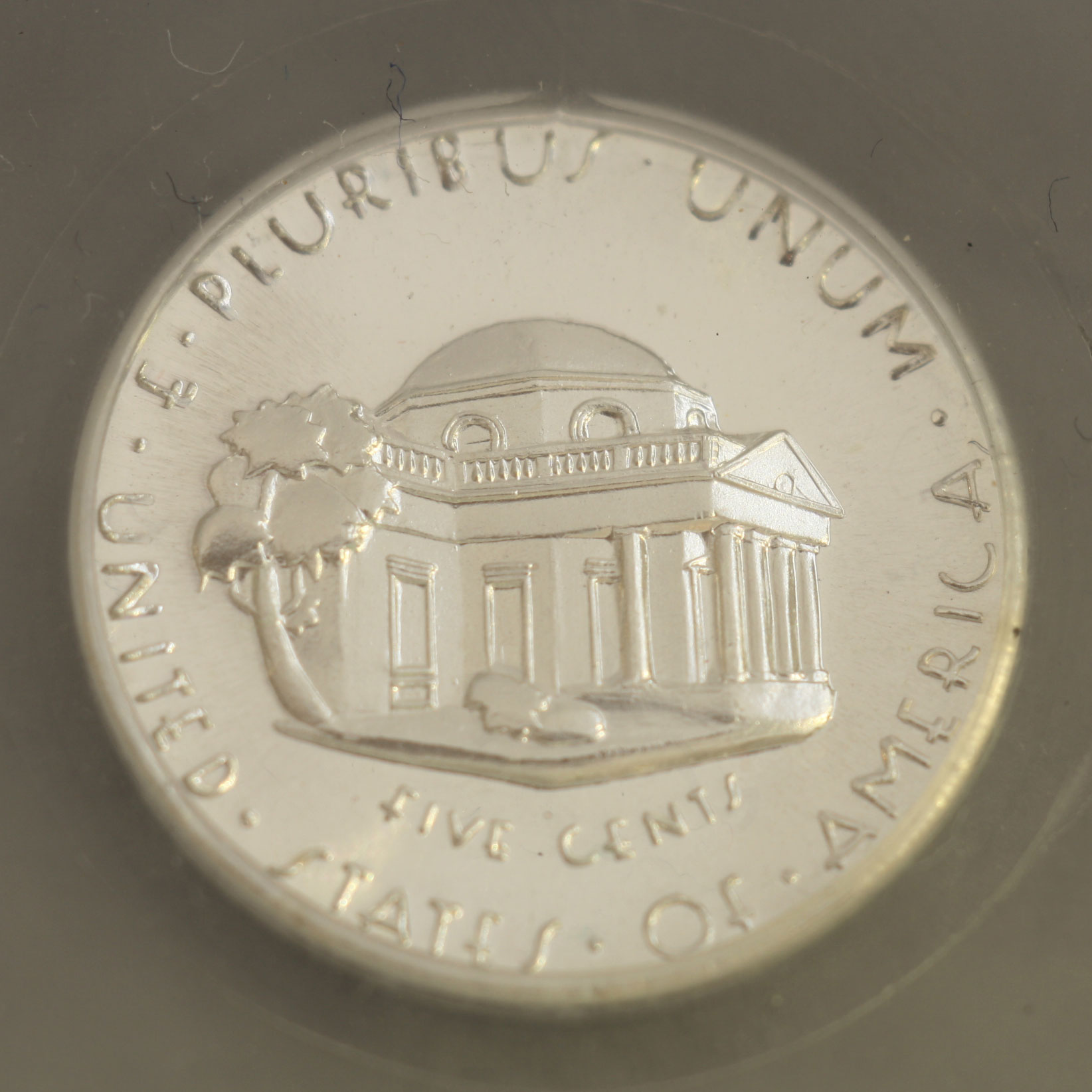 Edited by OcalaFlorida
12/10/2015 10:59 am
|
|
Pillar of the Community
United States
4051 Posts |
Contrast is very poor. This may be due to reflection inside your extension tubes. Some tubes have a dull finish, but others are shiny. You can cut a piece of black construction paper, foam, or other light-absorbent material and line the inside of the tubes from lens to adapter and it should help improve the contrast.
Contact me for photographic equipment or visit my home page at: http://macrocoins.com |
|
Pillar of the Community
United States
2824 Posts |
rmpsrpms thanks again Noted: will work on something for this Yes, the the extensions do have a shiny but matte finish on the inner part, the outside is glossy compared but it is still very reflective on the inner part of the tubes. |
|
Pillar of the Community
United States
2824 Posts |
I am going to use the one at the top
QualityRAW+ L and turn off auto rotate if its on 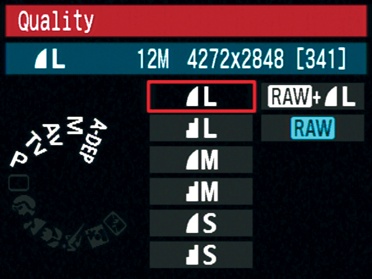 |
|
Pillar of the Community
United States
4051 Posts |
Florida...no need to do RAW for now unless you plan on getting into RAW postprocessing right away. Save space and aggravation by just doing L, otherwise every shot you take will save two files, one .jpg, and one RAW, and this will take up more space and add confusion. It also is much slower to download the large RAW files. Once you have nearly perfected your technique and are looking for that last 5% of ultimate quality, then you can start doing RAW processing. FYI, I do everything in jpg as I find that RAW processing adds very little (<<5%) to my image quality. Some may say that it's because I don't know how to do RAW postprocessing, but in fact I do and I find that getting the camera settings correct and ensuring a decent in-camera jpg conversion gives nearly the same final quality.
|
|
Pillar of the Community
United States
2824 Posts |
Noted: switched to L .jpg only coin is in a thick clear plastic 2x2 as standing up on slight angle to shoot on table. I turn on a single led natural light lamp. pickups every strand of hair, dust etc I will take coins out once the copy stand comes. top is in focus but the liberty with a nice BIE and Filled R is out of focus. the date mint mark VDB and bottom of coin is completely blurred 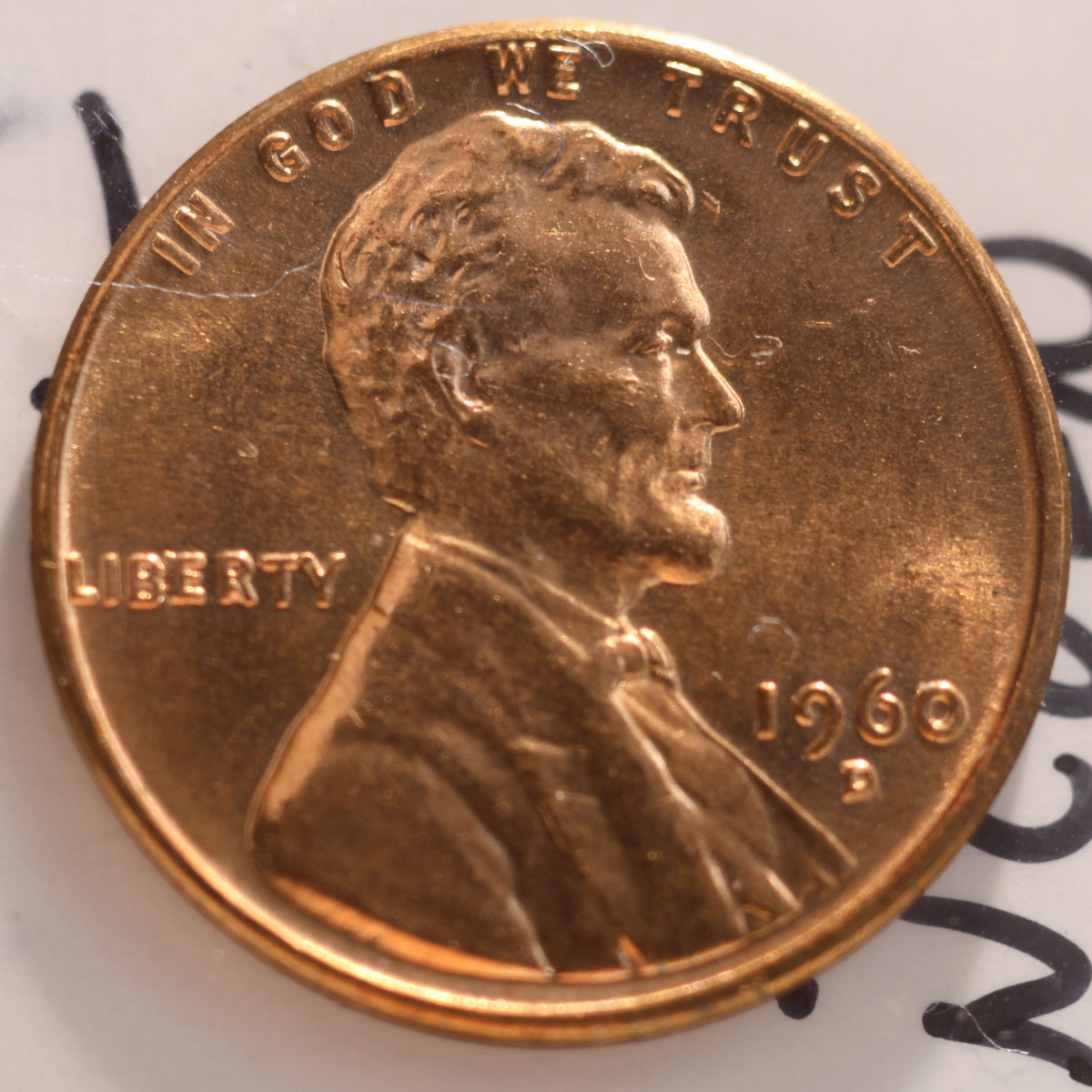 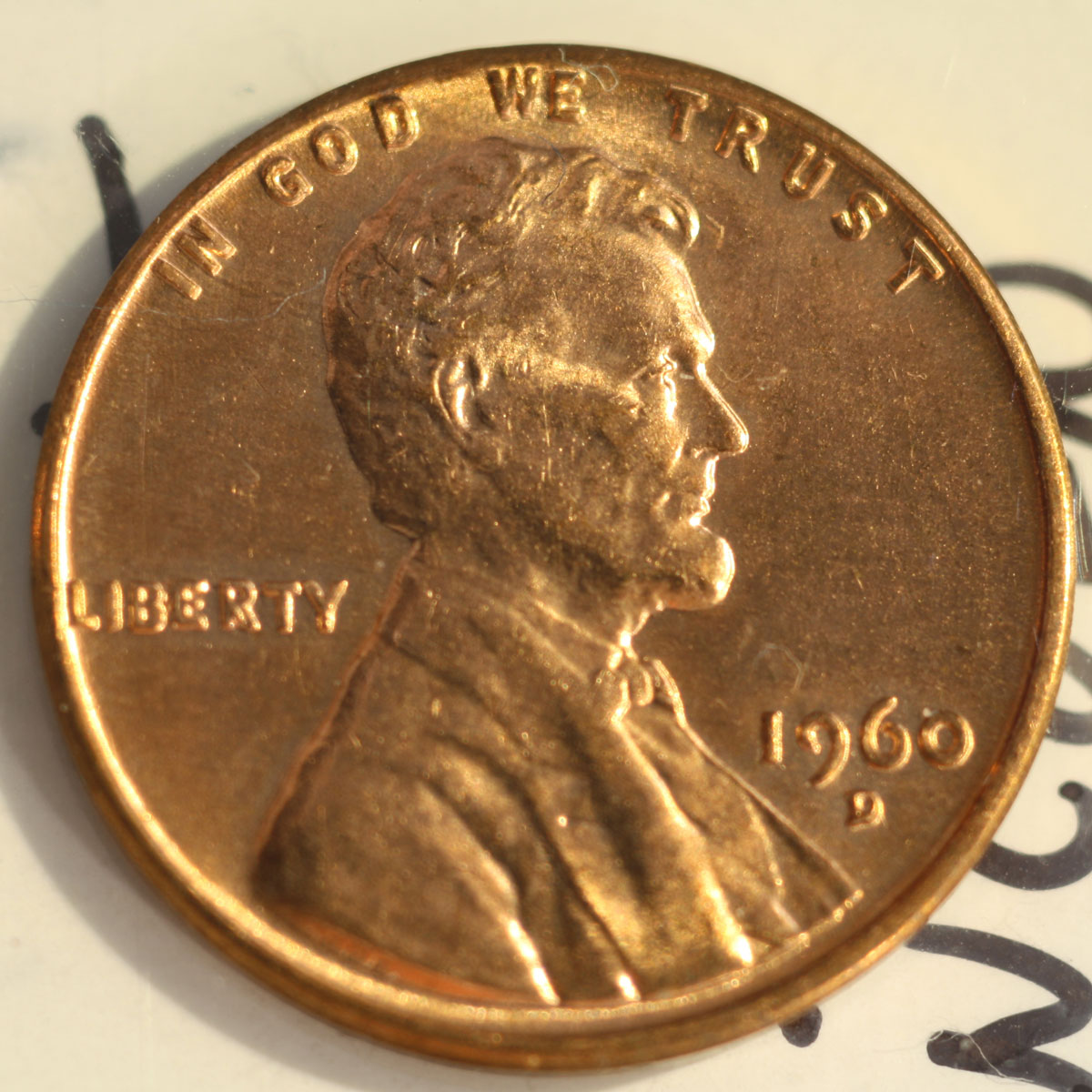 Edited by OcalaFlorida
12/10/2015 12:09 pm
|
|
Pillar of the Community
Canada
2784 Posts |
OcalaFlorida you are doing excellent. your camera and lens. is preforming wow. you are doing great. I like the definition your lens is producing of the coin. really good. when you get your setup you will go over top.
|
| |
Replies: 146 / Views: 16,552 |







 First Page
 Previous Page


 Posted 12/09/2015 7:17 pm





