| Author |
 Replies: 36 / Views: 18,642 Replies: 36 / Views: 18,642 |
|
|
|
Moderator
 Australia
17006 Posts |
The EURion-detecting anti-counterfeiting protocols are probably incorporated in the controlling and imaging software that's installed on your computer, not usually hard-coded into the scanner itself - which is why The Bill Collector could photocopy but not scan. Which seems sort of pointless to me. I'm sure it wouldn't be too hard for a computer-savvy counterfeiter to either write their own imaging software or hack into the commercial stuff and remove the EURion detection. Or, as others here have noted, to simply use old software. I still use the imaging software that came with my first scanner, back in 1998. No EURion problems. EURion detection has become so embedded into commercial imaging software that an urban myth arose: if you wore a T-shirt with EURions printed on it front and back, you could commit crimes undetected because security cameras would black out if they saw it on you. Which is bogus, of course, since security cameras aren't controlled by such software. Don't say "infinitely" when you mean "very"; otherwise, you'll have no word left when you want to talk about something really infinite. - C. S. Lewis
|
|
Pillar of the Community
1153 Posts |
Thread necro, but instead of making a new one I searched and found this.
I tried scanning my most recent star note finds, a 2004-A $10, 2006 $10, and a 2009 $20. My epson WorkForce510 scanner popped up error message stating it could not continue because it was illegal to replicate currency.
Is there anyway around this? Would love to scan my currency for better quality pictures..
|
|
Valued Member
United States
105 Posts |
I believe it would depend on how you're trying to scan it and the scanner you are using.
If the detection is built into the actual firmware of the printer, then it will be pretty difficult to work around it.
|
|
Pillar of the Community
Canada
2805 Posts |
My (very new model; less than a year old) scanner has two modes: photo and document (more contrast, brighter; I find that this mode works better for almost everything). Photo mode detects EURion, document mode doesn't. This was a really bizarre discovery. Try fooling around with your settings.
Edited by nalaberong
03/01/2015 12:45 am
|
|
Bedrock of the Community
 United States
12927 Posts |
What an interesting thread. I wonder if the software alerts the Secret Service after it gives you the "no dice" screen...  |
|
Pillar of the Community
1153 Posts |
I hope not because I probably got the no dice screen 15 times yesterday trying to mess with my settings.
|
|
Valued Member
United States
58 Posts |
If you go to a garage sale and find one of those all in one printers thats dated and its only $10 or so, may not hurt to buy it and see what it does. I wouldn't recommend bringing your laptop with and test by scanning bills while your at the sale; probably get a lot of strange looks from people.
I have an HP Office Jet 7200 that takes scans of everything of all styles (I once attempted to make an electronic documentation of my collection) and never once got booted from completing a scan. 2009A, 1996 series 100's it takes it all.
|
|
Pillar of the Community
United States
589 Posts |
If you have one of the relatively new Pan-Digital hand scanners, it will scan all notes from $1 to $100, all series 2009 and 2009A. However, on certain notes it has a tendency to create a rainbow effect (along the steps of the Lincoln Memorial on the $5, for example). But it's better than not being able to get a scan of it at all.
|
|
Pillar of the Community
Germany
645 Posts |
In Europe we have the same problem. A new Scanner identified new US$, British £ or Euros as Currency. A software blocked the scanning process. This is a simple security feature. I have a CanonScan Lide 100 which will not scan modern bills. Therefore I bought a 3 in 1 Scanner/Printer ( Canon MG3500 ) which scans every currency. http://www.ebay.com/itm/CANON-Black...em3aa6cb64e5Here are some pics. 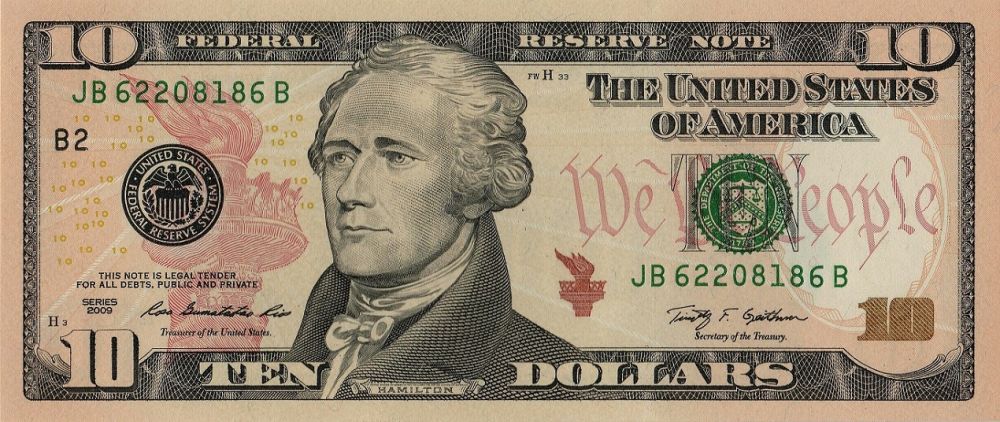 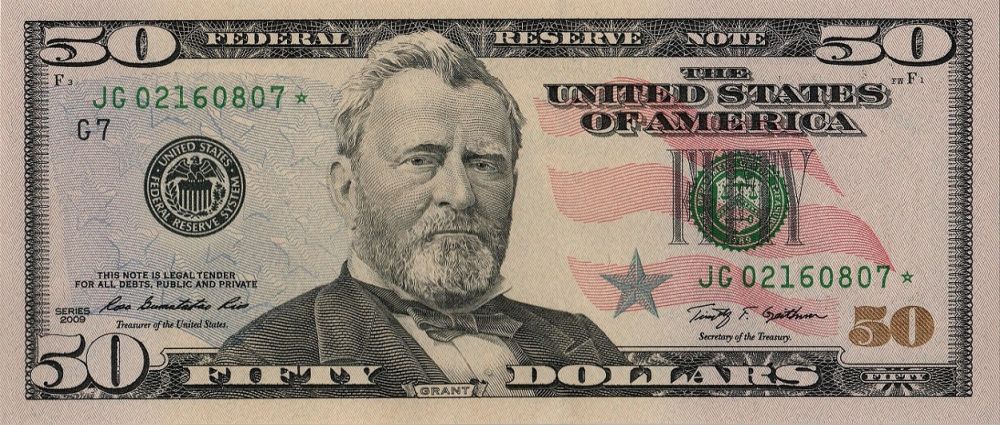 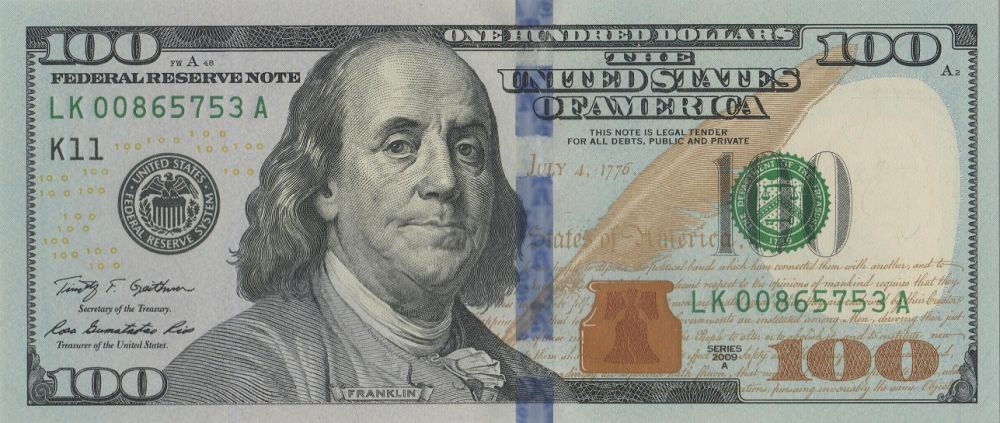 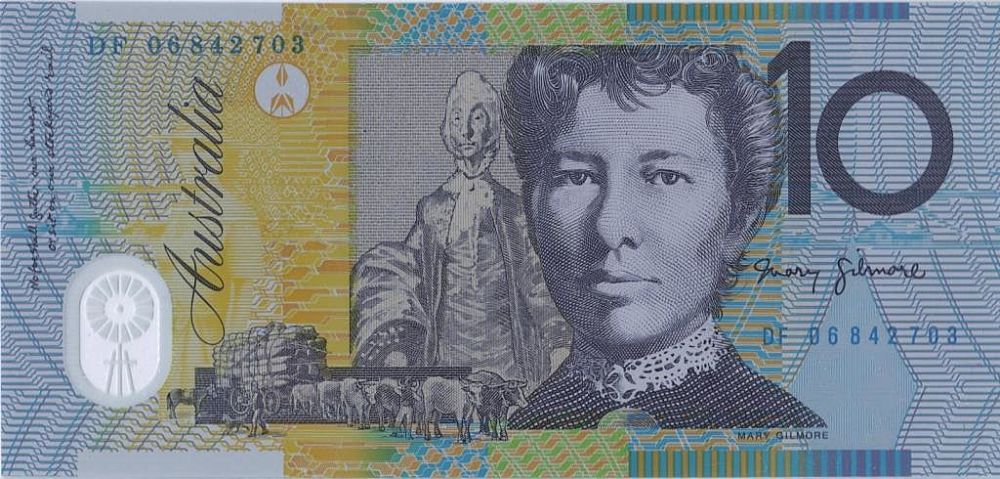 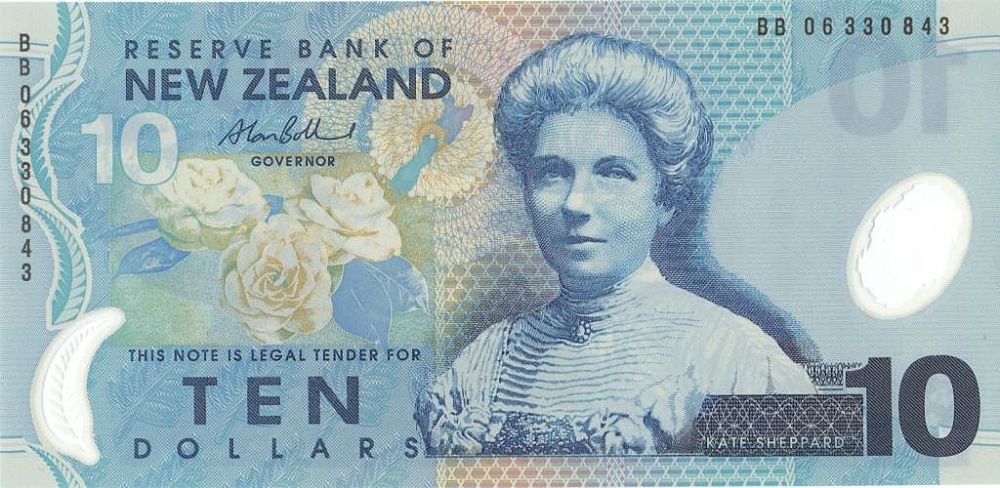 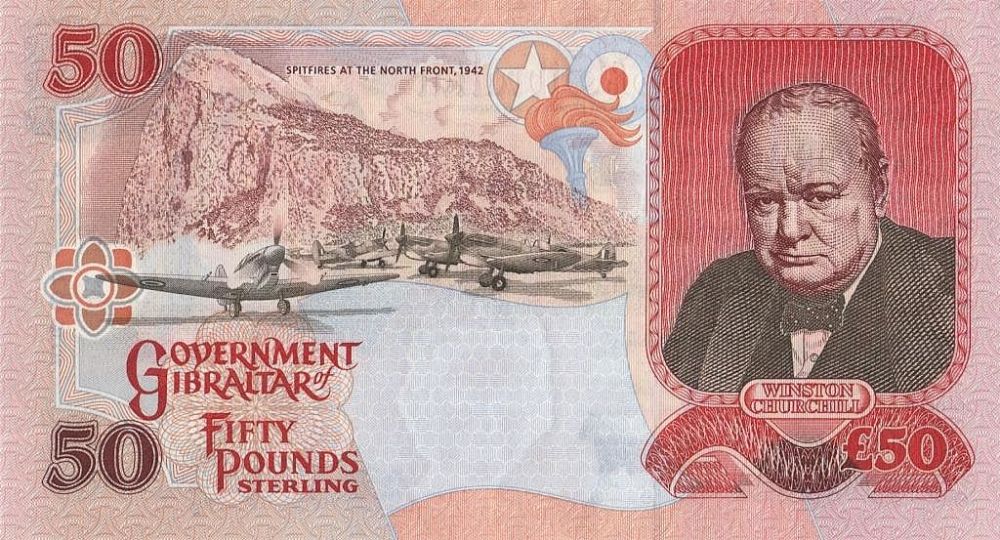 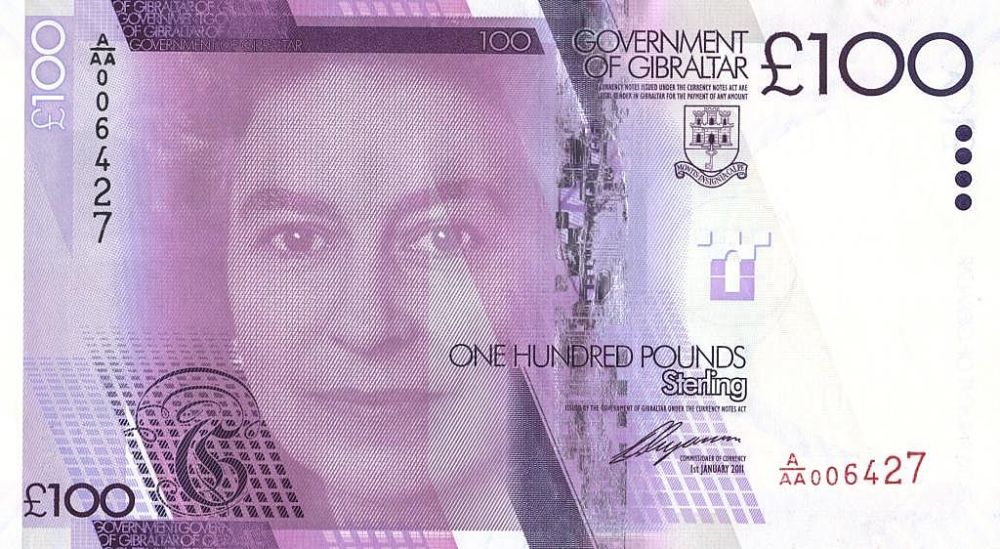 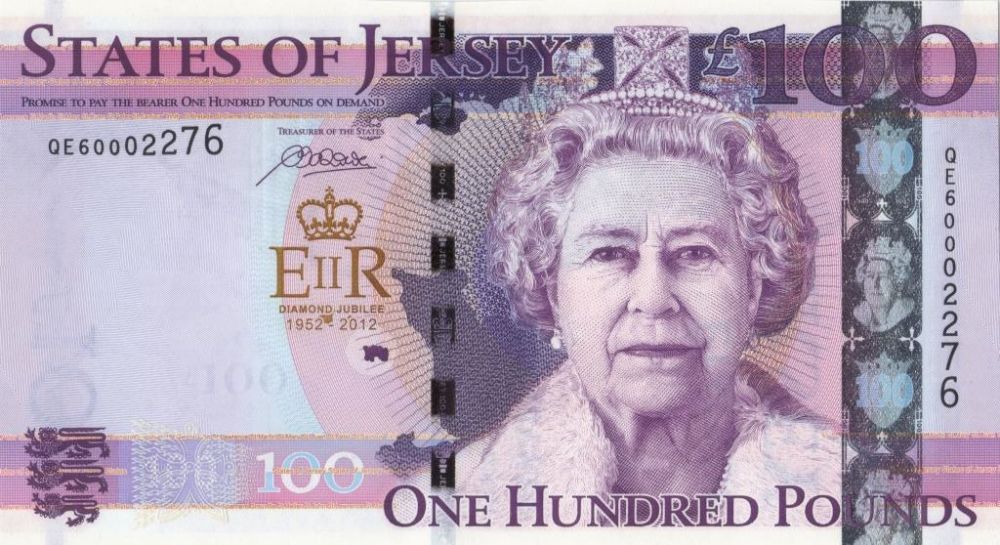 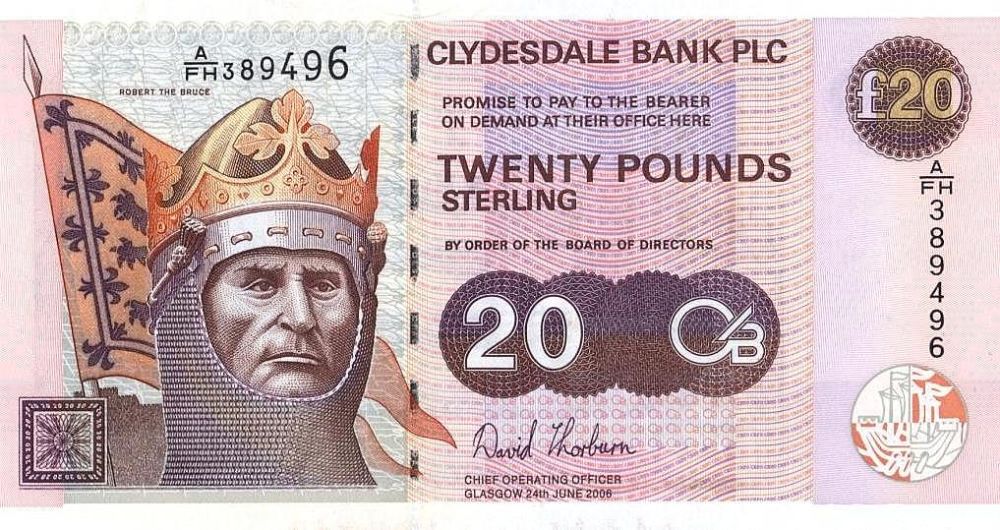 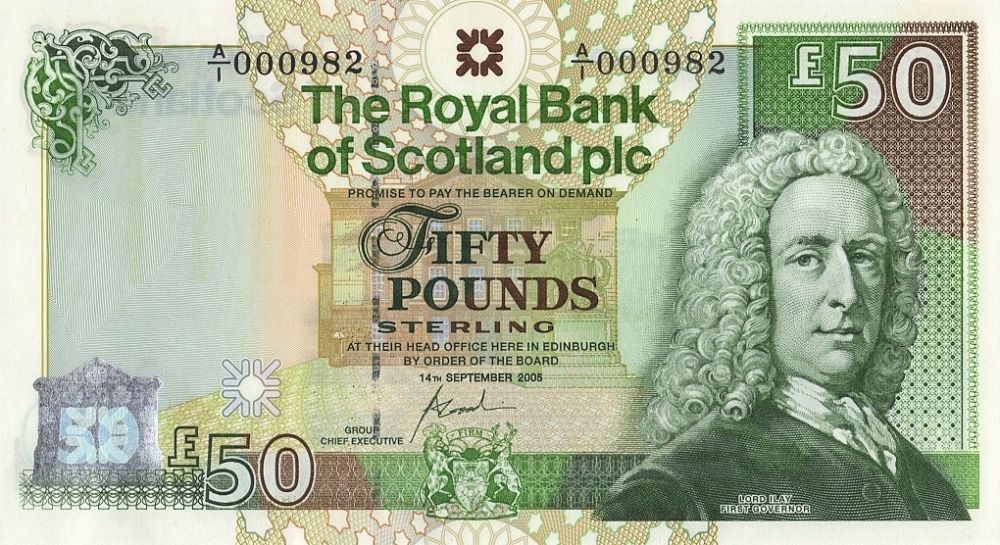 Edited by hajduk
04/08/2015 7:13 pm
|
|
Bedrock of the Community
United States
12927 Posts |
Nice image quality. Those are gorgeous notes, all of them.
I really like your Grant star note... that 2009 $50 is my personal favorite of current US currency, though the new $100s are impressive too.
|
|
Moderator
United States
196572 Posts |
Very nice scans!  |
|
Pillar of the Community
United States
1116 Posts |
I seem to recall something about kids (?) using scanners in connection with high quality color printers and creating their own bills in order to have some extra spending money. It was giving the Secret Service fits. Perhaps this is why a lot of scanners are not picking up currency images.
This plus the fact that some of the scanners do such a good job of capturing accurate images that they actually aid in counterfeiting.
In the back of mind there is something about Xerox color copiers doing such a good job of reproducing currency images that they were also used to print off extra $20's for spending money.
But I too, was told that copying currency was against the law.
|
|
Pillar of the Community
1153 Posts |
garage sale season is coming up, I'm sure to find a cheap old scanner for a few bucks.
|
|
Pillar of the Community
United States
4963 Posts |
Quote:
It's because of the small yellow 05, 10, 20, 50s that form the "Eurion constellation" which serves as a signal to software that it is a banknote being scanned. The EURion constellation is used in notes all over the world. It's just a pattern of several circles, which are formed by the 0's. Modern printers and computers recognize this to prevent counterfeiting. I suppose you could just cover it up with a scrap of paper to scan. |
|
Bedrock of the Community
United States
12927 Posts |
I still haven't tried scanning currency on my Canon printer/scanner so I think I'll give it a shot tomorrow. It's less than 5 years old so I think it'll give me the "no dice" but it's worth a shot.
|
| |
Replies: 36 / Views: 18,642 |








 First Page


 Posted 02/28/2015 3:50 pm


