| Author |
 Replies: 17 / Views: 3,072 Replies: 17 / Views: 3,072 |
|
Valued Member
United States
371 Posts |
I am trying to improve my images with my old point and shoot. Camera is a Canon G2 4MP I am using AV mode with the macro setting. Camera is on a tripod and I am using the wireless remote. 2 led lights @ 3 and 9 diffused with white tissue. I have a adapter and a +10 macro lens. WB in this shot is set to florescent as I am in my well lit shop. f/8 exposure is .6 sec The image is a more chocolate color in hand.  |
|
|
|
Valued Member
 United States
371 Posts |
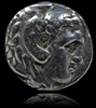
Here is a silver coin with the same settings.  |
|
Pillar of the Community
United States
4132 Posts |
It's a good start; the only thing that needs work is getting the lighting right, and that requires tons of practice and experimentation. I would try to get the lights at a higher angle, as high as possible, and positioned at 10:30 and 1:30 (or at least 10 and 2). Are there other lights on in the room at the time as the LED lights? It may be that there is too much light from all directions to produce much contrast.
The dime looks pretty natural, the cent looks a little on the bright side. If the camera has an exposure setting, try turning that down a notch or two. You may want to try increasing the contrast a bit in a image editing program like Photoshop or The Gimp. I like the levels or curves tool for this.
|
|
Valued Member
United States
371 Posts |
I did have my shop lights on which are pretty bright. I dropped the exposure a notch and repositioned the lights to 2 and 10. The shop lights are off and its darker in here. Same coin;  |
|
Pillar of the Community
United States
4132 Posts |
Hmm, it seems like there's a lot more light coming from the left side. I would keep playing around with the position of the lights until you get something you find appealing.
|
|
Valued Member
United States
371 Posts |
I agree just any slight movement in the lighting makes a huge difference. I am getting closer. This one I added a little contrast in photoshop.  |
|
Pillar of the Community
United States
4132 Posts |
How high above the coin are the lights, and what angle are they at? From the reflections it looks like a pretty low angle, but it might be hard to get them at a high angle, depending on the working distance your camera gives you.
If you can't get the lights in close enough to get a high angle, one thing you can try is using a white card of some kind to reflect the light downward. Cut a hole in the card and support it right below the camera and aim through the hole. Then you can point the lights at the card quite close to the lens so the light comes at the coin from a very high angle. The card also provides all the diffusion you need.
|
|
Valued Member
United States
371 Posts |
I was only able to shoot the coin about 2 inches below the lens and when I tried to get the lights up high I was getting shdows from the camera. I added a second +4 lens and it allowed me to get the coin 4 inches from the lens and the focus would still work. This is with the lights about a foot above the coin at 2 and 10 approx. Looks more what the coin looks like in hand. Thanks Captain I am getting there!  |
|
Pillar of the Community
United States
4132 Posts |
A million times better. Longer working distance is a huge help. Now it's a matter of fine tuning to get it looking perfect.
|
|
Valued Member
United States
371 Posts |
Here is a dime with the same setup. Going to order another set of lenses to get this old G2 happy!  |
|
Pillar of the Community
United States
4132 Posts |
Looking good for a modest setup. There's some chromatic aberration, but you might be able to correct that.
|
|
New Member
United States
1 Posts |
Looking at your image most of your settings are correct, however do not set the White Balance to Fluorescent even if those types of light are present overhead. Using the WB you listed will give a color cast to the coin and change the color...therefore the color will not look as it should. Leave your WB on AUTO. Your camera should have a MACRO setting...use that and don't use a flash. Set your LED lights one to the right and the other to the left. This will give you cross which should give you even light across your coin. The MACRO setting will properly focus on the the coin when you zoom in. Try setting the AV to 5.6...if you find the images to light then you can drop it down to 8.0. Your camera has the ability to take great MACRO photos.
I am a photography instructor and show my students how to photograph small objects including coins.
|
|
Valued Member
United States
371 Posts |
Thank you for your input maxie24, I tried a quite a few shots with the white balance in auto and AV 5.6 through 8.0. I am using Macro mode. I will continue to experiment with the custom WB settings and ordered anther macro lens to get the camera further away for better lighting. I just cannot seem to get a good image with auto WB, this pic is set to auto with AV at 5.6  With the WB back to florescent and AV set to 7.1 same light position with both. Very close to what it looks like in hand. No post processing on either image.  |
|
Bedrock of the Community
United States
37006 Posts |
This last photo looks pretty good, nice natural color and decent lighting. Big improvement from the photos at the top of the thread.
|
|
Valued Member
United States
66 Posts |
looking much better. the one thing I noticed you say was .6 sec exposure. that sounds a bit long with so much light directly above. If you can speed that up, your focus might get better. But this will also change your EV or AP.
also, don't 100% expect the settings to be the same for the cent and the dime. and pictures of coins a little darker, come out better than lighter (loss of detail)
|
|
Pillar of the Community
United States
4132 Posts |
It doesn't look overexposed (the highlights aren't blown out, at least in the most recent picture) so the exposure time should be fine, presuming the tripod is sufficiently stable. Macro loses a lot of light, so 0.6 second exposures are not really unusual.
|
| |
Replies: 17 / Views: 3,072 |








 Posted 08/04/2012 12:50 pm