Coin Community Family of Web Sites Join Thousands of Coin, Bullion, & Money Collectors
Coin, Banknote and Medal Collectors's Online Mall Vancouvers #1 Coin and Paper Money Dealer Shop for APMEX Bullion on eBay!300,000 items to help build your collection! Join Thousands of Coin, Bullion, & Money Collectors Royal Canadian Mint products, Canadian, Polish, American, and world coins and banknotes. Specializing in Modern Numismatics


Username:
Password:
Save Password
Forgot your Password?


This page may contain links that result in small commissions to keep this free site up and running.

Welcome Guest! Registering and/or logging in will remove the anchor (bottom) ads. It's Free!

How I Create My Images.

To participate in the forum you must log in or register.
Author Previous TopicReplies: 22 / Views: 2,031Next Topic
Page: of 2
Bedrock of the Community
coop's Avatar
United States
62064 Posts
 Posted 01/23/2015  1:59 pm Show Profile   Bookmark this topic Add coop to your friends list Get a Link to this Message Number of Subscribers
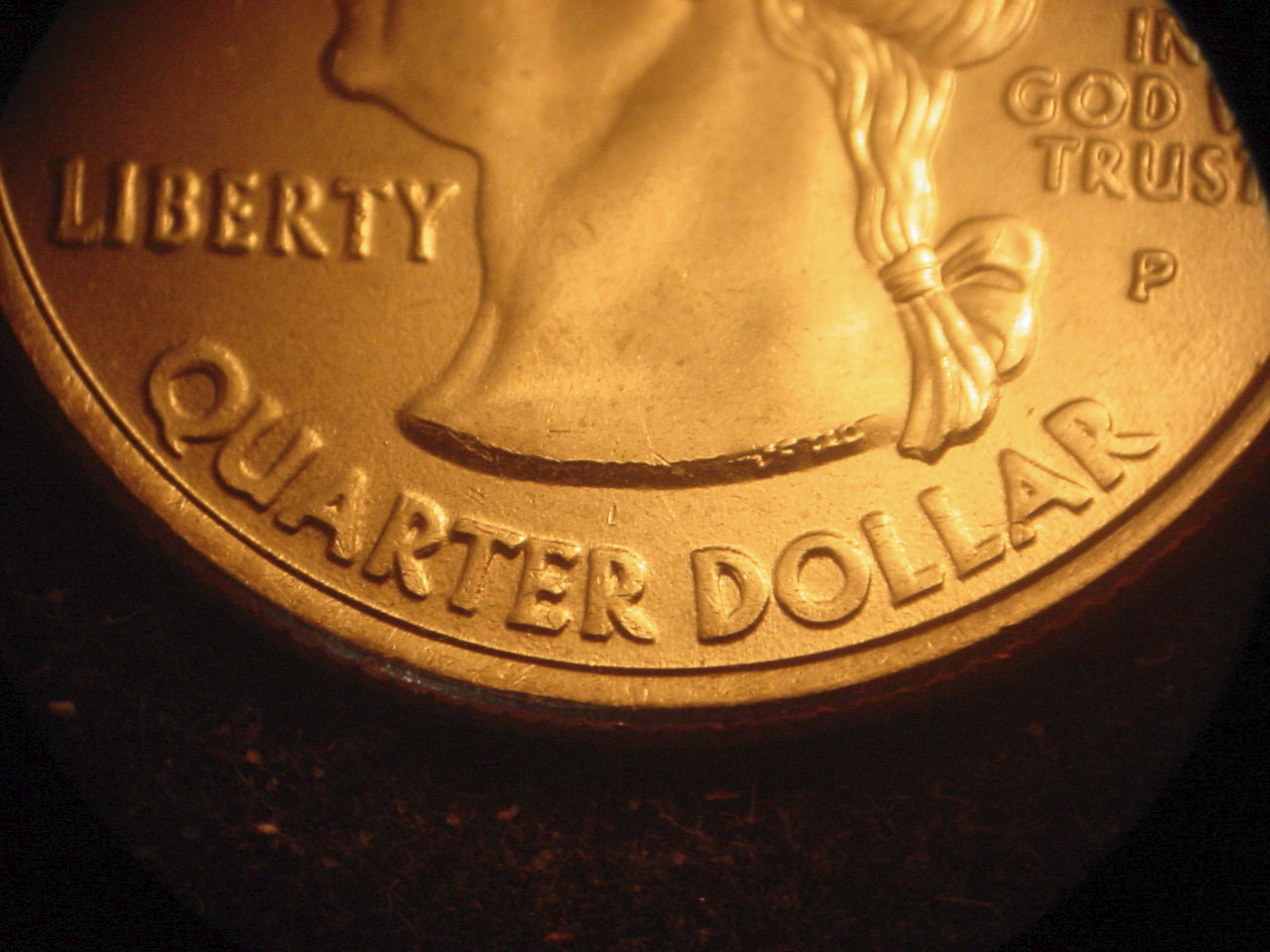
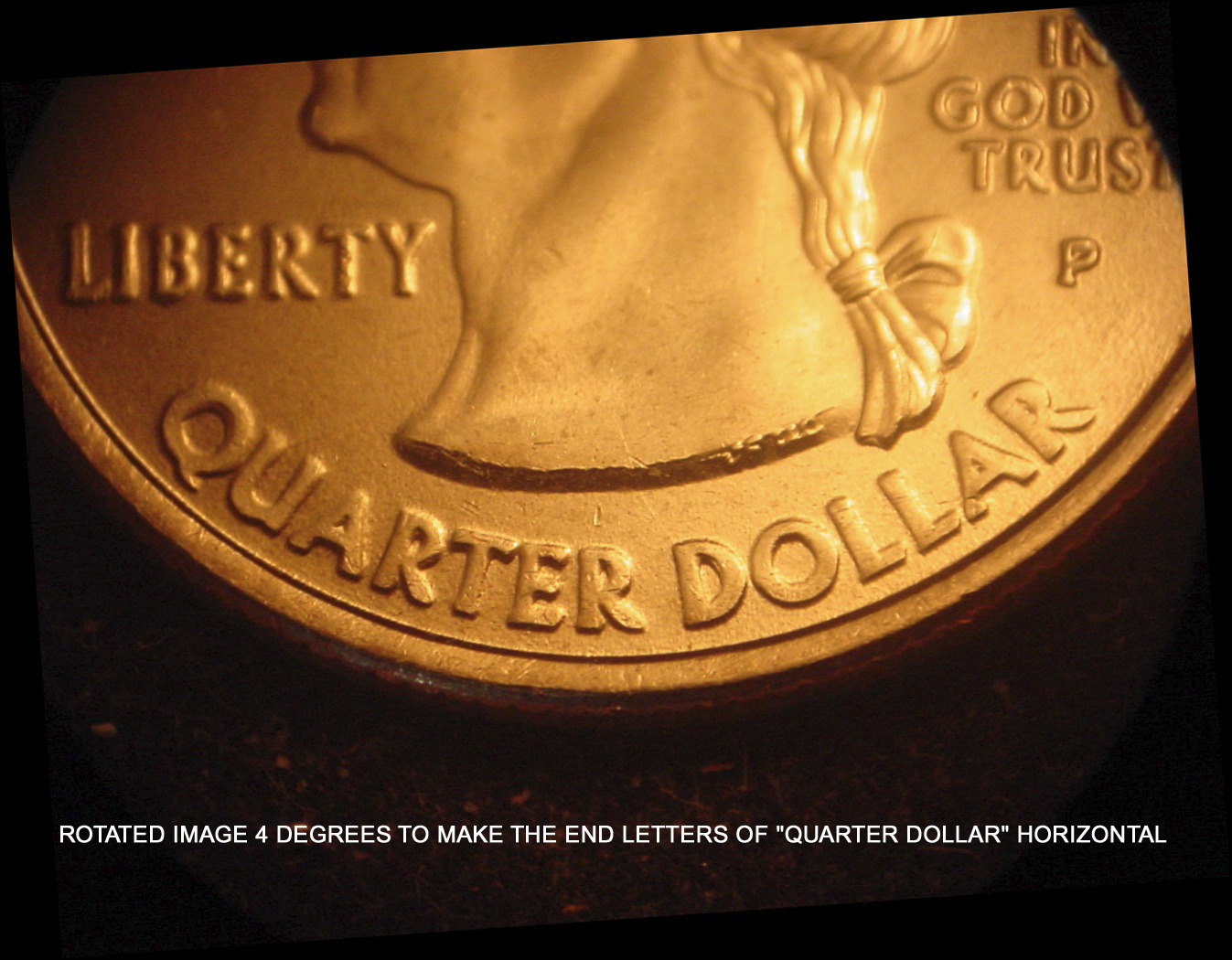
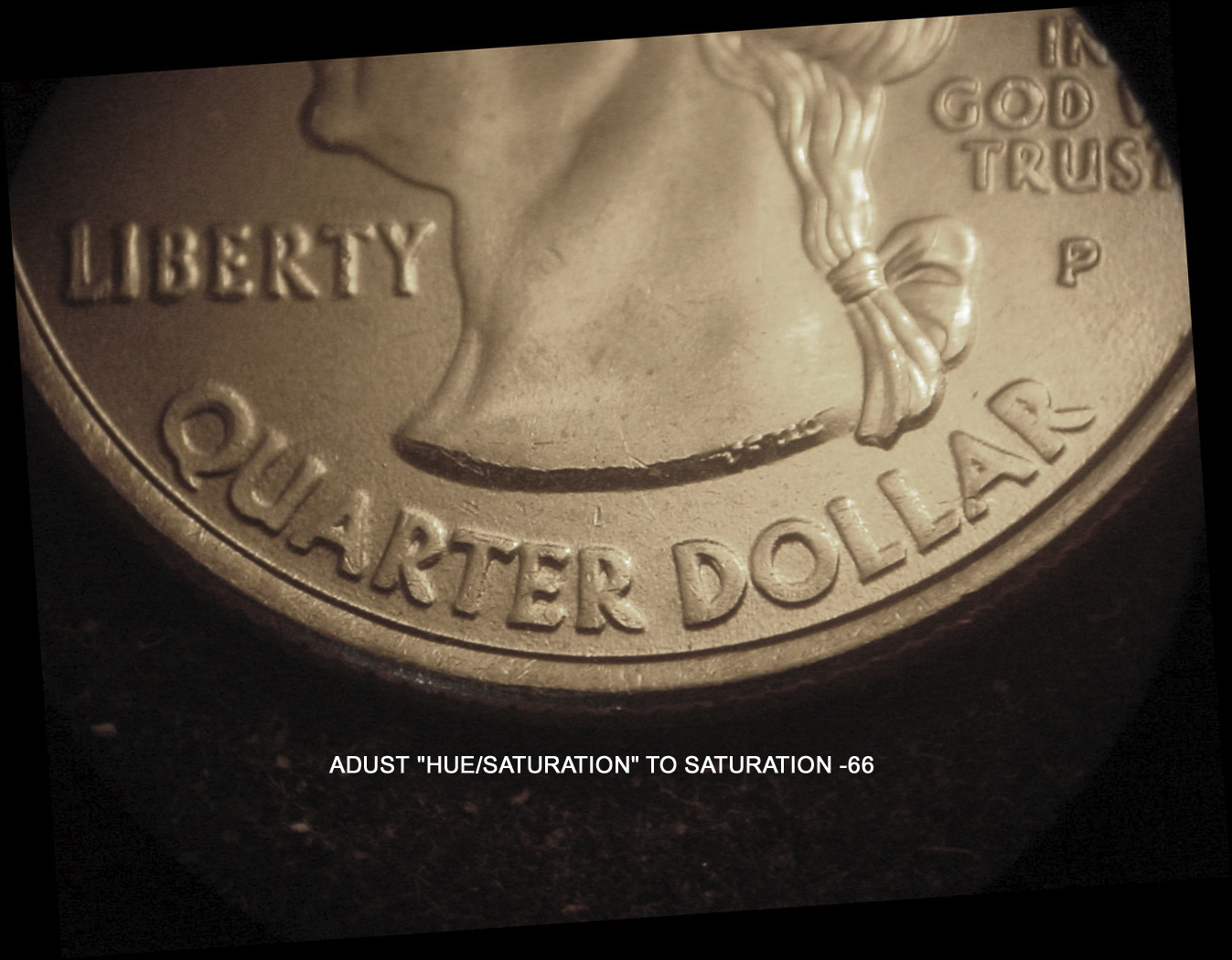
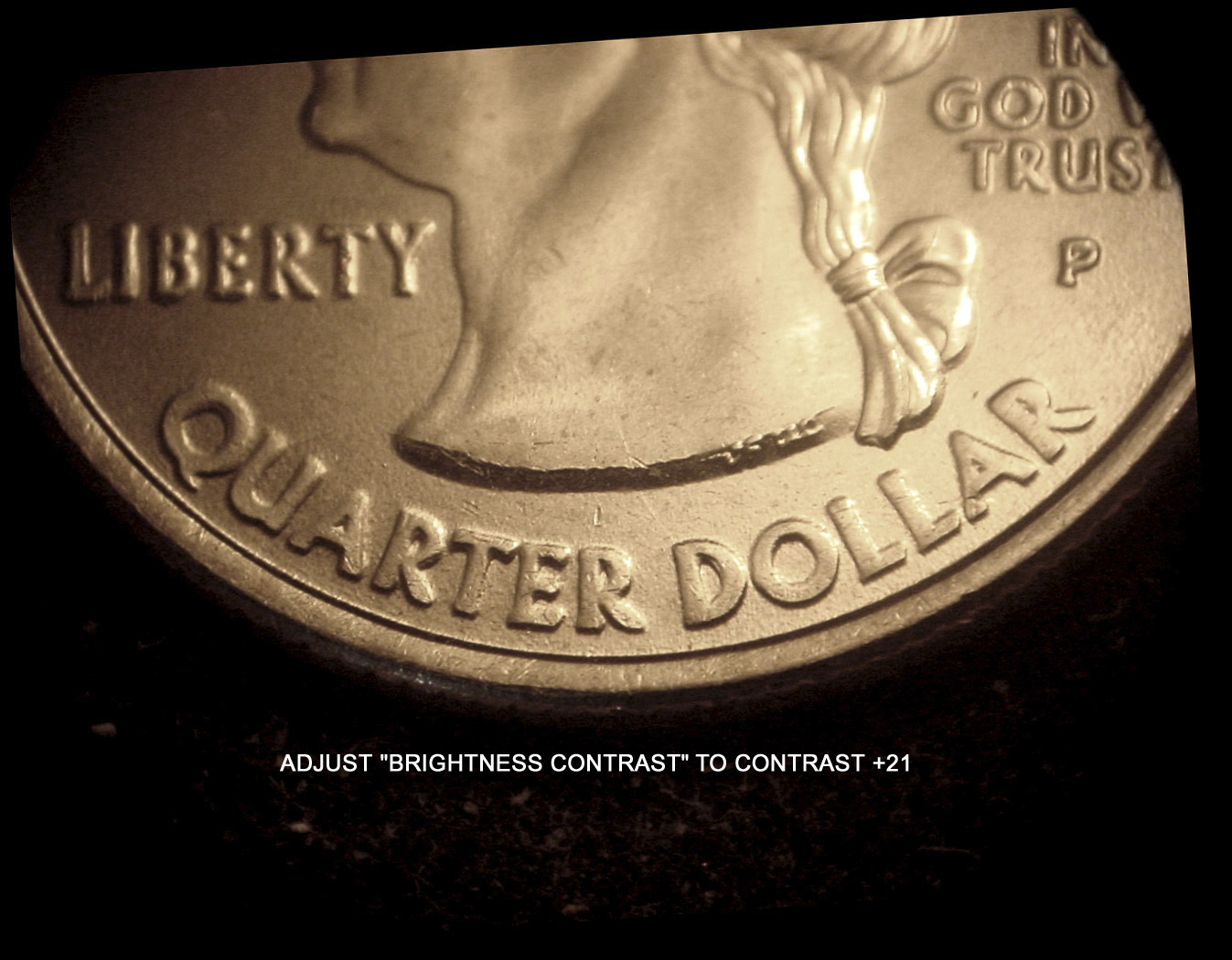
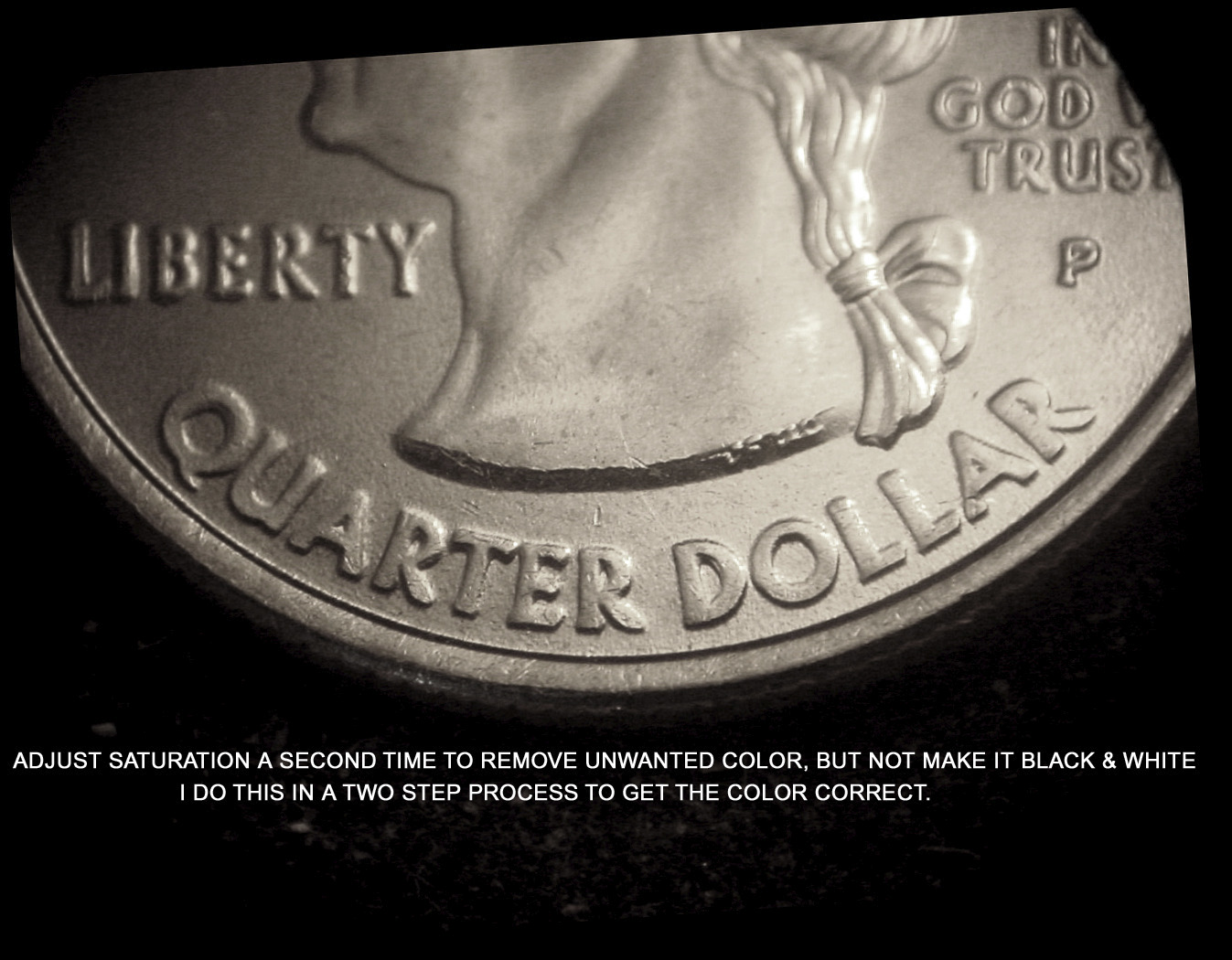
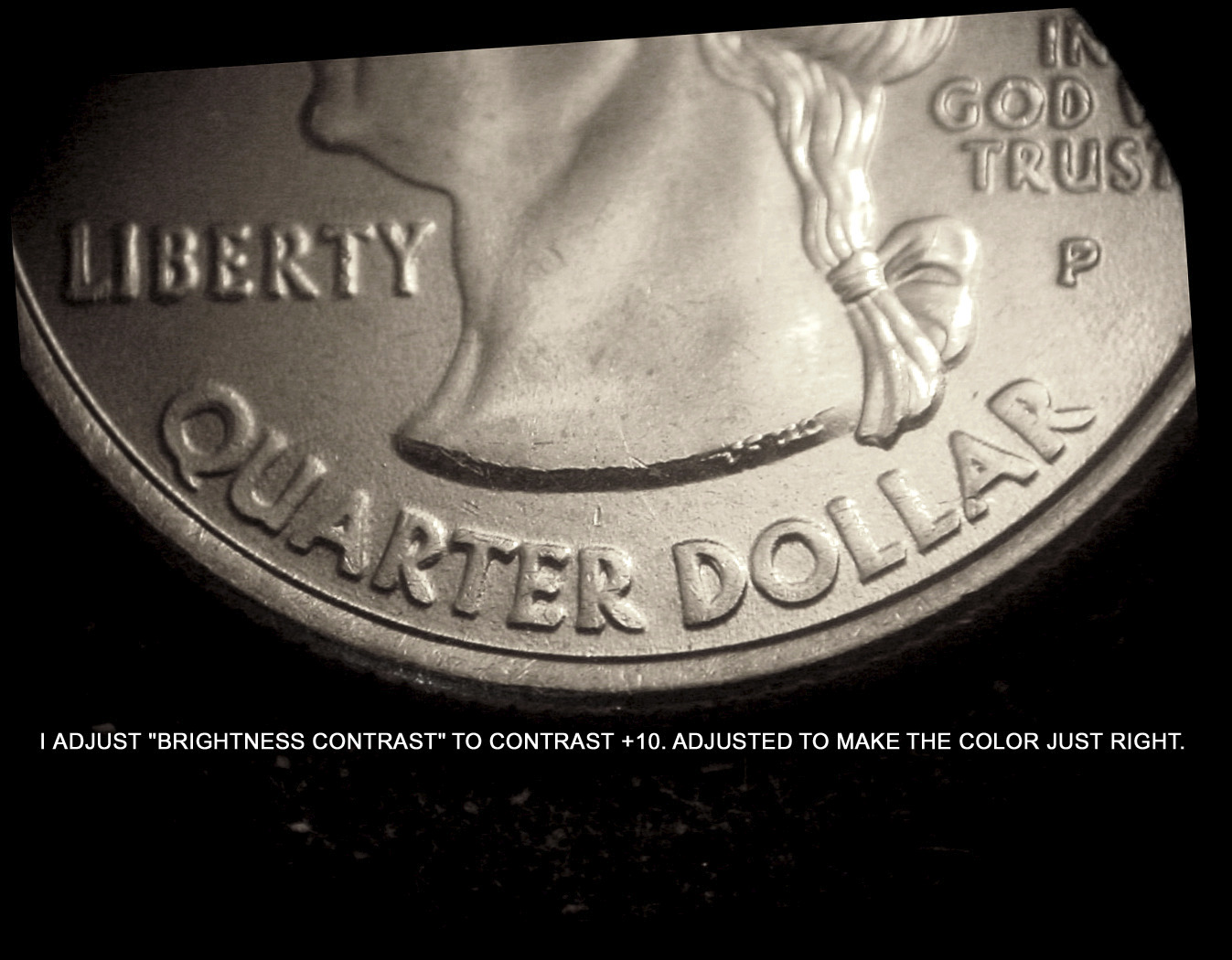
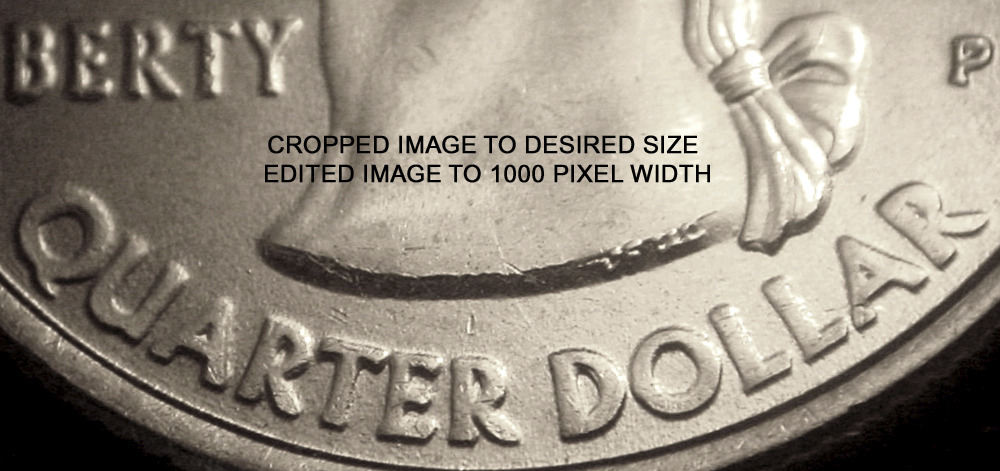
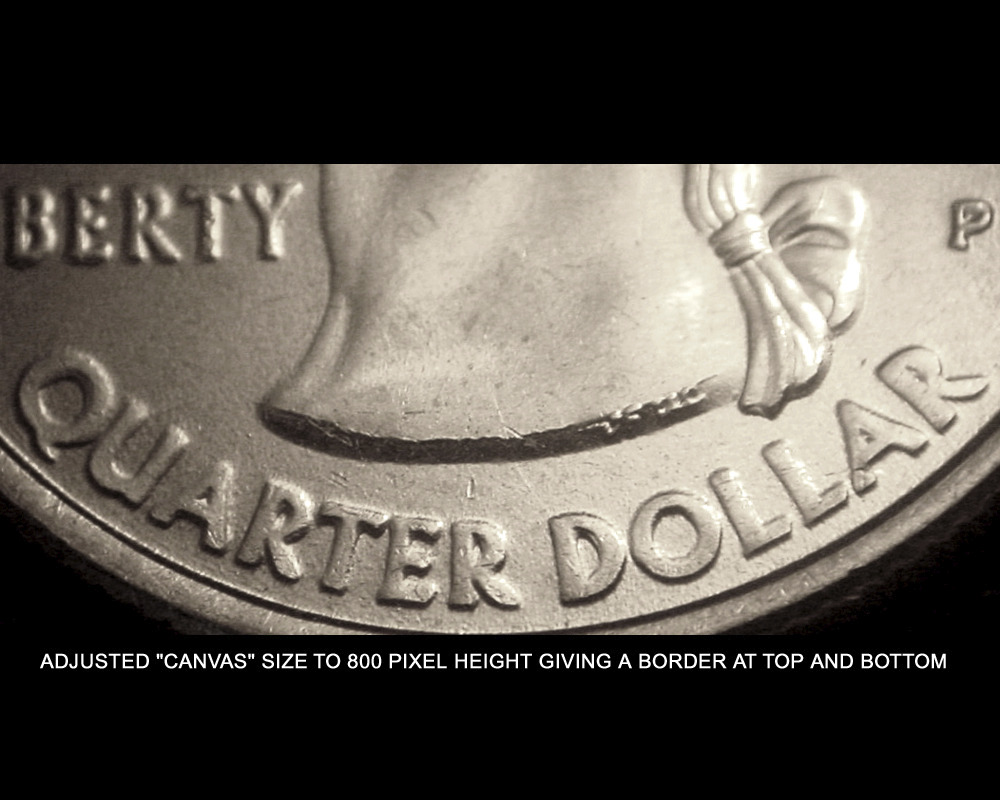
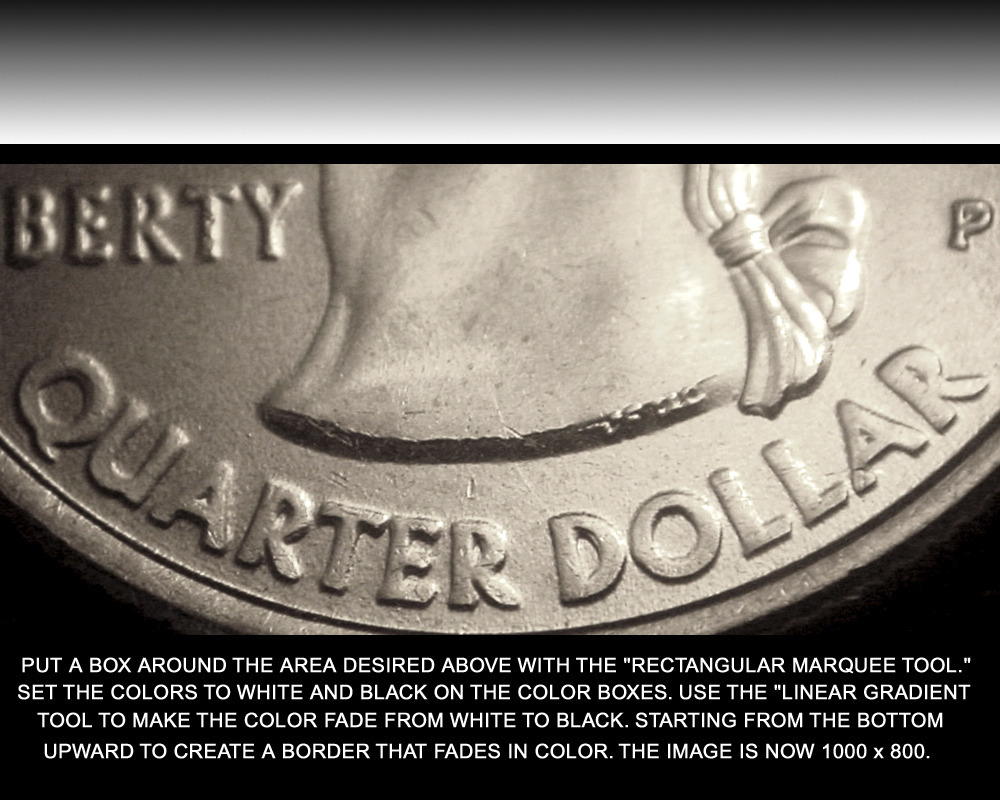
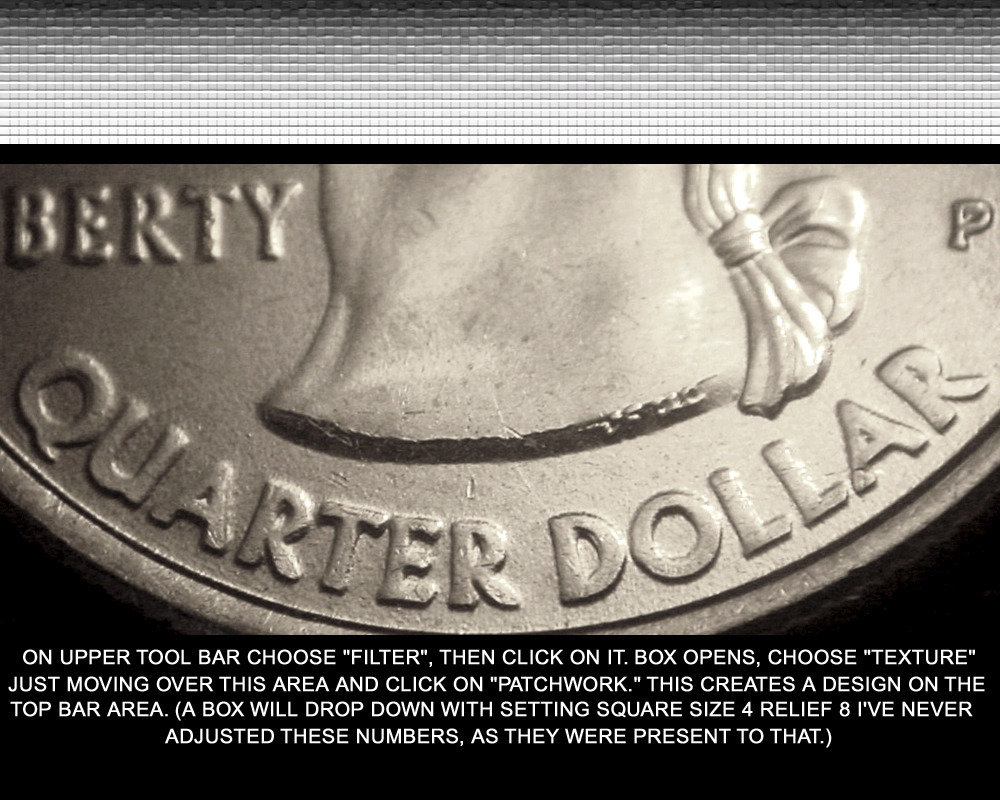
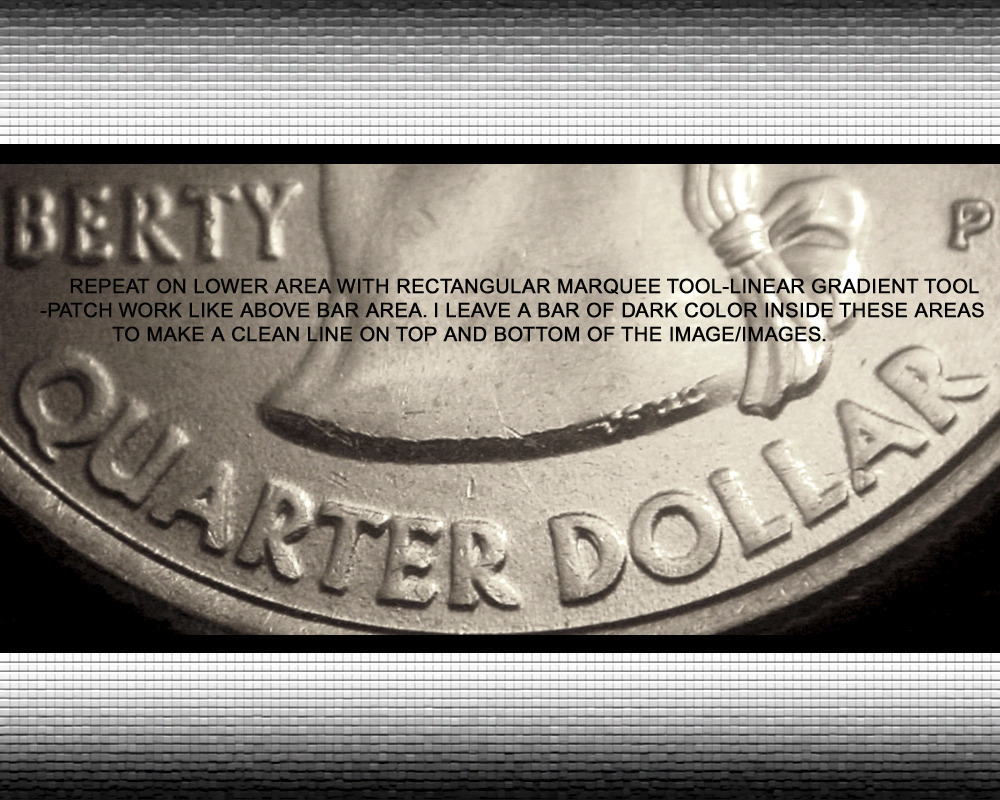
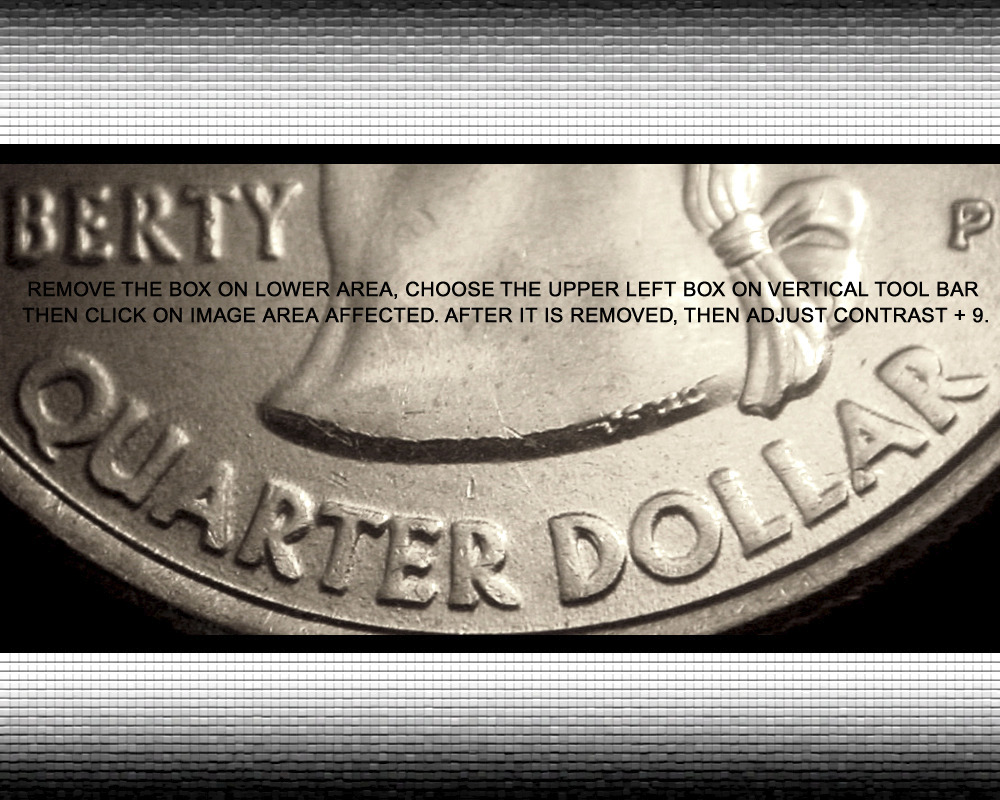
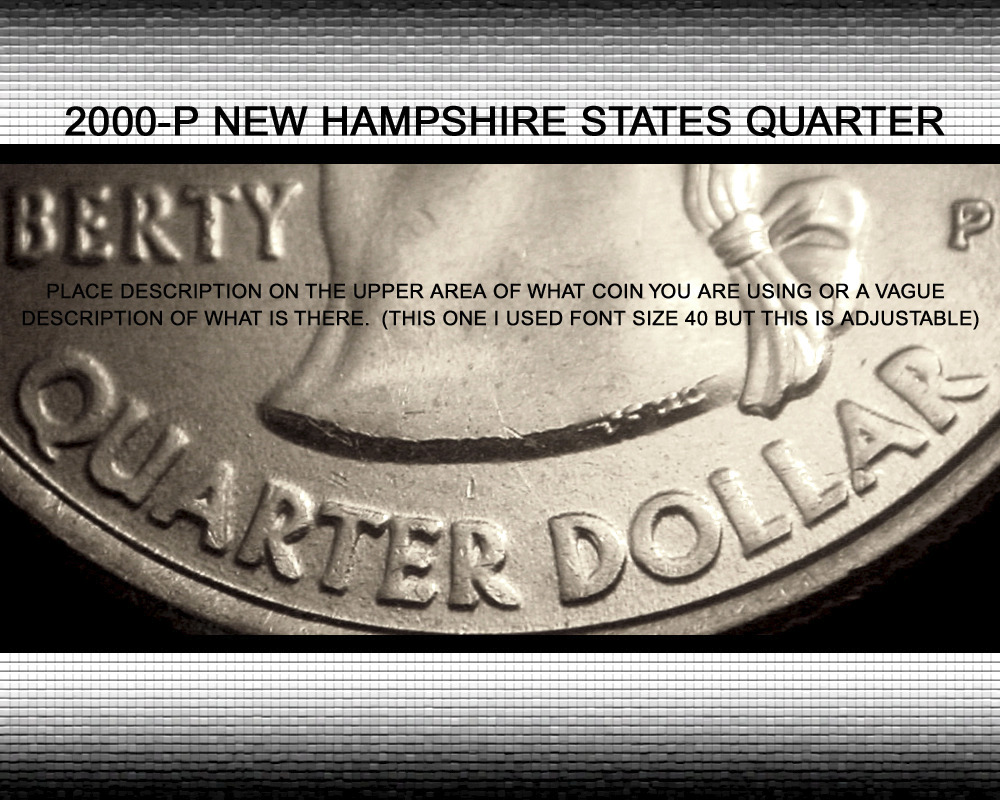
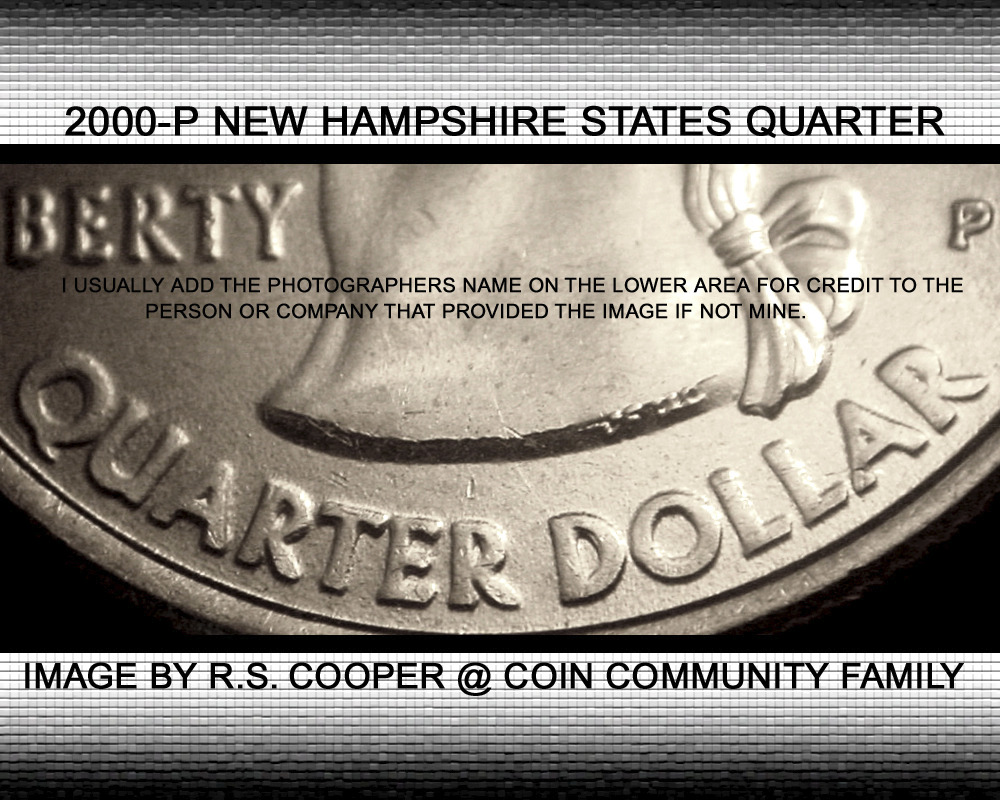
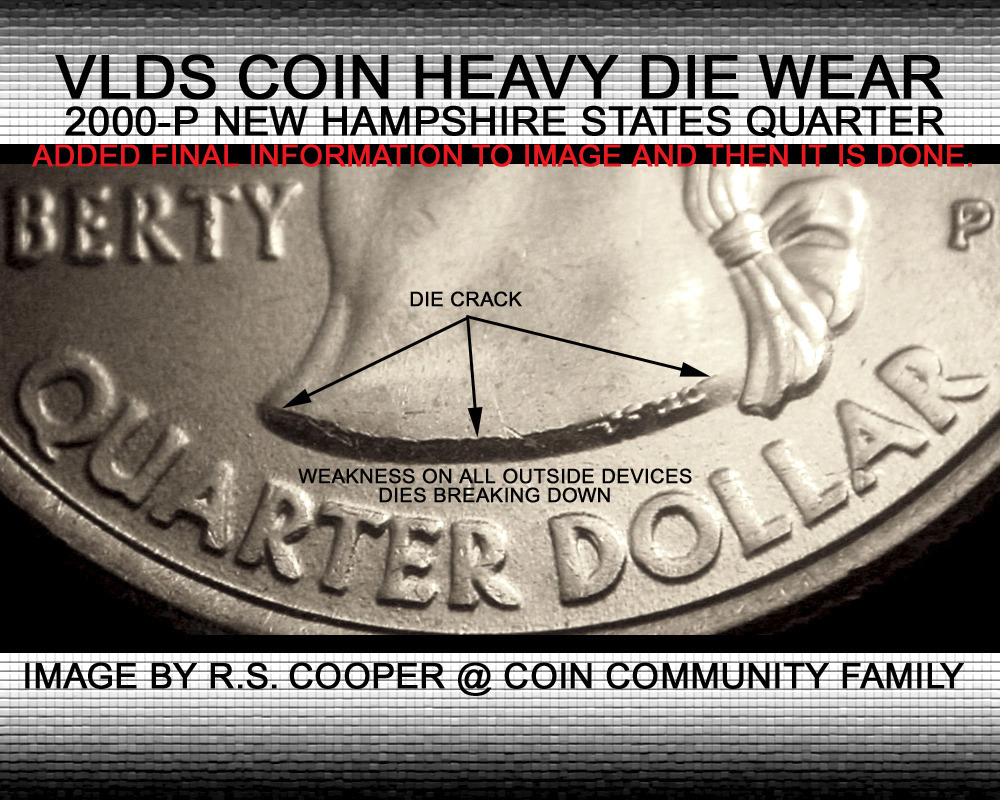
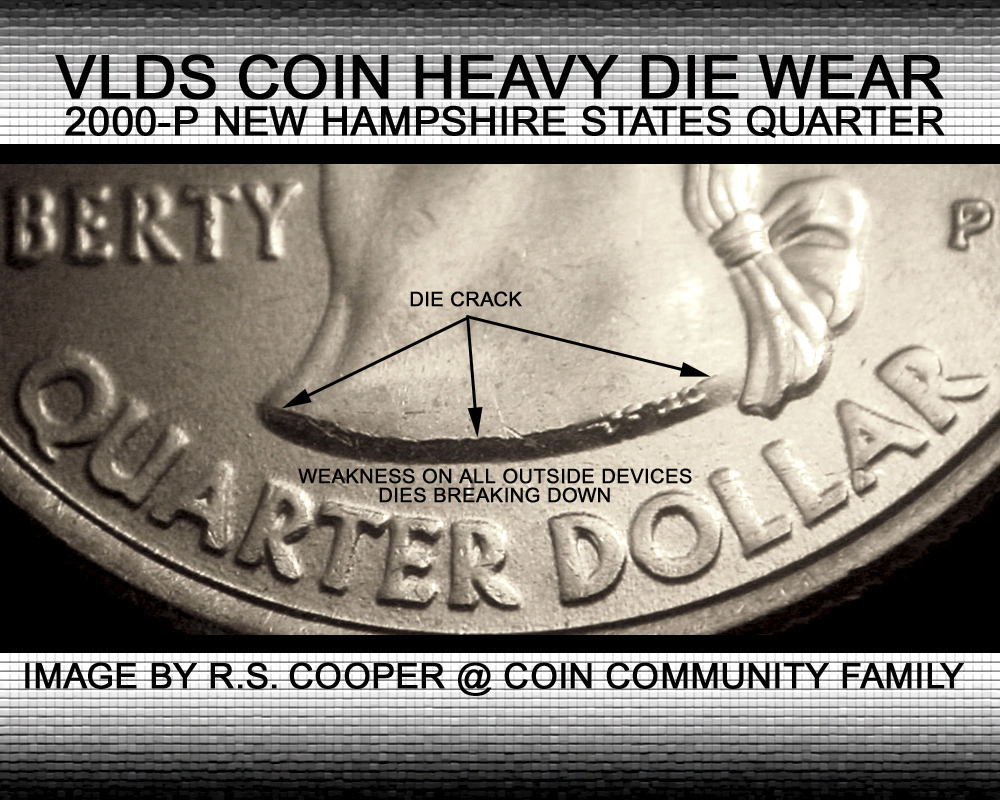
Many have wondered how I make my images? I like an image to not only show what it is, but to make it pop as well. So I deviced to take an image from the first step to the last and how I make the changes along the way. If you have a Photoshop program you can copy the first image and follow, step by step. If you have a different program you can try to see if your program can do the same thing but they may have different names for the tools. But here we go. I put a description on each image so you can see the progress.
How-I-Create-My-Images.
Rest in Peace
bpoc1's Avatar
United States
4078 Posts
 Posted 01/23/2015  3:12 pm  Show Profile   Bookmark this reply Add bpoc1 to your friends list Get a Link to this Reply
Wow!! Thank you Coop.
Pillar of the Community
chequer's Avatar
Canada
4227 Posts
 Posted 01/23/2015  3:24 pm  Show Profile   Bookmark this reply Add chequer to your friends list Get a Link to this Reply
And if this sounds complicated to anyone new to this, once you go through the steps a few times you'll have the process down and be able to create the images you want relatively quickly.
Moderator
Learn More...
John1's Avatar
United States
56855 Posts
 Posted 01/23/2015  3:24 pm  Show Profile   Bookmark this reply Add John1 to your friends list Get a Link to this Reply
Nice coop,but should this be in the photo section?
John1
Bedrock of the Community
coop's Avatar
United States
62064 Posts
 Posted 01/23/2015  5:36 pm  Show Profile   Bookmark this reply Add coop to your friends list Get a Link to this Reply
It maybe added later on. I have a few more things in mind on how to use Photoshop that I'm working on. Kind of the tricks of the trade I'm learn through the years. I've been working with it for 18+ years.
Rest in Peace
Buddy's Avatar
United States
7075 Posts
 Posted 01/23/2015  5:48 pm  Show Profile   Bookmark this reply Add Buddy to your friends list Get a Link to this Reply
Thanks, coop!
Pillar of the Community
scurry64's Avatar
United States
900 Posts
 Posted 01/23/2015  6:39 pm  Show Profile   Bookmark this reply Add scurry64 to your friends list Get a Link to this Reply
Very helpful. I find it more difficult to create acceptable images of coppers. Do you have a tutorial for Cents?
Bedrock of the Community
coop's Avatar
United States
62064 Posts
 Posted 01/23/2015  8:27 pm  Show Profile   Bookmark this reply Add coop to your friends list Get a Link to this Reply
Cents are the easiest because the color is usually very easy to adjust with Photoshop. I have a regular save for Photoshop 5.5 on ebay and when the price is right I buy extra copies. Sometimes getting the best deal when many don't know what they have. Probably a question I should ask is how many use Photoshop or have a program and don't know how to use it? I've edited probably close to 80,000 images with this program and love it. Other hate it because it is so hard to use. But experimenting with it helps a lot. Knowing how it works helps a lot, and there are a lot of publications that help as well. So having a problem with the problem? I might be able to help.
Valued Member
Loco's Avatar
United States
127 Posts
 Posted 01/23/2015  8:31 pm  Show Profile   Bookmark this reply Add Loco to your friends list Get a Link to this Reply
Further proof that Coop is the man!
Pillar of the Community
scurry64's Avatar
United States
900 Posts
 Posted 01/23/2015  8:33 pm  Show Profile   Bookmark this reply Add scurry64 to your friends list Get a Link to this Reply
I have Photoshop CS6. I bought the Adobe Digital Classroom Training Package. Whenever I try to adjust contrast, brightness, color , etc., my images come out looking horrible.
Bedrock of the Community
coop's Avatar
United States
62064 Posts
 Posted 01/23/2015  8:39 pm  Show Profile   Bookmark this reply Add coop to your friends list Get a Link to this Reply
The editing for contast need to be done slowly. You might try watching the image closely to see how it changes. It should make the image clearer when adjusted, but not too much as it can overboard quickly. As for color; what are you editing? Silver coins you might try the program with the original image to go through the process. Note the area of removing unwanted color. It may be different than you think. Try the steps I suggested. (Note how the image was gold colored-adjusted to silver.) If you are editing cents that is an entirely different process. You might post an image of one you are having problems with and I can show you how to edit it. I may start a new thread for that discussion?
Moderator
Learn More...
SsuperDdave's Avatar
United States
23522 Posts
 Posted 01/23/2015  8:45 pm  Show Profile   Bookmark this reply Add SsuperDdave to your friends list Get a Link to this Reply

Quote:
Nice coop,but should this be in the photo section?


It's a good opportunity to get the word out to people who might not otherwise know. First, how an average person goes about creating these images and second, that we have a pretty cool forum here where we'll help you learn how to do it.
Pillar of the Community
Rackster's Avatar
United States
4809 Posts
 Posted 01/23/2015  8:48 pm  Show Profile   Bookmark this reply Add Rackster to your friends list Get a Link to this Reply
Good information Coop. I really enjoy the effort many here take to get an image right.
Pillar of the Community
scurry64's Avatar
United States
900 Posts
 Posted 01/23/2015  8:50 pm  Show Profile   Bookmark this reply Add scurry64 to your friends list Get a Link to this Reply
I start with this
How-I-Create-My-Images.
and end up with this
How-I-Create-My-Images.
Thanks for your help.
Bedrock of the Community
coop's Avatar
United States
62064 Posts
 Posted 01/23/2015  8:50 pm  Show Profile   Bookmark this reply Add coop to your friends list Get a Link to this Reply
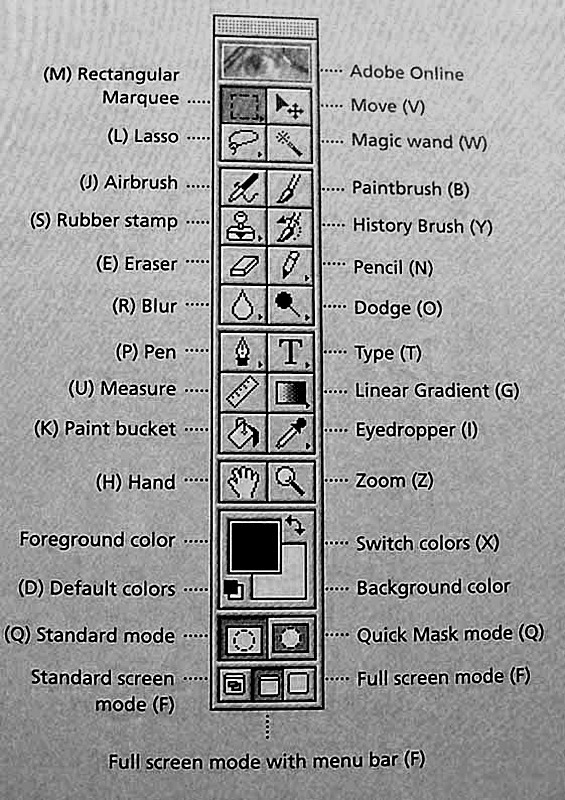
Scurry64: Does you program have this vertical tool box on your program?
How-I-Create-My-Images.
Just trying to see how your program compares with the one I have?
Pillar of the Community
scurry64's Avatar
United States
900 Posts
 Posted 01/23/2015  9:01 pm  Show Profile   Bookmark this reply Add scurry64 to your friends list Get a Link to this Reply
Yes it does.
  Previous TopicReplies: 22 / Views: 2,031Next Topic
Page: of 2

To participate in the forum you must log in or register.


Disclaimer: While a tremendous amount of effort goes into ensuring the accuracy of the information contained in this site, Coin Community assumes no liability for errors. Copyright 2005 - 2026 Coin Community Family- all rights reserved worldwide. Use of any images or content on this website without prior written permission of Coin Community or the original lender is strictly prohibited.
Contact Us  |  Advertise Here  |  Privacy Policy / Terms of Use

Coin Community Forum © 2005 - 2026 Coin Community Forums
It took 0.31 seconds to rattle this change. Forums