Coin Community Family of Web Sites Join Thousands of Coin, Bullion, & Money Collectors
Coin, Banknote and Medal Collectors's Online Mall Royal Estate Auctions - $1 Coin AuctionsVancouvers #1 Coin and Paper Money Dealer Royal Canadian Mint products, Canadian, Polish, American, and world coins and banknotes. 300,000 items to help build your collection! Join Thousands of Coin, Bullion, & Money Collectors Specializing in Modern Numismatics


Username:
Password:
Save Password
Forgot your Password?


This page may contain links that result in small commissions to keep this free site up and running.

Welcome Guest! Registering and/or logging in will remove the anchor (bottom) ads. It's Free!

Another Coin Photographer Down The Rabbit Hole.

To participate in the forum you must log in or register.
Author Previous TopicReplies: 76 / Views: 10,337Next Topic
Page: of 6
Valued Member
Wizzy1's Avatar
United States
430 Posts
 Posted 05/18/2015  11:08 pm  Show Profile   Bookmark this reply Add Wizzy1 to your friends list Get a Link to this Reply
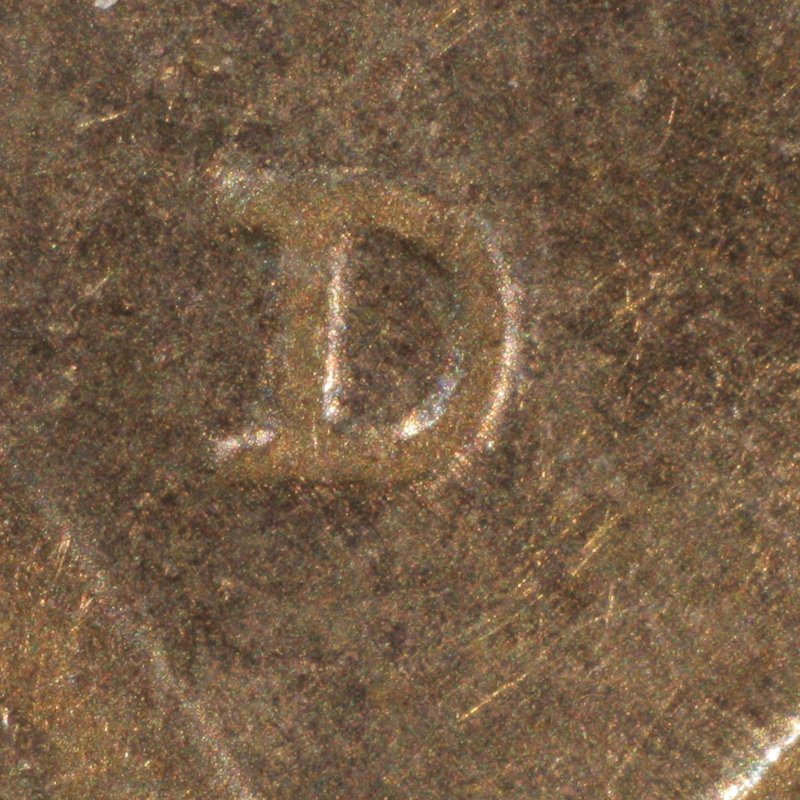
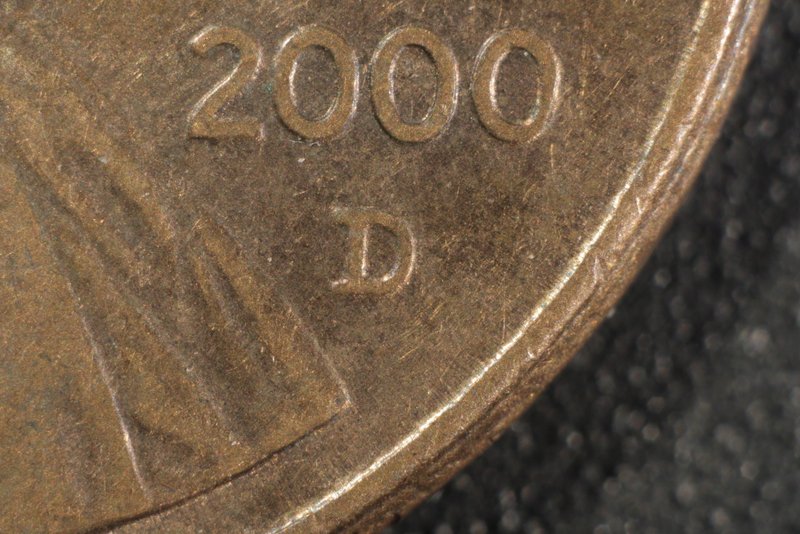
I received my $9 El-Omegar 50mm f3.5 lens today. the entire lens casing is plastic. It really is only useful for very close up shots with the bellows fully extended. Here is a uncropped and a 100% cropped shot. maybe I don't need a microscope objective?

Another-Coin-Photographer-Down-The-Rabbit-Hole.

Another-Coin-Photographer-Down-The-Rabbit-Hole.
Pillar of the Community
Learn More...
United States
4038 Posts
 Posted 05/19/2015  12:14 am  Show Profile   Bookmark this reply Add rmpsrpms to your friends list Get a Link to this Reply
That shot is around 3:1 magnification. Up to about this magnification level, lenses like those used for full-coin imaging (eg your 50mm) can do as well as microscope objectives. Above 3x the tables turn and microscope objectives do a better job. You can push an objective like the Nikon M5 to work from 4x (maybe even 3.5x) up to around 7x with good results.
Contact me for photographic equipment or visit my home page at:
http://macrocoins.com
Valued Member
Wizzy1's Avatar
United States
430 Posts
 Posted 05/19/2015  12:52 am  Show Profile   Bookmark this reply Add Wizzy1 to your friends list Get a Link to this Reply
I had a very small window of focus available to me with the 50mm. Only with the bellows completely extended I also had to open up the aperture to 5.6 to get enough light in. So is the uncropped shot 3:1 or the 100% cropped shot?
I remember reading and old thread with you and Dave discussing the merits of increased magnification. I don't what I would want to magnify more than this.
Pillar of the Community
Learn More...
United States
4038 Posts
 Posted 05/19/2015  12:58 am  Show Profile   Bookmark this reply Add rmpsrpms to your friends list Get a Link to this Reply
The overall shot is about 3:1. The crop looks to be about 10:1. Being able to downsize rather than crop is more important for higher magnifications due to less depth of field and more diffraction effects. So it's always best to decide what magnification you need for final image, and shoot at that magnification. If you like to see the mintmark fill the image, it's best to shoot at 10x rather than crop from a 3x image. But when I say "best" I am talking about overall image quality and sharpness, and to get there at 10x requires some stacking.
Contact me for photographic equipment or visit my home page at:
http://macrocoins.com
Valued Member
Wizzy1's Avatar
United States
430 Posts
 Posted 05/20/2015  10:30 pm  Show Profile   Bookmark this reply Add Wizzy1 to your friends list Get a Link to this Reply
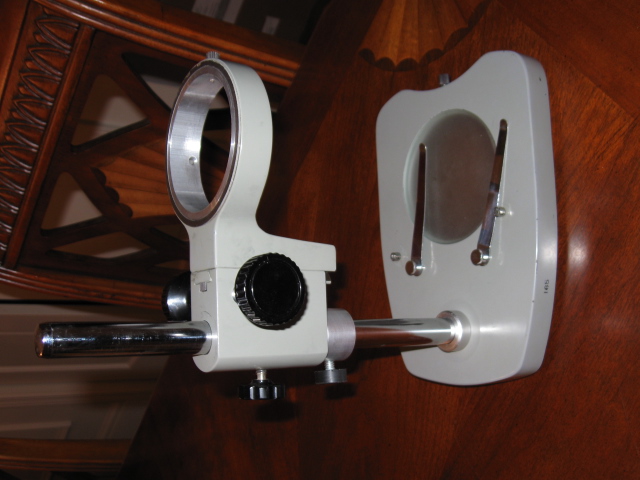
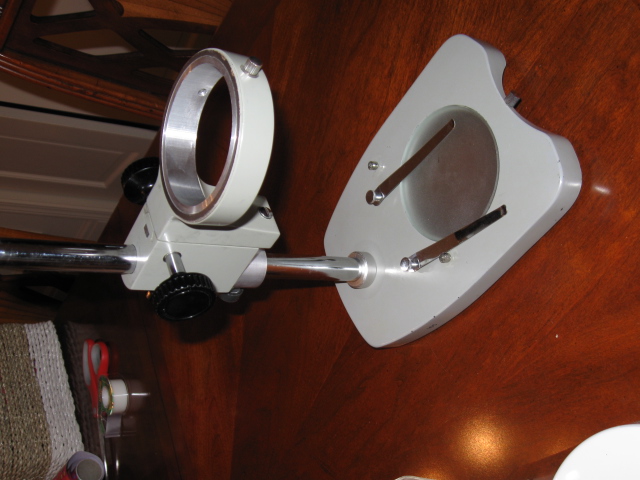
so here is the microscope stand before alterations

Another-Coin-Photographer-Down-The-Rabbit-Hole.

Another-Coin-Photographer-Down-The-Rabbit-Hole.
Valued Member
Wizzy1's Avatar
United States
430 Posts
 Posted 05/20/2015  10:32 pm  Show Profile   Bookmark this reply Add Wizzy1 to your friends list Get a Link to this Reply
I don't know why but the photos get "unrotated" when I post them.
Pillar of the Community
Learn More...
United States
4038 Posts
 Posted 05/20/2015  11:30 pm  Show Profile   Bookmark this reply Add rmpsrpms to your friends list Get a Link to this Reply
Nice stand, I like it. Let's see the modified version! And how easy was it to modify?
Contact me for photographic equipment or visit my home page at:
http://macrocoins.com
Valued Member
Wizzy1's Avatar
United States
430 Posts
 Posted 05/21/2015  01:31 am  Show Profile   Bookmark this reply Add Wizzy1 to your friends list Get a Link to this Reply
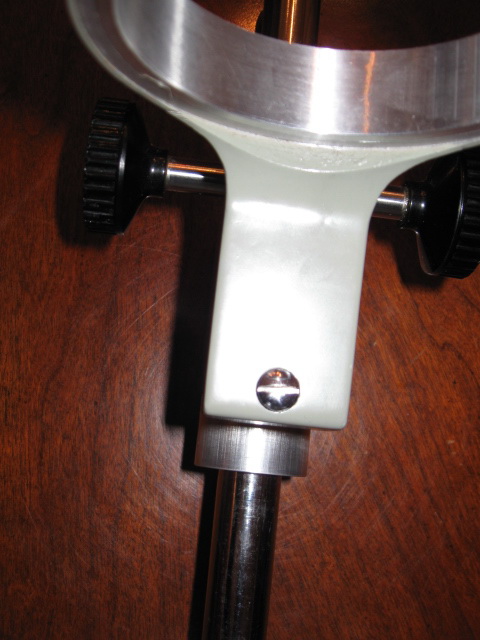
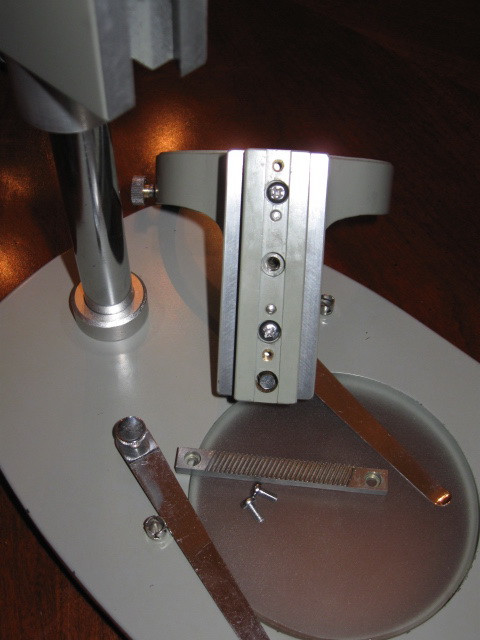
first remove the Stop Screw, and turn the fine adjustment so the microscope ring comes out the top.


Another-Coin-Photographer-Down-The-Rabbit-Hole.

Another-Coin-Photographer-Down-The-Rabbit-Hole.
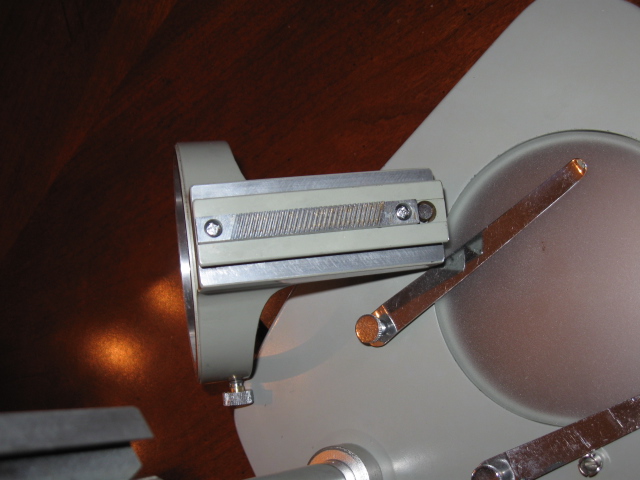
Next remove the 2 screws holding the gear strip to the stand.


Another-Coin-Photographer-Down-The-Rabbit-Hole.
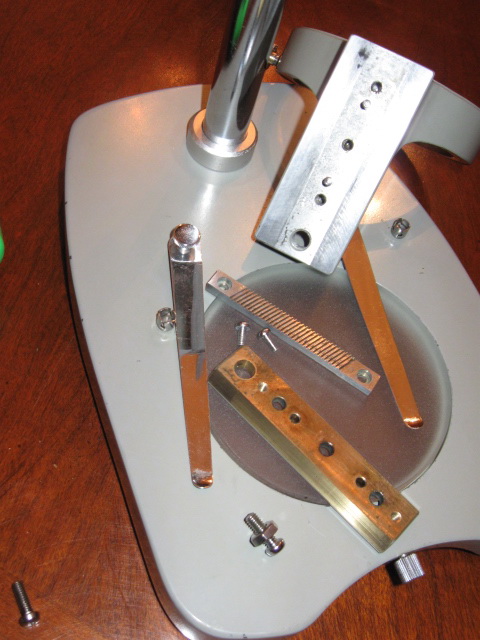
This reveals three more screws holding the trapezoid strip to the stand. Remove these, and the strip.


Another-Coin-Photographer-Down-The-Rabbit-Hole.
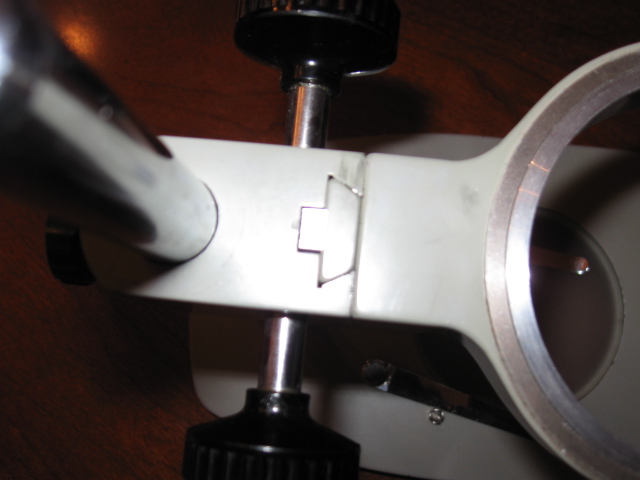
the top of the "trapezoid strip" in the stand.


Another-Coin-Photographer-Down-The-Rabbit-Hole.

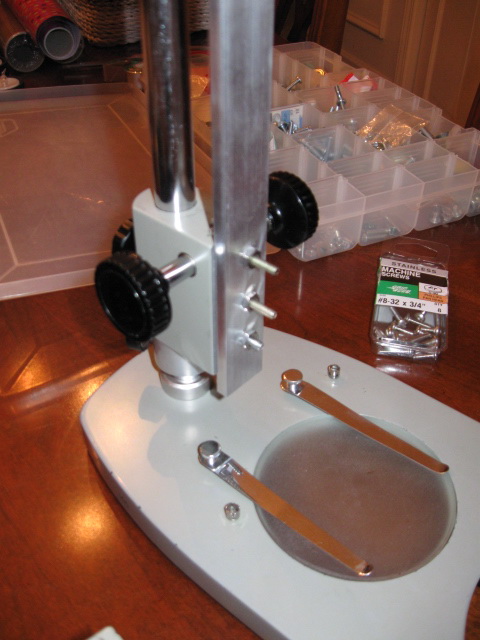
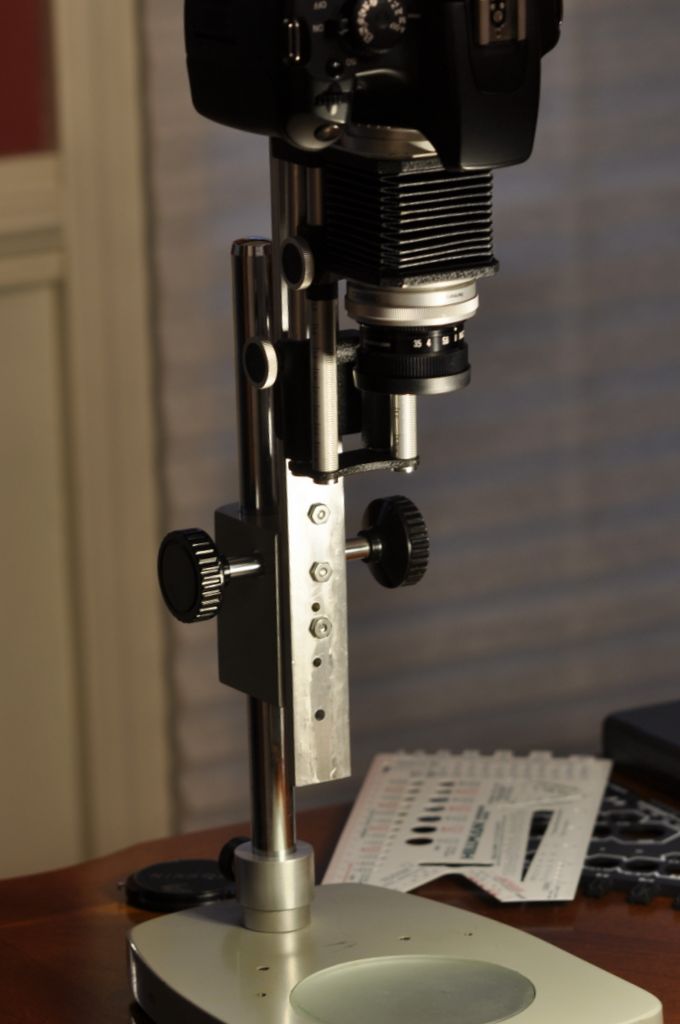
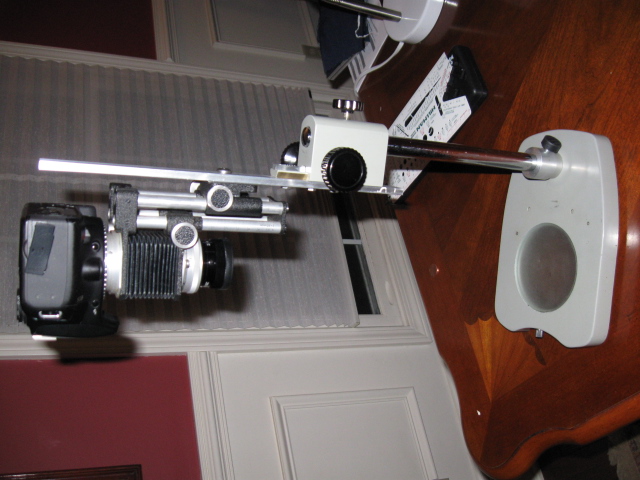
Now I drilled three holes in the Al bar stock. But before this I held the bellows up and focused on a coin to make sure I was in the focal zone. The first holes I drilled through because I only had long screws. The second set of holes I used shorter screws and tapped the holes. Then I drilled a hole for the bellows mount.


Another-Coin-Photographer-Down-The-Rabbit-Hole.

Another-Coin-Photographer-Down-The-Rabbit-Hole.

Another-Coin-Photographer-Down-The-Rabbit-Hole.
Valued Member
Wizzy1's Avatar
United States
430 Posts
 Posted 05/21/2015  2:12 pm  Show Profile   Bookmark this reply Add Wizzy1 to your friends list Get a Link to this Reply
The three bolts holding the trapezoid strip are 8-32. The heads on these bolts were very small to allow the gear strip to go over them. So I replaced them with 6-32 stainless 1/2" bolts.
Pillar of the Community
Dar's Avatar
United States
1476 Posts
 Posted 05/21/2015  4:18 pm  Show Profile   Bookmark this reply Add Dar to your friends list Get a Link to this Reply
Looking good.

Is it 'top heavy' at all?
Valued Member
Wizzy1's Avatar
United States
430 Posts
 Posted 05/21/2015  8:03 pm  Show Profile   Bookmark this reply Add Wizzy1 to your friends list Get a Link to this Reply
I normally shot with the camera much lower than the last pic, using the 75mm lens. I only need it fully extended using the 105mm lens. I wanted to show this stand has a lot of range.
Valued Member
Wizzy1's Avatar
United States
430 Posts
 Posted 06/07/2015  01:08 am  Show Profile   Bookmark this reply Add Wizzy1 to your friends list Get a Link to this Reply
I shoot in M mode. In this mode I cannot adjust the exposure compensation in Live view. Aperture priority makes no sense because I'm setting the aperture on the lens. In Tv mode I can adjust the exposure compensation but it really does nothing. and every time adjust the shutter speed in M it seems I need to readjust the white balance. how can I use exposure compensation with a bellows / manual setup?
Pillar of the Community
Learn More...
United States
4038 Posts
 Posted 06/07/2015  10:30 am  Show Profile   Bookmark this reply Add rmpsrpms to your friends list Get a Link to this Reply
In my view Aperture Priority (Av) makes perfect sense. Av mode leaves the lens aperture setting up to the user, and then adjusts other parameters to get correct exposure. It is also the only way I know to make the process work seamlessly in Live View. Using Av mode enables exposure compensation, gives correct exposure simulation in the live image, and doesn't mess with other settings such as white balance.
Contact me for photographic equipment or visit my home page at:
http://macrocoins.com
Valued Member
Wizzy1's Avatar
United States
430 Posts
 Posted 06/07/2015  1:24 pm  Show Profile   Bookmark this reply Add Wizzy1 to your friends list Get a Link to this Reply
I'm not getting something. My bellows is not an Auto bellows. So in Av mode no info is sent to the lens to adjust the aperture. So Av mode is really a manual mode. Is there some "in camera" aperture adjustment?
Pillar of the Community
Learn More...
United States
4038 Posts
 Posted 06/07/2015  2:07 pm  Show Profile   Bookmark this reply Add rmpsrpms to your friends list Get a Link to this Reply
No, you are correct. No info is sent, and there is no in-camera adjustment. But no information is required to be sent! Manually adjusting the aperture on the lens is exactly the same as manually adjusting the value on the dial. The camera doesn't care if it is adjusting the aperture, or you are using a manual lens.
Contact me for photographic equipment or visit my home page at:
http://macrocoins.com
  Previous TopicReplies: 76 / Views: 10,337Next Topic
Page: of 6

To participate in the forum you must log in or register.


Disclaimer: While a tremendous amount of effort goes into ensuring the accuracy of the information contained in this site, Coin Community assumes no liability for errors. Copyright 2005 - 2026 Coin Community Family- all rights reserved worldwide. Use of any images or content on this website without prior written permission of Coin Community or the original lender is strictly prohibited.
Contact Us  |  Advertise Here  |  Privacy Policy / Terms of Use

Coin Community Forum © 2005 - 2026 Coin Community Forums
It took 0.45 seconds to rattle this change. Forums