| Author |
 Replies: 36 / Views: 5,622 Replies: 36 / Views: 5,622 |
|
Bedrock of the Community
United States
11951 Posts |
I get so I am working on so many sets at the same time, it is hard to remember which coins I have. Recently I started using one of my older Red books to track which coins I already have, so I know which ones I need to purchase. In the past I would just make list, but that really does not work for me. Taking a highlighter and marking all the coins I have, for the sets I am working seems to help me keep track better. Do any other members have a good way that works for them? Examples - Pictured are modern commemorative dollars. I have most of the UNC's, recently started picking up the proofs. 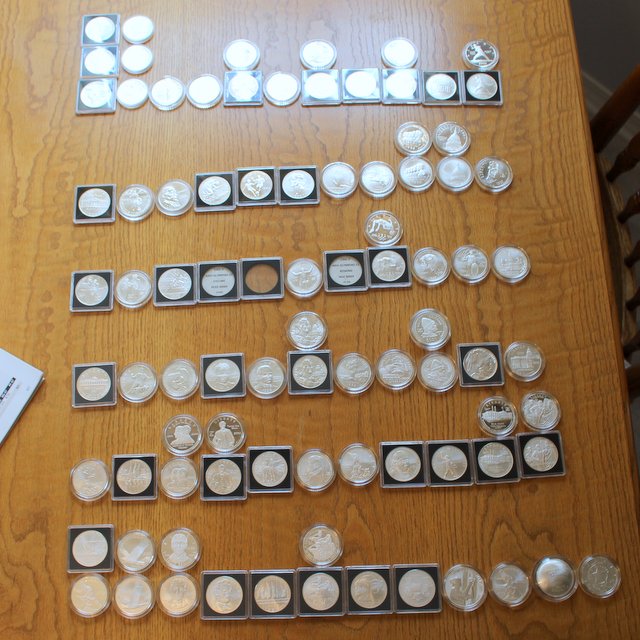 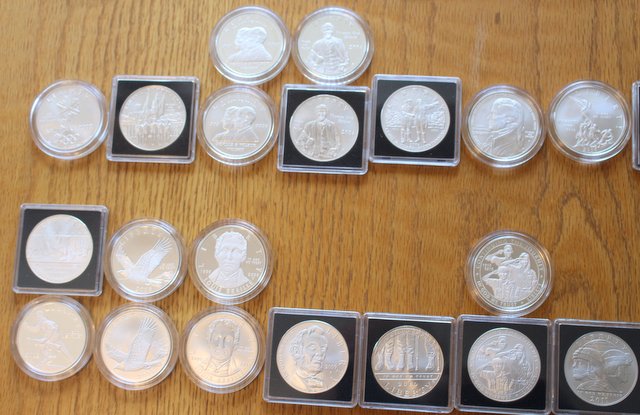 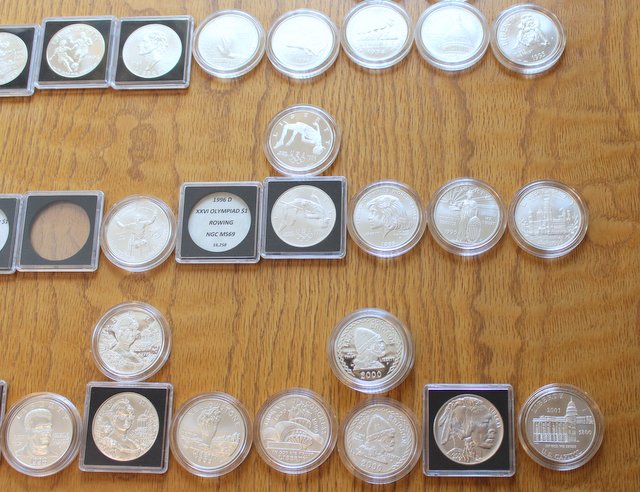 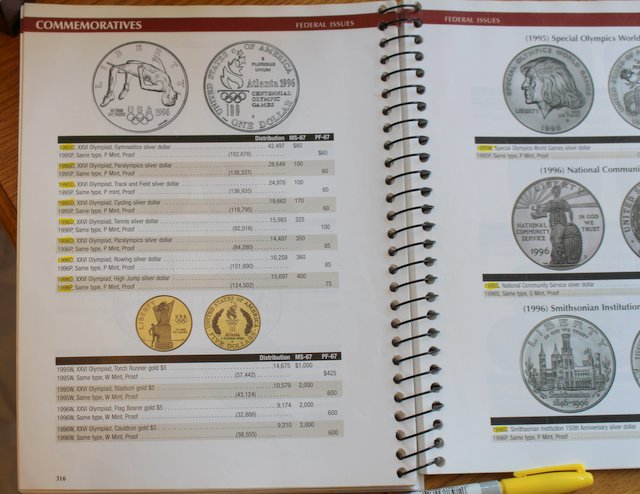 |
|
|
|
Pillar of the Community
Canada
4227 Posts |
That seems efficient enough. I use excel spreadsheets which I store on Dropbox so I can access them at a LCS or show, if needed.
|
|
Valued Member
Canada
488 Posts |
I was gonna do the same with the book but started using notes in my phone as its always on me and doesn't require data or wi fi.
|
|
Rest in Peace
United States
18456 Posts |
I just have a small pocket notebook with lists of dates and mints that I need by denomination and series. as I acquire the needed coins I simply cross them out. this works good for me when I go to coin shows, the less that I carry with me the better.
|
|
Pillar of the Community
United States
711 Posts |
Google Drive is a good service. Online spreadsheets, no software needed, all on the web so it is always on your phone.
I prefer the spiral bound pocket sized note pad with sloppy hand written lists in practice.
Edit: Also nice to see those Leif Eriksons. Been wanting one of those for a couple of years now, I don't see them that often.
Edited by BuckeyeCoinGuy
08/09/2015 2:21 pm
|
|
Pillar of the Community
1325 Posts |
Step 1: make a new sheet in my workbook 2: type in all the dates and mintmarks 3: buy the Whitman folder they will go in. 4: separate the dates with a blank row based on what goes in the folder 5: sort coins when I get them and separate them when ready to put into folders with the aid of the wotkbook 6: put coins in folder and delete row containing that coin from its sheet in the workbook 7: repeat starting at step 2 for new coins or new folder 7a: buy things like flips for San Fransico NIFC halves, 1973 Ike, foreign coins (excluding Canadian cents which have a Wargams folder) I don't really keep track of the loose things like those in jewelry bags other than in an HTML page that shows all the coins I have foreign and domestic so I can look at a glance. No telling really how many NIFC halves and San Fran mint mark coins I have that aren't in folders, cause they just happen to be acquisitions that I am lucky to have, nothing really to try to make a set of. When it becomes enough they end up in coin tubes in a tackle box or ammo box with a sticker on top of the tube saying what is in it. Also I have a printout of all US coins from Littleton or somewhere that use to know what types of coins are out there should I want to try a new set or get enough of a type that it requires me getting a book for, but 3 morgans, 2 peace, 2 Franklins, 2 walkers, are nothing really to get a book for so they reside in a cash box with my bill collection of few silver certificates and 2 seal and old style $20 bill and such. Mostly it is just upon visual inspection of the folders. For what you have pictured I would say a simple mobile device app so when you are out could help make sure you don't get an extra of something you don't want, and a spreadsheet for when you might be ready to go out and just write down the things you might want out if you are buying over-face coins. |
|
Pillar of the Community
United States
3544 Posts |
For me what works best is my website. I maintain this and it keeps me keenly aware of what I have, what I need and what I might need to upgrade.  The chart on the lower right side of each page shows me how much of a series I own and what's left to find. |
|
Bedrock of the Community
United States
94367 Posts |
I love using Coin Elite from Trove Software. Simple to print out data on any series in your collection or even the entire thing.
|
|
Pillar of the Community
United States
2661 Posts |
The simplest way is to use the cataloging feature on Numista's website. All you have to do is create an account and click the "Your Coins" tab and check the blocks for each coin you have. It can easily be accessed with a smart phone if needed and is formatted to export to Excel. Only typing you need to do is in the notes section. http://en.numista.com/ |
|
Pillar of the Community
Canada
1269 Posts |
I have fewer than 10 coins that I need to keep track of. The rest are fairly inconsequential. For those 10 I have complete info written up in word and saved to dropbox for easy reference.
|
|
Pillar of the Community
United States
1192 Posts |
I keep notes on my phone backed up on drop box. I only worried for series and album progression.
|
|
Bedrock of the Community
 United States
11951 Posts |
Looks like everyone has their own special way of
keeping track.
Some good ideas.
|
|
Valued Member
United States
62 Posts |
I use Google Spreadsheet, it is pretty easy to use/manage.
|
|
Pillar of the Community
United States
1959 Posts |
If you have an iDevice, you can use an app called uscoin. It backs up to a Dropbox account. It takes a while to log in the coins but once you get caught up, you then just log coins in as you buy them. I don't log every coin I have. Just the more valuable coins and coins in sets so I don't by duplicates.
|
|
Pillar of the Community
United States
655 Posts |
I'm with T-BOP; I have a little black book.
|
|
Pillar of the Community
New Zealand
1679 Posts |
For me. Each coin is photographed and place into my IPhoto folders in which I can edit and also add info to each photo. I also have them on power point as slides. I do have a small collection of specialised, only about 500 coins and I am glad I don't buy everything. I can recall and look at any coins straight away. PS I do carry a piece of paper in my wallet just for the rare ones  Cheers Don
Vickies cents and GB Farthings nut.
"Old" is a figure of speech and nothing more
Edited by fourmack
08/09/2015 9:40 pm
|
| |
Replies: 36 / Views: 5,622 |







 Posted 08/09/2015 1:40 pm





