| Author |
 Replies: 9 / Views: 1,049 Replies: 9 / Views: 1,049 |
|
|
Valued Member
United States
221 Posts |
|
|
|
|
Bedrock of the Community
United States
62064 Posts |
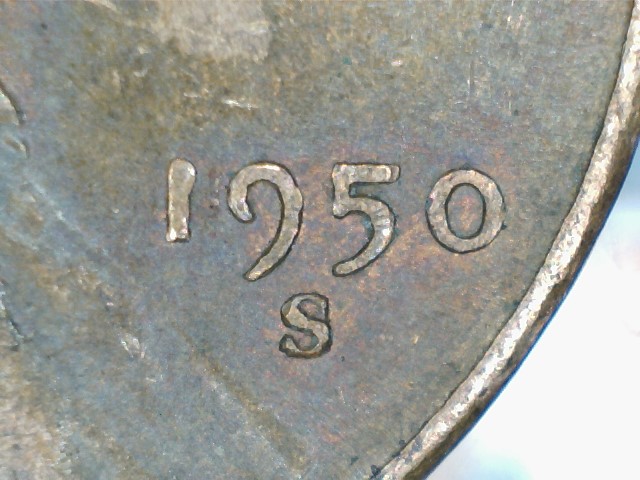
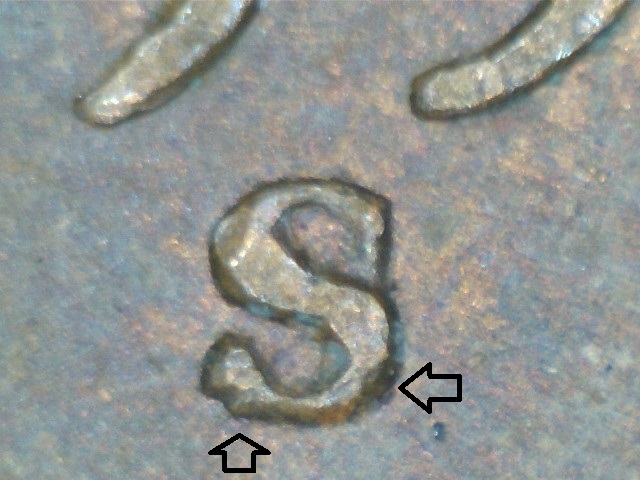
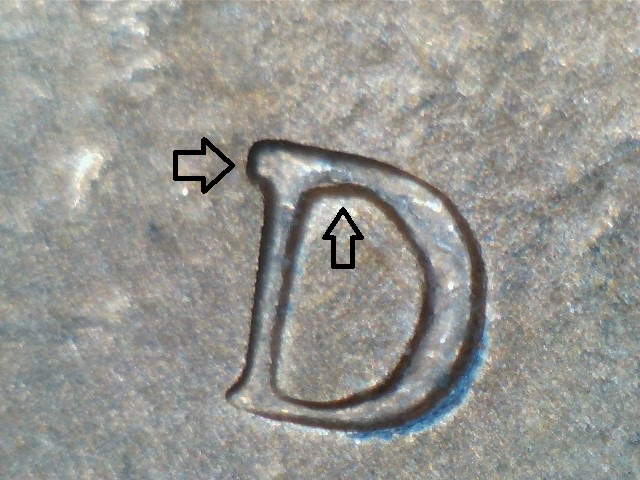
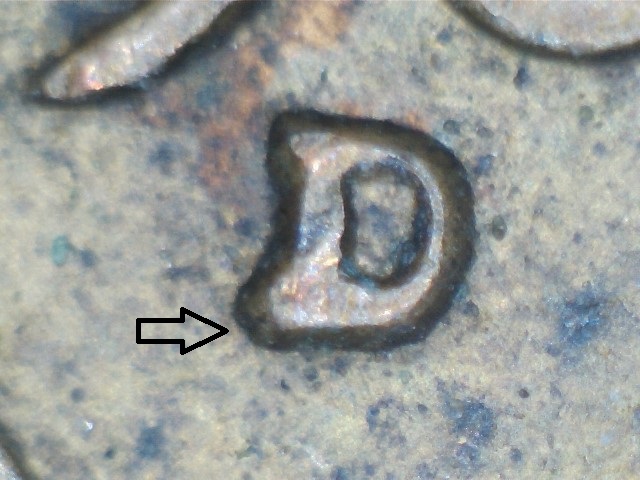
Overlay confirms 1950S-!MM-017 for the first one. The rest are very minor and probably not listed.
|
|
Valued Member
 United States
221 Posts |
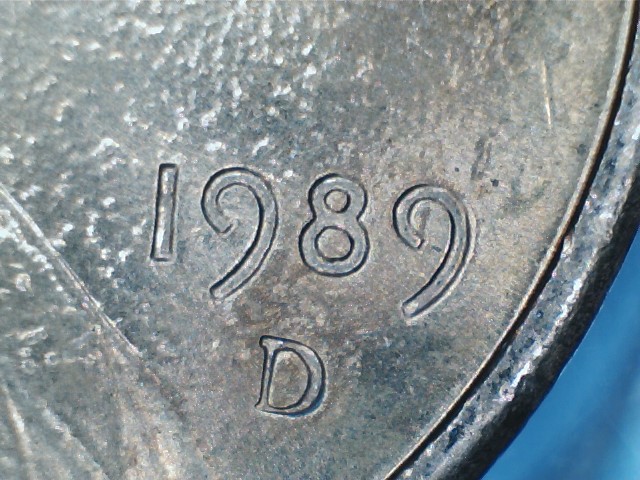
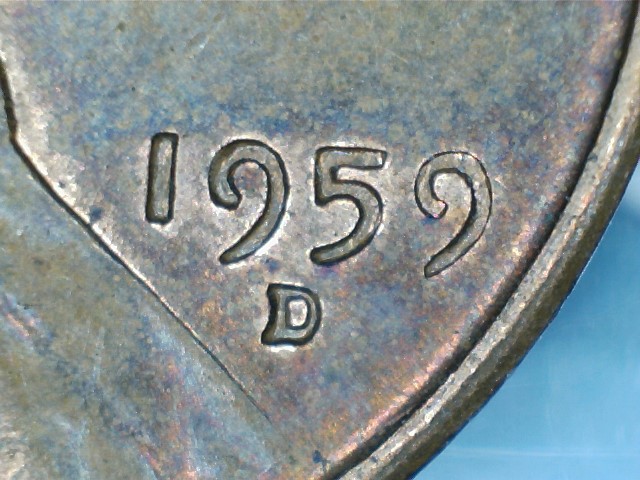
So my understanding is that all 4 are RPM's? Thanks for the help coop!
-CRHer
|
|
Bedrock of the Community
United States
62064 Posts |
The 89 and 59 are questionable. The would be too minor to pursue.
|
|
Valued Member
United States
221 Posts |
coop,
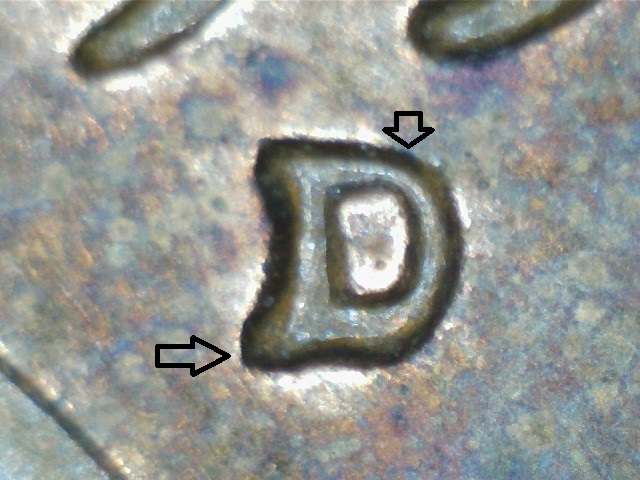
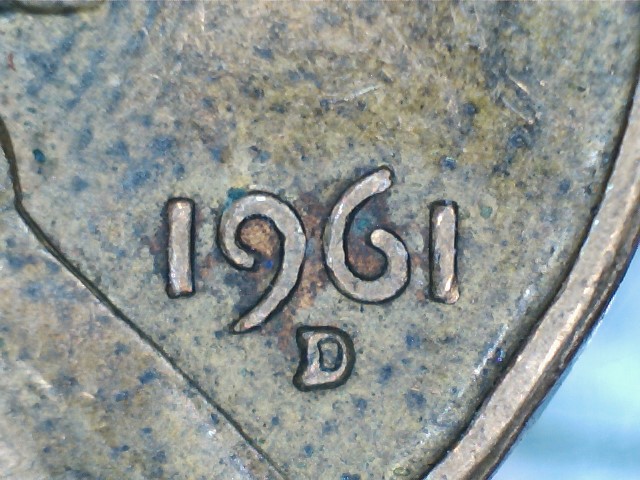
Do you think that the 1961D could be CONCEA 1961-D RPM-064?
-CRHer
|
|
Bedrock of the Community
United States
62064 Posts |
The location was close, but the shape of the mint marks are totally different: 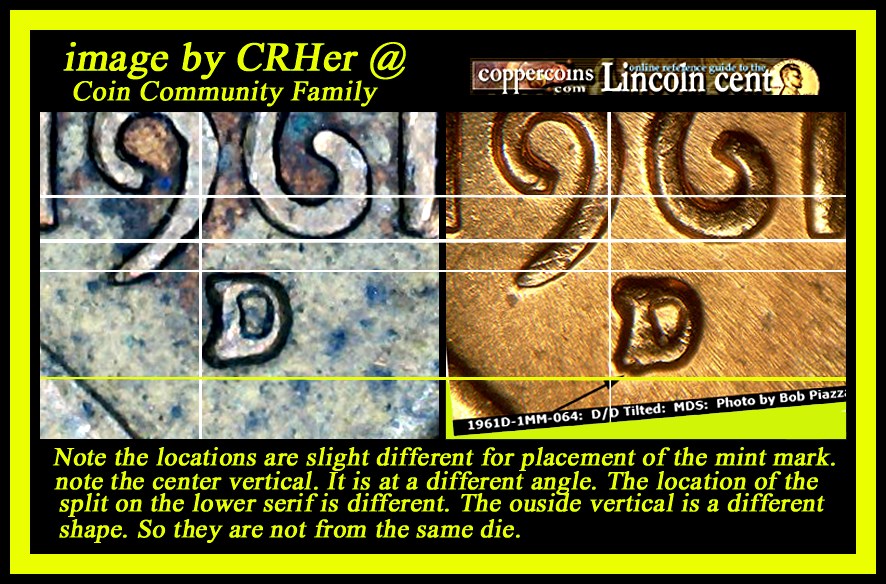 Edited by coop
06/17/2016 02:58 am
|
|
Valued Member
United States
221 Posts |
Thanks coop. When I overlayed it, I noticed it looked a little off but figured I would ask anyways. I guess I will set this aside with the '89 and '59 as minor RPMs.
-CRHer
|
|
Bedrock of the Community
United States
62064 Posts |
Your 1961 was a good example of showing how with the same mint mark punch, the mint mark could end up looking different in shape. The punch might be rotated a bit between punches and if you note the mint mark was even taller. So the punch was not aligned correctly when it was formed on the coppercoins die. But along with location, you need to also consider the shape of the mint mark and RPM left by that process. Just eye balling it, they don't stand out, but side by side they become noticeable. Also side by sides give you the option to make the dates line up first. Sometimes if the image is take at an shaper angle it can make the whole images devices taller or shorter than they should be. So You note the white lines I put on the date area first. That helps me determine with about 2-3 horizontal lines if the heights are the same. One advantage you note by the side by sides. How do I get the lines straight? I use the box (marquee) to make sure they are lining up correctly. Then I draw a line on the marquee outline (top or bottom) that reduces the line in width. But it shows that the tips of the 1's the loop of the 9 or other digits line up the same height. Also the horizontal I set first. Most of the time when I notice the differences in height, then I have to start over. But I do it for a reason. To help newer ones learn how this is done. So overlays are helpful, but the side by sides help determine, height, shape of mint marks as well as locations of mint marks. (especially when they are so close to looking correct. I probably should made a thread on this?
|
|
Valued Member
United States
221 Posts |
That would be great if you made a thread on this! I've tried to find how to do some of this on my own, but there are not many sources. Having someone go in depth and explain this process would be great for people like me.
-CRHer
|
|
Bedrock of the Community
United States
62064 Posts |
I don't know how many use the same software I use. I use Photoshop 5.5 (the educational version) I watch on ebay and you can get this program for a lot less. It has all the bells and whistles I need. I've bought some in the past for as little a $15-$25. They program originally sold for $400. So when they go for less than $15, I buy them and re-sale them. I love the program and would not buy a different one because it work for me. |
| |
Replies: 9 / Views: 1,049 |
|







 Posted 06/16/2016 6:50 pm





