| Author |
 Replies: 10 / Views: 1,218 Replies: 10 / Views: 1,218 |
|
|
Pillar of the Community
United States
3516 Posts |
Just found this. Hoping someone can help me find a match on coppercoins. Any help would be greatly appreciated. 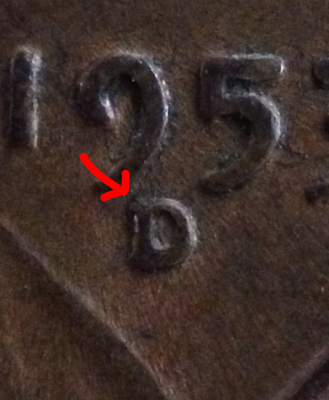 |
|
|
|
Bedrock of the Community
United States
62064 Posts |
Image is a little dark to see what is going on with it. It does look like a RPM though. A little light on the lower serif would be a help to see if there is a split there or not.
|
|
Pillar of the Community
 United States
3516 Posts |
Is this better? 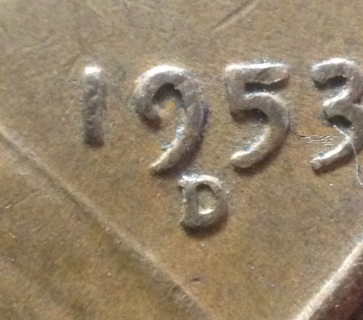 |
|
Pillar of the Community
United States
3644 Posts |
I dont see a match-i thought might of been 029 that was the closest but I dont think so after looking closer...on coppercoins, that is the only place I checked tho
Edited by Slamnbass
06/16/2016 9:10 pm
|
|
Bedrock of the Community
United States
62064 Posts |
Can you get a bit closer? That would help also to see what is going on in the area?
|
|
Pillar of the Community
United States
3516 Posts |
|
|
Pillar of the Community
United States
3516 Posts |
I can still get closer If you need, just let me know.
|
|
Bedrock of the Community
United States
62064 Posts |
The image is better, but is that a split on the upper serif or debris on the mint mark?
|
|
Pillar of the Community
United States
3516 Posts |
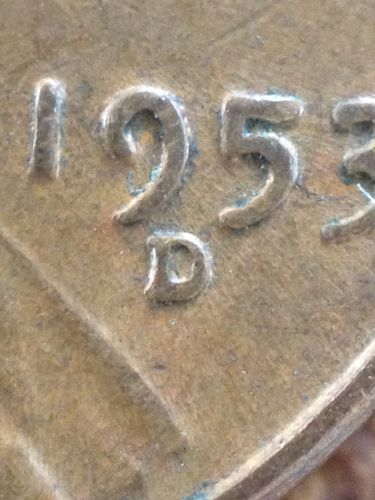
It is not debris, I tried multiple times to wipe it off with my finger and nothing will come off. Here is the closest I can get. 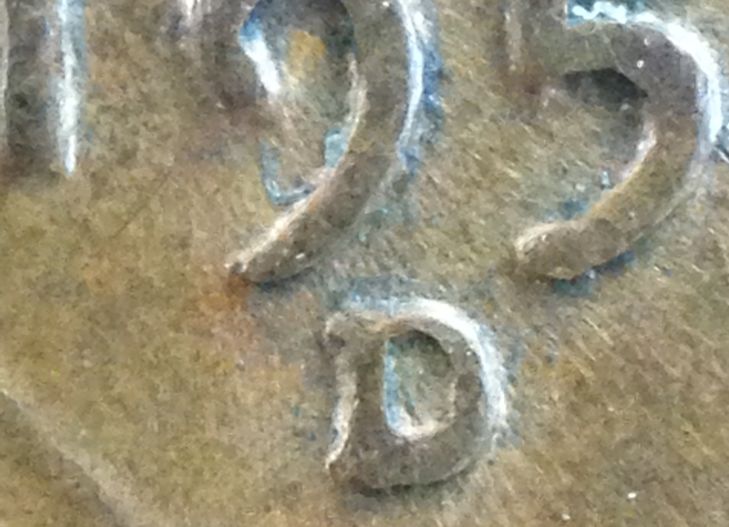 |
|
Bedrock of the Community
United States
62064 Posts |
It looks like it is a RPM. Minor, but one that might be listed someday.(I hope) I see you got the note about the rotating the coin to horizontal. I like the closer shot best. The ones that work best are the ones that show all digits and the mint mark location in the same shot. Sometime when I want to show the mint mark area better I may add a window of a close up. 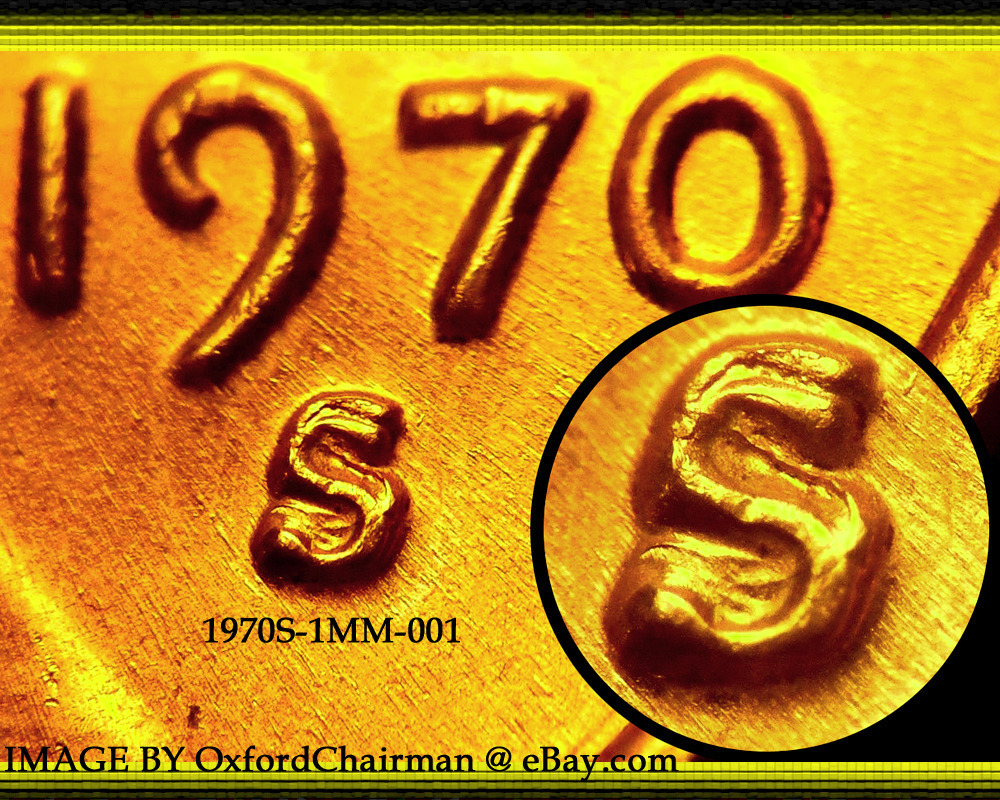 If you have the extra space it works. But most of the time it wouldn't be necessary. (On your coin it would though. when you need a closer shot, then I may add it. But then you might need to images. One with the window and one without. On overlays the window might hinder, thus the need for one with out it. You are making improvement with each show now. Are you happy with what you have now compared to yesterday? ready for the next step? Note on the image above the glare on the devices caused by your light source. One way to remove the glare, is to use a diffuser. This can be a curtain of a plastic grocery bag, or a sheet of paper. Just something between the light source and the coin that will remove the glare spots. I even use paper on my scope to prevent secondary light causing a glare. How do you know you have an issue with a secondary light? What is a secondary light? The light from the window from the sun cause lighter spots on the devices. A room light can cause an unwanted glare. The can be blocked with paper or even a facial tissue to remove the glare spot. How do you tell if you have a secondary light source giving you grief? Looking at your images you can see lighter areas on devices. Looking through your scope, you can cup your hands around the coin area and see what direction you need to block secondary light. Then taped a facial tissue to block that unwanted light source. Hope this helps. The best photographer is the one that works and tries everything to get the image that he wants. So experiment. Sometimes a happy accident will happen and you found something new. Keep what works, get rid of what doesn't work. Hope this helps. |
|
Pillar of the Community
United States
3516 Posts |
Wow. Thank you so much for all the great advice and help. I will be sure to use all of the techniques you mentioned and will experiment too. Thanks again.
|
| |
Replies: 10 / Views: 1,218 |
|







 Posted 06/16/2016 8:09 pm