| Author |
 Replies: 7 / Views: 4,481 Replies: 7 / Views: 4,481 |
|
|
Pillar of the Community
United States
2260 Posts |
Probably not the right forum for this but wasn't sure where to ask.
What do you all recommend for a for a program that I can do overlays with? The least expensive-the better. Thanks for your replies.
|
|
|
|
Bedrock of the Community
United States
62064 Posts |
Well if you have an image editing program, you need a few steps to create these: 1. you need two images of a coin that are very clear. I go to PCGS coinfacts link on their site to get large images. They have some images of the two coins almost 6,000 pixels wide. The advantage of using very large images? When you reduce them, then they will look extra good for your overlay. sometimes older proof coin work very nice as they are very clear. But if you need a specific year/mint mark, they have listing for them on that page. When you get the pair of images, you need to make a duplicate of the one so you can have an obverse and a reverse. (in fact I use two if each) First cut images and make them the same size. I usually make them 1200 pixels wide and tall. Best to cut them exactly the same, either to the edge of the coin or with the same amount of border. Then size them exactly the same size. 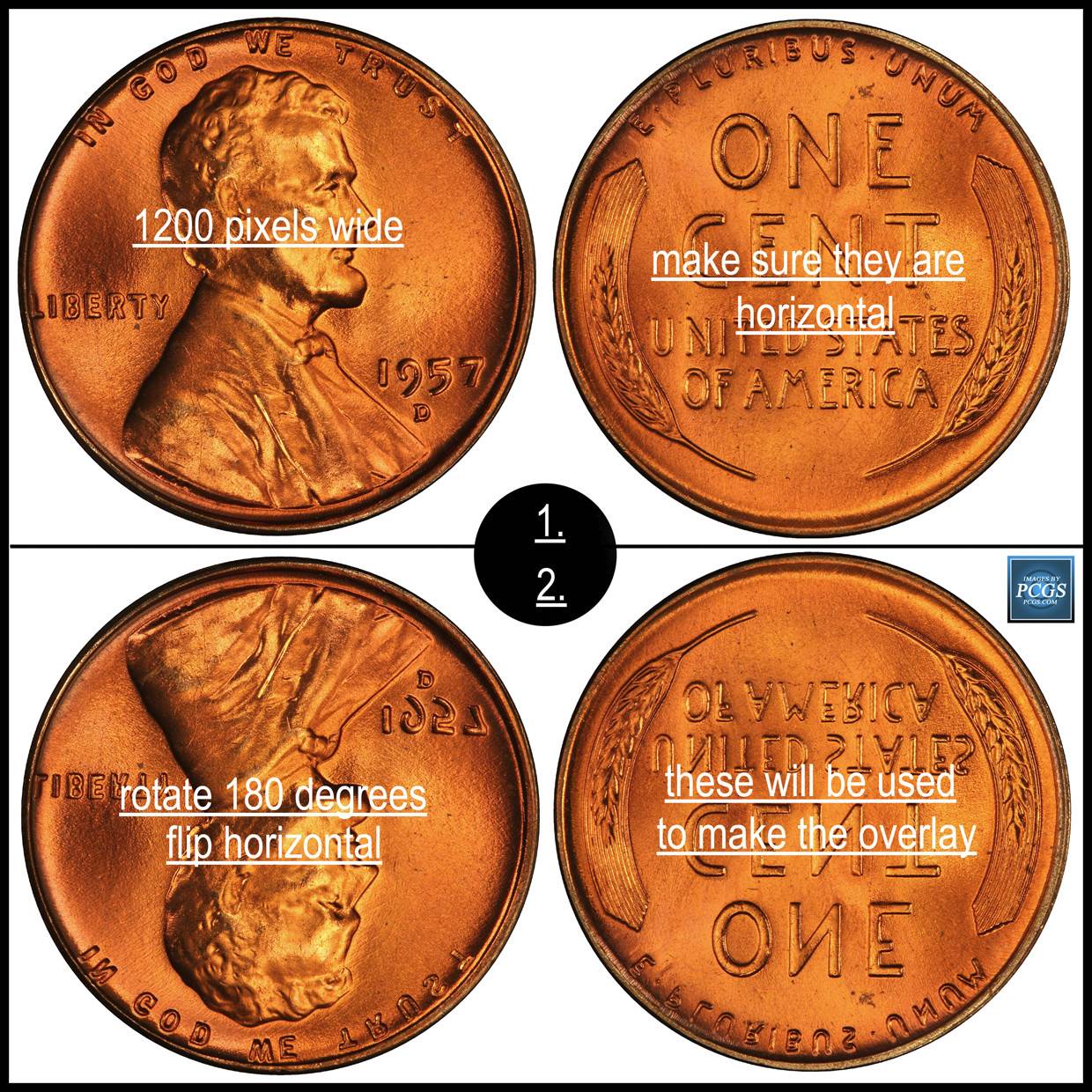 2. To make an overlay you need to consider the position of the dies. On the the ones for the U.S. coins, they are rotated 180 degrees and flipped horizontally on one of the image of images. So if you are making an obverse overlay, then you need to rotate the reverse image 180 degrees and flip it horizontally. 3. With your editing program you need to reduce the opacity 50% to make the overlay. slide the reverse overlay over the obverse image and you will be able to see the both through the overlay with the reduced opacity. Line it up over the rims of both coins images. Then reduce the upper layer to be lighter/darker/change color/ what ever you prefer. after adjusted, then flatten layer and adjust the image again getting the desired result. Then do the same for the reverse die. I usually make a large obverse and a large reverse overlay. Also an image of both together. Depending on which one I need or all, upload and post them. 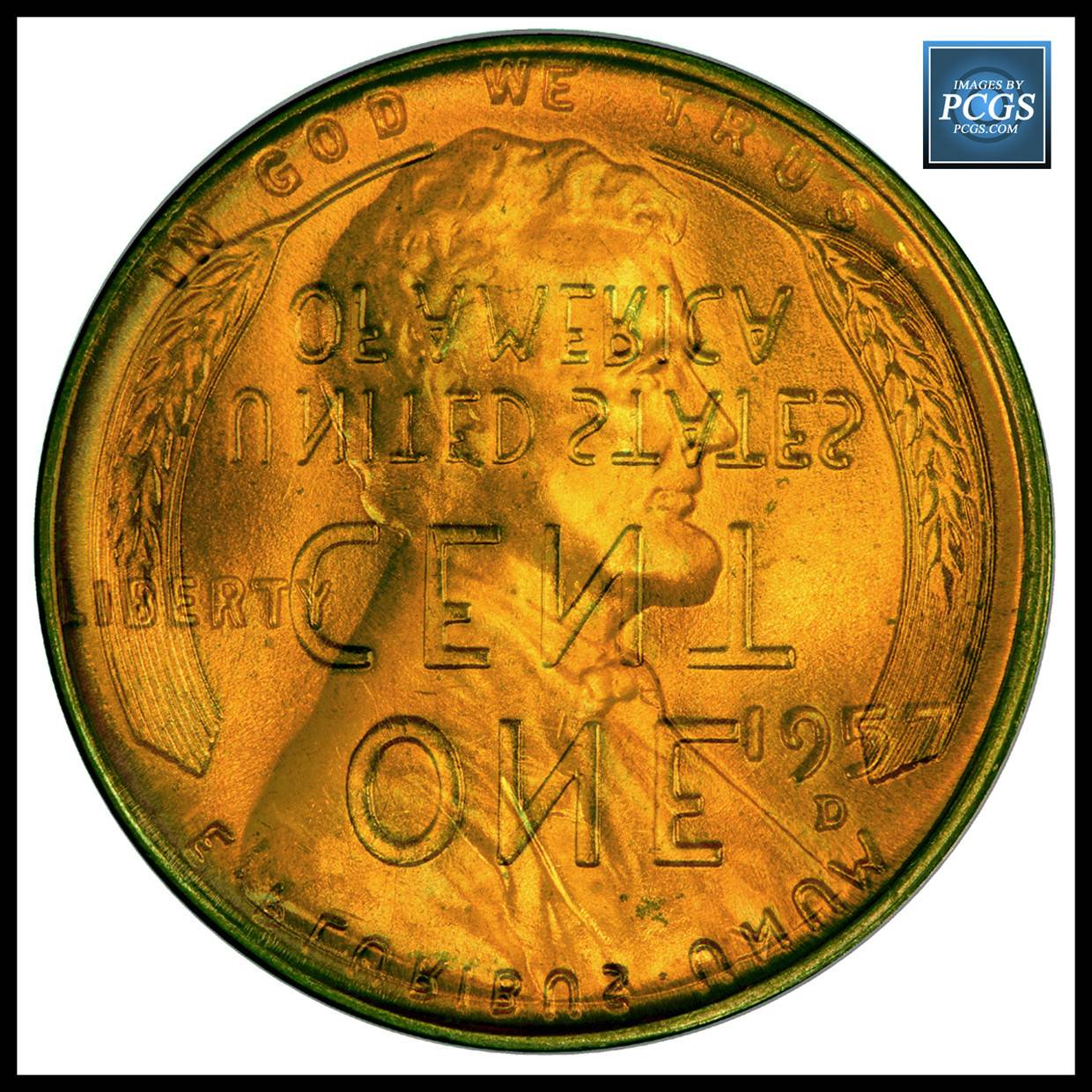 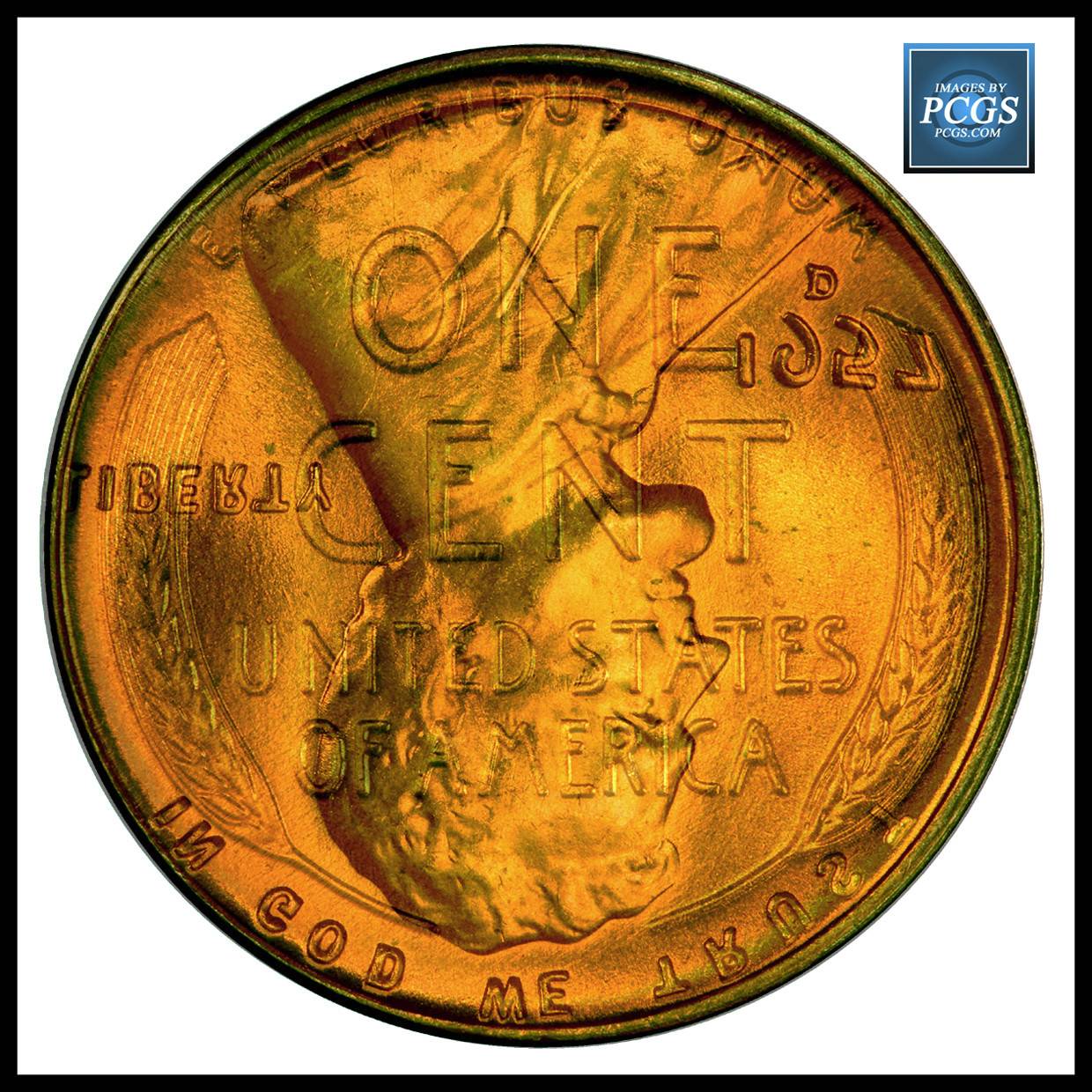 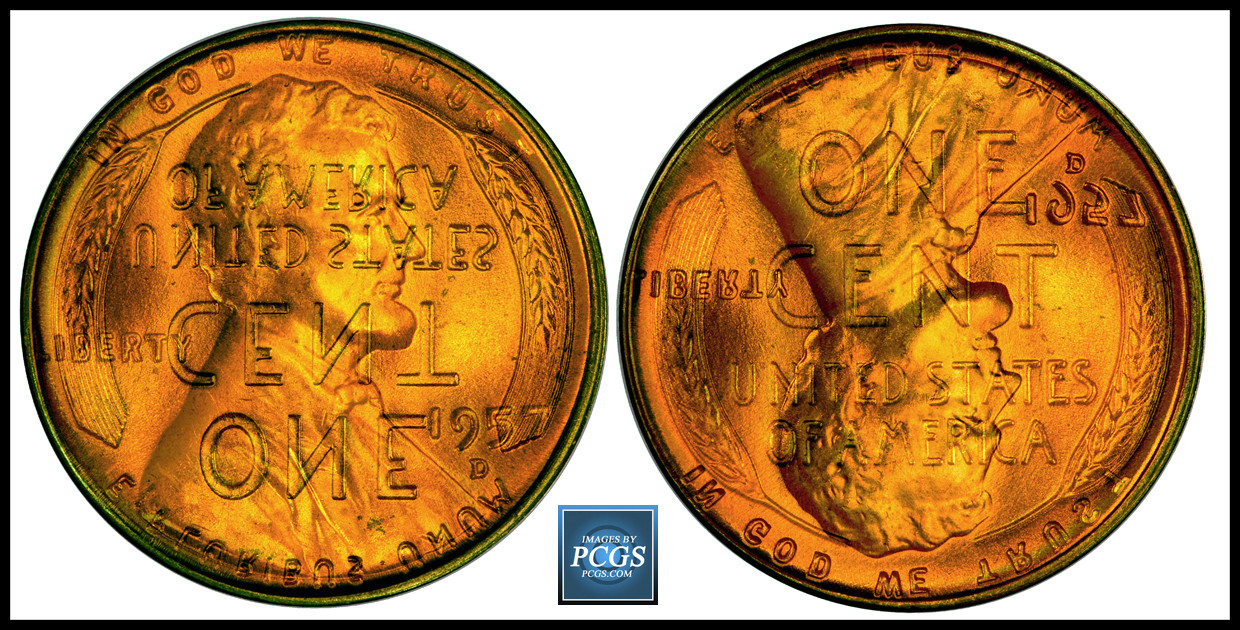 Edited by coop
12/10/2016 12:56 pm
|
|
Pillar of the Community
 United States
2260 Posts |
Can you recommend an image editing program. I think you have before but I forgot what it was.Thank you
Edited by 11997755
12/10/2016 1:05 pm
|
|
Bedrock of the Community
United States
62064 Posts |
|
|
Moderator
 United States
54297 Posts |
coop is showing off! I love Photoshop for overlays, but you can do overlays with a program called Paint.Net. "The cheaper the better" -- this one (paint.net) is FREE, Photoshop is expensive. Get the program at http://www.getpaint.net (not http://www.paint.net).Show your financial support of the Coin Community Family (click here)See my topic on Mexican Numismatic Medals (click here)Edited by nss-52
12/10/2016 3:17 pm
|
|
Pillar of the Community
United States
2260 Posts |
I downloaded a 7 day trial version of Photoshop. I believe it is going to take me longer than that to figure out how to get the photos in the program. Will download the paint.net tomorrow and check it out. Thank you for the link and the info. Have to admit Coops images are neat.
|
|
Moderator
United States
195482 Posts |
Quote:
"The cheaper the better" -- this one (paint.net) is FREE, Photoshop is expensive. I agree. This is what I use.  |
|
Pillar of the Community
United States
4051 Posts |
Yep, paint.net is the ticket.
|
| |
Replies: 7 / Views: 4,481 |
|







 Posted 12/10/2016 12:47 pm