| Author |
 Replies: 106 / Views: 21,475 Replies: 106 / Views: 21,475 |
|
Pillar of the Community
United States
650 Posts |
I recently got a Celestron Pro 5MP digital microscope. Let's face it, they require a little tweaking and modding to make them take decent coin photographs. Post pics of what you did to your USB scope. Maybe we can give each other some ideas on how to improve these things. There are a couple shortcomings. First, the camera does not adjust high enough for anything larger than a dime. I've resorted to stacking up books to get some distance between the coin and the camera lens. Extending the adjustment rod is a good first mod. Second, the LED lights are around the lens, so they illuminate the coin straight on, which sucks (especially for slabbed coins). They are a bit bright even when you dim them. So, lighting mods are popular. CrazyB posted this pic of how he swapped out the vertical 5.5" long 5/8" diameter stainless steel rod for a brass 14" long tube. He didn't provide any details on how to do it, but it's pretty easy if you have the right hand or power tools 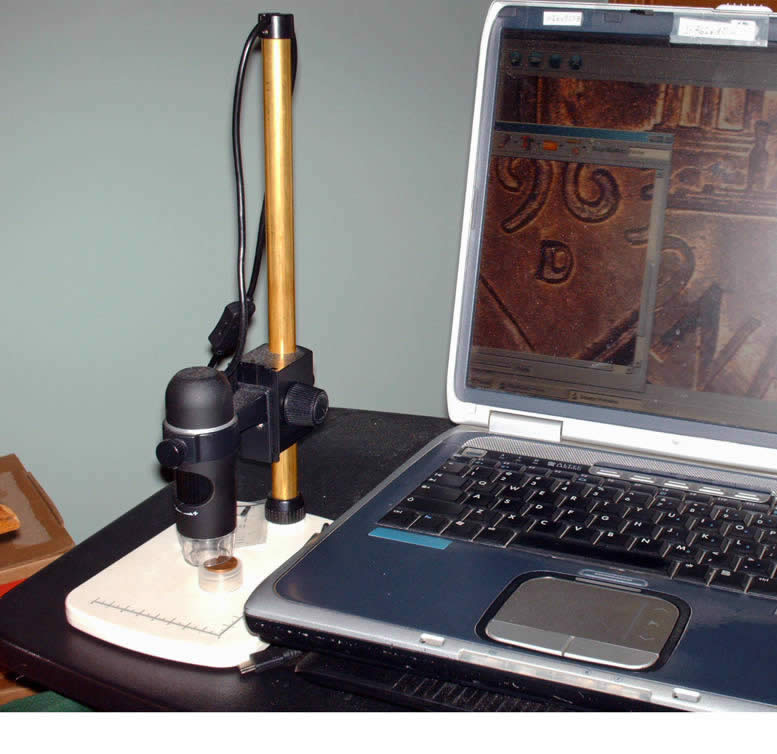 |
|
|
|
Pillar of the Community
 United States
650 Posts |
I decided the first thing to do was swap in a longer vertical rod. Amazon sold stainless steel tubes that are 5/8" outside diameter. The minimum length is 24", so I have a little extra left over. The original rod is 5.5" long. I replaced it with a stainless steel rod that was 10" long. I decided 14" (like shown in the first post) was overkill. I did photograph an Ike dollar as a test. Worked fine. I cut the tube to 10" length. This rod was thicker than the original, but a power saber saw worked fine. I used a grinder and a file to smooth the cuts. There are little notches that I cut out with a dremel tool. Here is a stock photo of how the scope originally looked: 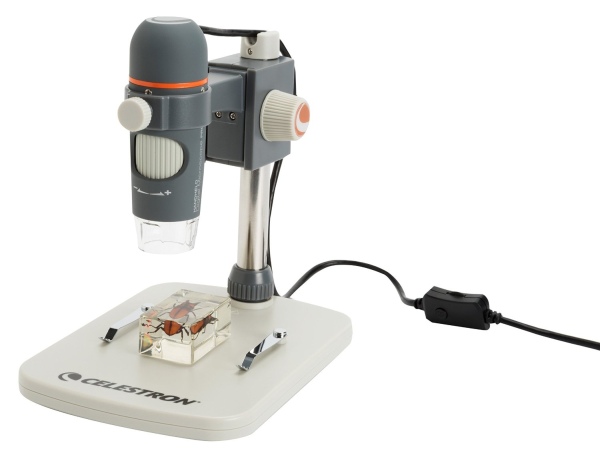 Here is the finished product: 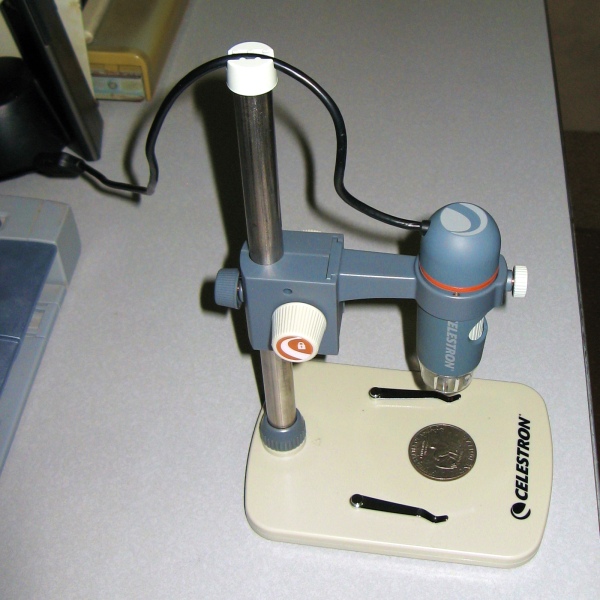 Edited by batboy
03/20/2017 10:24 am
|
|
Pillar of the Community
United States
1306 Posts |
Notches? What are they for? Your modification looks very good and useable. Ham
|
|
Pillar of the Community
United States
650 Posts |
Ok, notch was the wrong word, it's a small cut or slit or slot that acts as a keyway. Once the rod slides all the way into the base, this keeps the rod from rotating. The little cap on top of the rod (cord holder) also has a little cut that allows the cap to fit down securely. The cap is held on by a tiny screw on the original tube, but I didn't have a tap that small. The plastic cap is a snug fit and won't fall off anyway, so the screw is not needed. Oh heck, I'll just take a pic of the little slot. This is the end that slides into the base. There is a plastic "key" inside the base that fits into the slot. 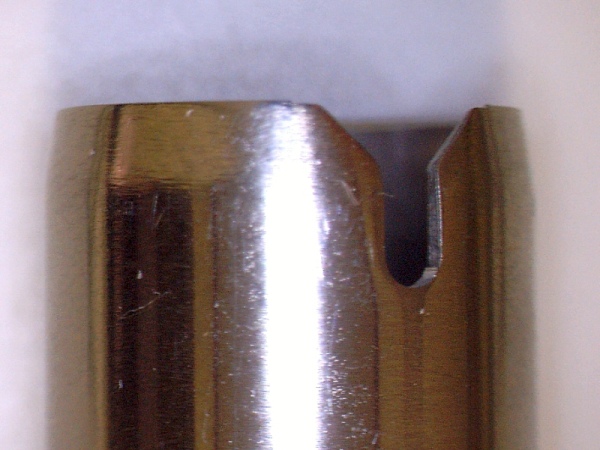 |
|
Pillar of the Community
United States
650 Posts |
Next thing I did was buy a 3 ft. USB extension cord. It was a tight stretch to reach my computer the way I have my desk set up. The cord on the new scope is shorter than on the old Celestron 2MP scope that I have.
My Ikea LED desk lamps arrived today. Yes, I'll be modding them too. I have a light diffuser sheet that I plan to cut down to size and mount onto the lamps to soften the light. I also plan to paint the LED bulbs on the scope camera. I have white translucent paint on the way. Once I get the lighting mods done, I'll report back with results and photos.
|
|
Pillar of the Community
 United States
4051 Posts |
The plastic lens on the Jansjo can be removed, and replaced with a piece of diffusion paper. I recommend Canson Opalux diffusion paper. It is thick, holds a fold well, and provides a very diffuse light without attenuating much. After removing lens, use it as a form to cut the right size circle.
|
|
Pillar of the Community
United States
650 Posts |
Good info. How does the lamp lens come off? Does it just snap on and pop off?
|
|
Pillar of the Community
United States
1306 Posts |
Thanks batboy for the clarification. Ham.
|
|
Bedrock of the Community
United States
10284 Posts |
I'd like to take better images of both doubled dies and whole coins. Can the Celestron Pro 5MP digital microscope take an image of a whole coin, or will it only capture a portion or area of a coin? Can it capture something as large as a silver dollar entirely? Late edit: I re-read the second post, sorry, I see you had replaced the rod and it did OK with an Ike dollar. Disregard my post question. I think I can use some conduit or something like that. batboy ... could you please post a image of the ike or other large coin you captured completely? Thank you. Edited by TNG
03/21/2017 09:52 am
|
|
Valued Member
Russian Federation
172 Posts |
|
|
Bedrock of the Community
United States
10284 Posts |
Justwalking, Thank you! A good link and informative. I really wouldn't need to bother for a image from batboy now.
|
|
Pillar of the Community
United States
4051 Posts |
batboy...the lens is held in place with a clear plastic trim ring. The trim ring snaps out and the lens comes free. Careful, it will often go flying!
|
|
Pillar of the Community
United States
650 Posts |
Hey Nickel, sounds like you got most of your questions figured out. The way this device comes out of the box, a dime is about the only coin you can take a pic of with space all around the coin. To take a full shot of a silver dollar sized object, you can rotate the camera 180 degrees and pile some books up or replace the vertical rod like some of us are doing. With my modded stand that allows double the adjustment, I took a couple photos of an Ike dollar (no cropping was done, it was only resized). One was the whole coin and the other is zoomed in on one feature (Earth). This is a 1972 type 3 that I found in the wild. I made no attempt at getting the right lighting. This was done just to show the range of adjustment after modification. 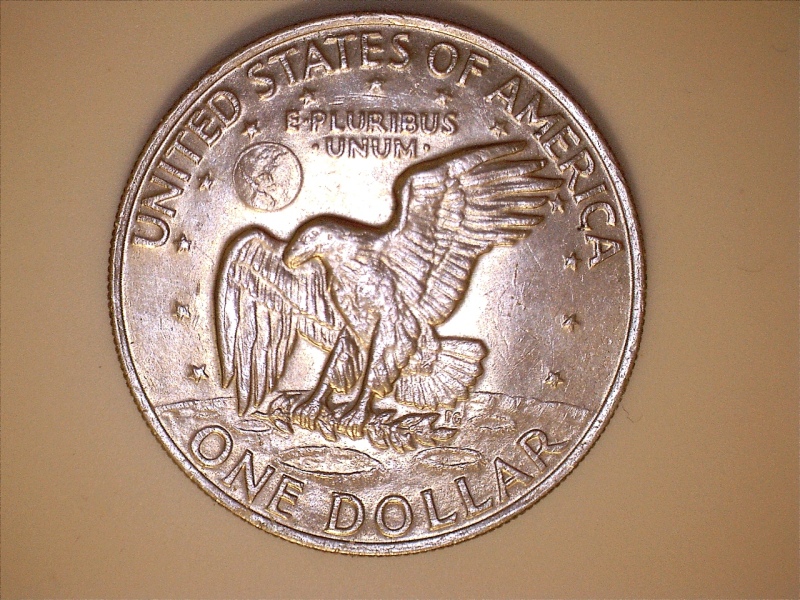 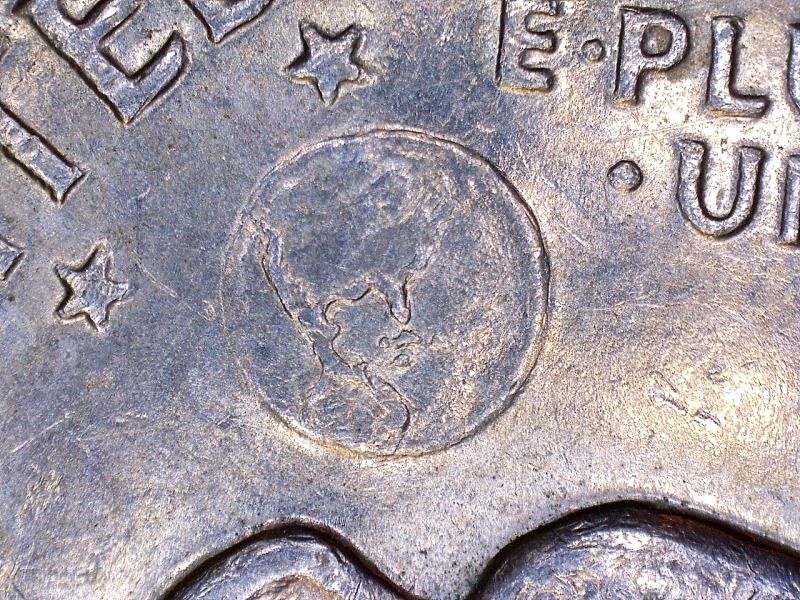 |
|
Bedrock of the Community
United States
10284 Posts |
Not bad! I would think with a couple lights on each side, that you could do wonders with it.
The Earth looks so good there, I can almost see my house!
I think I am going to get one.
It would beat this camera I am using and people might actually enjoy looking at some of my pictures.
|
|
Pillar of the Community
United States
650 Posts |
Once rmpsrpms told me the lens was a two piece deal on the Jansjo lamps, I finally got them popped out. Bonus, I didn't break or lose anything. Now I'm back to waiting for the rest of my things to be delivered. I'll post a photo I took of a Indian Head cent I recently got. Again, this is with harsh straight on LED lights, but I like the detail that can be seen. The dings in her cheek make the Indian princess look like she got scars from a bar fight. 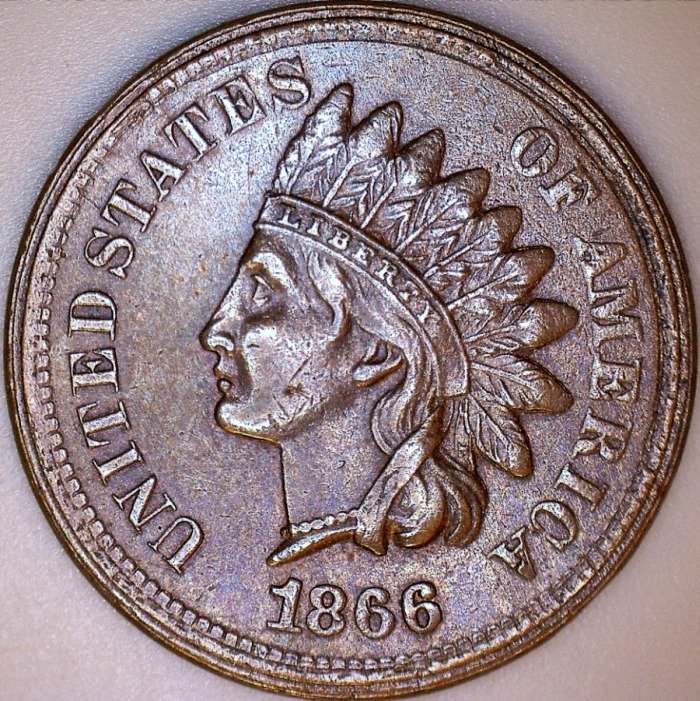 |
|
Bedrock of the Community
United States
10284 Posts |
Is there a way to turn off the LED and still capture images use other lighting?
I see mention of a Jansjo light. I looked those up.
I would imagine there are tons of other lighting that could be used too, instead of the built in LED on the Celestron Pro 5MP digital microscope.
|
| |
Replies: 106 / Views: 21,475 |




 Posted 03/20/2017 08:25 am





