Coin Community Family of Web Sites Join Thousands of Coin, Bullion, & Money Collectors
Specializing in Modern Numismatics Vancouvers #1 Coin and Paper Money Dealer 300,000 items to help build your collection! Join Thousands of Coin, Bullion, & Money Collectors Royal Canadian Mint products, Canadian, Polish, American, and world coins and banknotes. Shop for APMEX Bullion on eBay!Coin, Banknote and Medal Collectors's Online Mall


Username:
Password:
Save Password
Forgot your Password?


This page may contain links that result in small commissions to keep this free site up and running.

Welcome Guest! Registering and/or logging in will remove the anchor (bottom) ads. It's Free!

Sides By Sides. Why Are They Important?

To participate in the forum you must log in or register.
Author Previous TopicReplies: 13 / Views: 2,102Next Topic  
Bedrock of the Community
coop's Avatar
United States
62064 Posts
 Posted 04/11/2017  6:22 pm Show Profile   Bookmark this topic Add coop to your friends list Get a Link to this Message Number of Subscribers
Sides by sides. Why are they important?
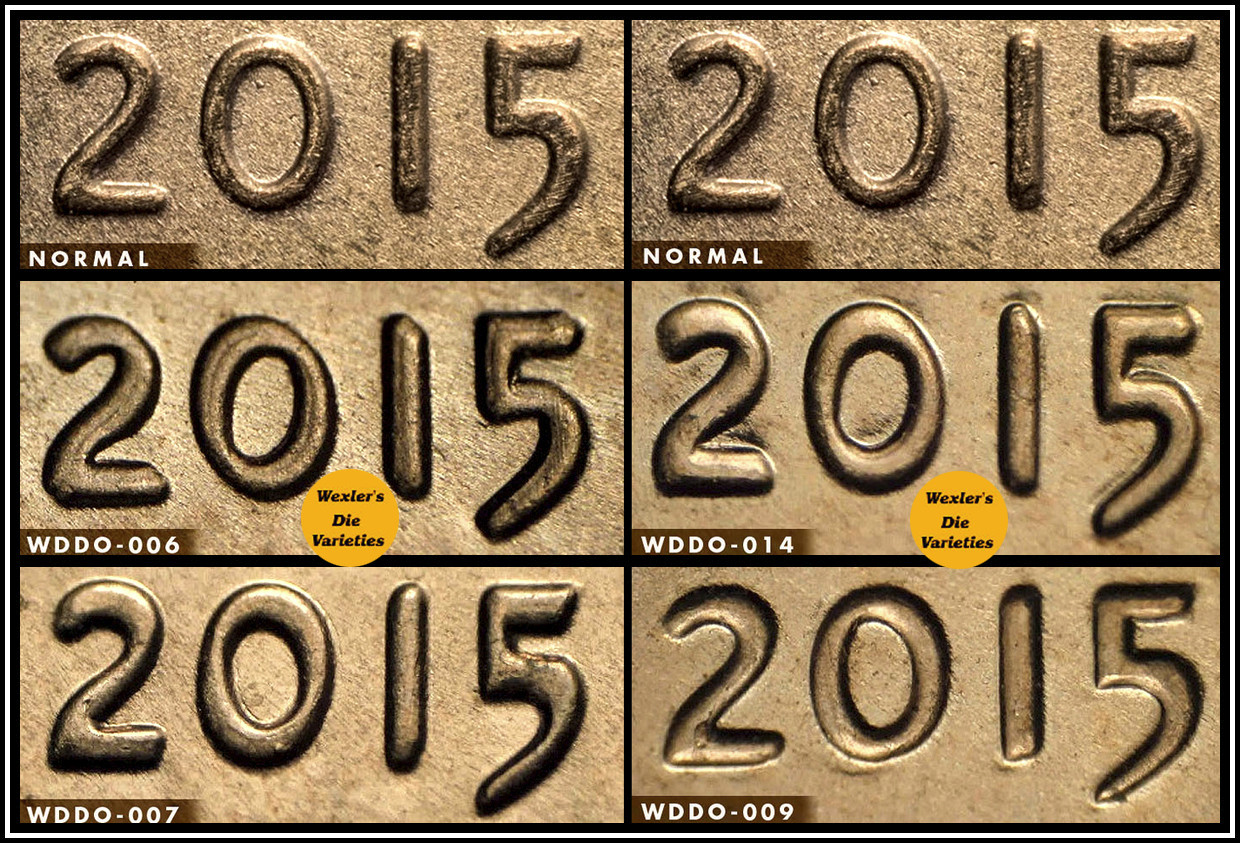
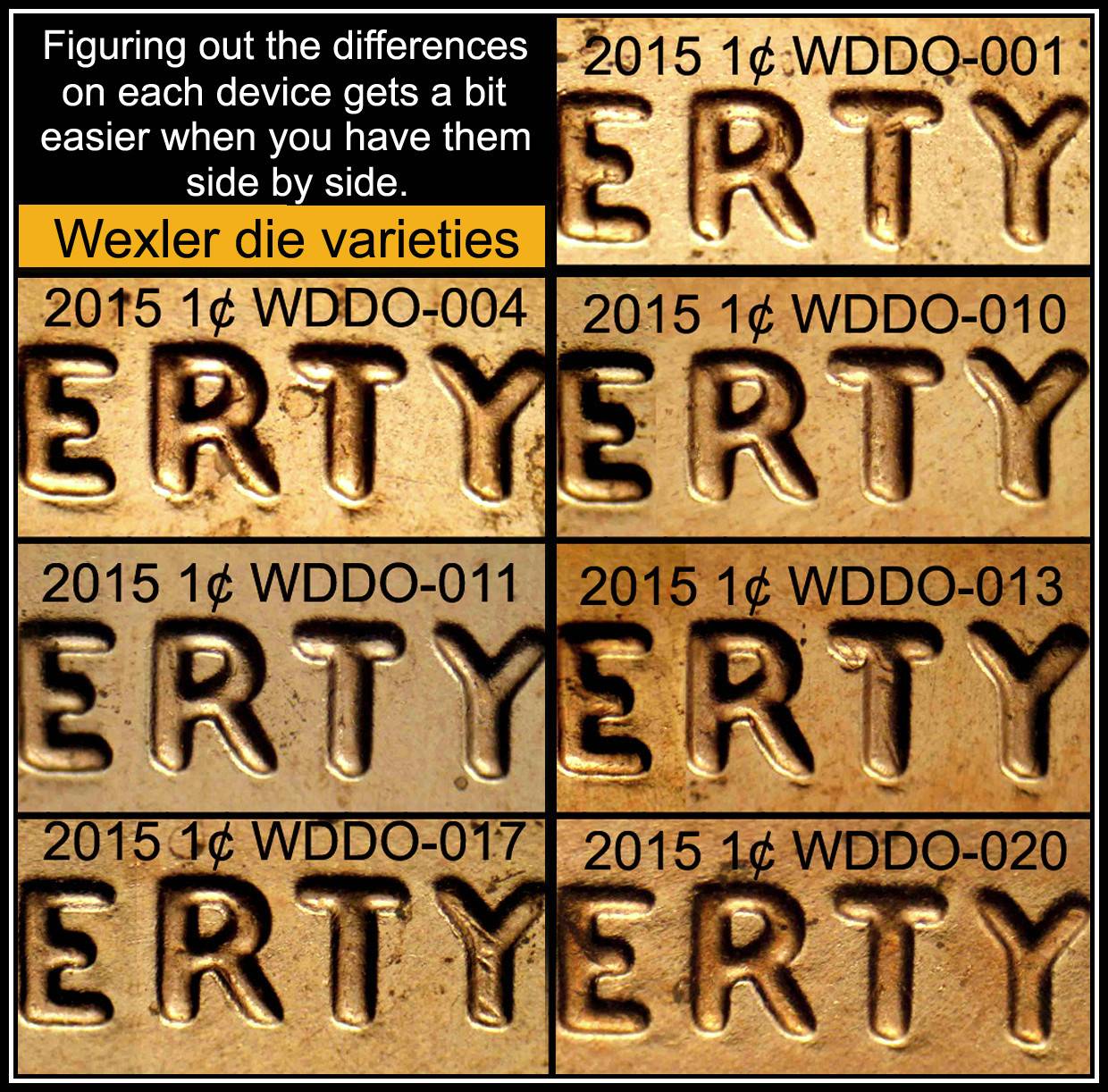
When we look at a coins in a publication/internet site and we compare our coin with it and look here and then there, sometimes the eye looses track of what you saw and what you should see. So side by sides help get them together next to each other to spot minor difference in doubling. Here is an example. On the 2015 we see there are several DDO's that are similar on the LIBERTY.
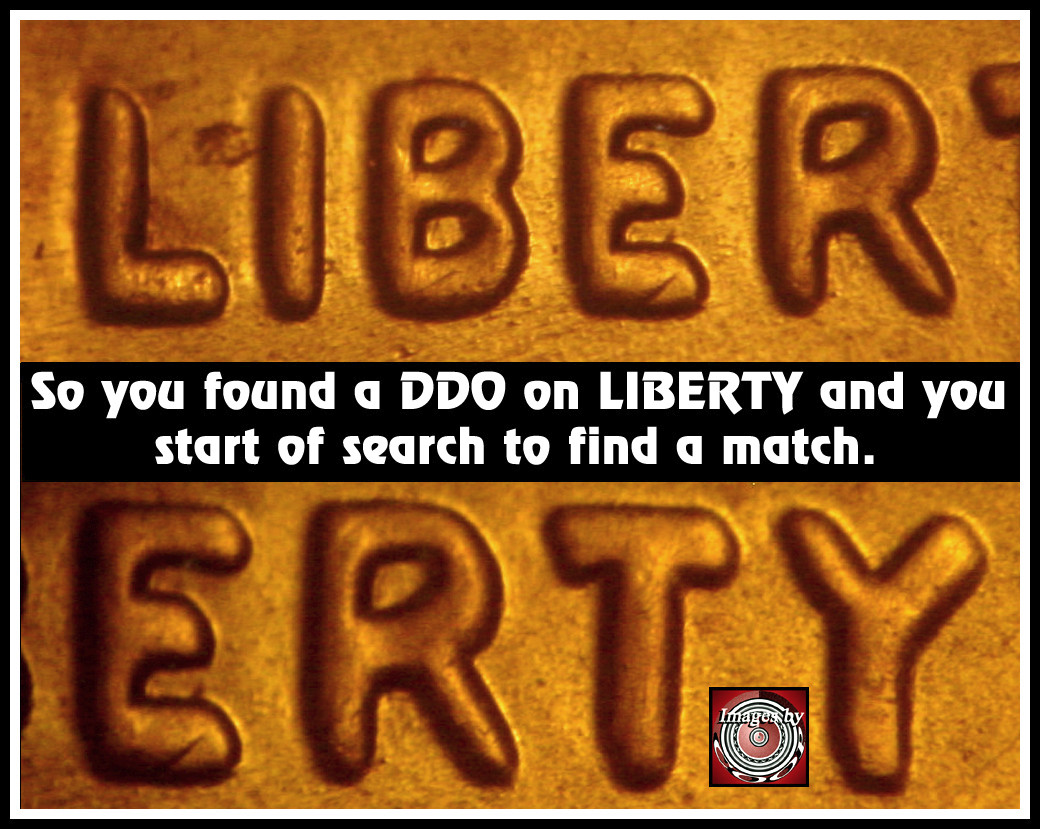
Sides-By-Sides.-Why-Are-They-Important?
When you go to the site that posts them it maybe harder to figure which one you have.
http://doubleddie.com/1542214.html
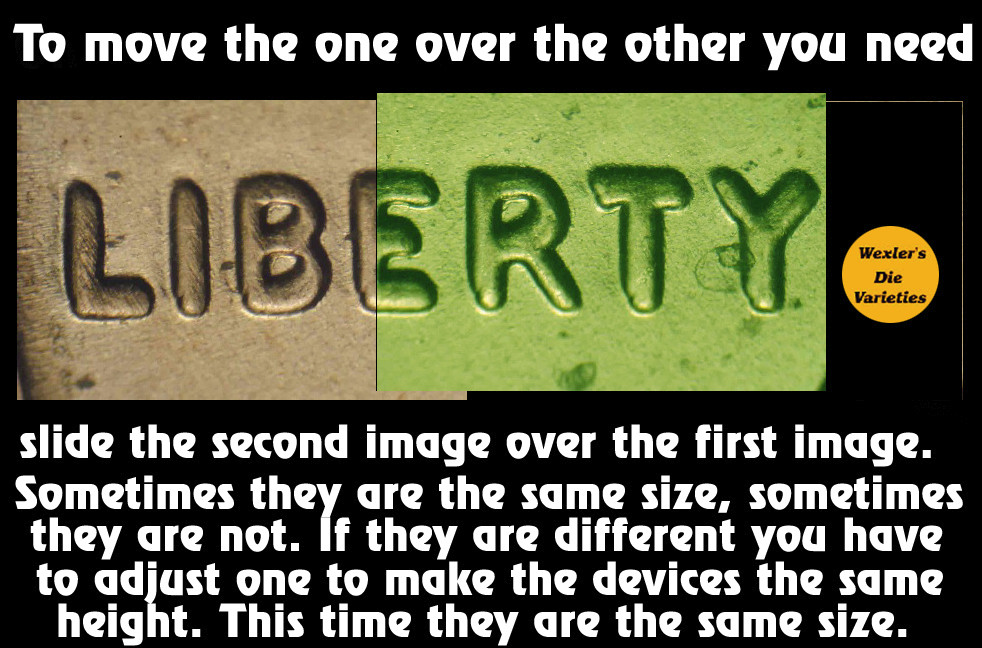
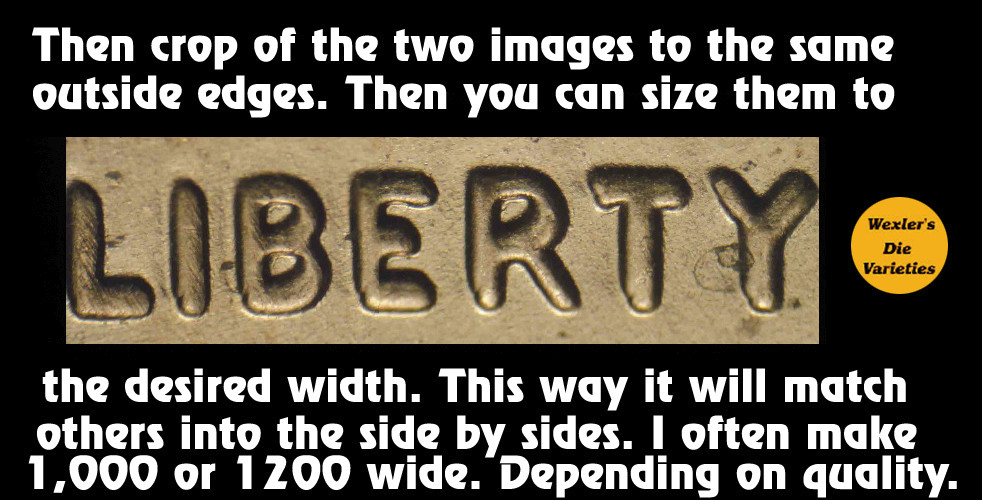
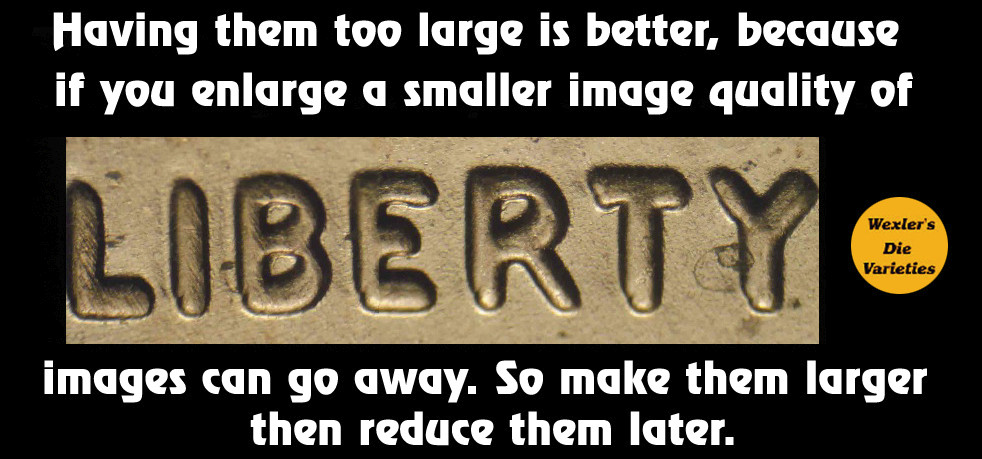
So you scroll down the page and you are looking for just the correct one that you have. But with all the other images going by, you forget which one is which. But by making a side by side you can see them all at once. So you have to put them together if they are two different images. How is this done? With Photoshop this is fairly easy. Here are the steps;
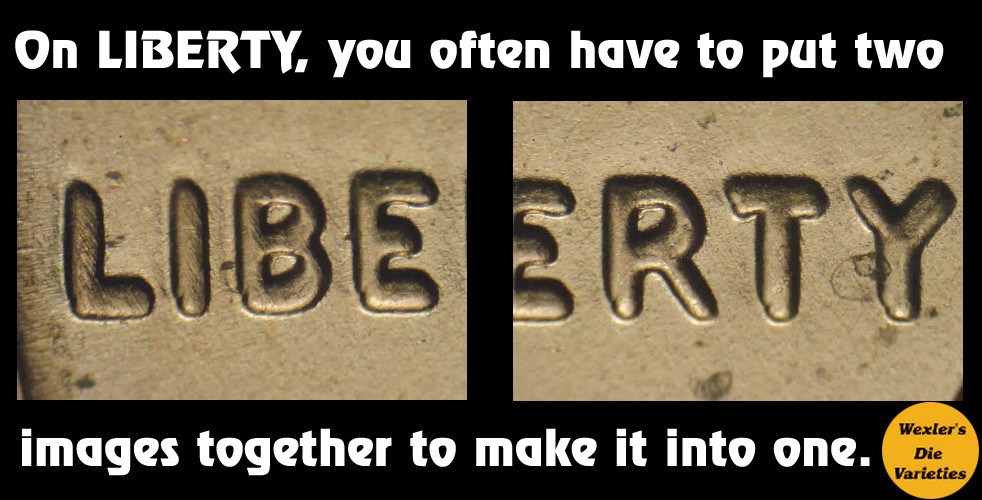
Sides-By-Sides.-Why-Are-They-Important?
This is just the prep work for the side by sides. When you get to this point, then you need to find other examples to compare with to make them all the same size as the first batch. Size then you have all steps above done to make them all the same. Then add a canvas to what ever number you need to make them. 3 you might want to make them vertical.
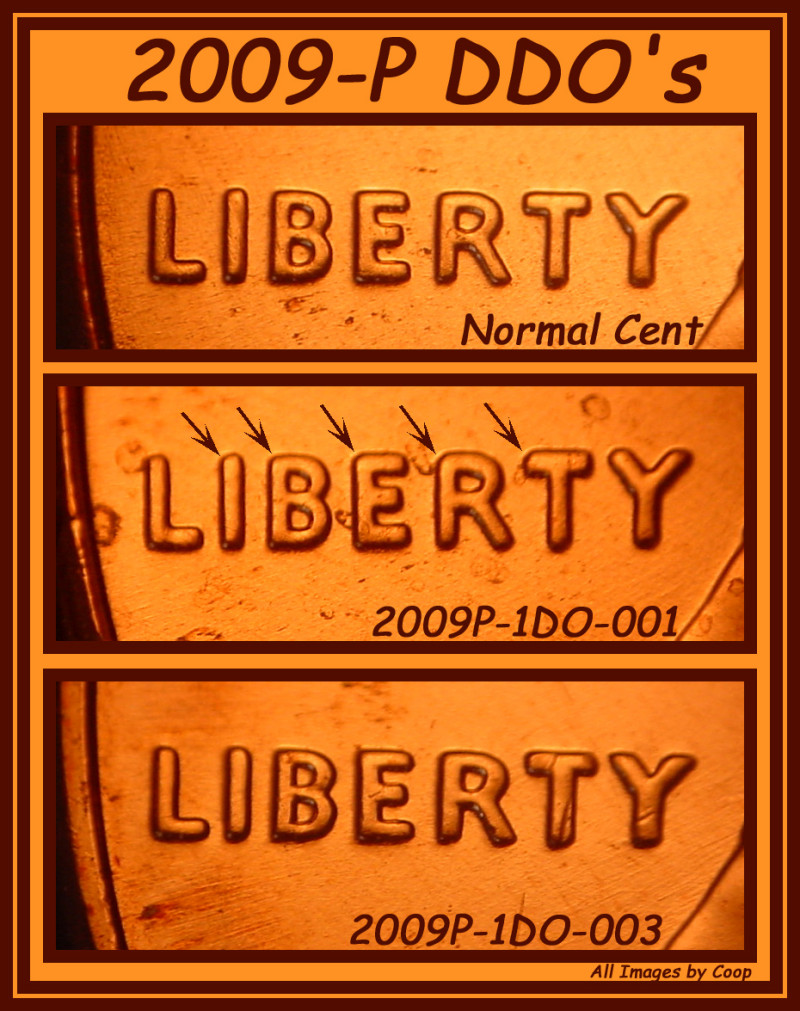
Sides-By-Sides.-Why-Are-They-Important?
4 in a square pattern.
Sides-By-Sides.-Why-Are-They-Important?
For odd numbers you can use a square of two vertical rows to make 6/8, but make one blank for information.
Sides-By-Sides.-Why-Are-They-Important?
6 in a rectangle with two columns.
Sides-By-Sides.-Why-Are-They-Important?
Keep the columns to two wide as the detail will be reduced when you put more than that number of rows. If you need to add more than 6, you might make it in two separate images.
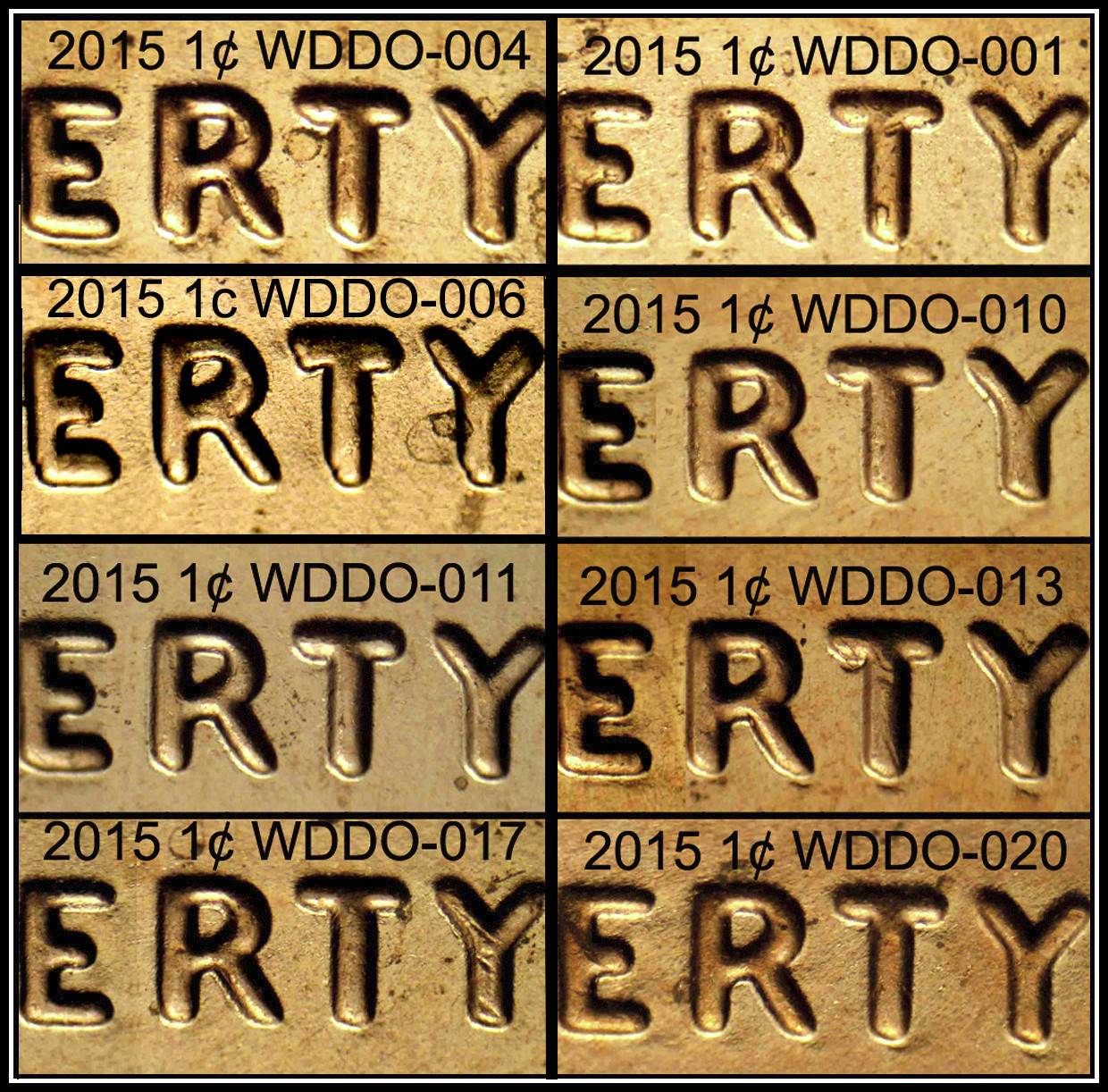
Sometimes you just need part of LIBERTY to cover most of the bases. On the example of odd ones I posted with 7 images, just the 'ERTY' was used. So because if was already divided, that will also work. So how do I insert the image into an existing image. How do I know what size to make it? First you make a duplicate. Then crop the image to just one image from 7 down to 1. The size of the one image will tell you what to make the image to fit into the desired size for the already created image. So I'm going to change the 7 image 'ERTY' images to 8 images. How do I do that? First open the image on Photoshop. Then make a duplicate image. That will tell me the size I need to make the new addition image to.

Note the 004 needed to be moved upwards to make the order correct. But when I med the image up, the bottom edge of the image was too long. So I need to erase that part to match the line across both columns. From the duplicate, I cut out the image that was in that space the 004 (which is not moved), but on the duplicate, it is still in that space. I crop if from the image and make the new image fit into that space. (image size is 596 X 296. So I take that cutout and make turn it all black. So Now I know the image size I need to make the image to. But I need to leave a bit of space for the black border. so I reduce the width to 586 ( was 596) So I take the image and crop on the outsides of the outer edges of the cut out image that is now black. But when cropping the image only crop the width to 586. The other edge we can crop of the correct height later. But when looking at the image, part of the 'E' is missing. So taking the image I made earlier, I am able to get the 'E' to make the full ERTY.
Sides-By-Sides.-Why-Are-They-Important?
Editing that image, first cropping the image to "ERTY" to borders of those devices and making them to 586, I moved them over the blacked new border to fit the image into the set of 8 images.
Sides-By-Sides.-Why-Are-They-Important?
So that is how you add an image to determine what size to make them. most of the time you don't have that issue, unless you need to add something to the collage. I had to edit a bit on the black borders and the image was smaller in height of the area I used. So I had to move some image material to fill above and below the devices to cover the area. A lot of little tricks you learn as you use this program in order to make things work. Hope this helps.



Pillar of the Community
CoinCents's Avatar
United States
3656 Posts
 Posted 04/11/2017  6:46 pm  Show Profile   Bookmark this reply Add CoinCents to your friends list Get a Link to this Reply
Wow coop! Really? You said it would take you awhile (which in my mind) I thought we would see something tomorrow. But really a couple of hours - and loaded with all kinds of good stuff. You are amazing! Now I need to study it :)
Bedrock of the Community
coop's Avatar
United States
62064 Posts
 Posted 04/11/2017  6:50 pm  Show Profile   Bookmark this reply Add coop to your friends list Get a Link to this Reply
Well it die take a couple of hours. LOL

Coop home
Edited by coop
04/11/2017 9:17 pm
Pillar of the Community
Debrajc's Avatar
United States
4211 Posts
 Posted 04/11/2017  6:55 pm  Show Profile   Bookmark this reply Add Debrajc to your friends list Get a Link to this Reply
And we all appreciate the education you provide for us and the hours upon hours you spend to gather and post.
Thank you again!
Rest in Peace
Crazyb0's Avatar
10197 Posts
 Posted 04/11/2017  7:02 pm  Show Profile   Bookmark this reply Add Crazyb0 to your friends list Get a Link to this Reply
Another one to bookmark, thanks Coop!
Pillar of the Community
Potbellypub's Avatar
United States
900 Posts
 Posted 04/11/2017  7:08 pm  Show Profile   Bookmark this reply Add Potbellypub to your friends list Get a Link to this Reply
Wow coop this is going to take some practice. Your knowledge is amazing, And obviously on more than just coins. Thank you for taking your time to explain.
Moderator
Learn More...
Spence's Avatar
United States
34407 Posts
 Posted 04/11/2017  8:11 pm  Show Profile   Bookmark this reply Add Spence to your friends list Get a Link to this Reply
"If you climb a good tree, you get a push."
-----Ghanaian proverb

"The danger we all now face is distinguishing between what is authentic and what is performed."
-----King Adz
Pillar of the Community
Halo1st's Avatar
United States
2775 Posts
 Posted 04/11/2017  8:12 pm  Show Profile   Bookmark this reply Add Halo1st to your friends list Get a Link to this Reply
Good show coop, another amazing tutorial. Thanks, Doug.
Rest in Peace
Buddy's Avatar
United States
7075 Posts
 Posted 04/11/2017  8:18 pm  Show Profile   Bookmark this reply Add Buddy to your friends list Get a Link to this Reply
Thanks.
Bedrock of the Community
coop's Avatar
United States
62064 Posts
 Posted 04/11/2017  10:07 pm  Show Profile   Bookmark this reply Add coop to your friends list Get a Link to this Reply
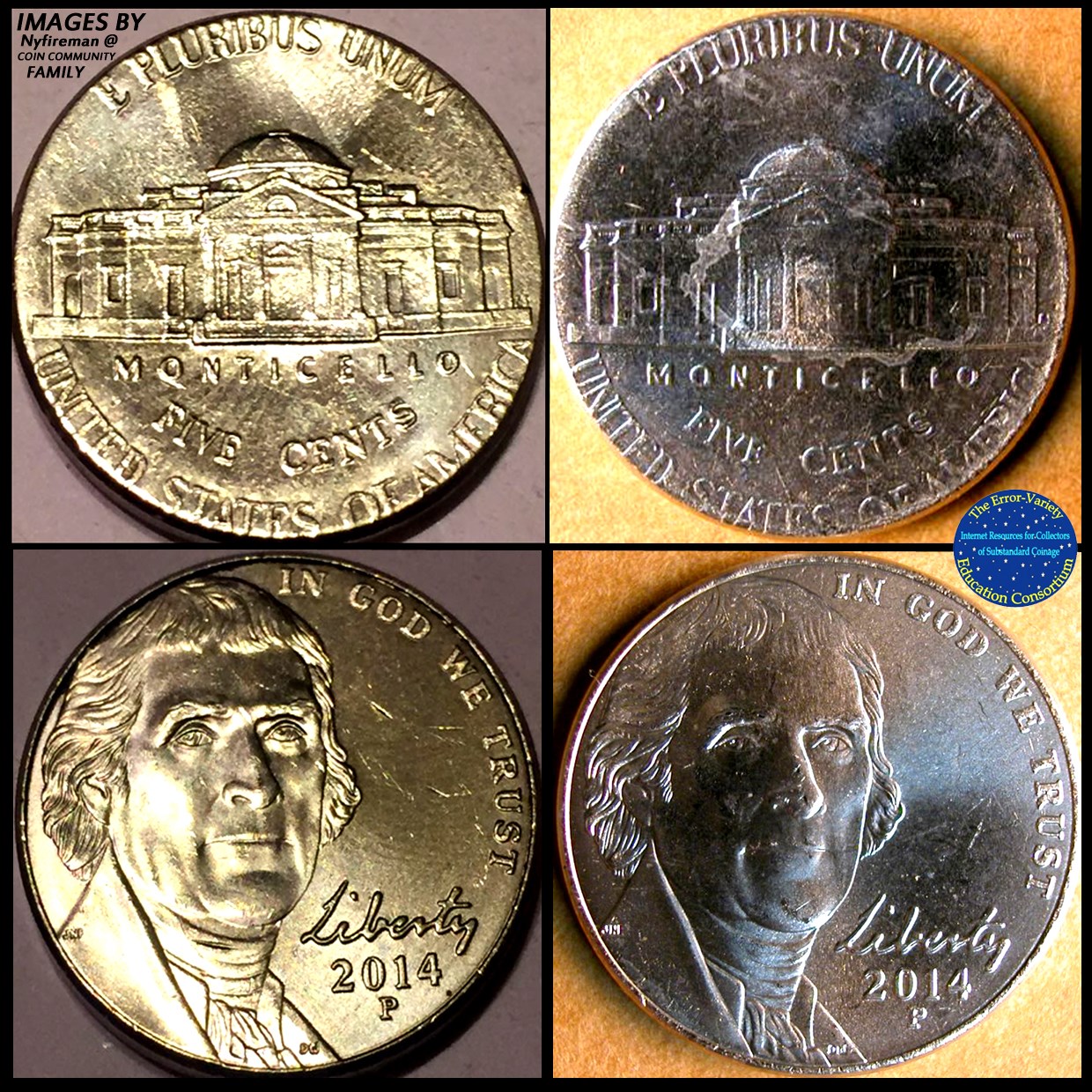
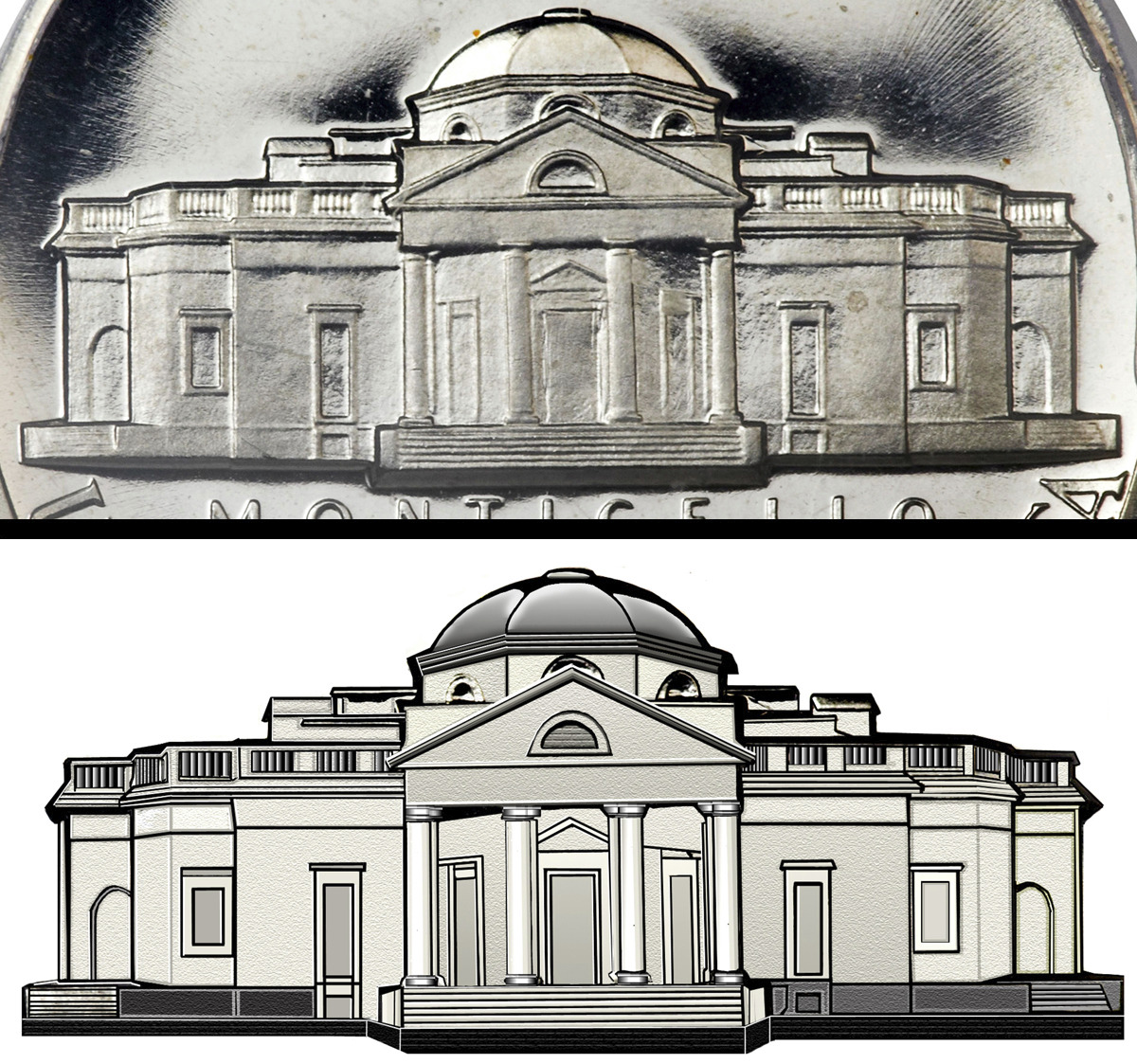
With that program I made an unusual side by side:
Sides-By-Sides.-Why-Are-They-Important?
The image on top was the before image and the bottom one was after I got through editing the image. I was looking to see if I had any other side by sides to add to the thread. But I thought this one was a great one.

Click on the image you can see how much more I edited it so it shows the texture as well.
Edited by coop
04/11/2017 10:08 pm
Pillar of the Community
CoinCents's Avatar
United States
3656 Posts
 Posted 04/11/2017  10:39 pm  Show Profile   Bookmark this reply Add CoinCents to your friends list Get a Link to this Reply
That is incredible. You really did that? It looks like a professional print (not sure if that is the right word I am looking for) but you would never know that it started out looking the way it did.
Bedrock of the Community
coop's Avatar
United States
62064 Posts
 Posted 04/12/2017  5:17 pm  Show Profile   Bookmark this reply Add coop to your friends list Get a Link to this Reply
I created an image with that and added more to it:
Sides-By-Sides.-Why-Are-They-Important?
Added stuff from other images and the sidewalk. Just get into an idea at times and go with it.
Pillar of the Community
flag4's Avatar
United States
869 Posts
 Posted 04/12/2017  5:36 pm  Show Profile   Bookmark this reply Add flag4 to your friends list Get a Link to this Reply


A wealth of information . .
Bedrock of the Community
coop's Avatar
United States
62064 Posts
 Posted 03/26/2020  2:13 pm  Show Profile   Bookmark this reply Add coop to your friends list Get a Link to this Reply
How to create Side by Sides and why they help.
  Previous TopicReplies: 13 / Views: 2,102Next Topic  

To participate in the forum you must log in or register.


Disclaimer: While a tremendous amount of effort goes into ensuring the accuracy of the information contained in this site, Coin Community assumes no liability for errors. Copyright 2005 - 2026 Coin Community Family- all rights reserved worldwide. Use of any images or content on this website without prior written permission of Coin Community or the original lender is strictly prohibited.
Contact Us  |  Advertise Here  |  Privacy Policy / Terms of Use

Coin Community Forum © 2005 - 2026 Coin Community Forums
It took 0.41 seconds to rattle this change. Forums