| Author |
 Replies: 76 / Views: 26,129 Replies: 76 / Views: 26,129 |
|
Moderator
 United States
23522 Posts |
I have long held (do as I say, not as I do  ) that one doesn't require expensive camera gear in order to take high-quality pictures of coins. Well, since I'm selling my dSLR rig, it looks like I'm going to have to learn to practice what I preach. This ongoing thread will relate every step of the process - you are going to learn what it takes to create good images of a coin with an inexpensive camera at the exact same time I do. In the end, we will hopefully prove that the key to good coin shooting is not so much the equipment, as the photographer, at least in today's technological world. Bear with me if I make certain assumptions about the knowledge level of the readers; if you have a question, don't hesitate to post it here and I'll be happy to explain. Step One: Choose a cameraHere are the prerequisites: First, a maximum price of US$200. That will buy a lot of camera these days. Second, full manual control. It's very important that you be able to vary exposure, aperture and ISO, as well as set a Custom white balance. We'll be explaining why these options are required during the process. Third, a Macro setting. I don't care what the specs of that setting are - it doesn't matter if you can focus on something touching the lens, because you cannot take a good picture of the coin without at least 6 inches between the camera and the subject. That's it. There are quite a few cameras out there which meet this minimum specification. There are some very high-quality review sites on the Internet to aid you in your research; these are two spots which I never fail to consult when researching a specific camera: http://www.dpreview.com/http://www.steves-digicams.com/Both of these sites have full reviews of the camera I chose for this project. For those of you who know me, it's no surprise that I chose a Canon, but you will find plenty of competition at this price point, and all of the techniques will be the same regardless of the brand name on the camera. So, without further ado, here is the hardware for our little project, the Canon A720 IS: 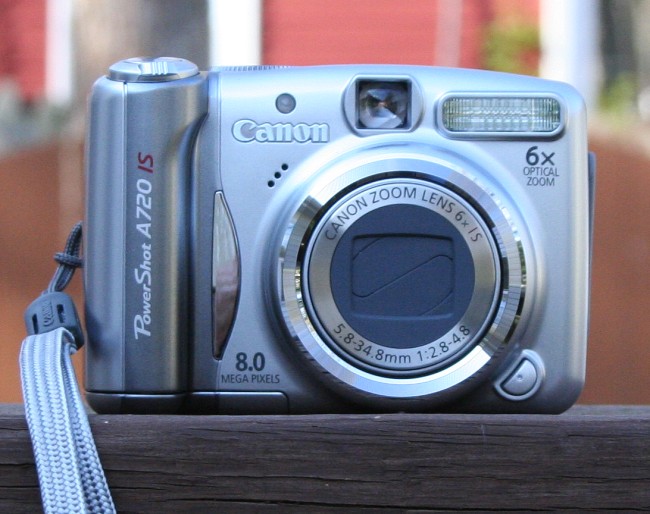 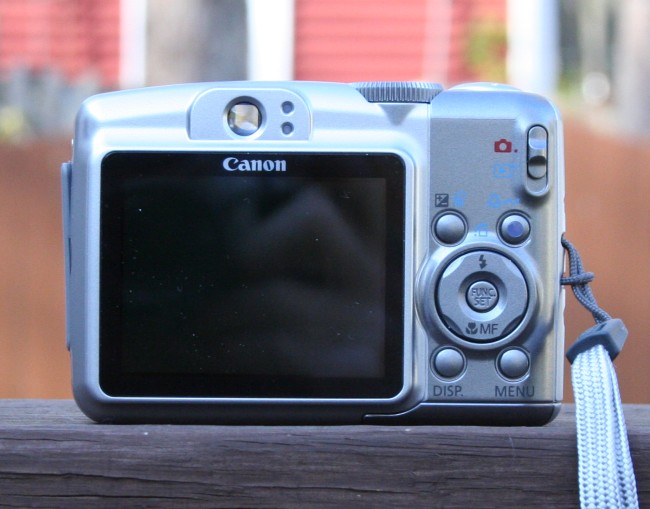 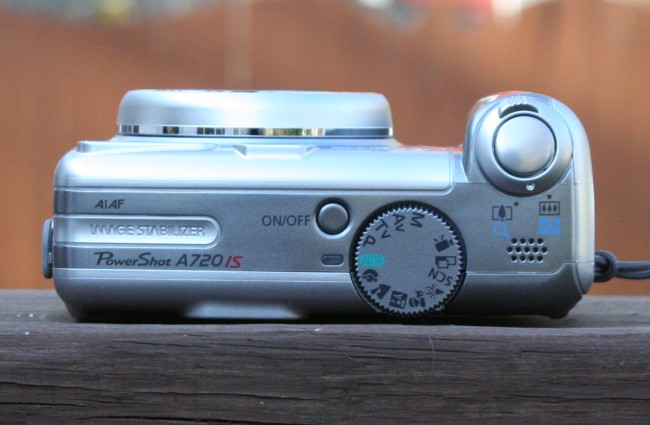 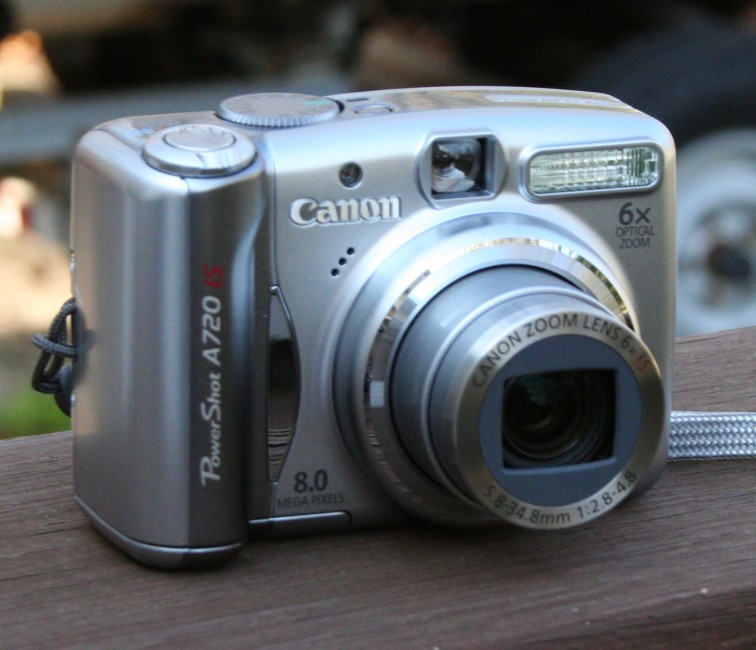 Frankly, I was kinda impressed with how much $200 would buy these days. 8 Megapixels, 6x optical zoom, image stabilization....this stuff was all high-end a few years ago. This little beauty weighs less than 9 ounces with batteries installed, and fits easily into my shirt pocket. I chose the little Canon partly because of my admitted bias towards the brand, but also partly because I know the A-series Canons to be capable at the Macro end of things. Tomorrow (or maybe the next day ): Step Two: Setup and lighting |
|
|
|
Pillar of the Community
United States
2224 Posts |
SuperDave,
This forum could not have come at a better time! I just picked up today a Fuji FinePix S700, and I'm really green as far as knowing how to get great coin shots. Greatly looking forward to the rest of your lessons. Thanks!
|
|
Pillar of the Community
United States
1173 Posts |
This will be fun, Dave. Thanks for inviting us along on the ride.
|
|
Moderator
 United States
23522 Posts |
Step Two: Setup and LightingFor the record, most of what I will be saying about methodology in this series isn't set in stone. There are many combinations of settings, and many lighting methods, which will result in an excellent picture. The things that favor older copper don't necessarily favor lustrous silver, and vice versa. There's one member posting here who can achieve beautiful results with a flashlight (Learjet, you listening? ), although that's not high on my recommendation list. However, we're talking about doing the best you can with the camera you have, and two techniques are absolutely imperative if you are to achieve your best. First, the camera must be on a solid mount of some sort. Copystand, tripod, sitting on a table while the coin is on its' end, it doesn't matter as long as you're not the one holding the camera. Second, use a delayed shutter. Virtually every camera on the market has a shutter timer, so you don't have to be holding the button down when the shutter snaps. These are necessary because of the very small field of view and depth of field associated with macro shooting. Remember, your goal is to get the biggest and clearest picture you can of the tiny details on a coin's face. If the camera moves by the slightest amount while the shutter snaps, you run the risk of blurring the shot. Use a solid background behind the coin. Generally, darker backgrounds behind lighter coins, and vice versa, will help define the rim more clearly and bring out color/luster. Many really good shooters mount the coin on something small (like one of those pedestals they use to hold up the center of a pizza box), to help make the background fade out of focus. You can light your coin in two different fashions - direct (light shining straight onto the coin), and indirect (light source bounced off something reflective before reaching the coin). The choices I will be making for lighting here are just how I like to do it, and don't represent the only good way to light a coin shot. Once you've got the rest of the process down, experiment. Play with indirect and axial lighting (search this forum for definitions). I generally stick to direct, undiffused lighting, myself, and that's how we're going to do it here. Just to emphasize the low-dollar aspect of this deal, for those of you who haven't seen it I'm including a picture of my ghetto mount/lighting rig: 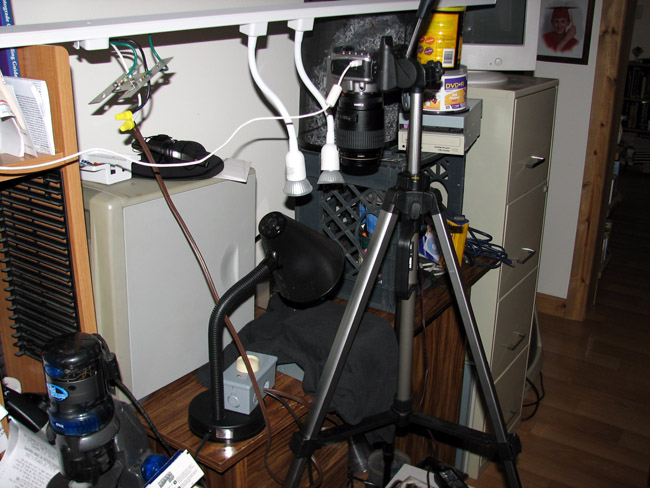 The tripod was $20. The lighting is a 4' track unit with gooseneck 50W halogens, picked up for $14 on Clearance at Home Depot. I wired a dimmer inline with the power cord. All told, I had about $40 in that setup, and I've taken some of my favorite pictures with it. The coin mounts on 3 stacked computer CD players and an old black t-shirt. I use two sheets of white paper on top for the light background. And that's all it takes. I was finally able to snag a decent copystand on ebay last year, so the tripod won't be in use, but the lighting is unchanged. It's always the best policy to try to get the lighting as close to vertical above the coin as possible; that's the reason why I settled on the goosenecks and small bulbs. The dimmer is so I can wick down the heat between shots; after all, silver melts at 1600 degrees. Friday night: Step Three: Baseline pictures
|
|
Bedrock of the Community
United States
14454 Posts |
I see the ol trusty QX5 in that picture
|
|
Pillar of the Community
Canada
965 Posts |
This is the camera I was looking at picking up in the near future. I will make sure I pay close attention.  Will you be using the CHDK hack with this camera? |
|
Pillar of the Community
United States
527 Posts |
Great topic Dave, I use a Cannon Powershot for my pictures as well, though I might upgrade, mine is getting a little old. It looks like the one you have has better optical zoom and higher mega pixels. Thanks for taking the time to do this.
I plug mine in to the computer and use the "Remote Shooting" feature so I can see the picture on the screen, and use the mouse to take the picture. This way I don't ever touch the camera.
Edited by NGiles
05/02/2008 10:47 am
|
|
Pillar of the Community
United States
5318 Posts |
That's a good price for a camera with those features...I'll be interested in seeing the results from the A720  |
|
Moderator
United States
23522 Posts |
|
|
Pillar of the Community
Canada
965 Posts |
That's one reason I was looking at that camera, that and it's low price point and 6x optical zoom. Anything outside of that is beyond me, so I look forward to your full report. (And pics).
|
|
Pillar of the Community
United States
527 Posts |
Can someone explain what CHDK hack is? That isn't something I am familiar with.  |
|
Moderator
United States
23522 Posts |
quote:
Can someone explain what CHDK hack is? That isn't something I am familiar with.
Canon, like most camera makers, economizes by using one processor throughout its' product line. features are turned on and off for certain models, depending on their price range. The CHDK hack is software which, when loaded onto the camera's memory card and started, "turns on" some of these features which the camera is capable of but wasn't allowed to use from the factory. In the case of the PowerShot Canons, it means RAW shooting and live histograms, among other things. |
|
Pillar of the Community
United States
527 Posts |
Thanks Dave,
I must admit that I am not as up to date on technology as I should be. Would this be beneficial to use on my PowerShot A75? Would it improve my photo quality for coins?
|
|
Pillar of the Community
United States
5318 Posts |
quote:
n the case of the PowerShot Canons, it means RAW shooting and live histograms, among other things.
I definitely recommend shooting RAW format (and 16 bit), as you have much better tonal range and flexibility when editing. |
|
Moderator
United States
23522 Posts |
quote:
I definitely recommend shooting RAW format (and 16 bit), as you have much better tonal range and flexibility when editing.
A very important point, this. One sort of "dirty little secret" about coin photography is that very few images make it from the shooter's camera to public view without some sort of post-processing. I will be covering this aspect of the process later in the thread. |
|
Pillar of the Community
United States
2669 Posts |
That goes for a lot, if not most, photography. I don't know of many photos that are perfect right off the card - unless they are that "perfect" shot, and even then we have to give them a tweak to see if we can't make them even better! It's all part of the learning curve though.. when we see what we need to do to the photos after, we try to take that step during the actual photography next time. I take a lot of wedding pictures and have grown comfortable with that (still lots of brightness/whatever changes after) - but the macro aspect of my camera and I are still battling.
I shoot coins shooting straight down like in the initial setup. I use a flashlight for different light-angled shots and if the blasted camera insists on flashing, I have the flash covered when the timer expires. I had become mired in different settings: iso, f/stops, manual focus doesn't like to work for some reason, etc., so I've been sticking with a close up "portrait" auto-shot (sometimes zoomed to get a detail). It's not ideal, but most of the time it will get me there.
So I am looking forward to the rest of this thread. Thanks SO much for posting this!
|
| |
Replies: 76 / Views: 26,129 |







 Posted 04/29/2008 10:00 pm





