| Author |
 Replies: 9 / Views: 1,747 Replies: 9 / Views: 1,747 |
|
|
Pillar of the Community
United States
1915 Posts |
I'm experienced well enough with cameras, microscopes, lighting and software to get acceptable photos of most coins. I slip different colored or black or white background paper under the coin. I use a variety of diffusers and polarizing as well as different light sources. The color monitor is calibrated well to show colors well, but I fail to get good photos of dark chocolate brown coins. They tend to look steel gray or too much one way or the other instead of the true color I see with my eye. Different light sources and angles produce varying results- none that I buy as a good color representation of what I see.
Any specific advice from those that may have mastered a good chocolate brown coin photo? Edited by Albert
08/26/2019 3:21 pm
|
|
|
|
Rest in Peace
United States
17900 Posts |
I shoot all my coin photos in natural light. That still takes a little experience. But my results are much truer for color than any other way I've tried.
|
|
Pillar of the Community
 United States
1915 Posts |
Thanks, I'll try that if and when natural light appears at my location.
However it will involve the use of a different camera, stand and placement to permit the light.
I'll se how it goes and report results. What bugs me is this: I look at the coin in my shop without natural lights, and I see a natural chocolate brown color. But when photographed the images do not look like what I see in hand.
|
|
Valued Member
United States
160 Posts |
For lighting I went the cheap way. I replaced the overhead lights in my room with LED daylight bulbs. For accent lighting I had an LED desk magnifying lamp with a swivel arm. I move it around instead of the coin to get different reflections. This eliminates me from having to readjust the camera, coin, or focusing once that is all set up. I checked and the desk lamps go for about $40 at Amazon. |
|
Pillar of the Community
United States
1915 Posts |
I do the same here with overhead and desk lighting. Can you post an image of a chocolate brown coin you took? As it is now, I use my assorted photo software programs to mimic the color I see in hand Here is a sample of what I photo and what I alter with software to be brown: My goal is to actually have an initial photo of a brown coin so I don't need to alter it to be brown via post-processing. 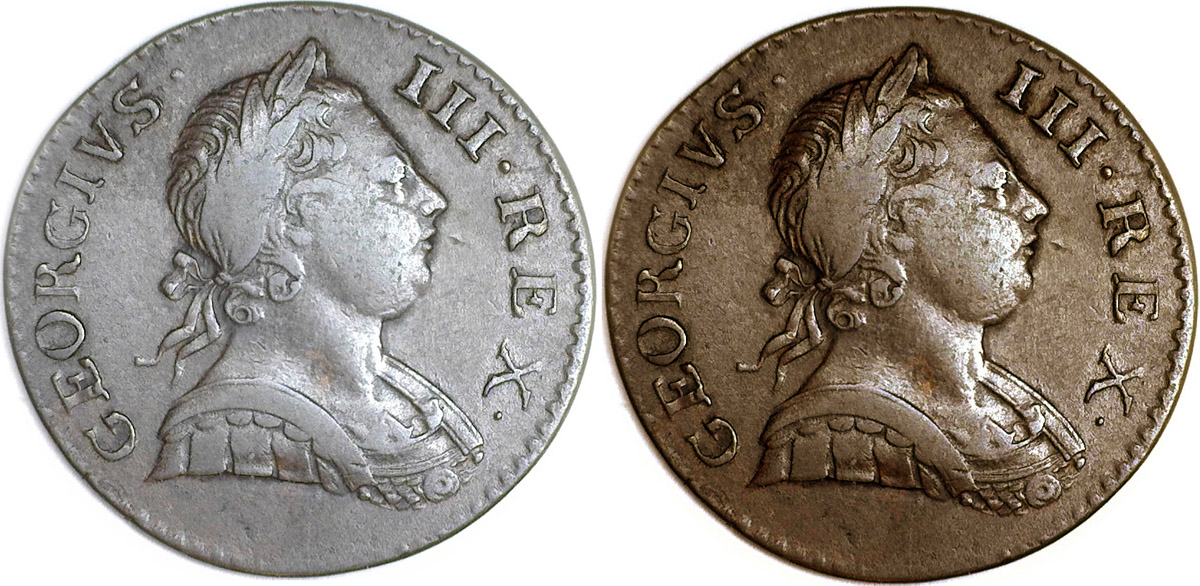 |
|
Pillar of the Community
Canada
2784 Posts |
Albert here is a canadian 1965 pointed 5 penny . taken with a sony A7R mark II plus a sony macro lens. I use the same bulb as one of the other members mentioned. I use daylight leds bulb as well. 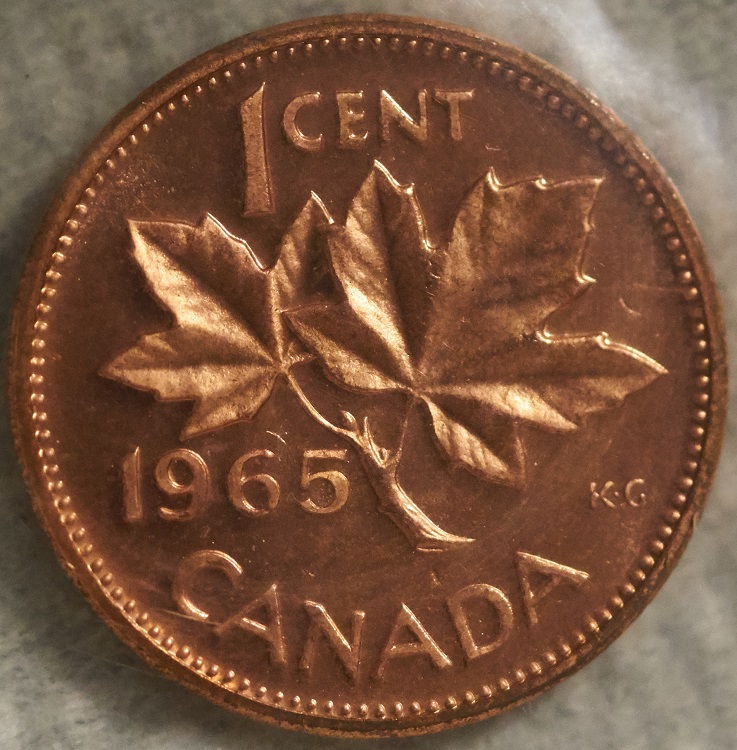 |
|
Pillar of the Community
Canada
2784 Posts |
some thing else albert. this coin is in side scratched plastic. see albert these bulbs are dimmable.
|
|
Pillar of the Community
United States
9395 Posts |
Here's the same brown coin with two different lighting setups: -- higher angle, less diffusion: 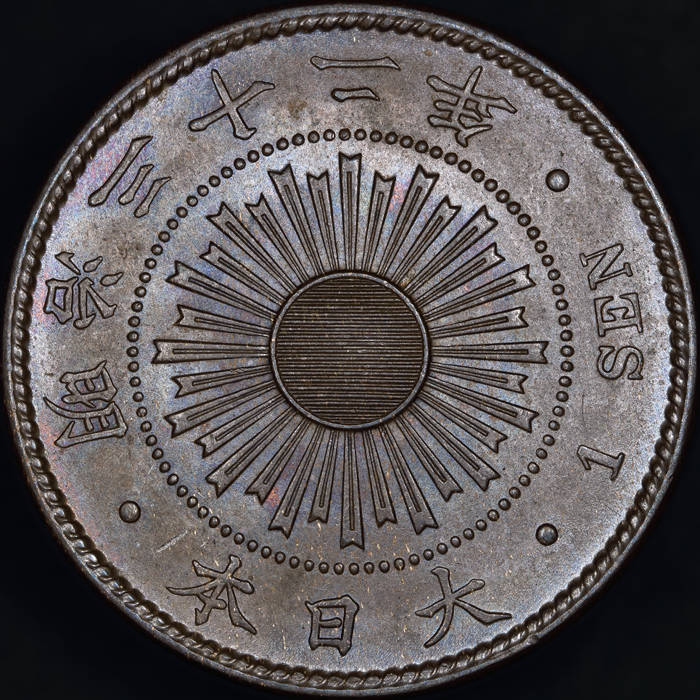 -- lower angle, more diffusion:  Another example:   |
|
Pillar of the Community
Canada
2784 Posts |
pepactonius out standing pictures excellent.
|
|
Pillar of the Community
United States
1915 Posts |
Thank you for the replies.
They inspired me to resume trials & error.
I'm swapping light sources, diffusers, angles and have added dimming.
I had not used dimming before, but I see the value now.
I've tried exposure times as well as other camera settings and have taken pictures of the brown coin better than first posted.
|
| |
Replies: 9 / Views: 1,747 |
|










 Posted 08/26/2019 6:43 pm


