| Author |
 Replies: 9 / Views: 1,508 Replies: 9 / Views: 1,508 |
|
|
New Member
United States
8 Posts |
I've been roll searching a lot lately and my eyes have been getting tired from squinting and using loupes. I know magnification is important for finding varieties so I was wondering what you all use when you're hunting.
|
|
|
|
Moderator
 United States
56855 Posts |
 14x Jewlers loupe. I have two scopes and only use them for close up pics to post here on CCF. I mostly use a digital camera to take coin photos. John1  |
|
Pillar of the Community
United States
938 Posts |
I got a Celestron based on this post http://goccf.com/t/283676#2410236 I did modify it by buying the extended tube and am quite happy with it. I have used it for quick coin viewing/roll hunting. The important things, in my opinion, are to have one that comes with a fixed mounting and base so you don't have to constantly adjust the distance to coin or focus, easy to connect to PC, able to see entire coin as well as to be able to get close for minor details, and relatively small form factor. Integrated light is a plus but not an absolute if you have decent external lighting. Edited by PlumCrazy814
11/26/2023 06:52 am
|
|
Bedrock of the Community
United States
10065 Posts |
An LCD is a cool thing on a microscope, but I did not buy one having its own screen. A camera snapshot of an LCD screen makes a worthless picture full of interference lines that hide coin details. Plugging the scope into a computer and using a screen snapshot is the only way to get good pictures with a scope*. So since I have it plugged into my laptop, I don't need one with a built in LCD. I got an inexpensive Plugable (that is the brand name) USB 2.0 Digital Microscope. It works great. I paid 15.00 for it three years ago, but now, as with everything else, the cost has gone up to almost double. Here is the exact one: https://www.ebay.com/itm/284831636010Some (all?) LCD microscopes take a memory card to store pictures. But since I would, again, be plugging the card into a computer to save/post the pics, why do I need an LCD screen (but they look COOL!)? UPDATE: When I bought mine the Plugable was the least expensive one I could find. I see now there are others for around the same price range of 15.00 I originally spent for mine. And in fact, some with a screen are less expensive as well! Hmmm..do I need another one maybe for when I don't plan on taking pictures? No..for when I am soldering...good excuse...less equipment in the way!  Edited by Earle42
11/26/2023 12:08 pm
|
|
Pillar of the Community
United States
2887 Posts |
I use a clip-on magnifier for my cellphone.
|
|
New Member
 United States
8 Posts |
Thanks guys, that really helps
|
|
Valued Member
United States
357 Posts |
I've been using my phone with a macro lens attachment but have never been very happy with results. And the images are, I'm told, slightly out of focus not matter how hard I try to rectify that complaint. Bad eyes and not ideal lighting. I just bought a Tomlov DM9 Pro 7" HDMI on black Friday. Supposed to arrive tomorrow so I have no recommendation yet. |
|
Moderator
United States
56855 Posts |
Make sure to use a memory card in it. John1 |
|
Valued Member
United States
357 Posts |
Quote:
Make sure to use a memory card in it. It's supposed to come with a 32Gb card. |
|
Valued Member
United States
357 Posts |
I got my Tomlov DM9 PRO 7" microscope and have been using it for a few days now. This post is not meant to be a full-blown review. Just an short, initial assessment of the scope. You can find full reviews on YouTube. So far, I like it. I'm now less likely to take bad, out of focus photos. And lighting issues have essentially disappeared. My one complaint is there is no way to connect the scope to a USB port on a computer to facilitate transferring images electronically. You'll need an adapter to plug the small memory card into which can then be inserted into the PC. Fortunately, I have two. I do have one piece of advice that I've not seen elsewhere. You can squeeze of tad more magnification out of the scope if you elevate the coin on the examination pad by about 1/4". Here's a few images taken with the camera function. Images are not cropped to avoid misinterpretation of the image, Only resized. The first one has the coin directly on the pad, max magnification. The second image is with the coin elevated as mentioned above, enlarging the image somewhat. The third image is (Moderator please forgive me for I have sinned) of the first image displayed on a 27" monitor via HDMI. This last mode provides no method to allow running Windows Camera and , thus, no direct photo shot can be taken. It wouldn't make much sense to do so anyway. Hense, the screen shot. The intent is to demonstrate that you can observe a larger image than the 7" LCD screen on the scope. 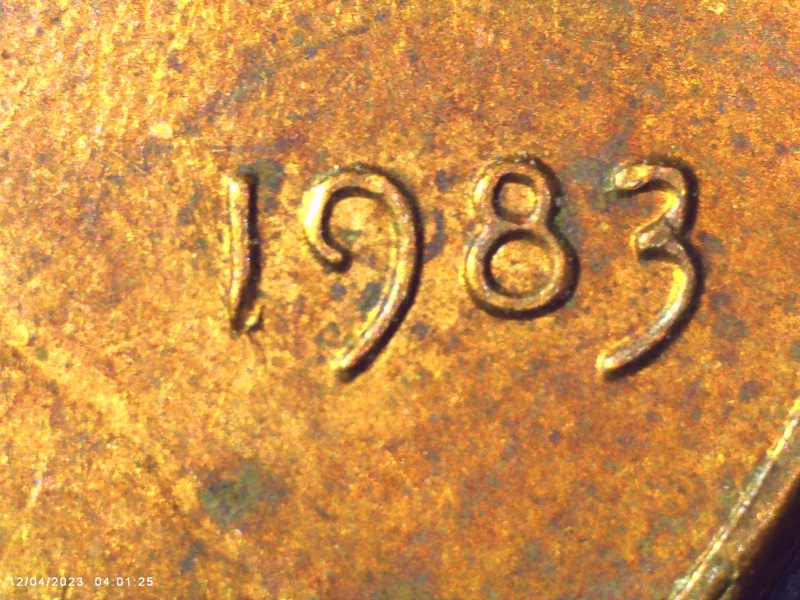 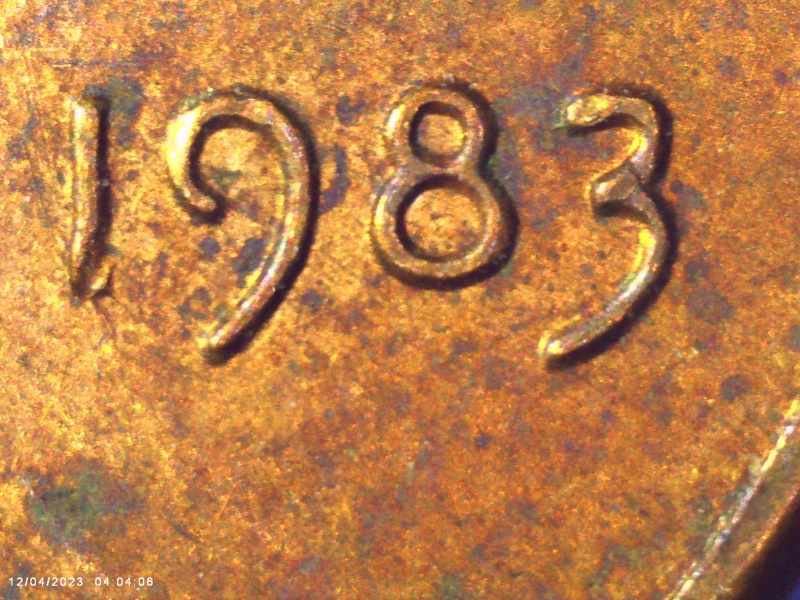 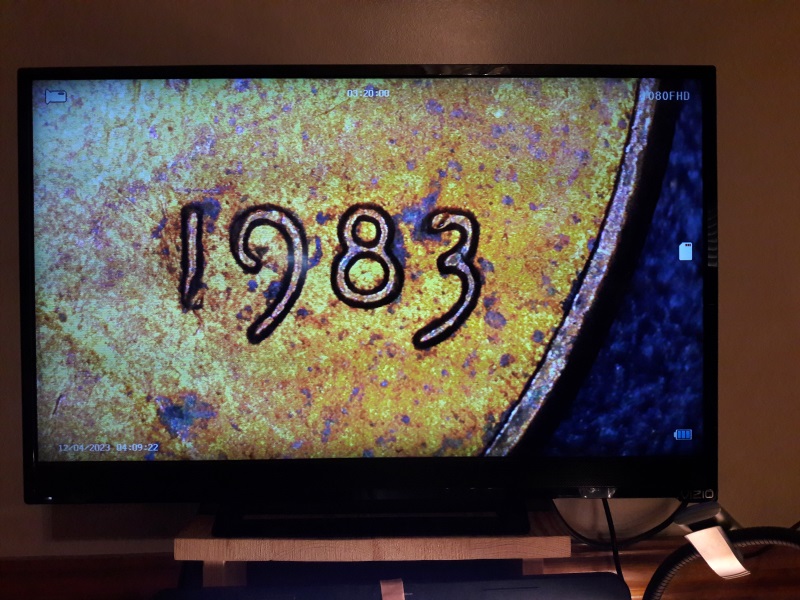 |
| |
Replies: 9 / Views: 1,508 |
|










 Posted 11/26/2023 06:50 am


