| Author |
 Replies: 22 / Views: 2,817 Replies: 22 / Views: 2,817 |
|
New Member
United States
13 Posts |
|
|
|
|
New Member
 United States
13 Posts |
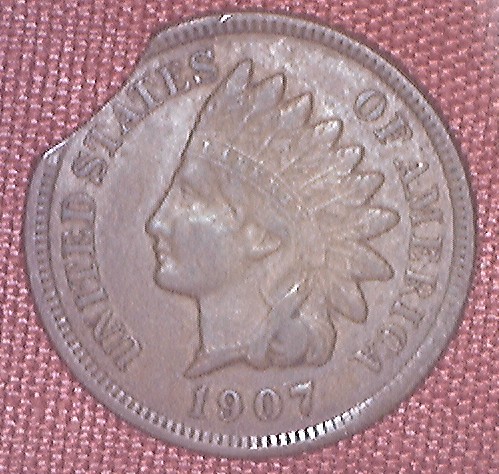
How do you post pictures?
|
|
Pillar of the Community
Canada
1931 Posts |
I cant seem to get the link to work
|
|
Pillar of the Community
Canada
1931 Posts |
where is your picture loading from? straight from your computer or from an uploading site?
|
|
New Member
United States
13 Posts |
|
|
Pillar of the Community
United States
2529 Posts |
click reply to topic, and at the bottom you'll see add image...click on it
|
|
New Member
United States
13 Posts |
|
|
New Member
United States
13 Posts |
I have done that about 10 times and nothing?
|
|
Pillar of the Community
United States
2529 Posts |
click reply to topic, and at the bottom you'll see add image...click on it. a window will pop up and let you browse your computer for picture.
|
|
Pillar of the Community
United States
2529 Posts |
|
|
Pillar of the Community
United States
2529 Posts |
works for me! when you're done you should get a message saying it was successfully uploaded. If it's too large it wont go through this way!
|
|
Pillar of the Community
United States
2529 Posts |
gif or jpg format only! that must be the problem!
|
|
New Member
United States
13 Posts |
I got it to a .gif but 372 kb, too large I guess and can't reduce?
|
|
Pillar of the Community
United States
2529 Posts |
what kind of software do you have for pictures? I've had to reduce just about every coin picture I've posted.
Edited by ratman4762
08/26/2009 10:28 pm
|
|
Rest in Peace
United States
4849 Posts |
Open it with microsoft paint, then stretch/skew and save as a jpg. No special software required.
|
|
Pillar of the Community
United States
2529 Posts |
|
| |
Replies: 22 / Views: 2,817 |










 Posted 08/26/2009 9:49 pm