Coin Community Family of Web Sites Join Thousands of Coin, Bullion, & Money Collectors
Vancouvers #1 Coin and Paper Money Dealer Royal Canadian Mint products, Canadian, Polish, American, and world coins and banknotes. Royal Estate Auctions - $1 Coin AuctionsSpecializing in Modern Numismatics Join Thousands of Coin, Bullion, & Money Collectors Coin, Banknote and Medal Collectors's Online Mall 300,000 items to help build your collection!


Username:
Password:
Save Password
Forgot your Password?


This page may contain links that result in small commissions to keep this free site up and running.

Welcome Guest! Registering and/or logging in will remove the anchor (bottom) ads. It's Free!

Pictures With DSLR Camera

To participate in the forum you must log in or register.
Author Previous TopicReplies: 15 / Views: 2,156Next Topic  
Bedrock of the Community
Bryan1315's Avatar
United States
14454 Posts
 Posted 05/07/2011  5:50 pm Show Profile   Bookmark this topic Add Bryan1315 to your friends list Get a Link to this Message Number of Subscribers
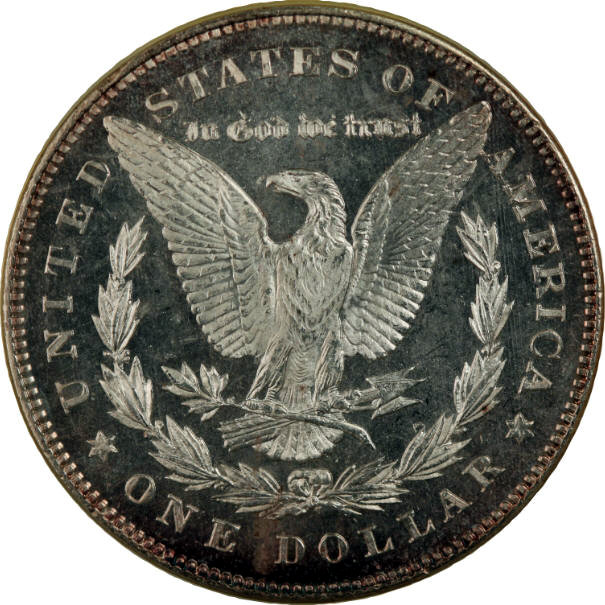
I need some opinions on these photo's. Each of them have different ISO settings that were used and was wondering which one looks best to everyone else
Pictures-With-DSLR-Camera
Bedrock of the Community
Earle42's Avatar
United States
10038 Posts
 Posted 05/07/2011  6:03 pm  Show Profile   Bookmark this reply Add Earle42 to your friends list Get a Link to this Reply
Aesthetically I like the top one first. The higher contrast seems to make the details stand out more. I also like the silver-white look of the third.

If I were grading it, I am not sure which one I would vote for b/c I am not used to grading coins with the contemporary system.
How much squash could a Sasquatch squash if a Sasquatch would squash squash?
Download and read: Grading the graders
Costly TPG ineptitude and No FG Kennedy halves
https://ln5.sync.com/dl/7ca91bdd0/w...i3b-rbj9fir2
Valued Member
pastorals's Avatar
United States
91 Posts
 Posted 05/07/2011  6:06 pm  Show Profile   Bookmark this reply Add pastorals to your friends list Get a Link to this Reply
I guess I 'like' the first one best, but they all have a color balance problem.

Alan
Bedrock of the Community
Bryan1315's Avatar
United States
14454 Posts
 Posted 05/07/2011  6:10 pm  Show Profile   Bookmark this reply Add Bryan1315 to your friends list Get a Link to this Reply
the white looks white to me, what part looks to have color balance problems?
Valued Member
Newbismatic's Avatar
United States
380 Posts
 Posted 05/07/2011  6:36 pm  Show Profile   Bookmark this reply Add Newbismatic to your friends list Get a Link to this Reply
I like the first one, but I think its because it's in focus.

I would repeat the same test and not move anything except for the ISO... and of course shutter speed or aperture to adjust for exposure.

You should find that your lowest ISO will be the best. Sometimes the lowest isn't the best though.
Bedrock of the Community
Bryan1315's Avatar
United States
14454 Posts
 Posted 05/07/2011  6:47 pm  Show Profile   Bookmark this reply Add Bryan1315 to your friends list Get a Link to this Reply
the lowest is what everyone seems to like best. I know when I max out the ISO at 3200 you can not see the coin at all, it looks just like a white sheet of paper and nothing on it
Pillar of the Community
Sidekick-CA's Avatar
United States
509 Posts
 Posted 05/07/2011  7:36 pm  Show Profile   Bookmark this reply Add Sidekick-CA to your friends list Get a Link to this Reply
I also thought the first foto was the best. Here's what has worked best for me with PL coins using my own Canon Rebel -- Aperture f/5.6, Exposure 1/320, ISO 200 at 55mm. Of course the lighting is a critical variant to any setting; type of lighting, intensity and positions. I was using 2 compact flourescent goosenecks with the above settings. Less lighting would probably mean you need a higher ISO or longer exposure time. Just some thoughts from my limited experience. I'm still playing with it just like you. I've even found I need to change my settings when changing from shooting from the obv to the rev in some cases due to the coin's different surfaces, reflectivity and toning.
Pillar of the Community
chequer's Avatar
Canada
4227 Posts
 Posted 05/07/2011  7:42 pm  Show Profile   Bookmark this reply Add chequer to your friends list Get a Link to this Reply
#1 gets my vote also.
Bedrock of the Community
Bryan1315's Avatar
United States
14454 Posts
 Posted 05/07/2011  9:46 pm  Show Profile   Bookmark this reply Add Bryan1315 to your friends list Get a Link to this Reply
this is pictures taken with sidekick's settings (only with 50mm lens)
Pictures-With-DSLR-Camera
Pillar of the Community
Sidekick-CA's Avatar
United States
509 Posts
 Posted 05/07/2011  10:31 pm  Show Profile   Bookmark this reply Add Sidekick-CA to your friends list Get a Link to this Reply
Exposure and detail look pretty good. Color seems off (lotsta red). You may want to go through your manual white balance settings see what you can bring up.
Pillar of the Community
JackB's Avatar
United States
1064 Posts
 Posted 05/07/2011  10:45 pm  Show Profile   Bookmark this reply Add JackB to your friends list Get a Link to this Reply
I always ask "which one looks the most like what you're actually looking at, especially the coloring?"
Bedrock of the Community
Bryan1315's Avatar
United States
14454 Posts
 Posted 05/07/2011  10:56 pm  Show Profile   Bookmark this reply Add Bryan1315 to your friends list Get a Link to this Reply
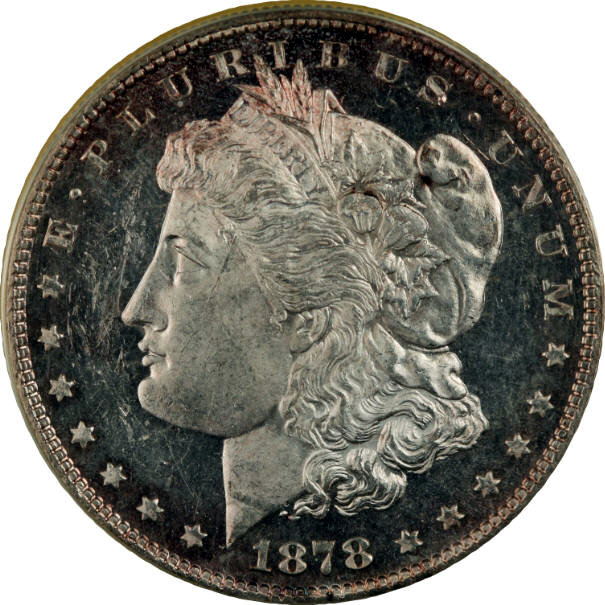
the toning on this coin around the edges does look the color the picture shows. The coin is labeled as a MS-63 DMPL "CAMEO" by ANACS. I think the last pictures are the closest yet without showing the mirrors on the coin
Bedrock of the Community
Bryan1315's Avatar
United States
14454 Posts
 Posted 05/07/2011  11:21 pm  Show Profile   Bookmark this reply Add Bryan1315 to your friends list Get a Link to this Reply
this is one without toning
Pictures-With-DSLR-Camera
Pillar of the Community
Sidekick-CA's Avatar
United States
509 Posts
 Posted 05/08/2011  12:21 pm  Show Profile   Bookmark this reply Add Sidekick-CA to your friends list Get a Link to this Reply
Looks like there's no stopping you now. Hope you don't mind but ran your foto through Gimp with a quick white balancing act. Look closer to the actual coin or worse? BTW, did you ever get that Canon software working for your remote shooting?

Pictures-With-DSLR-Camera
Valued Member
HeadsIWin's Avatar
United States
260 Posts
 Posted 05/08/2011  1:17 pm  Show Profile   Bookmark this reply Add HeadsIWin to your friends list Get a Link to this Reply
Sidekick-CA very nice improvement.

Bryan1315 you certainly are improving.
Bedrock of the Community
Bryan1315's Avatar
United States
14454 Posts
 Posted 05/10/2011  8:14 pm  Show Profile   Bookmark this reply Add Bryan1315 to your friends list Get a Link to this Reply
this is pictures of the same coin with the same settings but with the new 100mm lens after a WB in Gimp, kind of looks to blue to me when I do a simple WB in Gimp


Pictures-With-DSLR-Camera

Pictures-With-DSLR-Camera
  Previous TopicReplies: 15 / Views: 2,156Next Topic  

To participate in the forum you must log in or register.


Disclaimer: While a tremendous amount of effort goes into ensuring the accuracy of the information contained in this site, Coin Community assumes no liability for errors. Copyright 2005 - 2026 Coin Community Family- all rights reserved worldwide. Use of any images or content on this website without prior written permission of Coin Community or the original lender is strictly prohibited.
Contact Us  |  Advertise Here  |  Privacy Policy / Terms of Use

Coin Community Forum © 2005 - 2026 Coin Community Forums
It took 0.34 seconds to rattle this change. Forums