| Author |
 Replies: 20 / Views: 9,256 Replies: 20 / Views: 9,256 |
|
Formerly nancyc
Australia
5385 Posts |
These were taken with the scope approx 13cm above the coin. I can't really explain why images of both sides turned out different sizes and all I did was turn the coin over. Obv 112KB, Rev 120KB. I didn't change any settings at all. For all 3 images, I turned off the built-in LED's and used external lighting. Unfortunately, I've had to resize the 2 x coin images to post them here. I really wanted you to see the unaltered results. Obv now 83KB 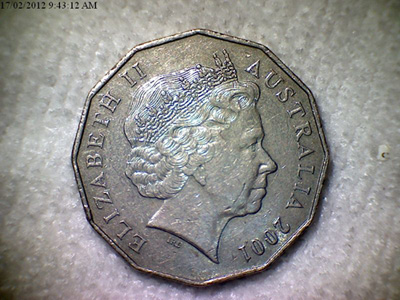 Rev now 87KB 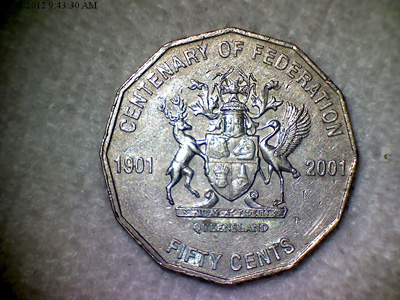 UK Threepences shot from 60cm above, the whole card is 16.5 x 11.5 cm. 83KB - no resize necessary, so what you see is what I got. 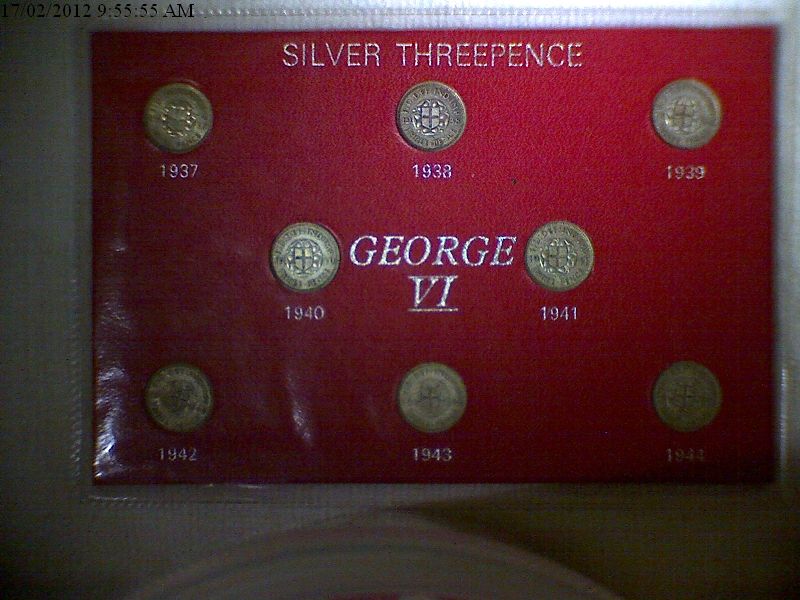 I don't know what the upper distance limit is. I guess when the focus can't be achieved. All the available data is here: http://www.kaiserbaas.com/kaiser-ba...l-microscopeOverview - Features - Specifications - Requirements My personal opinion is that it's a fantastic little bit of equipment, and at $65 Aust, a great bargain. By the way, it has many features that I don't know how to use as I'm not technically minded. life is a mystery to be lived not a problem to be solved
|
|
|
|
Pillar of the Community
United States
7842 Posts |
I guess that just about all of the USB microscopes share the same details; internal and external. Looks like the same out shell as my Dino-Lite, except mine did not come with the adjustable holder. Good images from afar with a microscope, I have not tried distance shots yet with mine.  Edited by oih82w8
02/16/2012 7:36 pm
|
|
Pillar of the Community
United States
8534 Posts |
Nice scope. I looked at one on ebay and the shipping was like 46 bucks I think. I do like the adjustable LEDs and if it wasn't for the shipping I would give it try. Oregon coin geek.....*** GO BEAVS ! ! ! ***
|
|
Formerly nancyc
 Australia
5385 Posts |
A few more images and distances, the book is roughly 20 x 15 cm: 79cm 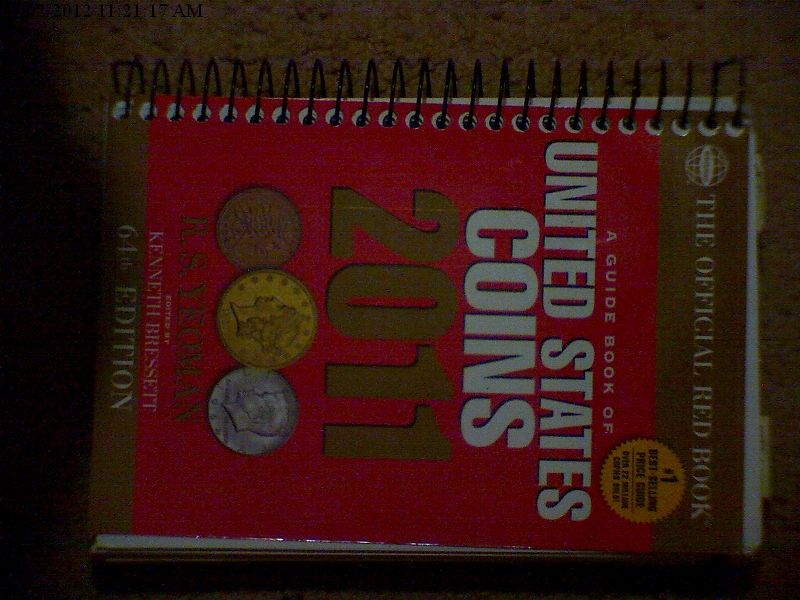 89cm 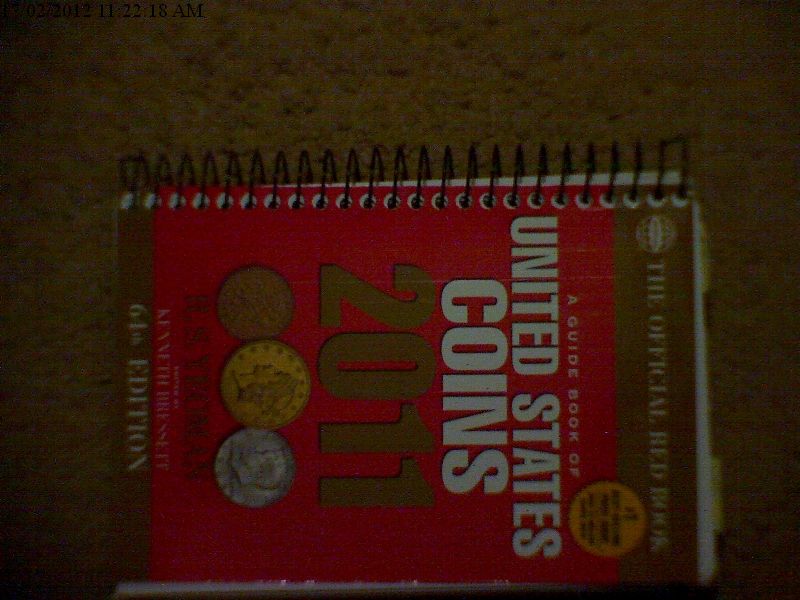 107cm 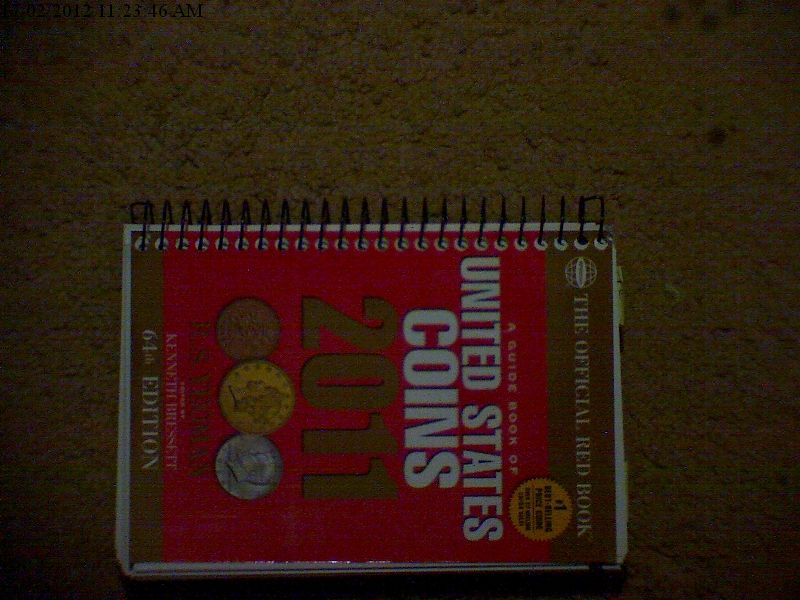 Good focus not really achievable at this distance. life is a mystery to be lived not a problem to be solved
|
|
Bedrock of the Community
Australia
21792 Posts |
Nancy: You have got me sold. I will get one.
|
|
Pillar of the Community
United States
513 Posts |
Quote:
I can't really explain why images of both sides turned out different sizes and all I did was turn the coin over.
Obv 112KB, Rev 120KB. I didn't change any settings at all. I presume you are talking about a difference in file size (kilobytes) rather than actual image size (pixels wide x pixels high). 112kb vs 120kb is within normal variation. I am assuming they are saved directly as JPEG images, rather than TIFF or RAW. Jpegs are compressed by a computer algorithm and so discard some of the data. If you take a picture of a very busy scene, like van Gogh's Starry Night, it will be a larger file than taking a picture of an equivalent sized piece of blank paper. Notice on your obverse picture the background is more uniform, and the coin doesn't have the contrast of bright vs. dark areas compared to the reverse pic. The obverse pic had more information that could be compressed. If you are talking about different size (width x height) then I can't help you. :) |
|
Formerly nancyc
Australia
5385 Posts |
Quote:
I presume you are talking about a difference in file size (kilobytes) rather than actual image size (pixels wide x pixels high). 112kb vs 120kb is within normal variation. Yes, file size. Quote:
I am assuming they are saved directly as JPEG images, Yes, again. Quote:
Notice on your obverse picture the background is more uniform I probably moved the external light a bit, it's just a square LED torch.  Thanks for all the info. When it comes to technicalities, I'm hopeless.  Even if I do manage to work out some technical details, by the time I want to use the knowledge, it's gone! It's a real sod to lose most of your memory.  life is a mystery to be lived not a problem to be solved
|
|
Pillar of the Community
Australia
9839 Posts |
Quote:
Unfortunately, I've had to resize the 2 x coin images to post them here. I really wanted you to see the unaltered results Nancy, if you don't already have one, open a Photobucket account and you can link to the images, that will enable you to show us the image you want. (or e-mail me the original and I will do it for you). Steve |
|
Pillar of the Community
Australia
877 Posts |
Hi Nancy or anyone else interested, Mine arrived today but I can't get it to work.  Driver installs fine (either from disk supplied or Windows PnP). Device manager reports as working properly (Venus USB2.0 microscope). Viewing software also installs fine. LED illumination works and cab be adjusted when plugged in. But, can't get a picture in preview window. Taking a shot opens a blank thumbnail, preview window "flashes" and reverts to grey. Maybe your tame computer man might know something about them. Or perhaps another forum member may be well informed on USB microscope setup. Any sensible advice would be appreciated. Kaiser Baas support page is worthless. Jeff |
|
Formerly nancyc
Australia
5385 Posts |
For the picture to show in the preview window, make sure your mouse pointer is over the preview window.
life is a mystery to be lived not a problem to be solved
|
|
Pillar of the Community
Australia
877 Posts |
Well, managed to get it working. It won't work with a particular USB port on my computer (although everything else works there)? So, swapping a couple of leads solved the problem. Two first impressions; - An adjustable stand would be very handy
- Inbuilt lighting is hopeless
Here is my first picture 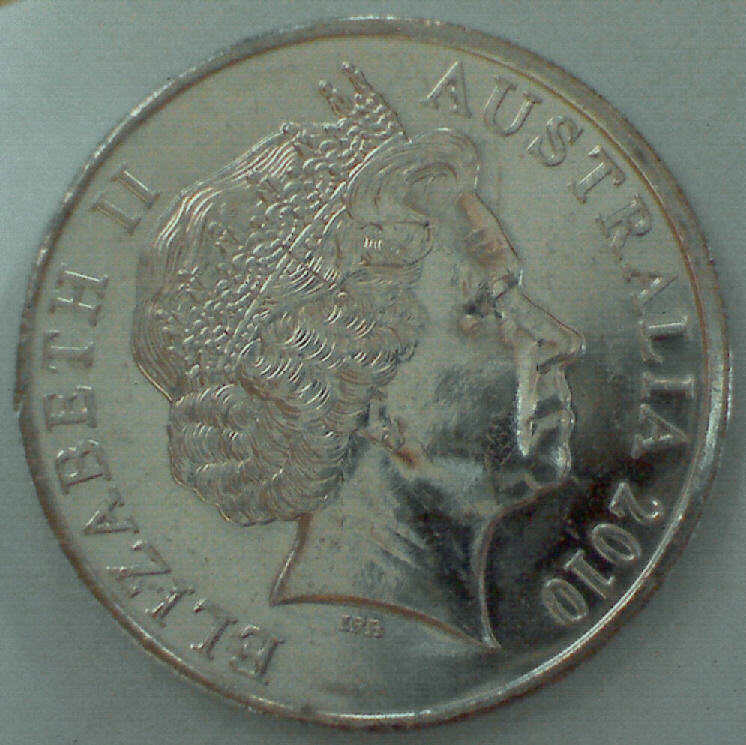 Need a bit of practice to get to Nancy's standard. Jeff |
|
Previously Ousted
Canada
398 Posts |
ok, since this is supposed to be a Microscope ( or did I miss something?).
can you guys please also do some very extreme close ups and see how they turn out.?
it may be a substitute for taking simple images of coins... but how are the close ups?
I use a similar model and find it cumbersome to use, as all adjustments are extremely sensitive. if it is not dead on... blurrrrrr
and if it is in the non-macro regions.. I can use a regular camera with a macro setting for better results.
remember, the reason for a microscope is to see Micro details, the hair, and not the head.
I believe your $100 were spent for the wrong reason. just MHO
|
|
Pillar of the Community
Australia
877 Posts |
Quote:
ok, since this is supposed to be a Microscope ( or did I miss something?).
can you guys please also do some very extreme close ups and see how they turn out.? Have a look at some of Nancyc's posts. Here are a few; |
|
Formerly nancyc
Australia
5385 Posts |
Some new images of coins that should be familiar to you. 1c 1951D D.Chip BiE Close up 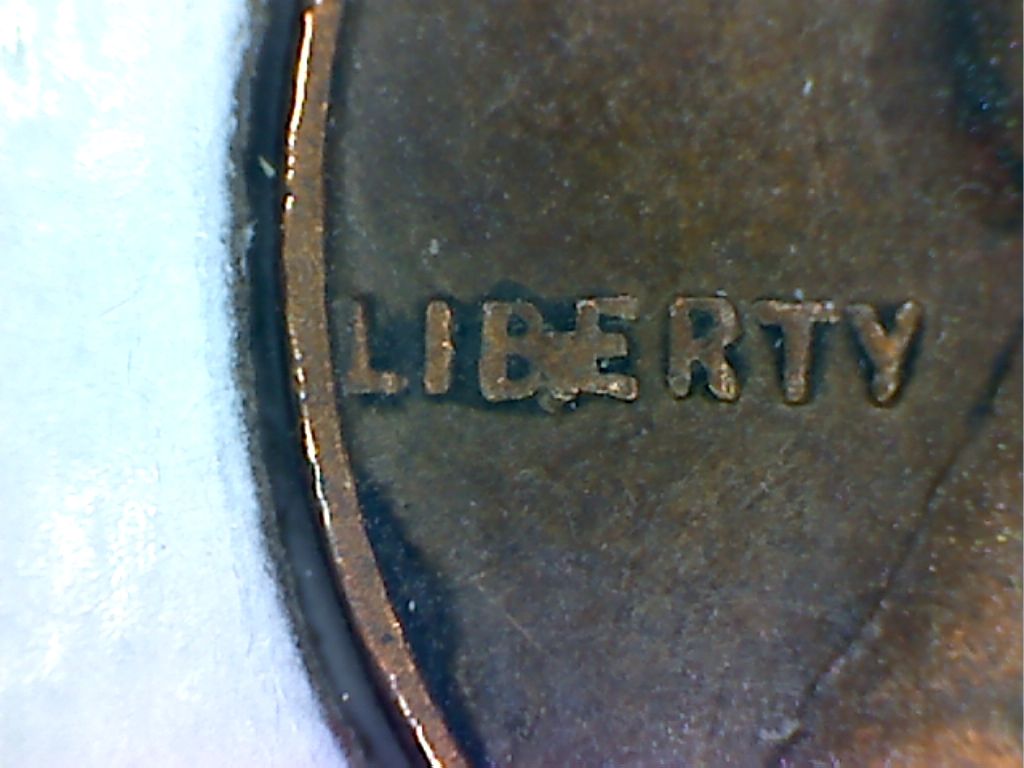 1c 1951D D.Chip BiE 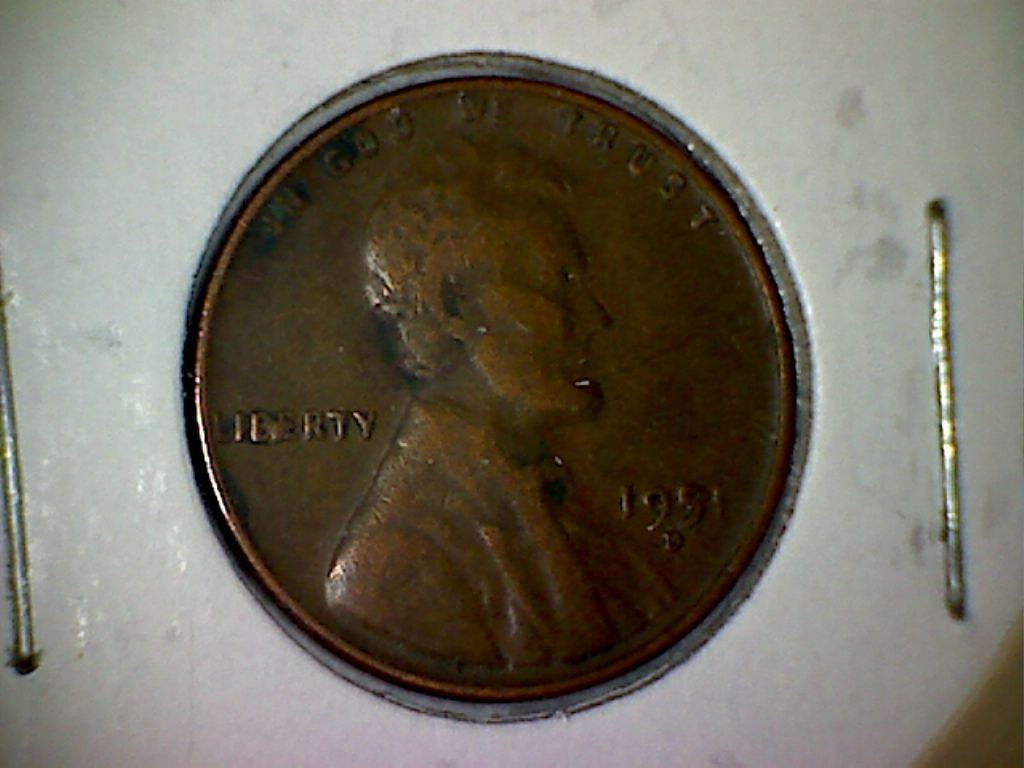 1c 1957P Rev Cud in R Wheat Close up 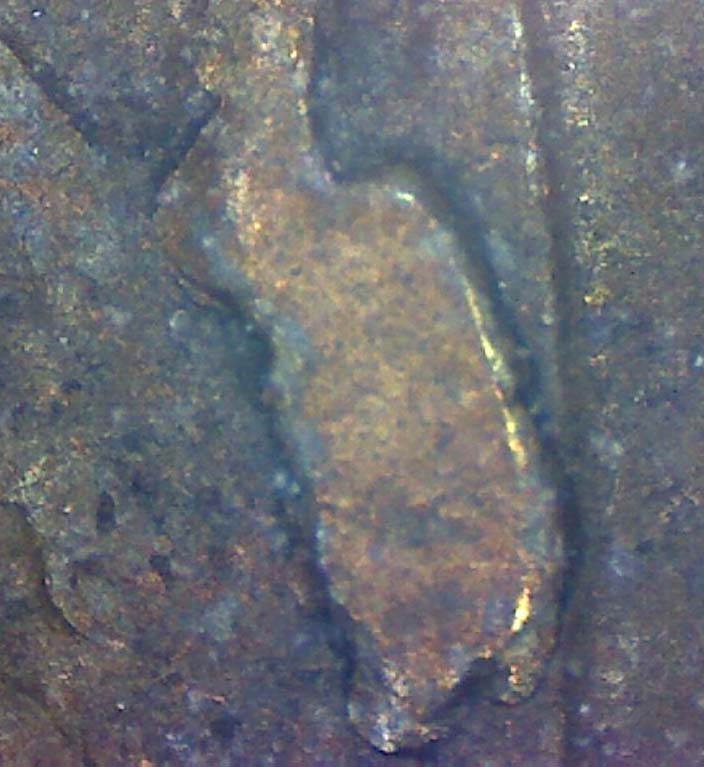 1c 1957P Rev Cud in R Wheat 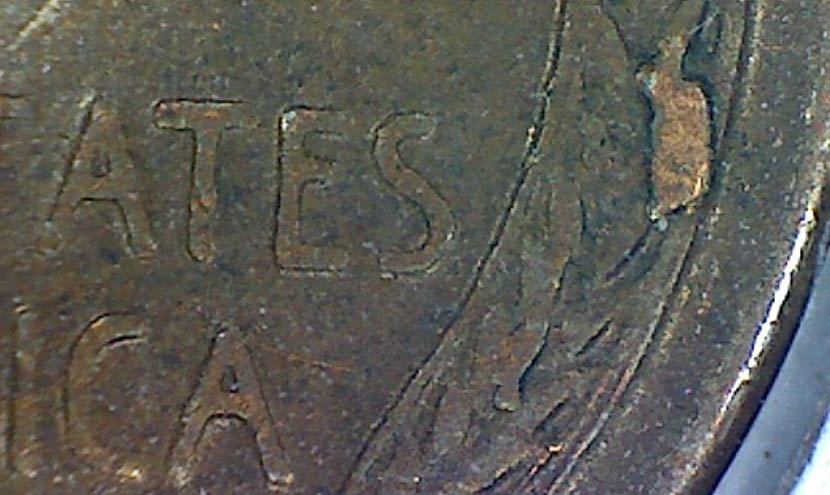 1c 1960D Rev Cud in E v2 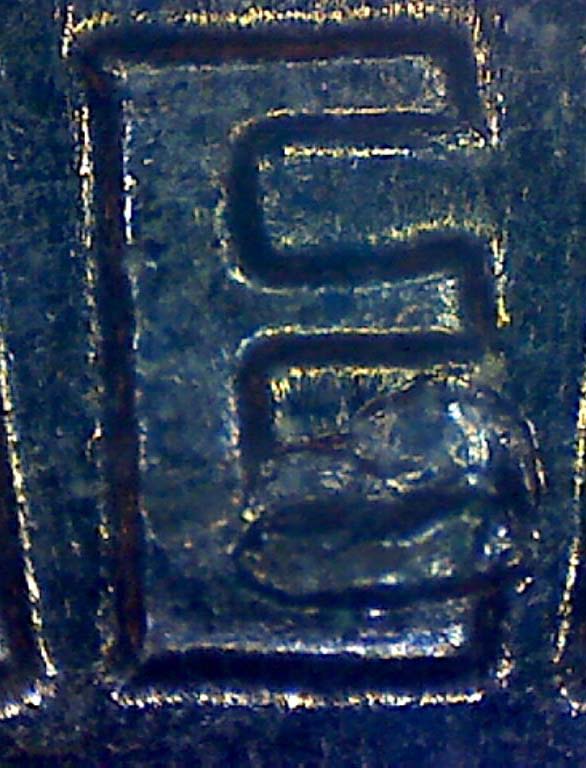 1c 1960D Rev Cud in E v3 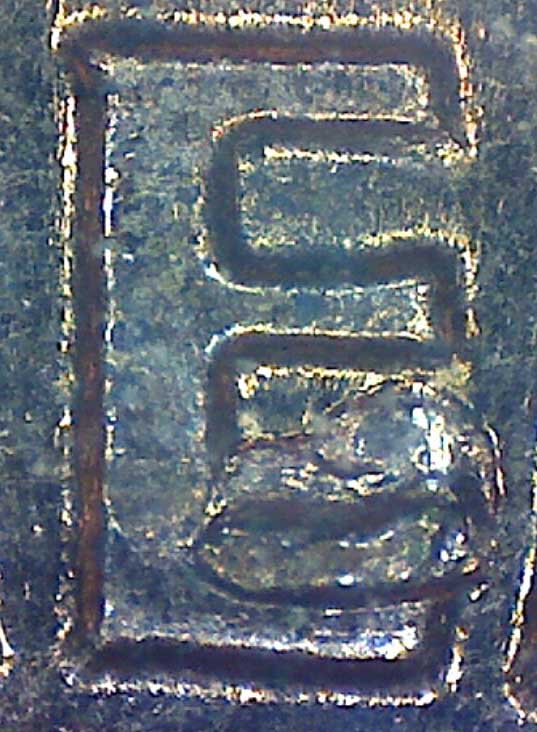 1c 1960D Rev Cud in E v1 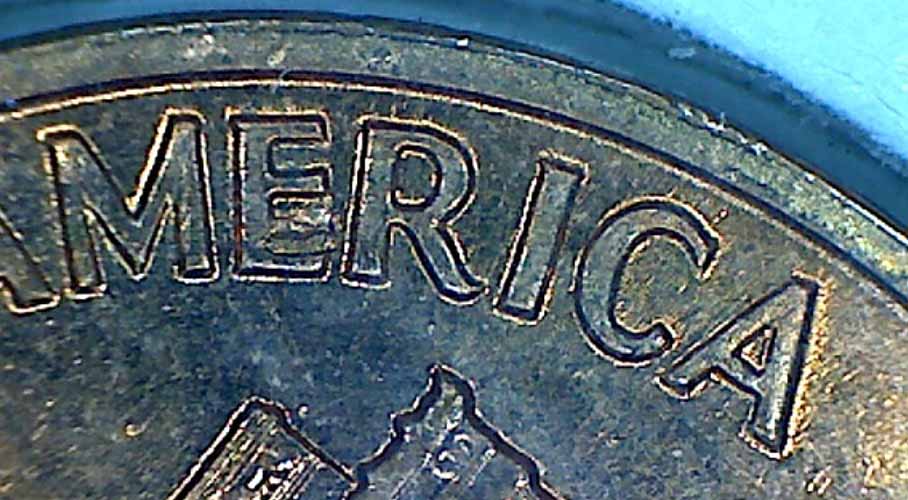 life is a mystery to be lived not a problem to be solved
|
|
Previously Ousted
Canada
398 Posts |
Nancy, are you using a stand or something? or is it hand held? I am using a 100mm macro lens and have the possibility of an additional digital enlargement of a preset 200%. it is very shake and the slightest breath shakes it. the lens itself does an excellent job taking images of coins AND details. then I use the software, in my case ACDsee14, to enlarge the image. usually I get pretty good results. This image can still be enlarged by multiples.  |
|
Pillar of the Community
United States
570 Posts |
Quote:
it is very shake and the slightest breath shakes it. Coingirl, you should try using a shutter release cable and a tripod/stand of some sort. This combination will minimize the shakiness and you can actually breathe when you are taking photos . Once I got a setup like this, no more holding your breath to take photos. Just click the shutter release button. Nice photo by the way Edited by mmorgan22
04/16/2012 1:17 pm
|
| |
Replies: 20 / Views: 9,256 |










 Posted 02/16/2012 8:27 pm


