| Author |
 Replies: 26 / Views: 3,594 Replies: 26 / Views: 3,594 |
|
|
|
Valued Member
 United States
69 Posts |
I can't wait! I just got the vertical setup...taking first shots now...
|
|
Valued Member
United States
69 Posts |
|
|
Moderator
 United States
23522 Posts |
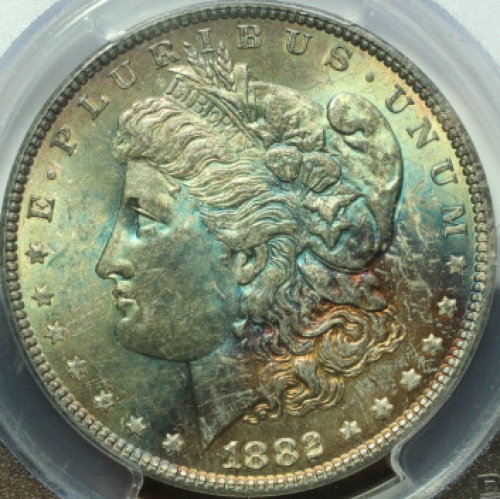
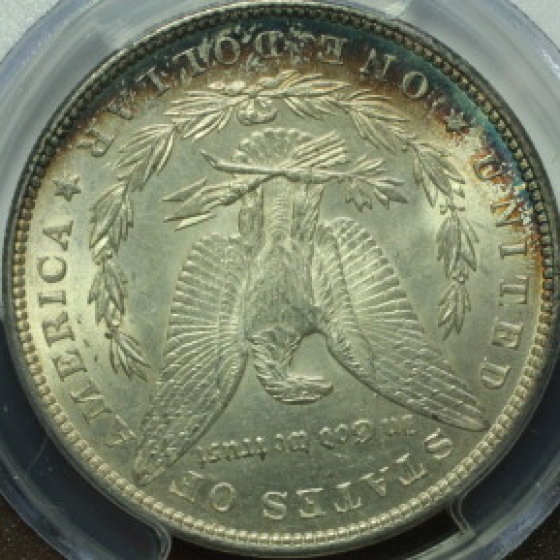
Much better. This is a tough coin to work with, though - the toning complicates color rendition. Further, if you're using "white" light from above and sunlight in combination, it's also complicating the situation. One of the ways of measuring light is by "Color Temperature," expressed degrees Kelvin just the same way they do the color of a star. Typical incandescent indoor light can range between 2800-4000k, and normal sunlight is between 5000-6000k depending on time of day and cloud conditions. It really inhibits a camera's ability to properly correct for color when it has to deal with multiple light sources of differing temperature. That's why we advocate all light sources being identical. The specific color temperature one uses as a light source isn't relevant, despite those who hold fast on recommending only "daylight" bulbs or some specific lamp because of its' temperature. An effective custom White Balance makes that irrelevant. But the necessity to use single-temperature light sources exists, and it's a step on the road to creating the best images you can. Still waiting on EXIF data.  |
|
Valued Member
United States
69 Posts |
Does this one look better for the color? 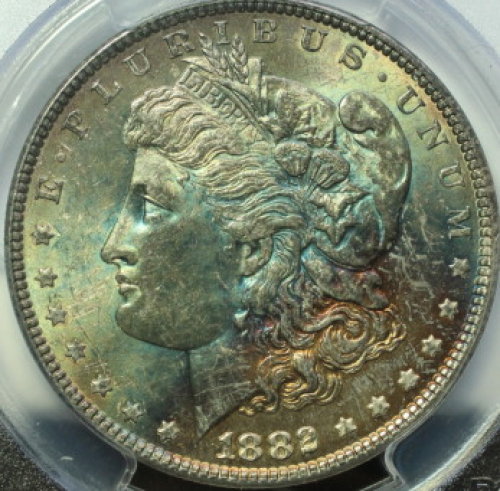 |
|
Moderator
United States
23522 Posts |
Quote:
Does this one look better for the color? I have no idea, nor will I ever know. You're the one with the coin in front of you - you have to make that determination. The purpose of what we're doing here is to equip you with a technique with zero dependence on luck, something consistently repeatable across all types of coins and all levels of luster, which allows you to set a coin under your lens and know you're getting it right within the first two or three clicks of the shutter. To that end, we have to move on a logical, step-by-step fashion, one thing at a time. Master one skill, then move on to the next. |
|
Valued Member
United States
69 Posts |
I have a Canon EOS Rebel T3i Can someone tell me how to 'teach' the camera what 'white' is. I know where the setting is and tried to use a sheet of white copy paper but it did not come out 100% white more like 80%. Thanks  |
|
Pillar of the Community
2087 Posts |
Quote:
Can someone tell me how to 'teach' the camera what 'white' is. I know where the setting is and tried to use a sheet of white copy paper but it did not come out 100% white more like 80%. I would suggest you make a trip to your local photography store and purchase an 18% grey card. Use that card to set the white balance(same way you did it with the photocopy paper) make sure the lighting is the same as you would use for the coin. B & H have some different options such as: http://www.bhphotovideo.com/c/produ...y_Cards.htmleven cheaper from Adorama: http://www.adorama.com/DKGCP.htmlAlso when you take the photo step away.....( a remote shutter release would help) as light reflected from your clothes might be having an effect. Edited by austrokiwi
08/25/2013 09:14 am
|
|
Valued Member
United States
69 Posts |
austrokiwi
Great. I am on it!
|
|
Valued Member
United States
69 Posts |
Trying to pair my remote shutter release with my Canon T3i can't seem to figure it out and do not have a manual. Anyone know how to do this? The release is a Pro Master infrared remote.  Thanks |
|
Valued Member
United States
374 Posts |
Jake: I believe the manuals are free on line from the canon web site. I have a canon and a remote, but I don't believe any pairing was required. Then again I bought the canon brand remote.
Edited by Bababooey
08/25/2013 11:48 am
|
|
Moderator
United States
23522 Posts |
Quote:
Can someone tell me how to 'teach' the camera what 'white' is. I know where the setting is and tried to use a sheet of white copy paper but it did not come out 100% white more like 80%. Don't worry about what you see. It's just a reference for the camera to figure out how to render the non-white components of what it's shooting. My white balance settings come out perfect, but the test shot itself looks grey. Make sure it's a stack of a few sheets, and use a toothpick to achieve focus exactly on the surface of that paper (remove the toothpick, of course, to actually shoot). |
| |
Replies: 26 / Views: 3,594 |





 First Page


 Posted 08/22/2013 11:39 am