| Author |
 Replies: 36 / Views: 6,676 Replies: 36 / Views: 6,676 |
|
Pillar of the Community
United States
849 Posts |
I picked up a new camera yesterday,and after a day of playing around with it,this what I came up with.Any comments on how to improve the pictures,or tips,will be Welcomed.Are there any settings I should try?This thing has so many I just keep trying different ones till it looks good to Me.How does it look to you all? I picked silver because I read somewhere it has the most reflective surface of all of the metals.I don't if it is true or not...that's just what I read.So I figure it would be the hardest to photograph. I am using two daylight flood lights.I think they were ~5500K,~1400 lumens. 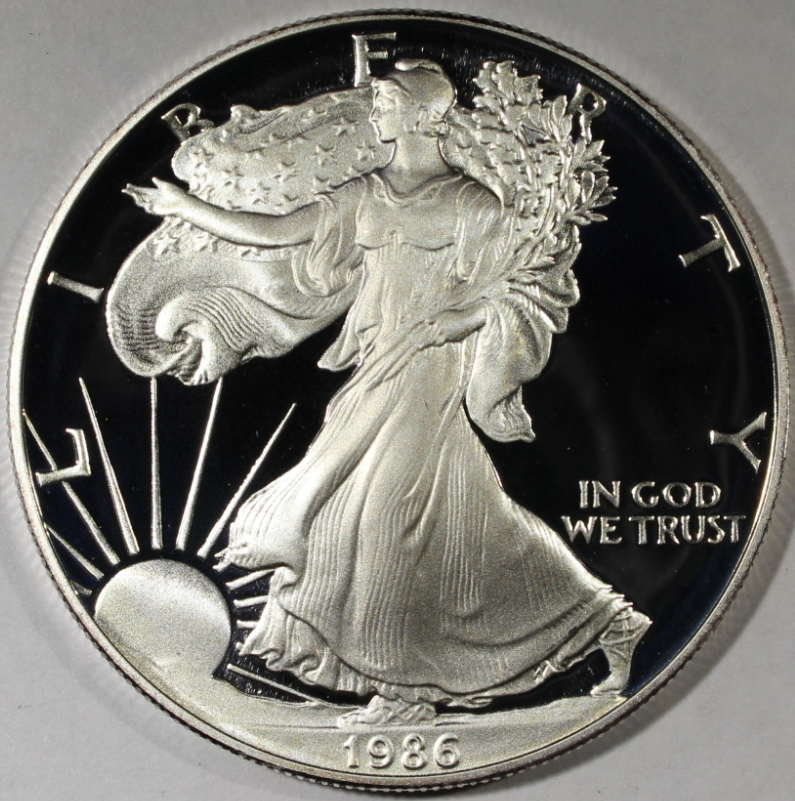 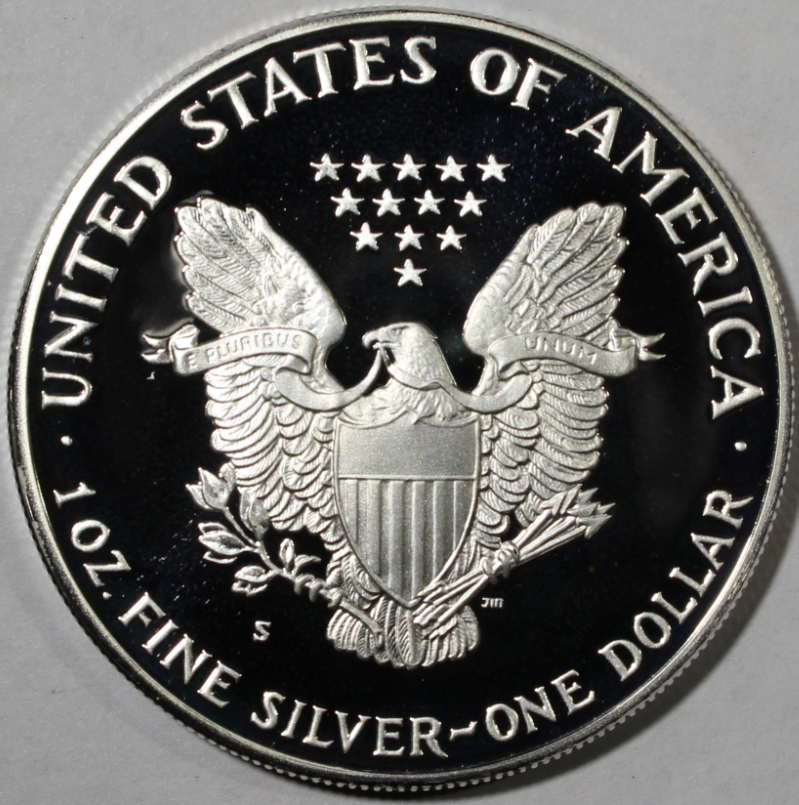 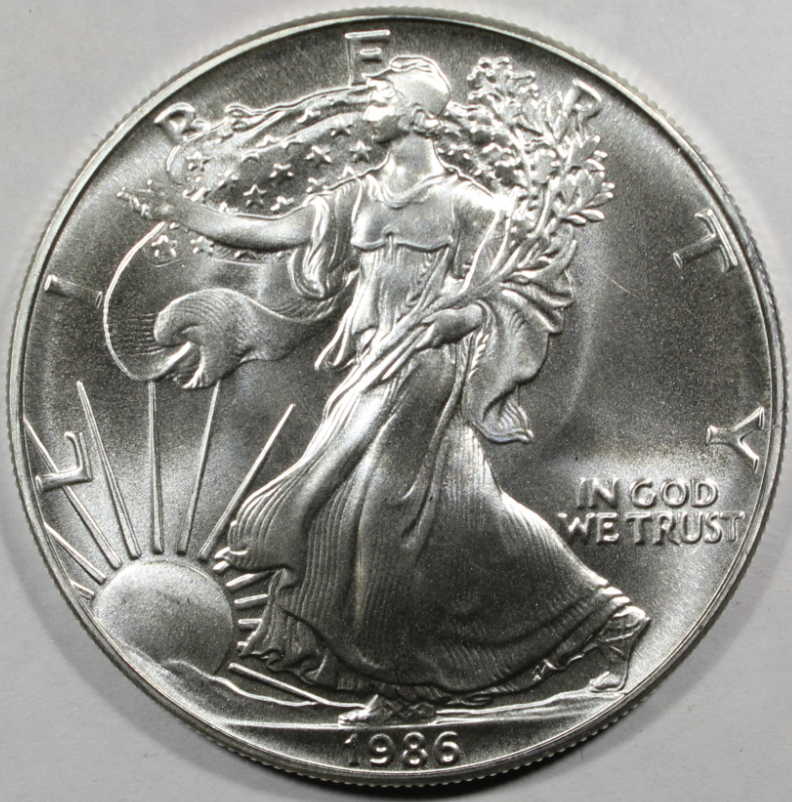 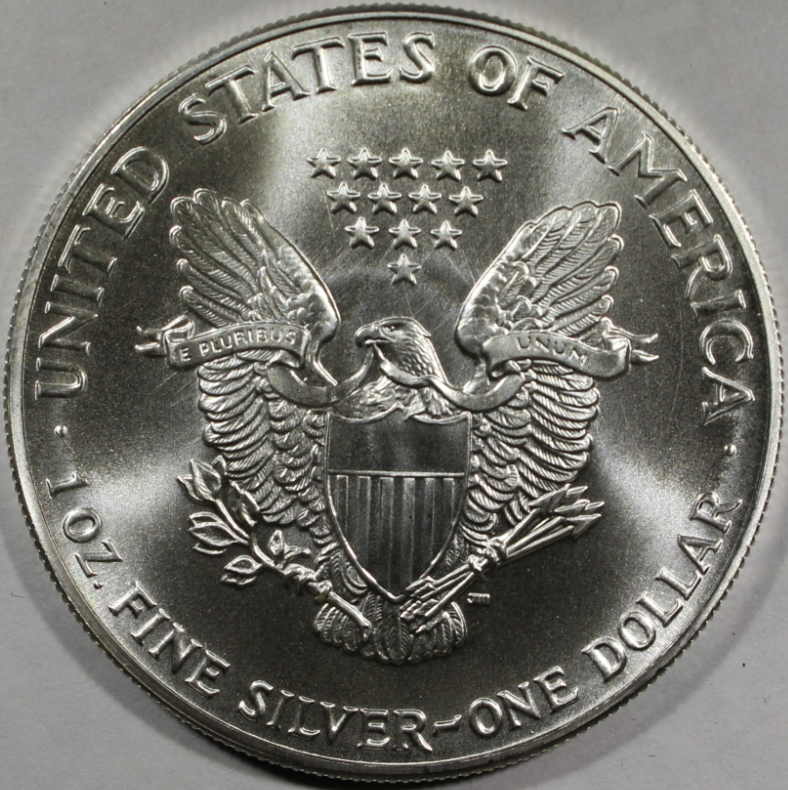 |
|
|
|
Pillar of the Community
Canada
2784 Posts |
hello crossedeyed. wow beautiful pictures . tell me please what kind of lenses are you using on you camera . I just bought a new canon rebel. I am just starting to understand it . I have to learn how to set it hopeing my son comes home soon to help me set it again beautiful pictures
|
|
Moderator
 United States
23522 Posts |
Cool, a two-fer.  Cross-eyed, if you're not already aware of it, Google "EXIF data" to learn if that's something you want people to be able to see. Your image has embedded data letting me know your camera and all your shot settings, and if it was a camera that had GPS tagging with it enabled I'd know to within about 3 feet of where the camera was when you snapped the shot. Focal length indicates you were using the 18-55. Zoom it to 55mm, and get it as close to the coin as you can and still focus. For that lens, it will be 12-15" from front of glass to coin. For now, use Aperture Priority, set the aperture to f/8 and let the camera figure the rest while you tweak the minimum distance and get camera and coin nice and square. Also, check out rocky's thread where he's working with the same camera. You're getting nice results so far. |
|
Pillar of the Community
 United States
849 Posts |
Hey,rocky,howsit going?Thanks for the compliments! Sounds like You bought a pretty nice camera.  I just used the 35-55 lens that came with it. As I understand it,its focal length is .8',so I bought a small tripod that extends too 11.5". The tripod can't quite hold the weight of the camera,so I used a book in an effort to off set it. The lighting is a couple of lamps (screw in type)from an office supply and the bulbs from the hardware store. I found out that if you zoom in too much the picture is way to big for resizing on the forum.About 3/4's of the way is about right.Especially on the bigger coins like the ASE.For smaller coins it isn't so bad. I used the creative program,on the camera,so that I could use the timer,instead of Me squeezing the button.And it pretty much does the rest.  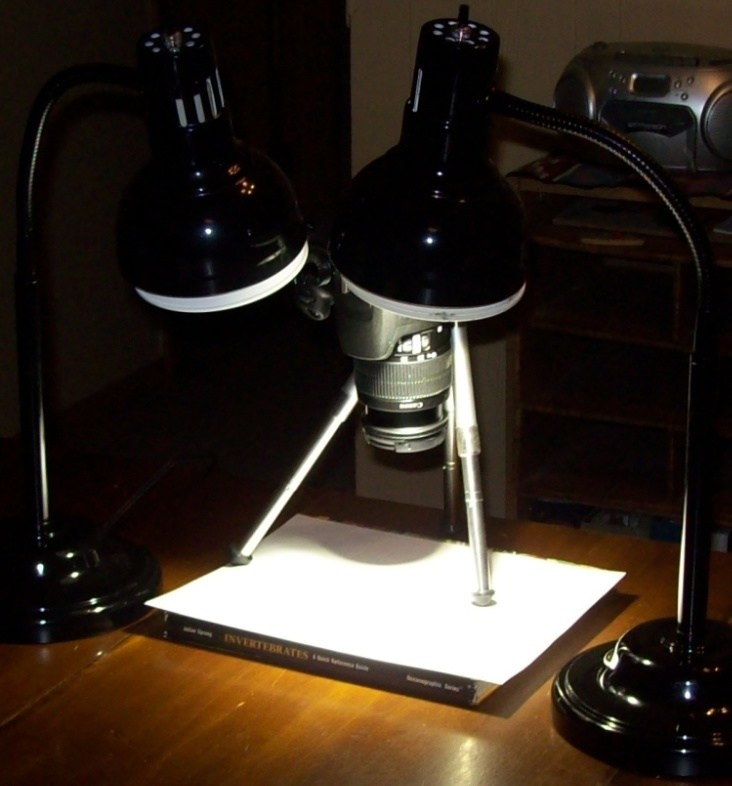 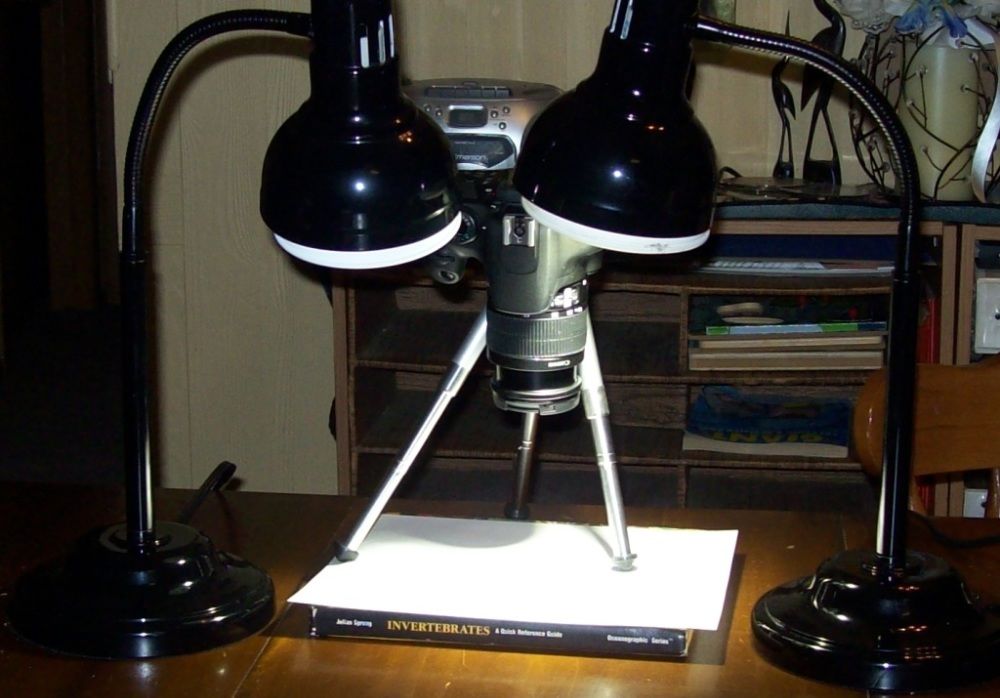 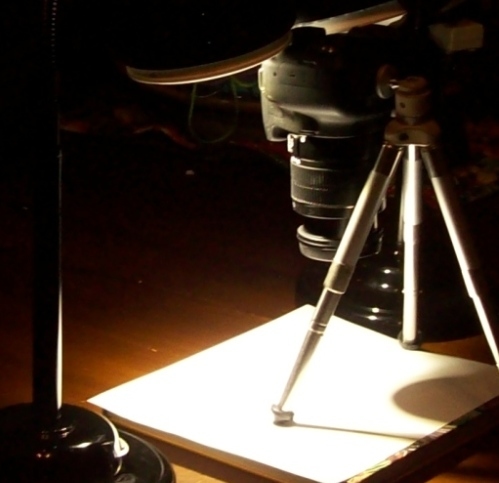 |
|
Pillar of the Community
United States
849 Posts |
Quote:
SsuperDdave:Cross-eyed, if you're not already aware of it, Google "EXIF data" to learn if that's something you want people to be able to see. Your image has embedded data letting me know your camera and all your shot settings, and if it was a camera that had GPS tagging with it enabled I'd know to within about 3 feet of where the camera was when you snapped the shot. OK,I will look into it Thanks.  Quote:
Focal length indicates you were using the 18-55. Zoom it to 55mm, and get it as close to the coin as you can and still focus. For that lens, it will be 12-15" from front of glass to coin. For now, use Aperture Priority, set the aperture to f/8 and let the camera figure the rest while you tweak the minimum distance and get camera and coin nice and square. Also, check out rocky's thread where he's working with the same camera. Alright,I'll give that a try.I may need some more books though. Quote:
You're getting nice results so far.   |
|
Pillar of the Community
United States
849 Posts |
Taken from rocky's thread so I don't high jack it. Quote:
SsuperDdave :Just disable the flash. This is a dSLR - you guys just spent the money to have infinite adjustability, which is what it takes to shoot the good stuff. No flash, Spot metering, Aperture Priority on the dial and f/8. For the moment. The first thing is to refine setup and lighting for consistency. Then we start playing with the really fun stuff. That is why I bought it over a point and shoot camera. There is so much more you can do with it. Quote:
But first and foremost, become familiar with the terms I'm using. This isn't possible otherwise. Even if this process is easy for you, there is a college semester worth of things you need to learn. Takes commitment. Way back when I was in college, I took a creative photography class for a semester.I picked it up well enough, that the professor had Me as an assistant for the next year and a half.Teaching photographic and darkroom techniques to the other students. So I am somewhat familiar with the terms you use. I am not familiar however with the digital side of it. Edited by Cross-eyed
03/03/2015 2:44 pm
|
|
Moderator
United States
23522 Posts |
On the digital side, some of it is precisely the same (aperture) and some is sorta sensor-related in that digital sensors have the same ISO tradeoffs as film but you don't vary the film. The concepts are identical.
Canon dSLR's come with Zoom Browser, a program enabling you to run the whole show remotely from the computer. You should be making all imaging settings and triggering the shot with your mouse. Once you set the camera up and turn it on, you don't touch it again except to change to a differing coin or magnification. You focus onscreen, a habit I encourage even if autofocus is available. This is all done in Live View, which enables the EFSC which is why we recommend Canon over the others.
|
|
Pillar of the Community
United States
849 Posts |
Quote:
SsuperDdave:Canon dSLR's come with Zoom Browser, a program enabling you to run the whole show remotely from the computer. You should be making all imaging settings and triggering the shot with your mouse. Once you set the camera up and turn it on, you don't touch it again except to change to a differing coin or magnification. You focus onscreen, a habit I encourage even if autofocus is available. This is all done in Live View, which enables the EFSC which is why we recommend Canon over the others. I downloaded the zoom browser,and all of the related software,but My computer is too slow.So I went back to doing it manually and I'll have to wait until I can afford a newer computer in order use it with the program. I went to the camera store today and found a copy stand for $20.00.I had to also buy a camera mount to make it work right and it was $29.95. I got it home and have been playing around with it this afternoon.Here are the results... 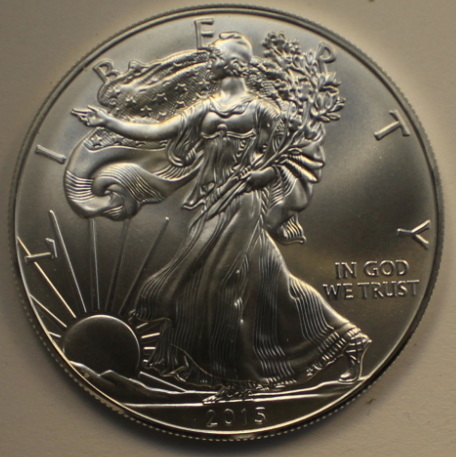 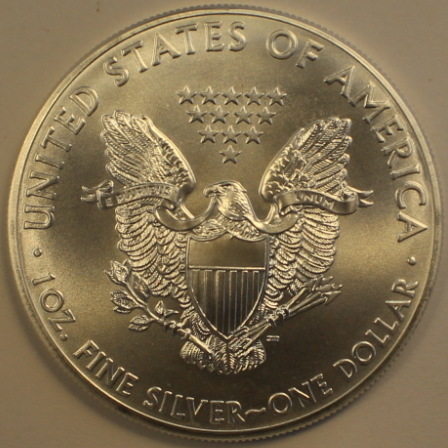 The reverse looks a little too golden/brown,so I'll have to work on that.But otherwise how is it coming along? |
|
Pillar of the Community
Canada
2784 Posts |
crossed eyed all I can say is wow very nice pic. I am finally starting to see how to use this camera. I went back and got a canon t5. I find it a little more user friendly. I have finally figured out how to take the picture with the computer that has made a differents for myself very nice
|
|
Pillar of the Community
United States
849 Posts |
Quote:
rocky:crossed eyed all I can say is wow very nice pic. I am finally starting to see how to use this camera. I went back and got a canon t5. I find it a little more user friendly. I have finally figured out how to take the picture with the computer that has made a differents for myself very nice Thank you rocky,not only for the kind words,but also for the encouragement that they bring. I must have taken a few hundred shots today.  Some with the Zoom Browser,but,most without it. I think I am improving little by little,though I still have a long way to go.It just takes some experimenting,or,someone with experience telling you what you need to do,like the great people here at CCF.I have been doing a lot of reading in the photo-forum and I have learned so much already. I am going to have to find another diffuser though,that,or a different K rated light source.And figure out how to improve the focusing. With,or,without the computer,I can't seem to get it to focus that last little bit.If I could only turn the ring just ever so slightly more to the right,I would have it.So when you zoom in,with the computer,it is still in focus. Even with tri-focals I can see it just isn't quite right. My old Pentax had a split screen focus that made it really easy to tell exactly when it was right.But those were the days. So,I talked to the guy at Cannon and,He told Me I would need either a 50mm lens,or an extension tube,to get the "clear" shots in this case.He also said both would run about the same as far the cost are concern. I am open to suggestions if there is a better way.i.e.lens,ect... I wish My computer was faster/newer/could handle the software,so I could use the program.It seems,from what little I have used it,even though it is slow,it does seem real user friendly.Until I can buy another computer I'll probably work on lighting and getting a better shot.That way when I do finally break down and buy another one,it will be easy sailing...er,shooting. |
|
Pillar of the Community
Canada
2784 Posts |
thank you for sharing. well I have ordered a set of close up filters. to try them . but when all the material comes in that I purchased off ebay. following that thread 400 dollar package. I am going to build the lense that ssuperddave and rpmsrpms describe for rms in that thread. I will need guidance to put it together . I brought enough almost to build the second one. first I will build one and well go from there. I want to have a spare. if I c an make it work with there help. I will help you put one together and I am sure they will guild you as well. I have and idea for lighting and a solid mount that wont cost to much but will work really well. I will tell you after I make it and try it. a lot here depends on lighting and I have and idea that might help quit a bite. I don't see anywhere where any one has tried this. oh well I will see.i use to work airpatrol and took a lot of pictures from a helicopter . we just used video camera and flir thermovision. this is all new to me. but like you I am grasping it I see you are really good at photograph . plus you know the computer keep snappen them pictures hehehe have a great one |
|
Moderator
United States
23522 Posts |
Quote:
So,I talked to the guy at Cannon and,He told Me I would need either a 50mm lens,or an extension tube,to get the "clear" shots in this case.He also said both would run about the same as far the cost are concern.
I am open to suggestions if there is a better way.i.e.lens,ect... Bull. If you can't quite get focus, move the camera an inch farther away. You'll get focus. I'm running the software every day on a computer built in 2007. The whole point of this is to allow you to focus the shot on your monitor, so we have to figure this out. Quote:
thank you for sharing. well I have ordered a set of close up filters. to try them Rocky, you gotta stop buying things and start using what you've bought. Don't you already have a Canon 100mm? That's the best lens on the market for this. Why would you want more lenses? You can't do better. |
|
Pillar of the Community
Canada
2784 Posts |
thank you sspuerddave you see I have never used a camera like this . I always used camcorder. when we would use a photographer. I just got one out of corporate pool we had lots of them. I never used there gear when I attached the lenses to the canon all I could see was the queens eyes. I would touch the plus butten and could not make out any thing. this camera is new to me . I am just starting to understand how to use it. so I will keep trying
|
|
Pillar of the Community
United States
849 Posts |
Quote:
SsuperDdave:Bull. What lens would You recommend for this type of set up?I don't do E-bay. Quote:
If you can't quite get focus, move the camera an inch farther away. You'll get focus. I called the Cannon guy again about how the focus ring was a little loose and he said that it is supposed to be that way.So I asked him how far away the lens had to be.The manual talked like it,the coin,was supposed to be .8'away from the sensor or camera body,not the lens.He said it was the other way around. I moved the camera up to about 4"-5",and it works much better,with full adjustment now. He also told Me about pressing the magnifying button while in live view mode.Which helps a lot.(see pic's below) Quote:
I'm running the software every day on a computer built in 2007. The whole point of this is to allow you to focus the shot on your monitor, so we have to figure this out. It probably isn't the computer,but the operator. I think it is competing with the Micro-soft's scanner and picture program. I'll get one of the kids to help Me remove the MS programing and see what that does.Hopefully one of 'em knows how. 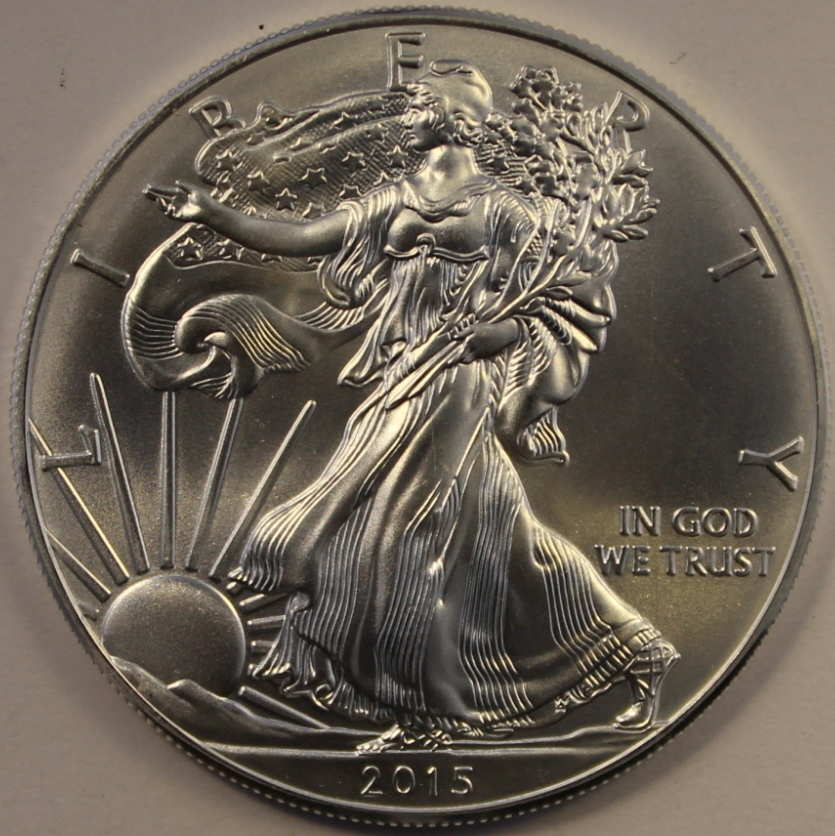 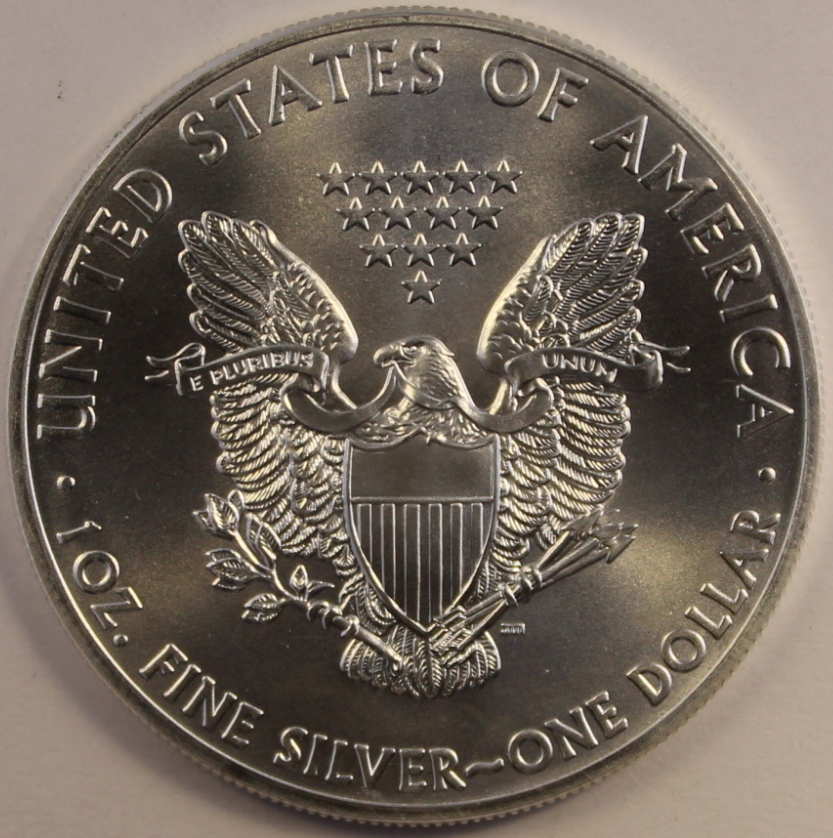 Edited by Cross-eyed
03/11/2015 9:25 pm
|
|
Pillar of the Community
Canada
2784 Posts |
hey crosseyed you are bang on there. for some reason I don't seem to be able to get that focus. I think to my lighting is off but I will get this. talking with a canon sales person . he was telling me that the canon are all going on sale. that canon is moving to the next level. no more cables all wifi. I look at him and said really. he told me I will even be able to take a photo with my smart phone seriously. I laughed said I do well to take it with the camera. I will keep working with the focus . I would like to understand the zoom more nice coin pictures
|
|
Moderator
United States
23522 Posts |
Cross-eyed, I'm on my phone and won't get to my computer until this afternoon. I want to see these latest on the big monitor; they're too good for me to evaluate them fairly on the phone. I will say, though, my initial impression was "holy cow, what a beautiful coin." That is the goal. Make the coin strike the viewer, not the picture. I'm sure your images have technical faults and I'm going to tell you about them (  ) but the coin grabbed me first, not the image. |
| |
Replies: 36 / Views: 6,676 |










 Posted 03/02/2015 9:15 pm


